
Производот завршиview
The Mesqool CR1025 Digital Alarm Clock is a versatile bedside device combining multiple functions. It features a clear LED display, Bluetooth 5.0 connectivity for audio streaming, a digital FM radio with station presets, dual USB charging ports (Type-C and USB-A), and an adjustable night light. Designed for convenience, it includes a 5-level dimmer for display brightness, adjustable volume, 12/24-hour format, snooze function, and battery backup to retain settings during power outagес.
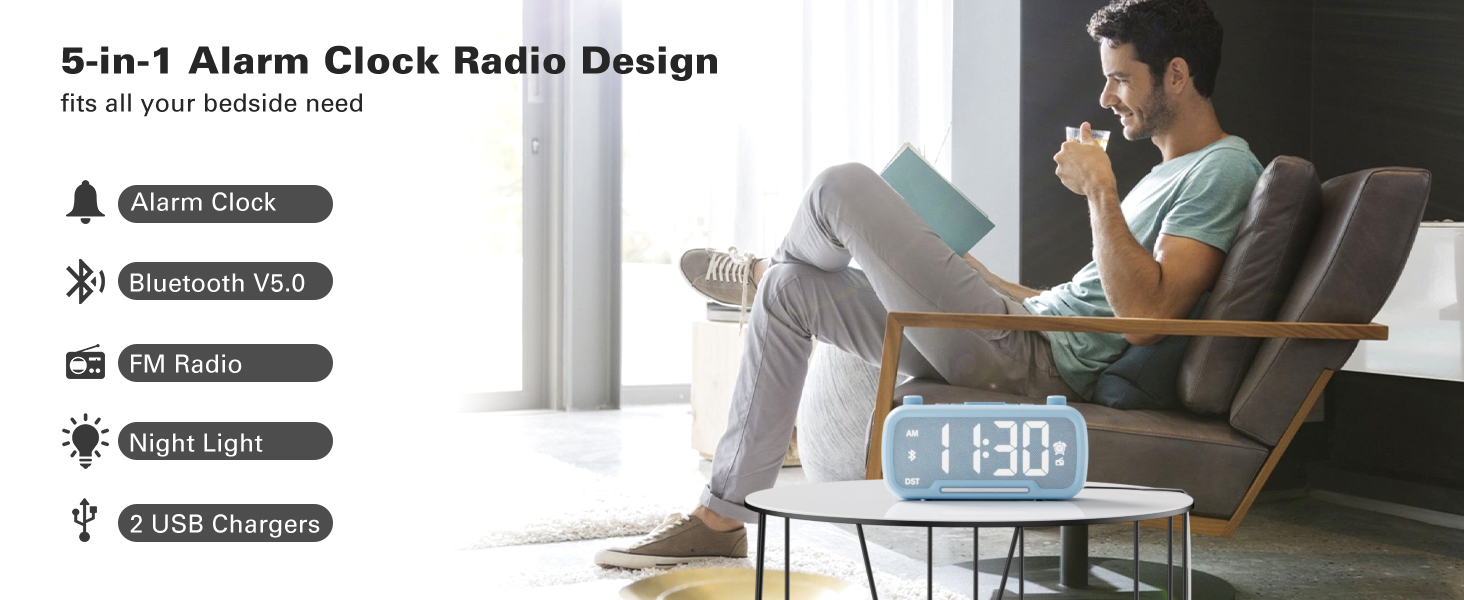
Image: The Mesqool CR1025 Digital Alarm Clock showcasing its 5-in-1 features: Alarm Clock, Bluetooth V5.0, FM Radio, Night Light, and 2 USB Chargers.
Инструкции за поставување
1. Поврзување за напојување
- Connect the provided AC adapter to the clock and plug it into a standard wall outlet. The clock requires AC power for primary operation.
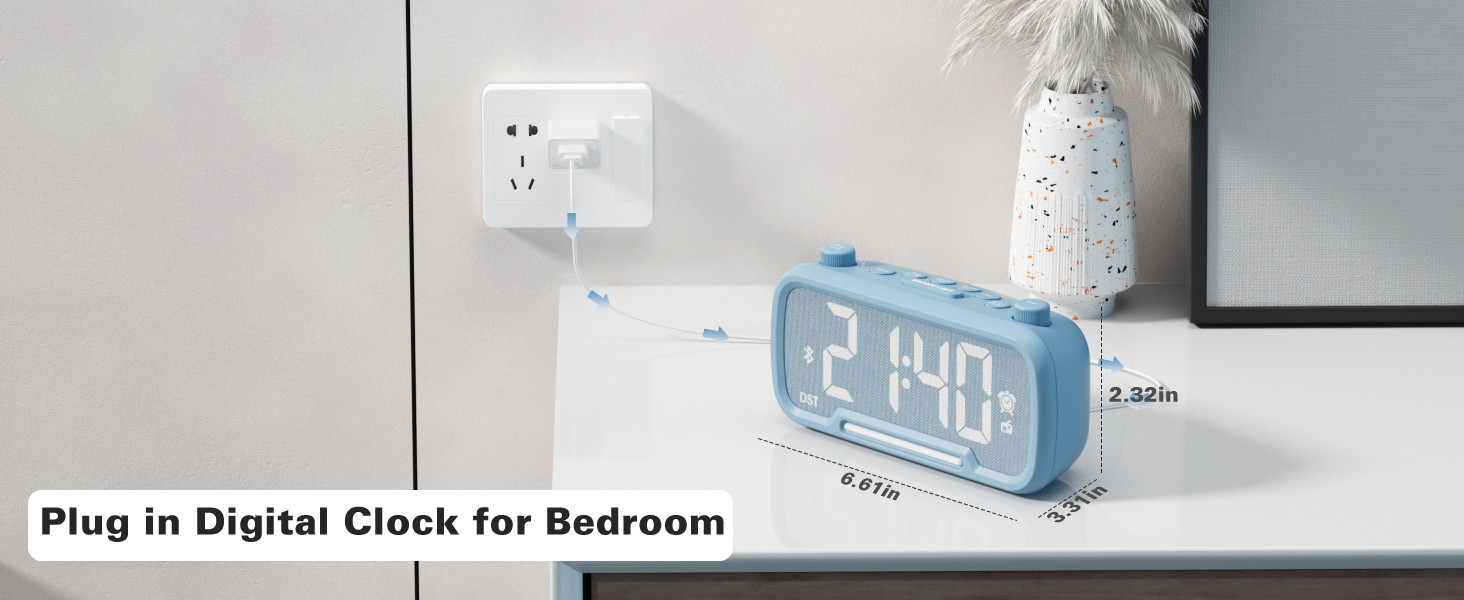
Image: The Mesqool CR1025 Digital Alarm Clock connected to a wall outlet via its power adapter, illustrating the power connection.
2. Резервна копија на батеријата
- The clock includes a CR2032 battery for backup. This battery preserves time and alarm settings during a power outage, but the display will not be lit.
3. Поставување на времето
- Притиснете го Време 12 button once. The hour digits will flash.
- Rotate the left knob (Sleep Timer/Vol) to adjust the hour.
- Притиснете го Време 12 копчето повторно. Цифрите за минути ќе трепкаат.
- Rotate the right knob (Scan) to adjust the minute.
- Притиснете го Време 12 притиснете го копчето уште еднаш за да потврдите и да излезете од поставувањето на времето.
Video: Demonstrates how to set the time, adjust the 12/24 hour format, and activate/deactivate DST mode on the alarm clock.
4. Формат на 12/24 часовно време
- Притиснете и задржете го Време 12 button for 2 seconds to switch between 12-hour and 24-hour time formats.
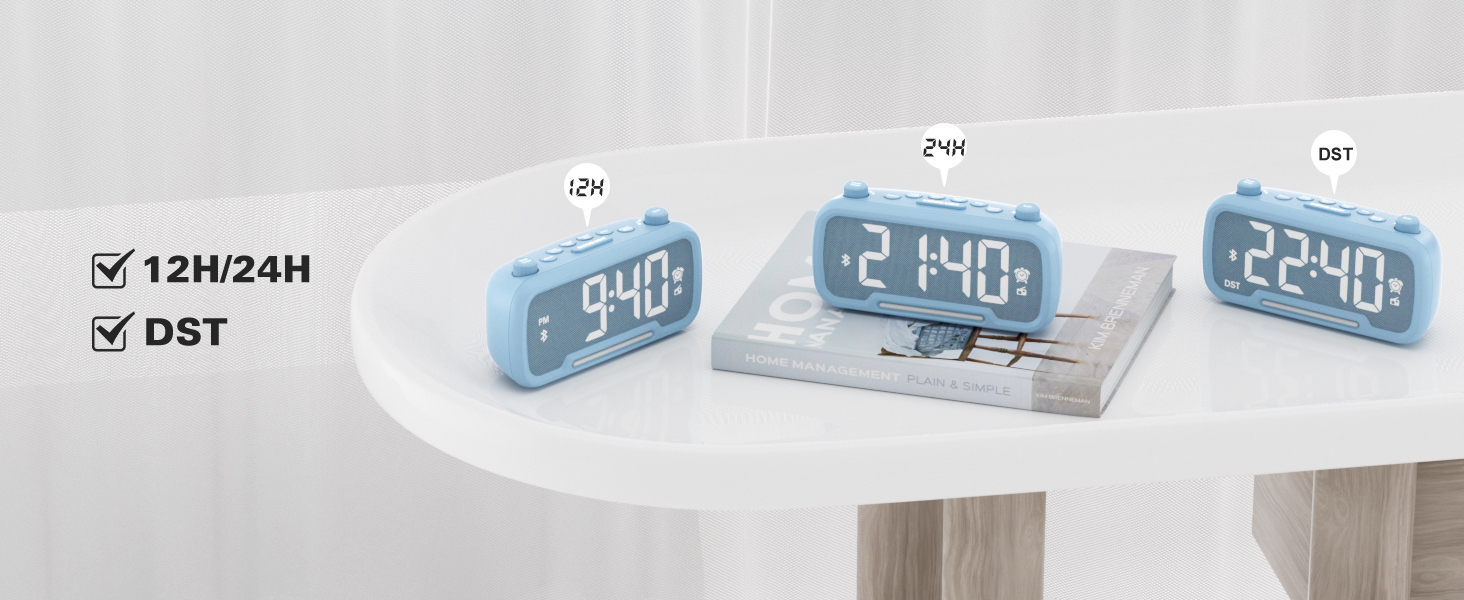
Image: The clock display showing both 12-hour (PM) and 24-hour time formats, along with the DST indicator.
5. Daylight Saving Time (DST) Mode
- Притиснете го Dimmer DST button to enter or exit DST mode. When active, the DST indicator will appear on the display.
- Refer to the video above for a demonstration of DST mode activation.
Упатства за работа
1. Bluetooth звучник
- Притиснете го Режим на напојување button repeatedly until "bt" appears on the display, indicating Bluetooth mode. The Bluetooth icon will flash.
- On your device, search for "CR1025" in the Bluetooth settings and pair.
- Once connected, the Bluetooth icon will stop flashing.
Video: Demonstrates how to activate Bluetooth mode and pair with a device.

Image: Illustrates the Bluetooth 5.0 speaker functionality, showing the clock connected to a smartphone playing music.
2. Работа на FM радио
- Притиснете го Режим на напојување button repeatedly until the radio icon lights up on the display, indicating FM radio mode.
- Автоматско скенирање: Притиснете го Скенирајте button to automatically search and store up to 20 stations.
- Рачно пребарување: Завртете го Скенирајте knob to browse frequencies manually.
- Зачувајте претходно поставено: За да зачувате станица, притиснете и држете го копчето Preset Pair button for 2 seconds. The display will show "P01", "P02", etc. Rotate the Скенирајте knob to select a preset number, then press Preset Pair повторно за да заштедите.
- Прилагодете ја јачината на звукот: Turn the left knob (Sleep Timer/Vol) to adjust the volume (16 levels, L01-L16).
Video: Demonstrates FM radio tuning, auto-scan, and saving preset stations.

Image: The clock displaying an FM radio frequency, indicating its radio function.
3. Поставување аларм
- Притиснете и задржете го Аларм button for 2 seconds. The hour digits will flash.
- Rotate the left knob (Sleep Timer/Vol) to adjust the alarm hour.
- Притиснете го Аларм копчето повторно. Цифрите за минути ќе трепкаат.
- Rotate the right knob (Scan) to adjust the alarm minute.
- Притиснете го Аларм button once more to select the alarm sound: either a buzzer or the last played FM radio station.
- Rotate the left knob (Sleep Timer/Vol) to adjust the alarm volume (L01-L16).
- Притиснете го Аларм button again to confirm and activate the alarm. The alarm icon will appear on the display.
- To cancel the alarm, press the Аларм button once. The alarm icon will disappear.
Video: Demonstrates setting the alarm time, choosing alarm sound (radio or buzzer), and adjusting alarm volume.
4. Функција за одложување
- Кога ќе се огласи алармот, притиснете на СНОЗА / СВЕТЛИНА копче за да ја активирате функцијата за одложување. Алармот ќе паузира 9 минути, а потоа повторно ќе се огласи.

Image: A hand pressing the SNOOZE/LIGHT button on the clock, illustrating the 9-minute snooze feature.
5. Night Light & Dimmer
- Ноќна светлина: Притиснете го СНОЗА / СВЕТЛИНА копче за вклучување или исклучување на ноќното светло.
- Затемнувач на екранот: Притиснете го Dimmer DST button repeatedly to cycle through 5 brightness levels for the main display (L01-L05).
Video: Shows how to adjust the display brightness using the dimmer function.

Image: The clock with its warm night light illuminated, providing ambient lighting.

Слика: Повеќекратна views of the clock demonstrating the five different brightness levels of its display.
6. Sleep Timer Setting
- When using FM radio or Bluetooth speaker, press the Тајмер за спиење копче.
- Rotate the left knob (Sleep Timer/Vol) to select the desired duration: 15, 30, 60, 90, 120 minutes, or OFF. The device will automatically turn off after the selected time.
Video: Illustrates how to set the sleep timer for the FM radio or Bluetooth speaker.
7. USB порти за полнење
- The clock features one USB-A and one Type-C charging port (5V/1A each).
- Connect your smartphone, tablet, or other USB-powered devices to these ports for charging.
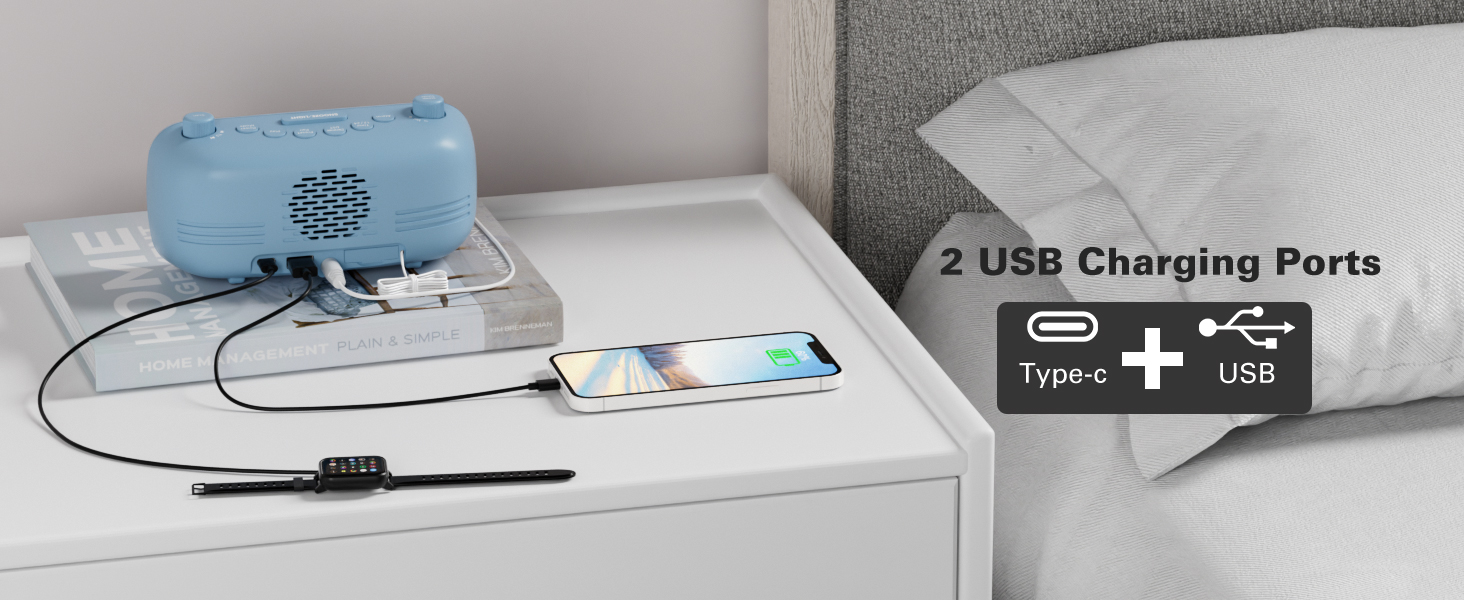
Image: The back of the clock showing the USB-A and Type-C charging ports with devices connected for charging.
Одржување
- Чистење: Use a soft, dry cloth to clean the surface of the clock. Avoid abrasive cleaners or solvents.
- Складирање: If storing the device for an extended period, disconnect it from power and remove the backup battery. Store in a cool, dry place.
Решавање проблеми
- Нема напојување/исклучено екран: Ensure the AC adapter is securely plugged into both the clock and a working power outlet. Check if the backup battery is correctly installed.
- Алармот не се огласува: Verify that the alarm is set and activated (alarm icon visible). Check the alarm volume level.
- Слаб FM радио прием: Целосно извлечете ја антената. Обидете се да го преместите часовникот за да го подобрите приемот на сигналот.
- Проблеми со спарување Bluetooth: Ensure the clock is in Bluetooth mode and the Bluetooth icon is flashing. Make sure your device's Bluetooth is on and within range. Try restarting both the clock and your device.
- USB полнењето не работи: Ensure the clock is powered on. Check the charging cable and device for proper connection.
Спецификации
| Карактеристика | Детал |
|---|---|
| Бренд | Месќул |
| Број на модел | CR1025 |
| Боја | Сина (според моменталната варијанта на производот) |
| Тип на дисплеј | Дигитален |
| Посебни карактеристики | Adjustable Brightness, Adjustable Volume, Alarm, Charging Port, Radio |
| Димензии на производот | 3.31"Ш x 2.32"В |
| Извор на енергија | Corded Electric (AC adapter) |
| Тип на соба | Спална соба |
| Материјал | Пластика |
| Тежина на ставката | 7.7 унци |
| Батерии | 1 CR2032 battery required (included for backup) |
| Технологија за поврзување | Bluetooth 5.0, AC adapter |
| Опсег на FM радио | 87.5-108 MHz |
Гаранција и поддршка
Mesqool products are designed for reliability and performance. For product support, troubleshooting assistance, or warranty inquiries, please contact Mesqool customer service.
Contact information can typically be found on the product packaging, the official Mesqool webлокација или преку вашиот продавач.