
1. Вовед
Welcome to the SIMATE 6.5-inch Bluetooth Scooter user manual. This guide provides essential information for the safe and efficient operation, setup, and maintenance of your new electric scooter. Please read this manual thoroughly before first use to ensure proper function and to prevent damage or injury.
2. Безбедносни упатства
ПРЕДУПРЕДУВАЊЕ: Непочитувањето на овие безбедносни упатства може да резултира со сериозни повреди или смрт.
- Always wear appropriate safety gear, including a helmet, knee pads, and elbow pads, when operating the scooter.
- Ensure the scooter is fully charged and in good working condition before each use.
- Не возете по јавни патишта, во близина на моторни возила или во густ пешачки сообраќај.
- Avoid riding on uneven surfaces, steep inclines (maximum 15-degree slope), or slippery conditions.
- The maximum load capacity for this scooter is 220 lbs (approximately 100 kg). Do not exceed this limit.
- Децата треба да го управуваат скутерот само под директен надзор на возрасни.
- This product has achieved UL2272 Safety Certification from SGS, complying with U.S. safety regulations.
- Do not attempt to modify the scooter or its components.
- Запознајте се со локалните закони и прописи во врска со употребата на електрични тротинети.
3. Што има во кутијата
Upon opening your SIMATE 6.5-inch Bluetooth Scooter package, you should find the following items:
- SIMATE 6.5-inch Bluetooth Scooter
- Упатство за употреба (овој документ)
- Адаптер за полнење
4. Поставување
4.1. Charging the Scooter
Before first use, fully charge your SIMATE scooter. A full charge typically takes 2-3 hours.
- Locate the charging port on the side of the scooter.
- Connect the charging adapter to the scooter's charging port.
- Plug the charging adapter into a standard wall outlet.
- The battery indicator light on the scooter will show the charging status. It will typically turn green when fully charged.

4.2. Првично вклучување
To power on your scooter:
- Press and hold the power button located near the center of the scooter.
- The scooter will emit an audible signal, and the LED lights will illuminate, indicating it is ready for use.
4.3. Инсталација и поврзување на апликацијата
Enhance your riding experience by connecting your scooter to the exclusive SIMATE app, "XsCar".
- Download the "XsCar" app from your device's app store.
- Ensure your scooter is powered on and Bluetooth is enabled on your mobile device.
- Open the "XsCar" app and follow the on-screen instructions to pair with your SIMATE scooter.
- Through the app, you can control various functions including power on/off, adjusting lights, monitoring speed and battery power, and setting speed modes.

5. Operating Your SIMATE Scooter
5.1. Основно работење
The SIMATE scooter features a self-balancing control system designed for ease of use. Practice in a safe, open area before riding in more challenging environments.
- Step onto the footpads one foot at a time, ensuring the scooter remains level.
- Lean gently in the direction you wish to move. Slight pressure from your feet on the footpads controls acceleration and turning.
- To stop, slowly shift your weight back to a neutral position.
5.2. Режими на брзина
The scooter offers three adjustable speed modes to suit different skill levels:
- Безбеден режим: Maximum speed 5 mph (suitable for beginners).
- Почетен режим: Maximum speed 6.5 mph (suitable for novices).
- Спортски режим: Maximum speed 7.5 mph (suitable for proficient users).
These modes can be selected via the "XsCar" app.
5.3. Bluetooth звучник
Your SIMATE scooter includes a built-in Bluetooth speaker for music playback.
- Осигурајте се дека скутерот е вклучен.
- Овозможете Bluetooth на вашиот мобилен уред.
- Пребарај за and connect to the scooter's Bluetooth device name (usually "SIMATE Scooter" or similar).
- Once connected, you can play audio from your device through the scooter's speaker.
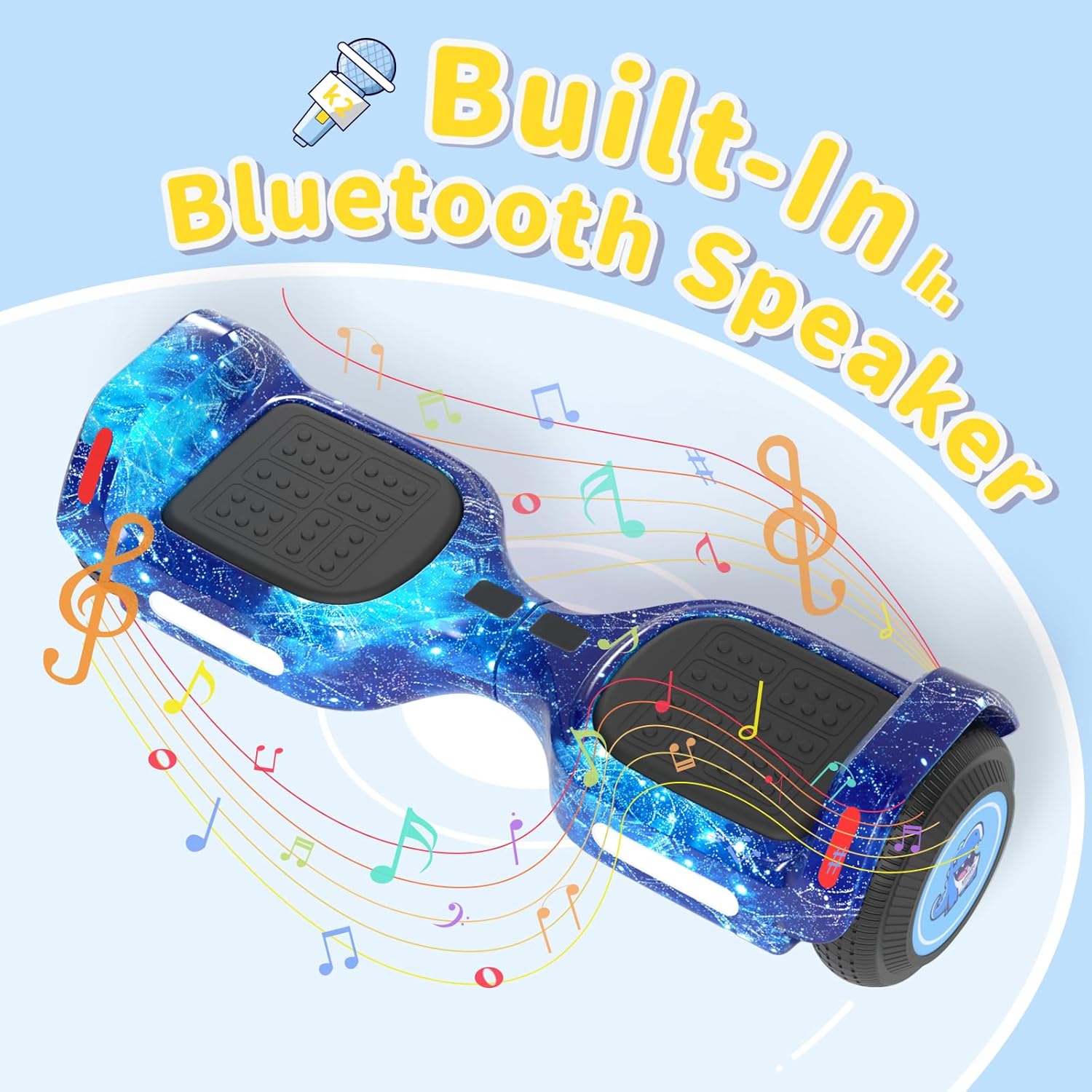
5.4. LED светилки
The scooter is equipped with colorful LED lights and flashing wheels for enhanced visibility and aesthetics.
- The LED lights automatically activate when the scooter is powered on.
- Light patterns and colors may be adjustable via the "XsCar" app.

6. Одржување
Regular maintenance ensures the longevity and optimal performance of your SIMATE scooter.
- Чистење: Избришете го скутерот со рекламаamp cloth after use. Do not use harsh chemicals or abrasive cleaners. Avoid direct water spray.
- Складирање: Чувајте го скутерот на ладно и суво место, подалеку од директна сончева светлина и екстремни температури.
- Нега на батеријата: Charge the battery regularly, even if not in use, to maintain battery health. Do not allow the battery to fully discharge for extended periods.
- Гуми: The scooter features 6.5-inch solid rubber wheels, which require minimal maintenance. Periodically check for debris or damage.
7 Смена на проблеми
If you encounter issues with your SIMATE scooter, refer to the following common problems and solutions:
| Проблем | Можна причина | Решение |
|---|---|---|
| Скутерот не се вклучува. | Батеријата е слаба или копчето за вклучување не е правилно притиснато. | Charge the scooter fully. Ensure the power button is pressed firmly for a few seconds. |
| Scooter is not balancing correctly. | Incorrect foot placement or calibration issue. | Ensure feet are centered on the footpads. Refer to the app for calibration options if available. Practice balancing in a safe area. |
| Bluetooth звучникот не се поврзува. | Bluetooth not enabled on device, scooter not discoverable, or already paired. | Ensure scooter is on and Bluetooth is active on your phone. Forget previous connections and try pairing again. |
| Намален опсег или брзина. | Low battery, riding conditions, or excessive load. | Charge the scooter fully. Avoid riding on steep inclines or with loads exceeding 220 lbs. |
8. Спецификации
| Карактеристика | Детал |
|---|---|
| Број на модел | K2 |
| Големина на тркала | 6.5 inches (Solid Rubber) |
| Максимална брзина | 7.5 Miles per Hour (adjustable modes) |
| Максимален опсег | Up to 7.5 miles (on a full charge) |
| Моќност на моторот | Двојни мотори од 250 W |
| Максимално оптоварување | 220 фунти |
| Максимална наклон | 15 степени |
| Време на полнење | 2-3 часа |
| Материјал | Алуминиум, гума |
| Посебни карактеристики | Built-In Bluetooth Speaker, Colorful LED Lights, Light-Up Wheels, App Control |
| Сертификација за безбедност | UL2272 (SGS Certified) |
| Димензии на ставката (ДxШxВ) | 24 x 8 x 8 инчи |
| Тежина на пакетот | 6.35 килограми |
9. Гаранција и поддршка
9.1. Информации за гаранцијата
The SIMATE 6.5-inch Bluetooth Scooter comes with a 1 година гаранција од датумот на купување. Оваа гаранција ги покрива производствените дефекти при нормална употреба. Не ги покрива штетите предизвикани од злоупотреба, несреќи, неовластени модификации или непочитување на упатствата во ова упатство.
Ве молиме чувајте го вашиот доказ за купување за барањата за гаранција.
9.2. Поддршка за корисници
For any questions, technical assistance, or warranty inquiries, please contact SIMATE US customer support. Our team is available to assist you with any issues you may encounter.
Contact information for SIMATE US can typically be found on the product packaging, the official SIMATE webстраницата или преку вашата платформа за купување.