
Вовед
This manual provides detailed instructions for the operation and maintenance of your Casio G-Shock GM2110D-4A Octagonal Orange Stainless Steel Watch. Please read this manual carefully to ensure proper use and to fully utilize all features of your watch. Keep this manual for future reference.
Производот завршиview
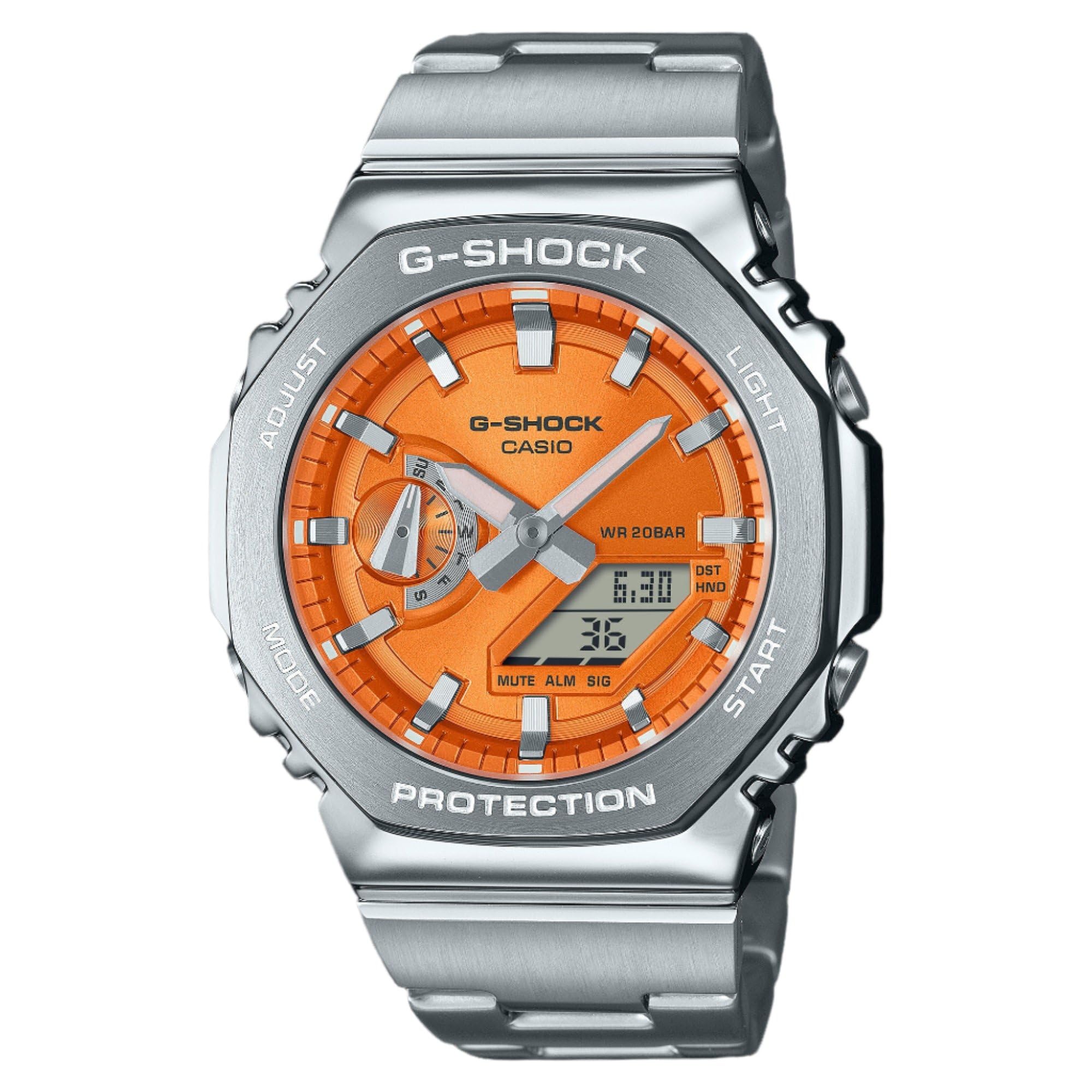
Слика 1: Casio G-Shock GM2110D-4A Octagonal Orange Stainless Steel Watch. This image shows the watch with its octagonal silver-tone stainless steel case and band, featuring an orange analog-digital dial. The dial displays the time 6:30 and the date 36, with 'G-SHOCK CASIO' and 'WR 20BAR PROTECTION' clearly visible. The watch's functional buttons, labeled 'ADJUST', 'MODE', 'LIGHT', and 'START', are positioned around the case.
The Casio G-Shock GM2110D-4A is a robust analog-digital watch designed for durability and functionality. It features an orange dial with silver-tone hands, housed within a silver-tone stainless steel case and band. Key features include quartz movement, 200-meter water resistance, and a scratch-resistant mineral crystal. The watch also includes various functions such as alarm, light, shock resistance, and a timer.
Поставување
1. Почетно поставување на времето
- Во режимот за мерење на времето, притиснете и држете го ПРИЛАГОДИ button (top left) until the city code starts to flash in the digital display. This indicates the setting mode.
- Користете го РЕЖИМ button (bottom left) to cycle through the settings: City Code → DST → 12/24-hour format → Seconds → Hour → Minute → Year → Month → Day.
- Користете го СТАРТ button (bottom right) or СВЕТЛИНА button (top right) to change the flashing value.
- Откако ќе ги конфигурирате сите поставки, притиснете го копчето ПРИЛАГОДИ button to exit the setting mode. The analog hands will automatically adjust to the digital time.
2. Home City Selection
Selecting your Home City is crucial for correct timekeeping and World Time functions. Follow the initial time setting steps to select your desired city code.
Упатства за работа
1. Навигација на режим
Притиснете го РЕЖИМ button (bottom left) to cycle through the watch's various modes:
- Timekeeping Mode (current time and date)
- World Time Mode (times in different cities)
- Режим на стоперката
- Режим на тајмер
- Режим на аларм
2. Режим на мерење на времето
This mode displays the current time and date. Use the ПРИЛАГОДИ button to enter setting mode for time and date adjustments as described in the "Setup" section.
3. Режим на светско време
Во режимот на светско време, користете го СТАРТ button (bottom right) to scroll through different city codes and view нивните сегашни времиња.
4. Режим на стоперица
- Притиснете СТАРТ да започне тајмингот.
- Притиснете СТАРТ повторно за пауза/продолжување.
- Притиснете ПРИЛАГОДИ за да ја ресетирате штоперицата на нула додека е паузирана.
5. Режим на тајмер
- Во режим на тајмер, притиснете и задржете ПРИЛАГОДИ за да влезете во режим на поставување.
- Користете РЕЖИМ за да изберете часови, минути или секунди.
- Користете СТАРТ or СВЕТЛИНА за промена на вредностите.
- Притиснете ПРИЛАГОДИ за да излезете од режимот на поставување.
- Притиснете СТАРТ да започне одбројувањето.
6. Режим на аларм
- Во режим на аларм, притиснете и задржете ПРИЛАГОДИ за да влезете во режим на поставување.
- Користете РЕЖИМ за да изберете час или минута.
- Користете СТАРТ or СВЕТЛИНА за промена на вредностите.
- Притиснете ПРИЛАГОДИ за да излезете од режимот на поставување.
- Притиснете СТАРТ за вклучување/исклучување на алармот. Ќе се прикаже индикатор кога алармот е активен.
7. Illumination (Light)
Притиснете го СВЕТЛИНА копче (горе десно) за лесно осветлување на екранот на часовникот viewработи во услови на слаба осветленост.
Одржување
1. Чистење
Wipe the watch regularly with a soft, dry cloth to remove dirt and moisture. For stainless steel parts, a slightly damp може да се користи крпа, а потоа сува крпа. Избегнувајте употреба на хемиски средства за чистење или растворувачи.
2. Водоотпорност
This watch is water resistant to 200 meters (20 BAR). This means it is suitable for recreational scuba diving. Do not operate buttons while the watch is submerged in water. After exposure to saltwater, rinse the watch with fresh water and wipe it dry.
3. Замена на батеријата
The watch is powered by a battery. When the display becomes dim or functions become erratic, it may be time for a battery replacement. It is recommended to have the battery replaced by an authorized Casio service center to ensure proper sealing and water resistance.
Решавање проблеми
- Дигиталниот дисплеј е празен или затемнет: The battery may be low. Consider battery replacement.
- Времето е неточно: Ensure your Home City setting is correct and adjust the time as described in the "Setup" section. Check for DST (Daylight Saving Time) settings.
- Аналогните стрелки не се совпаѓаат со дигиталното време: Perform a hand alignment correction. Refer to the full Casio module manual for detailed steps, typically involving holding specific buttons in Timekeeping Mode to enter hand adjustment.
- Watch stops working after exposure to water: Веднаш однесете го часовникот во овластен сервисен центар. Не обидувајте се сами да го отворите часовникот.
Спецификации
| Карактеристика | Детал |
|---|---|
| Број на модел | GM2110D-4A |
| Движење | Кварц (аналогно-дигитален) |
| Материјал на случајот | Нерѓосувачки челик |
| Материјал за бенд | Нерѓосувачки челик |
| Кристал | Минерал отпорен на гребење |
| Отпорност на вода | 200 метри (20 бари) |
| Дијаметар на куќиштето | 44 мм |
| Дебелина на куќиштето | 11.8 мм |
| Ширина на лента | 25 мм |
| Боја на бирање | Портокалова |
| Дополнителни карактеристики | Alarm, Light, Shock Resistant, Timer, World Time |
Гаранција и поддршка
This Casio G-Shock watch comes with a limited warranty. For specific warranty terms, conditions, and duration, please refer to the warranty card included with your purchase or visit the official Casio website. For technical support, service, or inquiries, please contact Casio customer service directly.
Можете да најдете повеќе информации и ресурси за поддршка на официјалниот Casio webсајт: www.casio.com