
Вовед
This manual provides detailed instructions for the safe and effective use of your Acouto F6 Three-Axis Handheld Stabilizer. Please read this manual thoroughly before operating the device and retain it for future reference.
The Acouto F6 is designed to provide enhanced stability for smartphone video recording, eliminating unwanted picture shake with its high-precision brushless motor and advanced anti-shake technology. It supports both horizontal and vertical shooting modes and offers intelligent tracking features for dynamic content creation.
Компоненти на производот
Carefully unpack your Acouto F6 Stabilizer and ensure all components are present:
- Acouto F6 Three-Axis Handheld Stabilizer
- Мини статив
- USB кабел за полнење
- Упатство за употреба (овој документ)

Image: The Acouto F6 Three-Axis Handheld Stabilizer, mini tripod, USB charging cable, and a small instruction booklet.
Водич за поставување
1. Полнење на стабилизаторот
Before first use, fully charge the stabilizer. Connect the provided USB charging cable to the charging port on the stabilizer and to a 5V USB power adapter (not included). The charging time is approximately 2.5 hours.
2. Attaching the Mini Tripod (Optional)
For stable standing, live broadcasting, or time-lapse photography, attach the mini tripod to the 1/4-inch screw hole located at the bottom of the stabilizer handle. Rotate clockwise until secure.
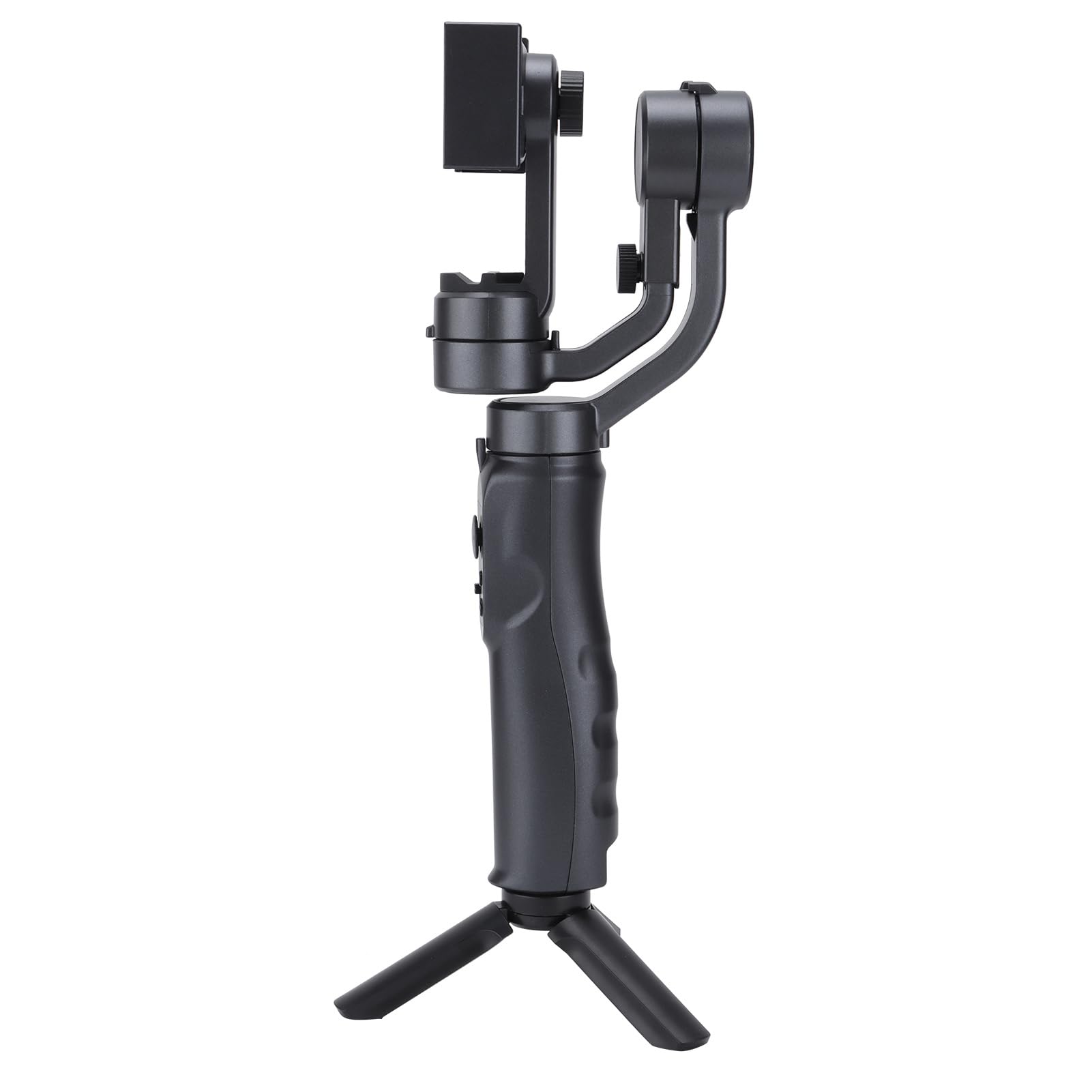
Image: The Acouto F6 Stabilizer shown upright with the mini tripod attached to its base.
3. Монтирање на вашиот паметен телефон
- Проширете го телефонотamp on the stabilizer.
- Внимателно ставете го вашиот паметен телефон во кл.amp, ensuring it is centered and secure.
- Adjust the horizontal bar by stretching it to quickly level the screen, whether for horizontal or vertical orientation. The stabilizer supports phones up to 280g.

Слика: Крупен план view на телефонот clamp mechanism on the Acouto F6 Stabilizer, ready to hold a smartphone.
Упатства за работа
1. Вклучување/исклучување
Locate the power button on the handle. Press and hold for a few seconds to power on or off the stabilizer.

Слика: Детална view of the control panel on the Acouto F6 Stabilizer handle, showing buttons and ports.
2. Switching Between Horizontal and Vertical Modes
The stabilizer allows seamless switching between horizontal (landscape) and vertical (portrait) shooting modes. When your arm tilts to the left more than 70 degrees, the stabilizer can automatically rotate the phone to vertical portrait mode. You can also manually adjust as needed.

Image: The Acouto F6 Stabilizer displayed with a smartphone mounted in both horizontal and vertical orientations, demonstrating its versatility.
3. Anti-Shake and Tracking Features
The high-precision brushless motor provides real-time compensation to eliminate picture shake. In full follow mode, the DC stepping motor upgrades to 150°/SEC, allowing quick locking onto targets.
The stabilizer also features accurate human face tracking and object tracking, ensuring your subjects remain in focus during recording.
4. Using the Companion App
Connect your smartphone to the stabilizer's companion app (if available, check your phone's app store for "Acouto Stabilizer" or similar). The app may offer additional features such as:
- Тајм-лапс фотографија
- Slow-motion photography
- Advanced camera controls
Одржување
To ensure the longevity and optimal performance of your Acouto F6 Stabilizer, follow these maintenance guidelines:
- Чистење: Use a soft, dry cloth to wipe the stabilizer. Do not use harsh chemicals or abrasive materials.
- Складирање: Store the stabilizer in a cool, dry place away from direct sunlight and extreme temperatures.
- Нега на батеријата: За долгорочно складирање, полнете ја батеријата до приближно 50% на секои три месеци за да спречите длабинско празнење.
- Избегнувајте влијание: Protect the stabilizer from drops and impacts, which can damage internal components.
Решавање проблеми
If you encounter issues with your Acouto F6 Stabilizer, refer to the following common problems and solutions:
- Stabilizer does not power on:
- Осигурете се дека батеријата е целосно наполнета.
- Press and hold the power button for the required duration.
- Phone is not stable/shaking:
- Ensure the smartphone is properly centered and securely clampед.
- Verify the horizontal bar is stretched to level the phone correctly.
- Check if the phone's weight exceeds the maximum load capacity (280g).
- Gimbal motors are unresponsive:
- Restart the stabilizer.
- Ensure there are no obstructions preventing motor movement.
- Не може да се поврзе со апликацијата:
- Проверете дали Bluetooth е овозможен на вашиот паметен телефон.
- Restart both the stabilizer and your smartphone.
- Проверете дали апликацијата е ажурирана на најновата верзија.
If problems persist, please contact Acouto customer support.
Спецификации
| Тип на ставка | Three-axis Handheld Stabilizer |
| Бренд | Акуто |
| Модел | Acouto4smwt0ihg1 |
| Боја | Црното |
| Материјал | ABS |
| Тежина | Прибл. 595 g / 21 oz |
| Работна струја | Minimum 80mA, Standard 120mA, Maximum 3000mA |
| Работа Voltage | 5V |
| Работна температура | 0°C - 40°C |
| Pitch Axis Movement Range | -165° до +165° |
| Roll Axis Movement Range | -90° до +90° |
| Yaw Axis Movement Range | -165° до +165° |
| Време на полнење | 2.5 часа |
| Работно време | 6-8 Hours (depending on balance and phone size) |
| Максимална носивост | 280 грама |
| Компатибилни уреди | Паметен телефон |
Информации за безбедност
Ве молиме почитувајте ги следните безбедносни мерки:
- Do not disassemble or modify the stabilizer.
- Чувајте го уредот подалеку од вода и други течности.
- Avoid exposing the stabilizer to extreme temperatures or direct heat sources.
- Користете го само испорачаниот кабел за полнење или сертифициран еквивалент.
- Да се чува подалеку од дофат на деца.