
1. Вовед
This manual provides comprehensive instructions for the installation, operation, and maintenance of your Gravity MGR5 Marine Stereo Receiver. Please read this manual thoroughly before using the product to ensure proper function and to prevent damage. Keep this manual for future reference.
2. Информации за безбедност
- Напојување: Ensure the power supply is 12V DC (direct current) only. Incorrect voltagможе да го оштети уредот.
- Жици: All wiring should be performed by a qualified technician. Incorrect wiring can lead to electrical shock or fire.
- Отпорност на вода: The MGR5 is designed with IPX5 water resistance. While it can withstand splashes and light rain, it is not designed for submersion.
- Температура: Избегнувајте изложување на уредот на екстремни температури или директна сончева светлина подолг период.
- Чистење: Користете мека, сува крпа за чистење. Не користете абразивни средства за чистење или растворувачи.
- Вентилација: Обезбедете соодветна вентилација околу уредот за да спречите прегревање.
3. Содржина на пакетот
Проверете дали сите артикли се присутни во пакувањето:
- Gravity MGR5 Marine Stereo Receiver
- Далечински управувач
- Поврзување на жици
- Хардвер за монтирање
- Упатство за употреба (овој документ)
4. Производот завршиview
The Gravity MGR5 is a versatile marine stereo receiver featuring a 4.1-inch LCD display, multi-mode playback options, and Bluetooth connectivity. It is designed for use in various environments, including marine, automotive, and recreational vehicles.

Слика 4.1: Предна страна view of the Gravity MGR5 Marine Stereo Receiver, showcasing its 4.1-inch LCD display and control buttons. The display shows a vibrant image of a harbor.
4.1. Функции на контролната табла
Refer to the diagram below for an explanation of the main control buttons on the MGR5 unit.

Figure 4.2: Detailed diagram illustrating the MGR5 control buttons and their corresponding functions.
- PWR/SEL/VOL: Controls power, sound settings, and volume levels.
- MODE/SUB-: Switches audio sources and controls subwoofer levels.
- BAND/AV/SUB+: Changes radio bands and audio/video output, adjusts subwoofer.
- TUNE/TRACK BUTTONS: Selects radio stations or media tracks, fast-forwards or rewinds.
- МЕНИ: Accesses the main menu for various system settings.
- AMS: Searches and stores radio stations automatically, toggles play/pause in media mode.
- CH +: Skips through or saves radio presets.
- Копче за репродукција/пауза: Manages playback of media.
- Поставување: Enters detailed settings for the system like color, light, time, and language.
4.2. Клучни карактеристики
- 4.1" LCD Display for video playback and navigation.
- Bluetooth конекција за безжично аудио стриминг.
- Multi-mode playback: USB, SD card, AUX input, FM radio.
- Subwoofer control and preset equalizer modes.
- IPX5 water-resistant and durable construction.
- Multi-color buttons for enhanced usability.

Figure 4.3: Visual representation of key features such as AUX, USB, Preset EQ, Subwoofer control, and IPX5 water resistance.
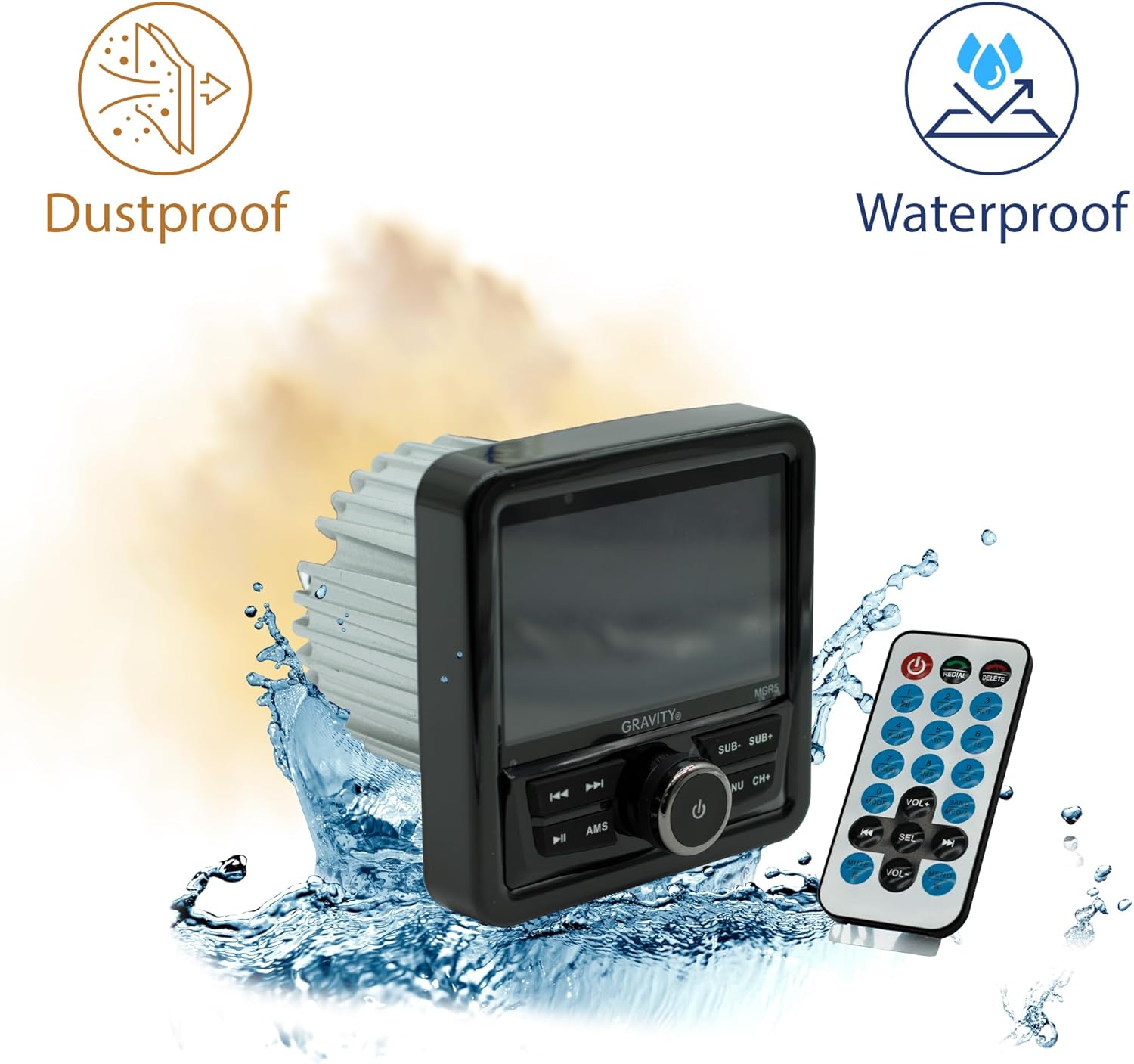
Figure 4.4: The MGR5 unit highlighting its dustproof and waterproof design, suitable for challenging environments.
5. Инсталација
Proper installation is crucial for the performance and longevity of your MGR5 receiver. Consult a professional if you are unsure about any steps.
5.1. Димензии на монтирање
Before installation, ensure you have adequate space for the unit. Refer to the dimensions below.

Figure 5.1: Detailed dimensions of the MGR5 unit, including front panel and chassis measurements, essential for proper mounting.
- Ширина на предниот панел: Приближно 4.33 инчи
- Длабочина на шасијата: Приближно 3.98 инчи
- Висина на шасијата: Приближно 2.89 инчи
5.2. Дијаграм за ожичување
Connect the wiring harness according to the diagram provided in the separate wiring guide (if applicable) or the labels on the harness itself. Ensure all connections are secure and insulated.
- Црвена жица: ACC (Accessory Power)
- Жолта жица: B+ (Constant 12V Power)
- Црна жица: GND (земја)
- Сина жица: Далечинско вклучување (за amplifier/antenna)
- Жици за звучници: Connect to appropriate speakers (Front Left, Front Right, Rear Left, Rear Right). Ensure correct polarity.
Предупредување: Incorrect wiring can cause severe damage to the unit or vehicle's electrical system. Always disconnect the vehicle's battery before beginning installation.
6. Операција
6.1. Основни функции
- Вклучување/исклучување: Притиснете го PWR/SEL/VOL копче за вклучување или исклучување на уредот.
- Контрола на јачината на звукот: Завртете го PWR/SEL/VOL копче за прилагодување на јачината на звукот.
- Избор на извор: Притиснете го MODE/SUB- button to cycle through available audio sources (FM, AM, Bluetooth, USB, SD, AUX).
6.2. Работа со Bluetooth
- Спарување:
- Select Bluetooth as the source. The unit will enter pairing mode automatically.
- On your mobile device, search for Bluetooth devices and select "MGR5".
- Откако ќе се поврзе, уредот ќе ја потврди врската.
- Аудио стриминг: Play audio from your paired device. Use the TUNE/TRACK buttons to skip tracks and the АМС копче за репродукција/пауза.
6.3. Репродукција од USB/SD
- Insert a USB drive or SD card into the respective slot.
- The unit will automatically switch to USB/SD mode and begin playback. If not, select USB/SD as the source using the MODE/SUB- копче.
- Користете го TUNE/TRACK buttons to navigate tracks and АМС за играње/пауза.
6.4. FM радио
- Select FM as the source.
- Автоматско скенирање: Притиснете и задржете го АМС копче за автоматско скенирање и складирање на силни станици.
- Рачно подесување: Користете го TUNE/TRACK копчиња за фино подесување.
- Претходно поставени станици: Користете го CH+ копче за да се движите низ зачуваните претходно поставени поставки.
6.5. Subwoofer Control and EQ Settings
- Ниво на сабвуфер: Притиснете MODE/SUB- or BAND/AV/SUB+ to adjust subwoofer output.
- Претходно поставени поставки за еквилајзер: Притиснете го МЕНИ button to access audio settings, then navigate to EQ presets (e.g., Pop, Rock, Classic, Flat).
7. Одржување
- Чистење на единицата: Use a soft, dry cloth to wipe the exterior of the unit. For stubborn dirt, slightly dampИзмијте ја крпата со вода. Не користете груби хемикалии или абразивни материјали.
- Грижа за приказ: The LCD display is sensitive. Clean it gently with a microfiber cloth. Avoid pressing hard on the screen.
- Проверки за поврзување: Периодично проверувајте ги сите жичени врски за да се осигурате дека се безбедни и без корозија, особено во морски средини.
- Ажурирања на софтверот: Проверете го производителот webстраница за сите достапни ажурирања на фирмверот за да се обезбедат оптимални перформанси и компатибилност.
8 Смена на проблеми
| Проблем | Можна причина | Решение |
|---|---|---|
| Нема моќ | Incorrect wiring, blown fuse, loose connection. | Check power and ground connections. Inspect fuse. Ensure battery is connected. |
| Нема звук | Volume too low, incorrect source selected, speaker wires disconnected, ampпрашања за лајф. | Increase volume. Select correct source. Check speaker wiring. Verify external ampосигурувачот (доколку се користи) е вклучен. |
| Bluetooth не се поврзува | Device not in pairing mode, MGR5 not in Bluetooth mode, interference. | Ensure MGR5 is in Bluetooth mode. Put mobile device in pairing mode. Try restarting both devices. |
| USB/SD не се репродуцира. | Неподдржано file format, corrupted media, incorrect source. | Проверете file formats (e.g., MP3, WMA). Try a different USB/SD card. Select USB/SD source. |
| Лош радио прием | Antenna not connected, weak signal, interference. | Ensure antenna is properly connected. Try auto-scanning for stations. Move to an area with better signal. |
9. Спецификации
| Карактеристика | Детал |
|---|---|
| Број на модел | MGR5 |
| Излезна моќност | 200W (50W x 4 channels) |
| Приказ | 4.1" LCD екран |
| Поврзување | Bluetooth, USB, SD, AUX, FM Radio |
| Отпорност на вода | IPX5 |
| Напојување | 12V DC |
| Режим за излез на звук | Стерео |
| Конфигурација на каналот за опкружувачки звук | 4.1 |
| Тежина на ставката | 1.2 фунти |
| Димензии на пакетот | 6 x 6 x 6 инчи |
10. Гаранција и поддршка
Gravity products are designed for reliability and performance. For warranty information and technical support, please refer to the warranty card included with your product or visit the official Gravity webсајт.
For assistance, please contact Gravity customer support with your model number (MGR5) and purchase details ready.