
Yosoo Yosoo2ktrdga8cw-12
Yosoo Electronic Pet Game Machine
Упатство за употреба
Вовед
Ви благодарам за купувањетоasing the Yosoo Electronic Pet Game Machine. This portable virtual digital pet toy provides an interactive experience, allowing children to care for their own digital companion. This manual will guide you through the setup, operation, and maintenance of your new electronic pet.
Информации за безбедност
- Овој производ е наменет за деца на возраст од 3 години и постари.
- Keep small parts away from infants to prevent choking hazards.
- Не го изложувајте уредот на екстремни температури, директна сончева светлина или влага.
- Do not attempt to disassemble or modify the device, as this may cause damage or injury.
- Користете само наведениот тип на батерија (доколку е применливо) и осигурајте се дека поларитетот е точен за време на инсталацијата.
- Отстранете ги батериите одговорно во согласност со локалните прописи.
Производот завршиview
The Yosoo Electronic Pet Game Machine comes in an adorable egg-shaped case, designed for portability and protection. The device itself features a digital screen and four function buttons for interaction.

Image: The Yosoo Electronic Pet Game Machine (blue) alongside its matching egg-shaped protective case.
- Egg-Shaped Case: Provides protection and portability for the electronic pet.
- Electronic Pet Device: The main unit with a screen and control buttons.
- Функциски копчиња: Four buttons for navigation and interaction (Reset, Select, Decide, Cancel).
Поставување
Follow these steps to prepare your electronic pet for play:
- Open the Egg Case: Gently separate the two halves of the egg-shaped case to access the electronic pet device inside.
- Remove the Device: Carefully take the electronic pet device out of its case.
- Battery Installation (if required): Locate the battery compartment on the back of the device. Use a small screwdriver (not included) to open the compartment. Insert the required batteries (e.g., button cell batteries, type AG13/LR44) ensuring correct polarity (+/-). Close the compartment securely.
- Почетно вклучување: The device should power on automatically once batteries are installed. If not, press the 'Reset' button.
- Почетно поставување: Follow the on-screen prompts to set the time, date, and select your first virtual pet.
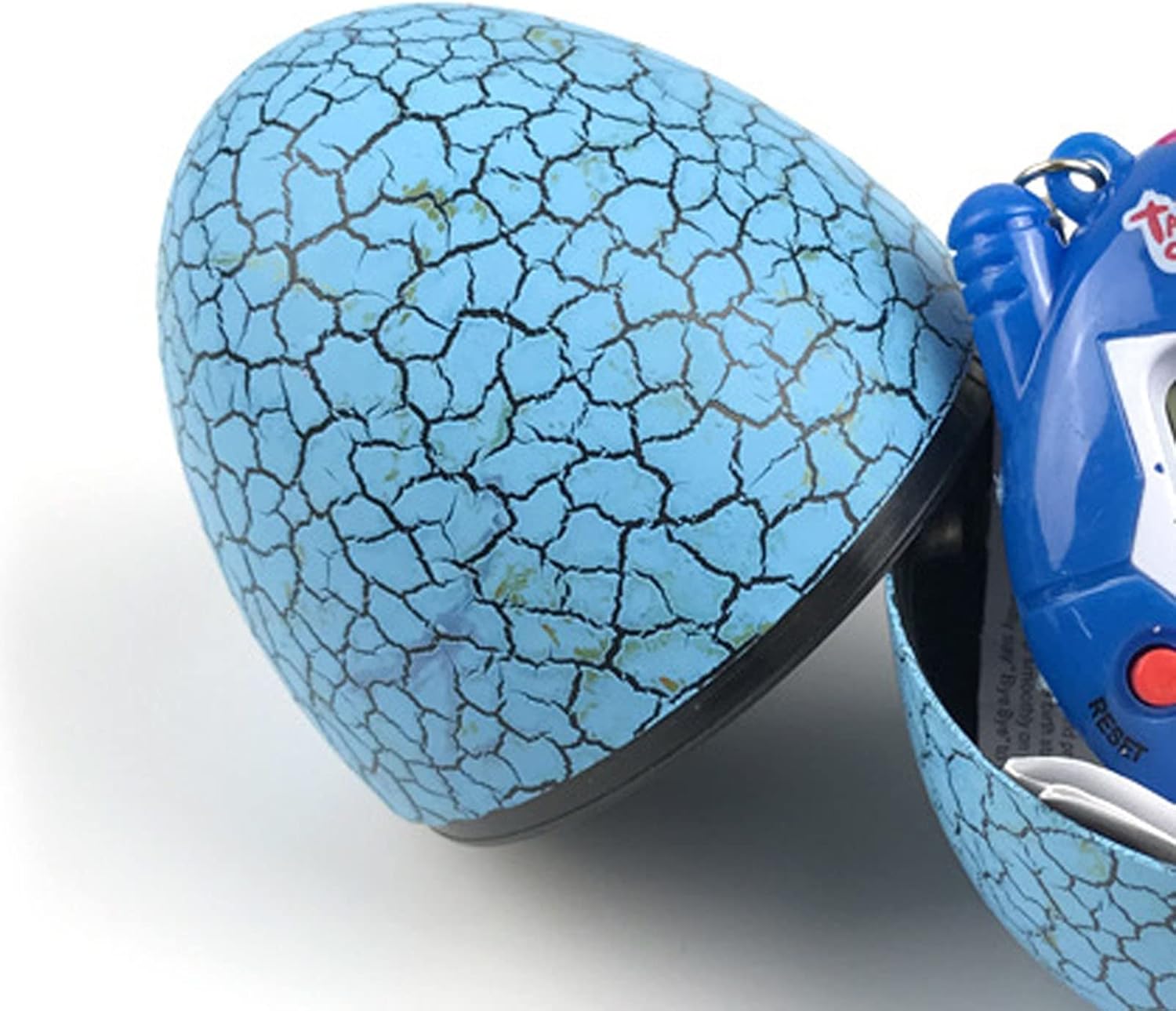
Image: The blue egg case is shown partially open, revealing the electronic pet device nestled within.
Упатства за работа
Interact with your virtual pet using the four function buttons:

Слика: Крупен план view of the blue electronic pet device, clearly showing the screen and the four red control buttons labeled 'Reset', 'Select', 'Decide', and 'Cancel'.
- Копче за ресетирање: Typically used to restart the game or reset the device. Pressing this button may erase current progress.
- Копче за избор: Used to cycle through different menu options or actions.
- Decide Button: Confirms a selection or performs an action.
- Копче за откажување: Враќа на претходниот екран или откажува дејство.
Basic Pet Care Functions:
- Хранење: Navigate to the 'Feed' option to provide food for your pet. Different food types may affect your pet's stats.
- Playing/Exercising: Engage your pet in games or exercises to keep it happy and healthy. This may involve mini-games or simple interactions.
- Чистење: Your pet may require cleaning after a certain period. Select the 'Clean' option to maintain hygiene.
- Medical Care: If your pet becomes sick, use the 'Medicine' or 'Doctor' option to administer care.
- Дисциплина: Guide your pet's behavior through discipline options when necessary.
- Проверка на статус: Regularly check your pet's status (hunger, happiness, health, discipline) to ensure its well-being.
Одржување
- Чистење: Wipe the device and egg case with a soft, dry cloth. Do not use abrasive cleaners or immerse in water.
- Складирање: When not in use, store the electronic pet inside its egg case to protect it from dust and damage. Keep it in a cool, dry place.
- Замена на батерија: Replace batteries when the screen dims or the device stops responding. Refer to the 'Setup' section for battery installation instructions.
Решавање проблеми
| Проблем | Можна причина | Решение |
|---|---|---|
| Уредот не се вклучува. | No batteries, dead batteries, or incorrect battery polarity. | Check battery installation, replace with new batteries, ensure correct +/- orientation. |
| Screen is dim or flickering. | Ниска моќност на батеријата. | Заменете ги батериите. |
| Копчињата не реагираат. | Уредот е замрзнат или батеријата е празна. | Press the 'Reset' button. If issue persists, replace batteries. |
| Pet is not growing or evolving. | Insufficient care or specific conditions not met. | Ensure consistent feeding, playing, and cleaning. Some pets require specific conditions to evolve. |
| Звукот не работи. | Sound is turned off or device malfunction. | Check in-game settings for sound options. If no option, device may have a fault. |
Спецификации
| Карактеристика | Детал |
|---|---|
| Име на производ | Yosoo Electronic Pet Game Machine |
| Број на модел | Yosoo2ktrdga8cw-12 |
| Материјал | Пластика |
| Димензии (прибл.) | 5 x 6 см (2 x 2.4 инчи) |
| Тежина (приближно) | 1.94 унци |
| Извор на енергија | Button Cell Batteries (e.g., AG13/LR44, not included) |
| Боја | Сино |
| Земја на потекло | Кина |
Гаранција и поддршка
Please refer to the product packaging or your point of purchase for specific warranty information. For technical support or inquiries, please contact the retailer or manufacturer directly. Keep your purchase receipt as proof of purchase.