
1. Вовед
Welcome to the user manual for your new SVITOO P10 Android 16 Tablet. This guide provides detailed instructions on how to set up, operate, and maintain your device, ensuring you get the most out of its advanced features. Please read this manual carefully before using your tablet.
2. Производот завршиview
The SVITOO P10 is a high-performance Android 16 tablet designed for both entertainment and productivity. It features a vibrant 10.1-inch IPS display, a powerful 8-core processor, and extensive storage options.
Клучни карактеристики:
- Оперативен систем: Latest Android 16 with enhanced customization, privacy protection, and user assistance.
- Процесор: UNISOC T615 8-core CPU (1.8GHz) for fast and smooth multitasking.
- Меморија и складирање: Up to 20GB RAM (4GB + 16GB expansion) and 128GB internal storage, expandable up to 1TB via microSD card.
- Прикажи: 10.1-inch IPS in-cell display with 1280x800 resolution, 6mm narrow bezels, and a 16:10 aspect ratio for vivid visuals and wide viewинг агли.
- Стриминг: Widevine L1 support for 1080P HD streaming on platforms like YouTube, Netflix, Amazon Prime Video, Disney+, and Hulu.
- Навигација: Built-in GPS positioning system, ideal for maps and in-car navigation.
- Камери: 8MP main camera with autofocus and AI sub-camera, 2MP front camera for video calls and online classes.
- Поврзување: 2.4G/5G Wi-Fi (IEEE 802.11b/g/n/ac) and Bluetooth 5.0 for stable and high-speed connections.
- Батерија: Large-capacity 6600mAh battery for extended usage.
- Дополнителни карактеристики: Multi-screen connection, split-screen, floating window, wireless projection, face recognition unlock, and parental control functions.
Слики на производи:
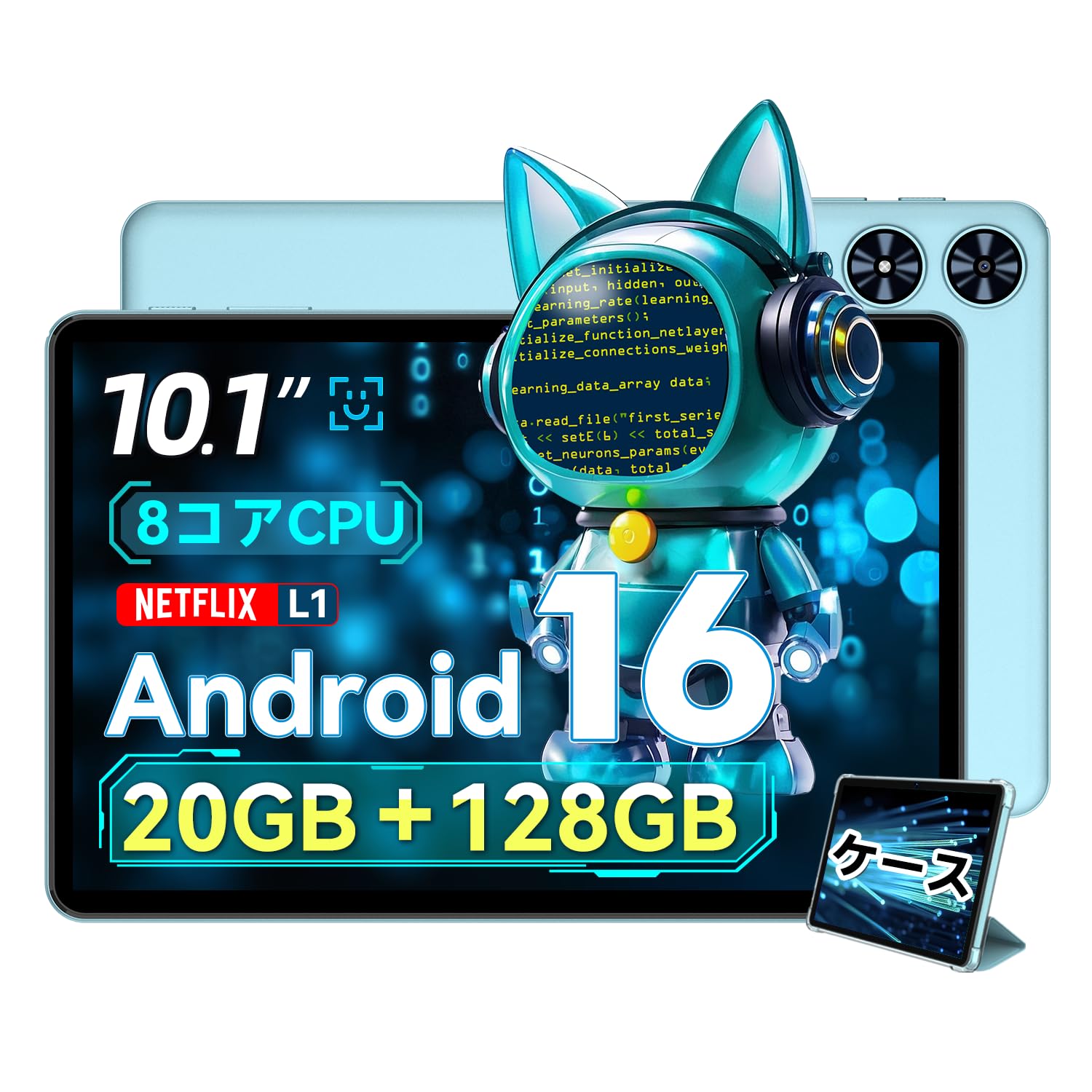
Слика 2.1: Предна страна view of the SVITOO P10 tablet, showcasinнеговиот екран од 10.1 инчи.

Figure 2.2: The SVITOO P10 tablet with on-screen graphics highlighting its 10.1-inch display, Android 16 OS, Bluetooth 5.0, 128GB storage, 20GB RAM expansion, 2.4G/5G Wi-Fi, 6600mAh battery, and Widevine L1 support.
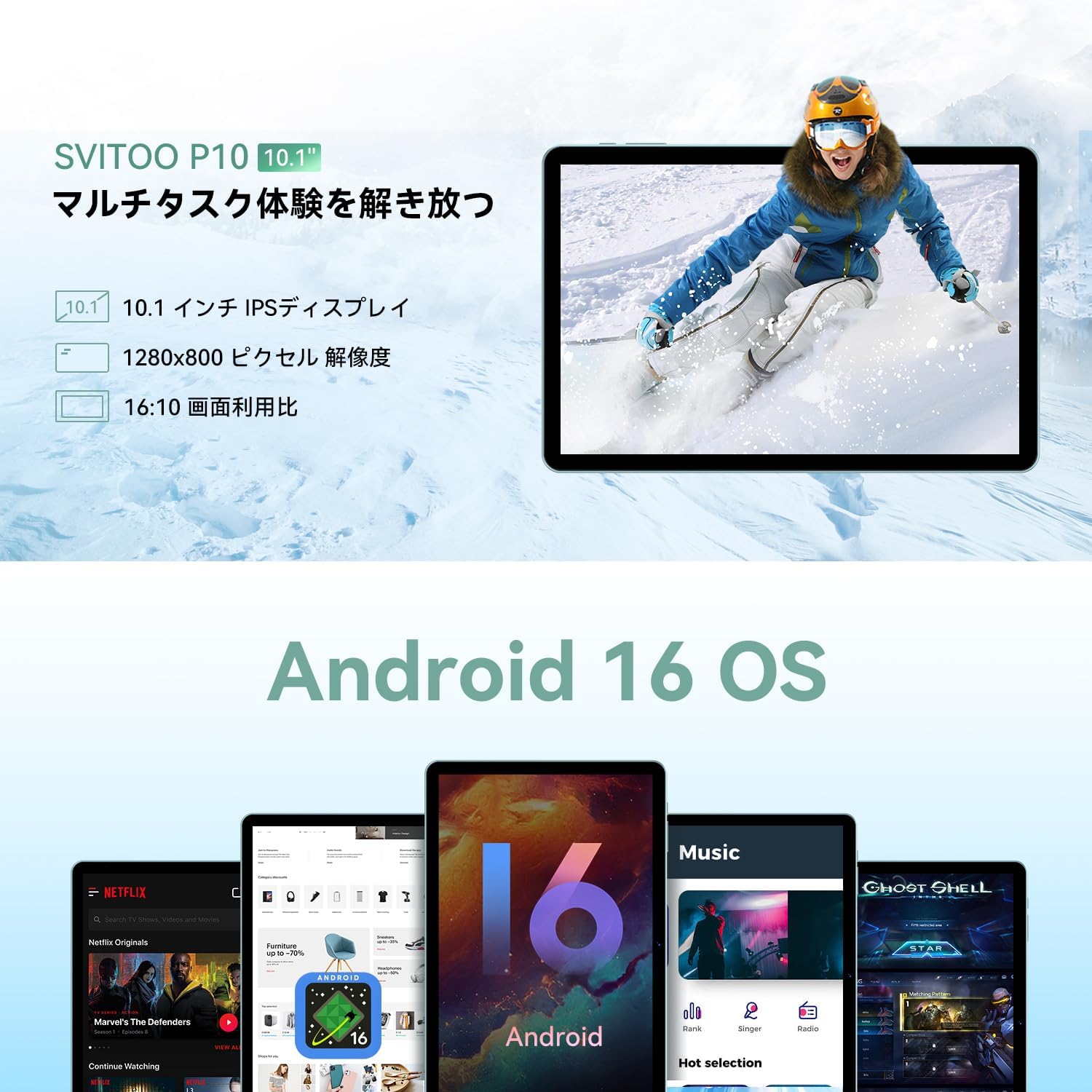
Figure 2.3: The SVITOO P10 tablet displaying a vibrant image, emphasizing its 10.1-inch IPS display, 1280x800 pixel resolution, and 16:10 aspect ratio.

Figure 2.4: Internal components of the SVITOO P10, illustrating the 20GB RAM (4GB + 16GB expandable), 128GB ROM, 1TB microSD card support, and the efficient 8-core CPU (UNISOC T7250 shown in diagram, actual is T615).
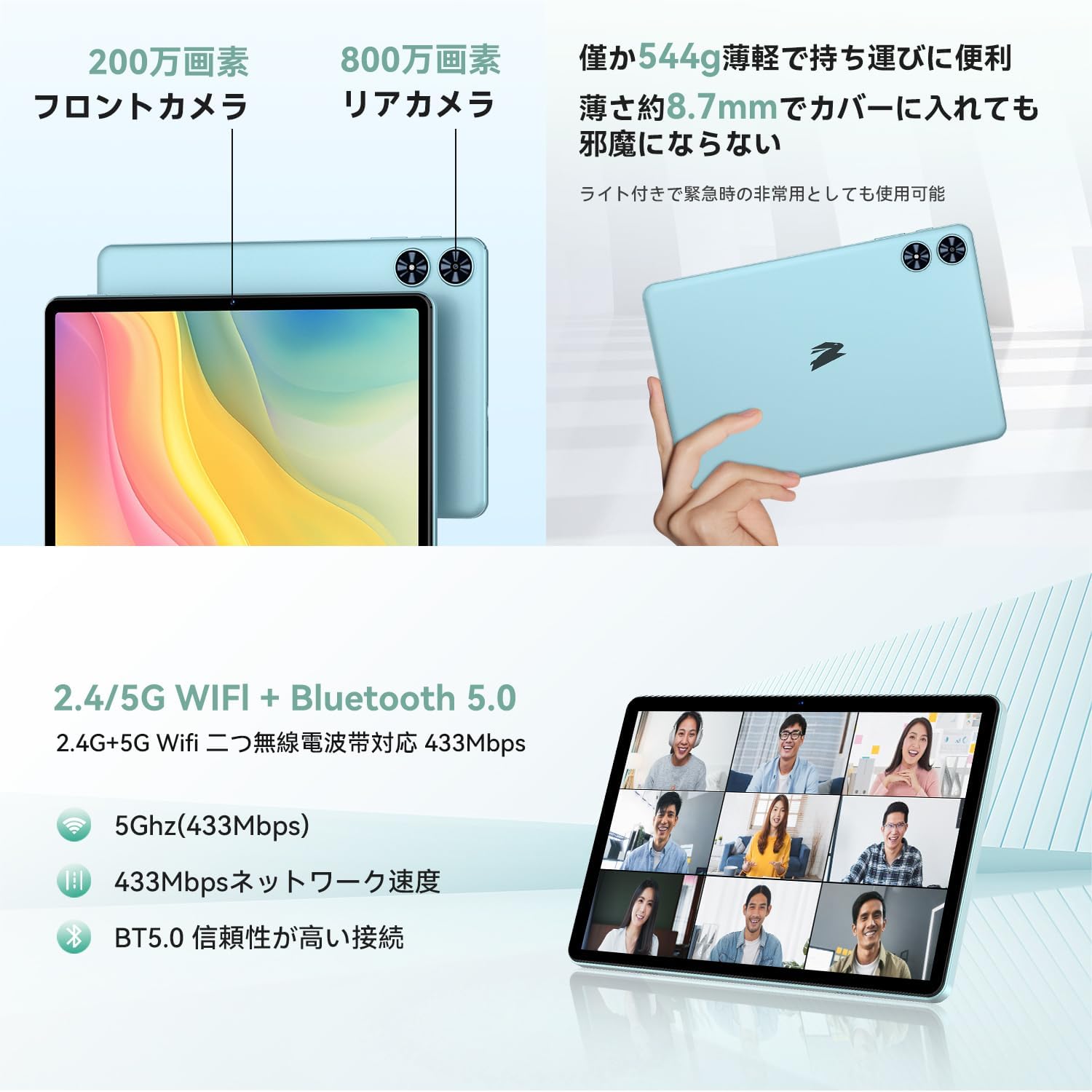
Слика 2.5: Заден и преден дел views of the SVITOO P10 tablet, highlighting the 2MP front camera, 8MP rear camera, 2.4G/5G WiFi, and Bluetooth 5.0. An example of a video conference is shown on the screen.

Figure 2.6: Demonstrates the SVITOO P10's software capabilities, including convenient multi-window, wireless projection, face recognition unlock, and eye protection screen modes (reading mode, blue light reduction).
Видеа за производи:
Video 2.1: This video demonstrates how the Android 16 OS on the SVITOO P10 tablet enhances both entertainment and work tasks, showcasing its smooth performance and user-friendly interface.
3. Поставување
3.1. Откачување и првична проверка
Upon receiving your SVITOO P10 tablet, carefully open the package and ensure all components are present:
- SVITOO P10 Tablet
- USB-C кабел за полнење
- Адаптер за напојување
- Аудио адаптер USB-C до 3.5 мм
- Упатство за употреба
- SIM Ejector Pin (for microSD card slot)
Inspect the tablet for any physical damage. The screen comes with a pre-applied protective film.
3.2. Вклучување/исклучување
- За вклучување: Press and hold the Power button (located on the side) until the SVITOO logo appears on the screen.
- За исклучување: Press and hold the Power button, then select 'Power off' from the options that appear.
- За рестартирање: Притиснете и задржете го копчето за вклучување, а потоа изберете „Рестартирај“ од опциите.
3.3. Волшебник за почетно поставување
Првиот пат кога ќе го вклучите таблетот, ќе бидете водени низ процесот на почетно поставување:
- Изберете го претпочитаниот јазик.
- Поврзете се на Wi-Fi мрежа.
- Најавете се со вашата сметка на Google или креирајте нова.
- Следете ги инструкциите на екранот за да го завршите поставувањето.
3.4. Вметнување на MicroSD картичка
To expand your tablet's storage:
- Пронајдете го држачот за SIM/microSD картичка од страната на таблетот.
- Insert the provided SIM ejector pin into the small hole next to the tray to open it.
- Place your microSD card (up to 1TB, sold separately) into the designated slot on the tray.
- Нежно туркајте ја фиоката назад во таблетот додека не кликне на своето место.
4. Упатства за работа
4.1. Основна навигација
The SVITOO P10 uses standard Android touch gestures:
- Допрете: Изберете ставка или отворете апликација.
- Повлечете: Скролувајте низ екраните или листите.
- Штипење: Зголемување или намалување на фотографиите и web страници.
- Долг печат: Пристапете до контекстуални менија или преместете икони.
4.2. Поставки за приказ
Прилагодете го вашиот viewискуство:
- Осветленост: Swipe down from the top of the screen to access Quick Settings, then adjust the brightness slider.
- Темен режим: Одете на Settings > Display > Dark theme to enable or disable dark mode for a more comfortable viewдоживување при слаба осветленост.
- Режим на читање: Activate reading mode (often found in Quick Settings or Display settings) to reduce eye strain during prolonged reading.
4.3. Поврзување
- Wi-Fi: Одете на Поставки > Мрежа и интернет > Wi-Fi to connect to available networks. The tablet supports 2.4G and 5G bands.
- Bluetooth: Одете на Поставки > Поврзани уреди > Bluetooth to pair with Bluetooth 5.0 devices like headphones, speakers, or keyboards.
- GPS: The built-in GPS allows for accurate location tracking and navigation using map applications.
4.4. Мултимедија
- Стриминг на видео: With Widevine L1 support, enjoy high-definition content from popular streaming services.
- Аудио: The tablet features quad speakers for immersive sound. A 3.5mm headphone jack is also available via the included adapter.
4.5. Употреба на камера
The SVITOO P10 is equipped with an 8MP rear camera and a 2MP front camera.
- Отворете го Камера апликацијата од почетниот екран или фиоката со апликации.
- Префрлувајте се помеѓу предните и задните камери користејќи ја иконата на камерата.
- Допрете го копчето за бленда за да фотографирате или да снимите видео.
4.6. Карактеристики на продуктивноста
- Поделен екран: Use the split-screen function to run two apps side-by-side for enhanced multitasking.
- Безжична проекција: Easily connect your tablet to a larger TV or display wirelessly for a broader visual experience.
4.7. Security and Parental Controls
- Препознавање на лице: Поставете препознавање на лице во Поставки > Безбедност и приватност > Отклучување со лице to quickly and conveniently unlock your device.
- Родителска контрола: Utilize the parental control features to manage screen time, app access, and prevent unauthorized purchases when children use the tablet.
5. Одржување
5.1. Полнење на батеријата
Charge your SVITOO P10 tablet using the provided USB-C cable and power adapter. The durable Type-C port ensures reliable charging. Avoid using damaged cables or chargers.
5.2. Управување со складирање
Редовно управувајте со меморијата на вашиот таблет за да одржувате оптимални перформанси. Избришете го непотребното files and apps, or offload large media files to your microSD card (up to 1TB) or cloud storage.
5.3. Чистење на уредот
Use a soft, lint-free cloth to clean the screen and body of your tablet. Avoid using harsh chemicals or abrasive materials that could damage the device.
6 Смена на проблеми
If you encounter issues with your SVITOO P10 tablet, refer to the following common solutions:
6.1. Уредот не се вклучува
- Проверете дали батеријата е наполнета. Поврзете го таблетот со полначот најмалку 30 минути.
- Притиснете го и држете го копчето за вклучување 10-15 секунди за да го натерате рестартирањето.
6.2. Проблеми со Wi-Fi поврзување
- Проверете дали Wi-Fi е овозможен во Поставки > Мрежа и интернет > Wi-Fi.
- Рестартирајте го вашиот Wi-Fi рутер.
- Заборавете ја мрежата и повторно поврзете се со повторно внесување на лозинката.
6.3. Паѓање на апликациите или бавно работење
- Затворете ги апликациите во позадина.
- Clear the cache of problematic apps (Поставки > Апликации > [Име на апликација] > Складирање и кеш > Избриши кеш).
- Ensure your tablet's software is up to date (Поставки > Систем > Ажурирање на системот).
- Ако проблемите продолжат, размислете за враќање на фабричките поставки ()Поставки > Систем > Опции за ресетирање > Избриши ги сите податоци (фабричко ресетирање)). Warning: This will delete all data on your tablet. Back up important information first.
7. Спецификации
| Карактеристика | Спецификација |
|---|---|
| Бренд | СВИТОО |
| Име на моделот | P10 |
| Оперативен систем | Андроид 16 (GMS сертифициран) |
| Бренд на процесорот | Унисок |
| Брзина на процесорот | 1.8 GHz |
| Графички забрзувач | Мали-Г57 |
| Големина на приказ | 10.1 инчи |
| Резолуција на екранот | 1280x800 пиксели |
| Капацитет за складирање на меморија | 128 GB |
| Складирање што може да се прошири | До 1TB преку microSD картичка |
| Предна камера | 2 MP |
| Задна камера | 8 MP |
| Безжичен тип | 802.11a/g/n/ac (2.4G/5G Wi-Fi) |
| Тип на поврзување | Bluetooth 5.0, GPS |
| Капацитет на батеријата | 6600 mAh |
| Порта за полнење | USB-C |
| Аудио пристаниште | 3.5mm Headphone Jack (via adapter) |
| Тежина на ставката | 1.05 килограми |
| Димензии на пакетот | 32.4 x 20.3 x 2.9 cm |
8. Гаранција и поддршка
8.1. Гаранција на производителот
The SVITOO P10 tablet comes with a 1-годишна гаранција од производителот. Оваа гаранција ги покрива дефектите на материјалите и изработката при нормална употреба.
Returns or exchanges are accepted for defects found before use (after unboxing) or for initial defects discovered after use.
8.2. Поддршка за корисници
For any inquiries, technical support, or warranty claims, please contact SVITOO customer service through your Amazon account:
- Најавете се на вашата сметка на Амазон.
- Go to 'Order History'.
- Locate your SVITOO P10 tablet order.
- Click 'Contact Seller' to reach our support team.