
1. Вовед
This manual provides essential information for the installation, operation, and maintenance of your NVIDIA RTX A1000 Professional Graphics Card. Please read this manual thoroughly before installing and using the product to ensure optimal performance and safety.
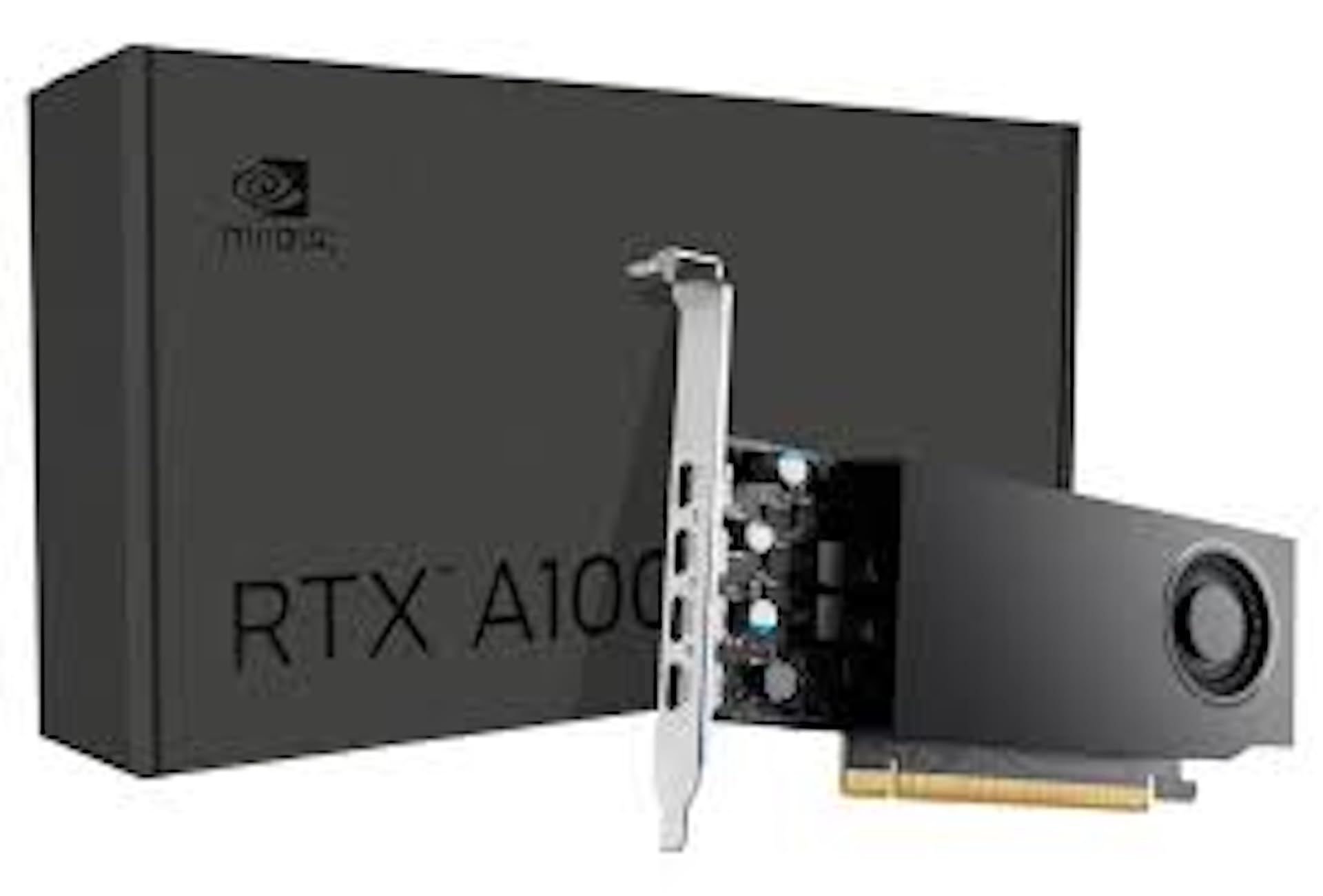
Figure 1: NVIDIA RTX A1000 Professional Graphics Card. This image shows the overall design of the graphics card, highlighting its compact form factor.
2. Производот завршиview
The NVIDIA RTX A1000 is a low-profile graphics processing unit (GPU) designed for professional workstations. It integrates NVIDIA's Ampere GPU architecture, featuring 2,304 CUDA Cores, 72 third-generation Tensor Cores, and 18 second-generation RT Cores, along with 8GB of GDDR6 graphics memory. This card is engineered to enhance visual creation, accelerate AI-powered workflows, and boost productivity within a small-form-factor solution.

Слика 2: Аголна view of the NVIDIA RTX A1000. This perspective showcases the cooling fan and the sleek design of the card.
3. Клучни карактеристики
- Advanced Core Architecture: Features 3rd generation Tensor Cores and 2nd generation RT Cores, providing enhanced graphic CAD performance and accelerated rendering and AI generation capabilities compared to previous models.
- Трасирање на зраци во реално време: Delivers up to twice the real-time ray-tracing performance of previous generations, facilitating complex 3D model processing and realistic image rendering.
- Перформанси на вештачка интелигенција: Offers up to 3.6 times higher generative AI performance, enabling rapid creation of high-quality images, videos, and 3D assets.
- Поддршка за повеќе екрани: Equipped with four Mini DisplayPort connectors, supporting multi-application workflows and up to two 8K displays simultaneously for increased productivity.
- 8GB GDDR6 меморија: Обезбедува ample memory for demanding professional applications and complex datasets.
- Low-Profile, Single-Slot Design: Optimizes space within workstations, making it suitable for a wide range of system configurations.
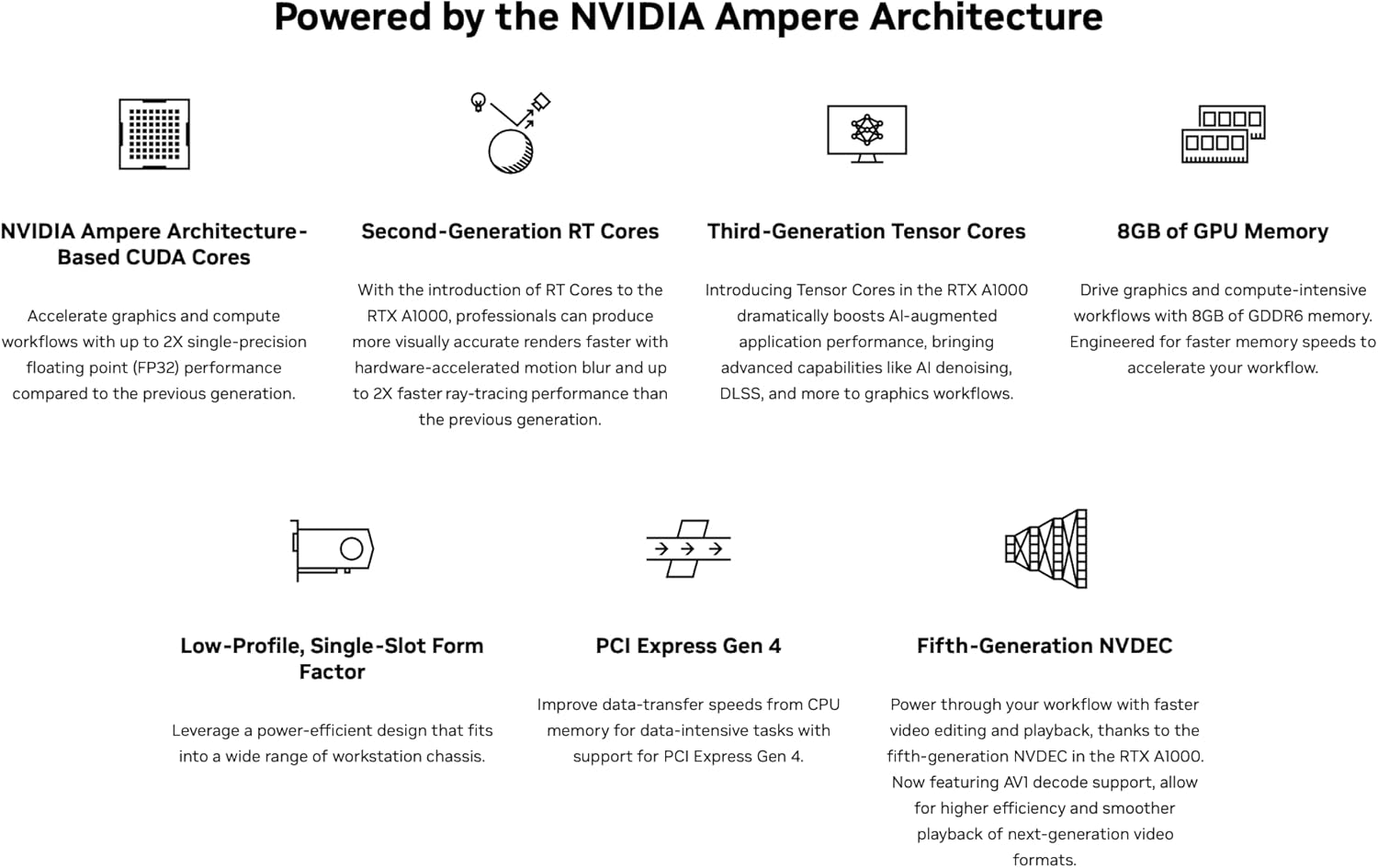
Слика 3: Готовоview of NVIDIA Ampere Architecture features. This graphic details the core components like CUDA Cores, RT Cores, Tensor Cores, and memory, which power the RTX A1000.

Слика 4: Прamples of professional workloads supported by the NVIDIA RTX A1000. This image illustrates applications in design, digital content creation, generative AI, productivity, edge computing, and multi-display environments.
4. Инсталација и поставување
4.1. Системски барања
- Available PCI-Express x8 or x16 slot.
- Compatible operating system (Windows 10/11 64-bit, Linux 64-bit).
- Sufficient power supply unit (PSU) with adequate wattage (typically 300W or higher recommended for system stability, as the card itself draws 50W).
- Minimum 8GB system RAM.
4.2. Инсталација на хардвер
- Исклучување и исклучување: Осигурајте се дека вашиот компјутер е целосно исклучен од струја и исклучен од штекерот.
- Отворено куќиште за компјутер: Отстранете го страничниот панел од куќиштето на компјутерот за да пристапите до матичната плоча.
- Лоцирајте го PCIe слотот: Identify an available PCI-Express x8 or x16 slot on your motherboard. Remove any slot covers if necessary.
- Вметнете графичка картичка: Carefully align the NVIDIA RTX A1000 card with the chosen PCIe slot and press down firmly until it is securely seated. Ensure the retention clip clicks into place.
- Безбедна картичка: Use a screw or the case's retention mechanism to secure the graphics card to the computer case.
- Затвори го случајот и повторно поврзи: Replace the computer case side panel, reconnect all cables, and plug the power cord back into the wall outlet.
4.3. Инсталација на драјвери
- Вклучување на компјутерот: Вклучете го компјутерот. Оперативниот систем може автоматски да открие нов хардвер.
- Преземи драјвери: Посетете ја официјалната NVIDIA webсајт (www.nvidia.com/drivers) to download the latest professional drivers for the RTX A1000. Select your operating system and product series.
- Инсталирајте драјвери: Стартувајте го преземениот инсталер на драјвери и следете ги упатствата на екранот. Можеби ќе биде потребно рестартирање на системот за да се заврши инсталацијата.
- Потврдете ја инсталацијата: After restarting, open NVIDIA Control Panel or NVIDIA Settings to verify that the graphics card is recognized and drivers are correctly installed.
5. Операција
5.1. Поврзување на дисплеи
The NVIDIA RTX A1000 features four Mini DisplayPort (mDP) outputs. Use appropriate mDP to DisplayPort, HDMI, or DVI adapters/cables to connect your monitors. Ensure your displays are powered on and set to the correct input source.

Слика 5: Одблиску view of the four Mini DisplayPort outputs on the NVIDIA RTX A1000. These ports allow connection to multiple high-resolution displays.
5.2. NVIDIA Control Panel / Settings
The NVIDIA Control Panel (Windows) or NVIDIA Settings (Linux) provides comprehensive options for configuring your graphics card. Here you can adjust display settings, manage 3D application profiles, set up multiple displays, and monitor GPU performance.
- Резолуција на екранот: Adjust screen resolution and refresh rates.
- Повеќекратни прикази: Configure display modes (extended desktop, duplicate displays).
- 3D поставки: Optimize graphics settings for specific applications or global performance.
- GPU Monitoring: View GPU temperature, clock speeds, and memory usage.
6. Одржување
- Држете ги драјверите ажурирани: Редовно проверувајте ја NVIDIA website for the latest drivers to ensure optimal performance, stability, and access to new features.
- Отстранување прашина: Периодично чистете ја прашината од вентилаторот и ладилникот на графичката картичка со компримиран воздух. Пред чистење, проверете дали компјутерот е исклучен од струја и исклучен од струја.
- Обезбедете правилен проток на воздух: Maintain good airflow within your computer case to prevent overheating. Ensure case fans are functioning correctly and cables are neatly managed.
7 Смена на проблеми
7.1. Нема излез на екранот
- Ensure the monitor is powered on and connected to the correct Mini DisplayPort on the graphics card.
- Проверете дали графичката картичка е целосно сместена во PCIe слотот.
- Проверете дали вашиот монитор е поставен на точниот влезен извор.
- Try connecting to a different display output on the card or a different monitor.
7.2. Driver Installation Issues
- Преземете ги најновите драјвери директно од официјалната NVIDIA webсајт.
- Привремено оневозможете го антивирусниот софтвер за време на инсталацијата на драјверот.
- If upgrading from a different GPU brand or older NVIDIA drivers, consider using a display driver uninstaller (DDU) in safe mode to remove old drivers before installing new ones.
7.3. Performance Issues or Crashes
- Осигурајте се дека вашите драјвери се ажурирани.
- Monitor GPU temperature using software like NVIDIA Control Panel or third-party tools. Overheating can cause performance degradation or crashes.
- Verify your system meets the recommended power supply requirements.
- Check for conflicting software or background processes that might be consuming resources.
8. Технички спецификации

Figure 6: Detailed specifications for the NVIDIA RTX A1000. This table provides key technical data such as GPU memory, display ports, power consumption, and form factor.
| Карактеристика | Детал |
|---|---|
| Графички копроцесор | NVIDIA RTX A1000 |
| GPU меморија | 8 GB GDDR6 |
| CUDA јадра | 2304 |
| Јадра на тензори | 72 (3-та генерација) |
| RT Јадра | 18 (втора генерација) |
| Интерфејс за видео излез | 4x Mini DisplayPort 1.4a |
| Graphics Bus | PCI-Express Gen 4 x8 |
| Максимална потрошувачка на енергија | 50 W |
| Форма фактор | Low-Profile, Single-Slot |
| Брзина на мемориски часовник | 1200 MHz |
| Maximum Digital Resolution | 7680 x 4320 |
| Број на модел | 900-5G172-2580-000 |
| Тежина на ставката | 453 грама |

Figure 7: Performance comparison of NVIDIA RTX A1000 against previous generation. This chart illustrates performance gains in graphics, rendering, and generative AI workloads.

Figure 8: Industry-leading performance highlights of the NVIDIA RTX A1000, including Single-Precision, RT Core, and Tensor Performance metrics.
9. Што има во кутијата
Upon opening the product packaging, you should find the following item:
- NVIDIA RTX A1000 Professional Graphics Card
Note: Additional accessories such as Mini DisplayPort adapters or documentation may be included depending on the specific retailer or bundle.
10. Гаранција и поддршка
10.1. Гаранција на производот
NVIDIA products typically come with a limited manufacturer's warranty. The duration and terms of the warranty may vary by region and retailer. Please refer to the warranty information provided with your purchase or visit the official NVIDIA webстраница за детални гарантни политики.
10.2. Техничка поддршка
For technical assistance, driver downloads, and frequently asked questions, please visit the official NVIDIA support webсајт:
You may also contact your retailer or system integrator for support related to your specific purchase.