
1. Вовед и повеќеview
The ANTELA Mini 10A Type F WiFi Smart Plug allows you to control your electronic devices remotely, set schedules, monitor energy consumption, and integrate with voice assistants like Amazon Alexa and Google Home. Its compact design ensures it does not obstruct adjacent outlets on power strips.
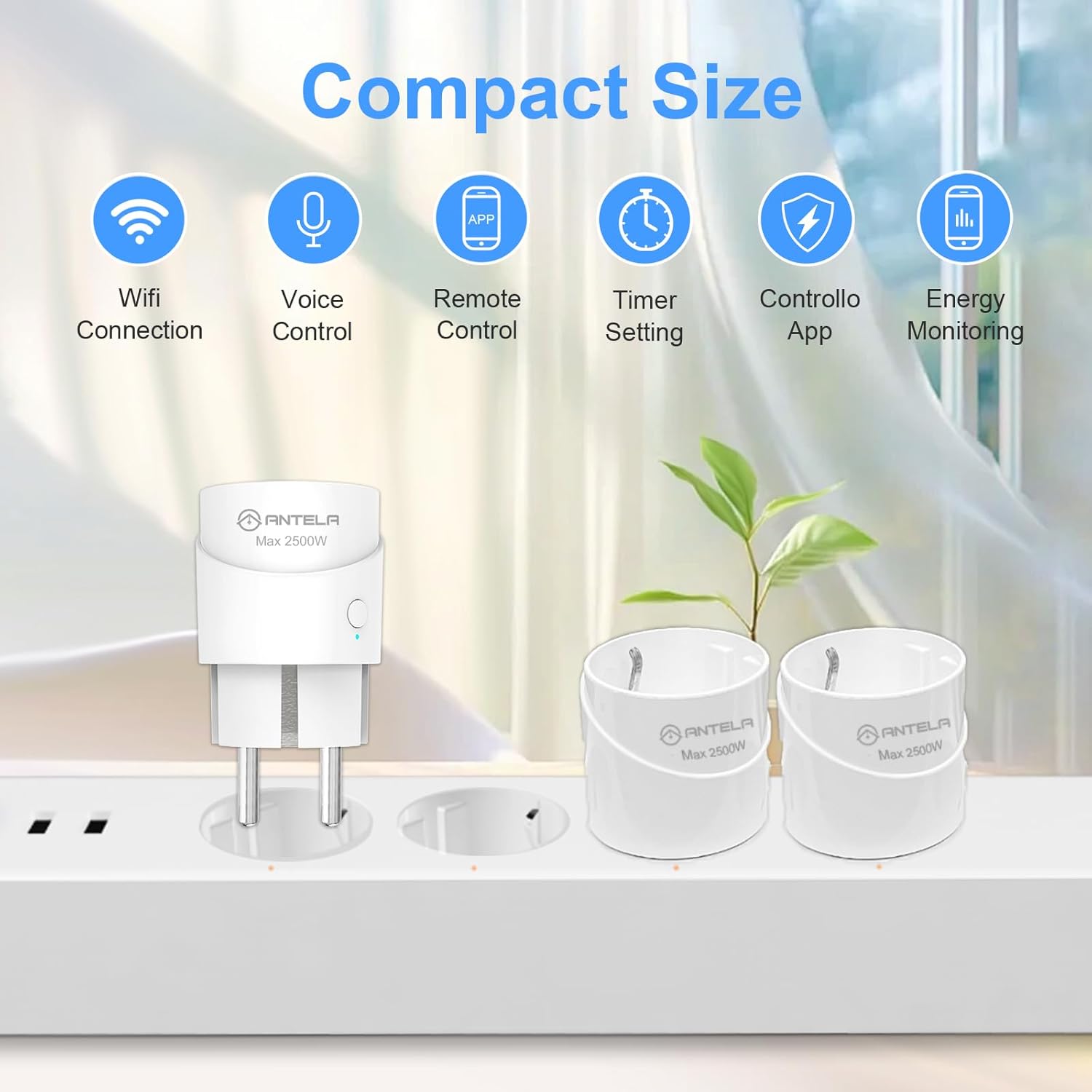
Image 1.1: The ANTELA Mini Smart Plug demonstrating its compact size and key features.
2. Информации за безбедност
Ве молиме прочитајте ги и разберете ги сите безбедносни упатства пред да го користите овој производ. Непочитувањето на овие упатства може да резултира со електричен удар, пожар или други опасности.
- Овој уред е дизајниран само за внатрешна употреба.
- Do not exceed the maximum load of 10A / 2500W.
- Проверете дали приклучокот е целосно вметнат во штекерот.
- Не расклопувајте или менувајте го уредот.
- Да се чува подалеку од вода и средини со висока влажност.
- Equipped with a flame-retardant PC shell and child safety shrapnel.
- Features built-in protection against short circuits, overcurrent (12A overload protection), overvoltage (280V AC), undervoltage (90V AC), and surge (L-N 1KV).

Слика 2.1: Готовоview of the smart plug's safety protection mechanisms.
3. Спецификации
| Карактеристика | Спецификација |
|---|---|
| Производител | АНТЕЛА |
| Број на модел | F1s206-EU-new |
| Димензии (Д x Ш x В) | 4.3 x 7.6 x 4.3 cm |
| Тежина | 90 грама |
| Боја | Бело |
| Материјал | Пластика |
| Максимална моќност | 2500 вати |
| Макс струја | 10 Ampерес |
| Оперативен волtage | 250 волти |
| Тип на прекинувач | Копче со притискање |
| Тип на електричен приклучок | Type F (Surface Mount) |
| Сертификати | CE |
| Вклучени компоненти | Паметен приклучок за WiFi |
| Потребна е батерија | бр |
| Работен режим | ВКЛУЧЕНО-ВКЛУЧЕНО-ИСКЛУЧЕНО |
| Поврзување | Само WiFi од 2.4 GHz |

Image 3.1: Physical dimensions of the ANTELA Mini Smart Plug.
4. Упатства за поставување
4.1. Преземање и инсталација на апликацијата
- Преземете го Паметен живот or Tuya Smart апликација од продавницата за апликации на вашиот паметен телефон (Google Play Store за Android или Apple App Store за iOS).
- Регистрирајте се или најавете се на вашата сметка.
4.2. Спарување на уредот
- Plug the ANTELA Smart Plug into a power outlet.
- Осигурајте се дека вашиот паметен телефон е поврзан со WiFi мрежа од 2.4 GHz. The smart plug is not compatible with 5 GHz WiFi networks.
- Open the Smart Life/Tuya Smart app. The app may automatically detect the new device via Bluetooth for initial pairing.
- Follow the on-screen instructions in the app to add the device. You will be prompted to enter your 2.4 GHz WiFi network name and password.
- If automatic detection fails, manually add the device by selecting "Electrical Outlet" or "Smart Plug" from the device list in the app and follow the pairing mode instructions (e.g., pressing and holding the power button on the plug until the indicator light blinks).
5. Упатства за работа
5.1. Рачна контрола
- Press the physical button on the smart plug to manually turn the connected appliance ON or OFF.
5.2. Контрола на апликации
Control your smart plug from anywhere using the Smart Life or Tuya Smart app.
- Open the Smart Life/Tuya Smart app on your smartphone.
- Select the desired smart plug from your device list.
- Tap the ON/OFF button within the app to toggle the power state of the connected appliance.

Image 5.1: Remote control of the smart plug via the Smart Life app.
6. Интеграција на гласовна контрола
The ANTELA Smart Plug is compatible with Amazon Alexa and Google Home for convenient voice control.
6.1. Connecting to Alexa/Google Home
- Ensure your smart plug is successfully paired with the Smart Life/Tuya Smart app.
- Отворете ја апликацијата Amazon Alexa или апликацијата Google Home.
- Navigate to the "Skills & Games" section (Alexa) or "Works with Google" section (Google Home).
- Пребарај за and enable the "Smart Life" or "Tuya Smart" skill/service.
- Link your Smart Life/Tuya Smart account when prompted.
- Discover devices. Your smart plug should now appear in your Alexa or Google Home device list.
6.2. Гласовни команди
Once connected, you can use voice commands such as:
- „Алекса, вклучете го [име на уред].“
- „Еј Гугл, исклучи го [име на уред].“
- "Alexa, set [device name] to 50% (if applicable)."
Забелешка: This smart plug is not compatible with Apple HomeKit.
7. Функции за закажување и тајмер
Automate your appliances by setting schedules, timers, or countdowns through the Smart Life/Tuya Smart app.
7.1. Setting a Schedule
- In the app, select your smart plug.
- Tap on the "Schedule" or "Timer" option.
- Set specific times for the plug to turn ON or OFF, and choose the days of the week for repetition.
- Зачувајте ги вашите поставки.
7.2. Setting a Countdown Timer
- In the app, select your smart plug.
- Tap on the "Countdown" option.
- Set a duration after which the plug will change its current state (e.g., turn off after 1 hour).
- Зачувајте ги вашите поставки.

Слика 7.1: На пр.ample of setting schedules and timers in the app.
8. Мониторинг на енергија
The ANTELA Smart Plug allows you to monitor the energy consumption of connected devices directly through the Smart Life/Tuya Smart app.
- In the app, select your smart plug.
- Look for the "Energy Monitoring" or "Electricity Statistics" section.
- View real-time power usage, current, voltage, and historical energy consumption data (daily, monthly, yearly).
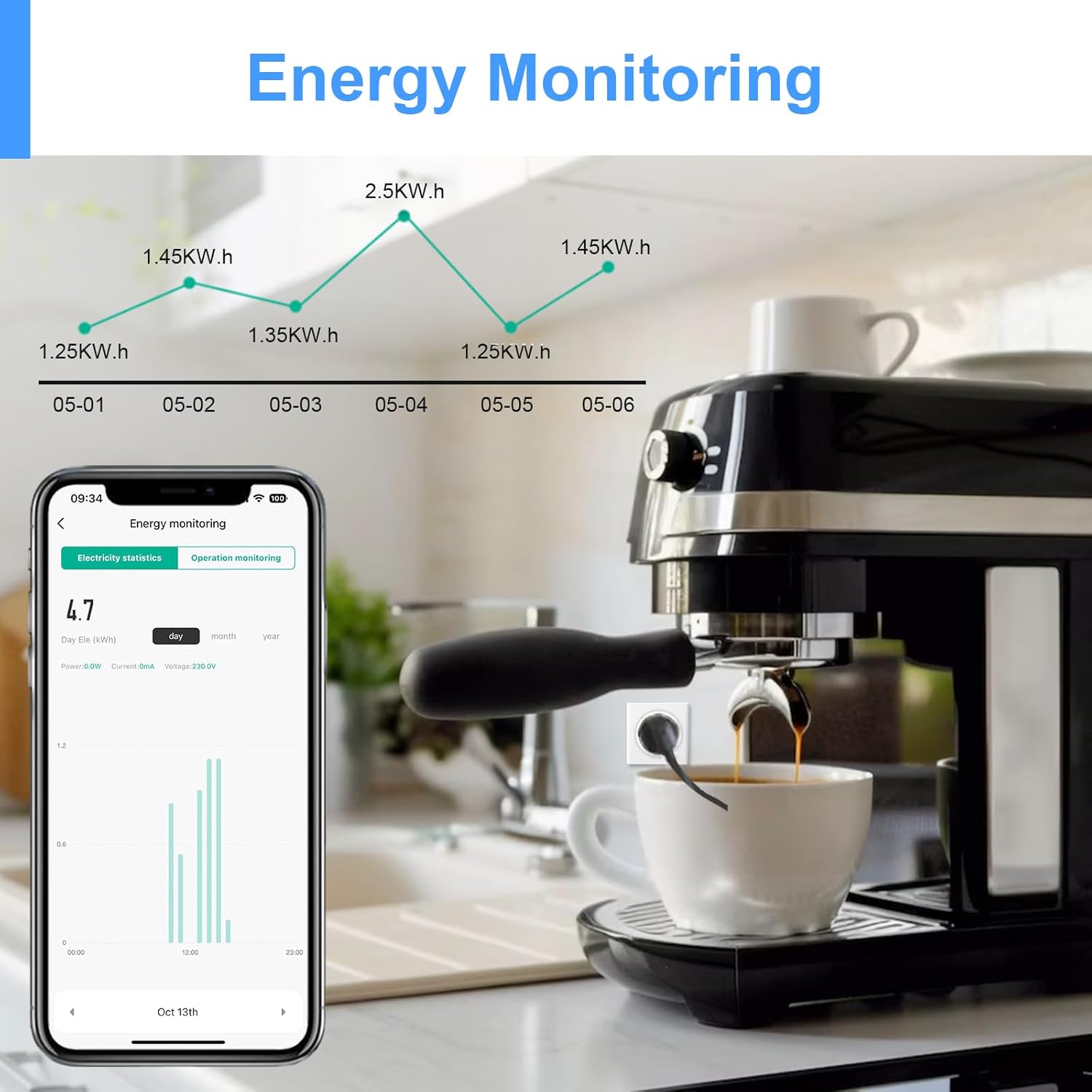
Image 8.1: Monitoring energy consumption of an appliance via the app.
9. Семејно споделување
You can share control of your smart plug with family members or other users through the Smart Life/Tuya Smart app.
- In the app, select your smart plug.
- Go to the device settings (usually represented by a pencil icon or three dots).
- Побарајте ја опцијата „Сподели уред“ или „Управување со семејство“.
- Add family members by entering their Smart Life/Tuya Smart account details. They will then have access to control the device.

Image 9.1: Sharing device control with family members.
10 Смена на проблеми
- Уредот не се поврзува со WiFi: Ensure your router is broadcasting a 2.4 GHz WiFi signal. The smart plug does not support 5 GHz WiFi. Move the plug closer to your router during setup.
- Проблеми со спарување: If initial pairing fails, try resetting the smart plug (refer to app instructions for specific reset methods, usually pressing and holding the power button). Ensure Bluetooth is enabled on your phone during the initial pairing phase.
- Гласовната контрола не работи: Verify that the Smart Life/Tuya Smart skill is enabled in your Alexa or Google Home app and that your accounts are correctly linked. Ensure the device name in the voice assistant app matches the name you are using in your commands.
- Апликацијата не реагира: Check your internet connection. Close and reopen the app. If the issue persists, try reinstalling the app.
- Energy monitoring data not updating: Data updates may have a slight delay (e.g., every 30 seconds). Ensure the device is actively connected and operating.
11. Гаранција и поддршка
For warranty information, please refer to the documentation provided at the time of purchase or contact ANTELA customer support directly. Spare parts availability information is currently unavailable.
If you encounter any issues not covered in this manual, please contact ANTELA customer service for assistance.