
1. Вовед
This manual provides detailed instructions for the setup, operation, and maintenance of your JoFomp 17.3" Large Digital Wall Clock. Please read this manual thoroughly before use to ensure proper functionality and longevity of the product.
2. Информации за безбедност
- Ensure the clock is connected to a stable power source (5V/2A adapter included).
- Не го изложувајте уредот на екстремни температури, директна сончева светлина или висока влажност.
- Да се чува подалеку од дофат на деца.
- Не обидувајте се сами да го расклопите или поправате уредот. Контактирајте ја поддршката за корисници за помош.
- Далечинскиот управувач бара 2 AAA батерии (не се вклучени).
- A 1 AAA battery (not included) is required for the memory function to retain settings during power outagес.
3. Содржина на пакетот
Проверете дали сите артикли се присутни во пакувањето:
- JoFomp 17.3" Digital Wall Clock
- Далечински управувач
- 5V/1A DC адаптер за напојување
- Кабел за напојување
- Mounting Hooks (2)
- Mounting Template Ruler
- Упатство за употреба (овој документ)

Слика 3.1: Вклучени додатоци и главна единица.
4. Производот завршиview
The JoFomp 17.3" Large Digital Wall Clock features a clear LED display and multiple functions for convenience.

Figure 4.1: Front display of the digital wall clock.
4.1 Карактеристики на екранот
- Приказ на време: Large 17.3" LED digits.
- Приказ на датум: Month and Day.
- Ден на неделата: Indicated by illuminated text (Mon-Sun).
- Температура: Displays in Celsius or Fahrenheit.
- Влажност: Displays relative humidity percentage.
- Двојни аларми: Two independent alarm settings.
- DST индикатор: Daylight Saving Time status.

Figure 4.2: Labeled display functions.
4.2 Back Panel and Buttons
The back of the clock houses control buttons and connection ports.

Figure 4.3: Back panel with labeled components.
- Копчиња за поставување: Five buttons for manual adjustments (Light, SET, +, -, Alarm).
- Memory Battery Compartment: For 1 AAA battery (not included) to retain settings.
- Приклучок за напојување: За поврзување на адаптерот за напојување.
- Дупки за монтирање: За монтажа на ѕид.
5. Поставување
5.1 Поврзување за напојување
- Connect the power cord to the clock's power port.
- Plug the 5V/2A power adapter into a standard electrical outlet. The clock will power on and display.
Забелешка: The clock requires continuous power to operate. It is not battery-powered for primary display.
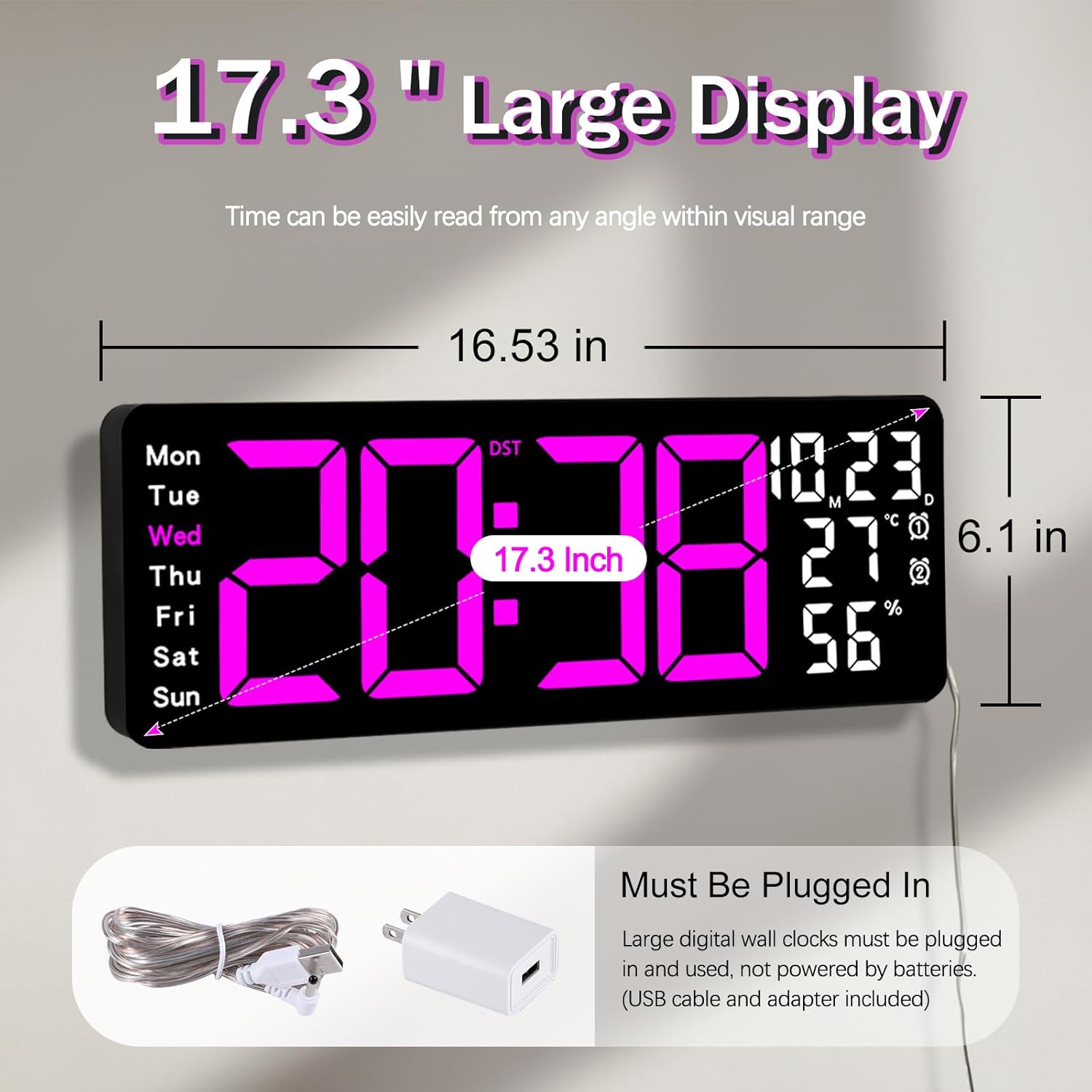
Figure 5.1: Power connection and dimensions.
5.2 Memory Battery Installation (Optional)
To retain time and settings during a power outage, install a 1 AAA battery (not included) into the memory battery compartment on the back of the clock.
- Locate the memory battery compartment on the back of the clock.
- Отворете го капакот на преградата.
- Insert one 1.5V AAA battery, ensuring correct polarity (+/-).
- Добро затворете го капакот на преградата.
5.3 Монтирање на ѕид
Use the included mounting template ruler and hooks for easy wall installation.
- Determine the desired location for your clock.
- Place the mounting template ruler on the wall at the desired height.
- Mark the positions for the mounting hooks according to the ruler's indications.
- Install the mounting hooks into the wall at the marked positions.
- Carefully hang the clock onto the installed hooks, ensuring it is level and secure.
6. Упатства за работа
The clock can be operated using either the remote control or the buttons on the back.
6.1 Поставување време и датум
Use the remote control or the "SET" button on the back of the clock.
- Притиснете го ПОСТАВЕТЕ button (on remote or back of clock) to enter setting mode.
- Користете го + и - копчиња за прилагодување на трепкачката вредност (на пр., час, минута, година, месец, ден).
- Притиснете ПОСТАВЕТЕ again to confirm the current setting and move to the next parameter.
- Повторете додека не се конфигурираат сите поставки.
6.2 12/24 Hour Format Conversion
To switch between 12-hour and 24-hour time formats:
- Притиснете го посветеното 12/24 ч копче на далечинскиот управувач.
- Alternatively, during time setting, the format option will appear.

Figure 6.1: 12/24H format conversion.
6.3 Конверзија на температурни единици (°C/°F)
За да се префрлате помеѓу температурните единици Целзиусови и Фаренхајтови:
- Притиснете го ° C / ° F копче на далечинскиот управувач.
6.4 Alarm Setting (Dual Alarms)
Часовникот поддржува два независни аларми.
- Притиснете го АЛАРМ button on the remote control or the back of the clock.
- Користете + и - за да го поставите саканото време на аларм.
- Притиснете АЛАРМ again to confirm and move to the next alarm or exit.
- To activate/deactivate an alarm, press the corresponding alarm button (e.g., AL1 or AL2) на далечинскиот управувач.
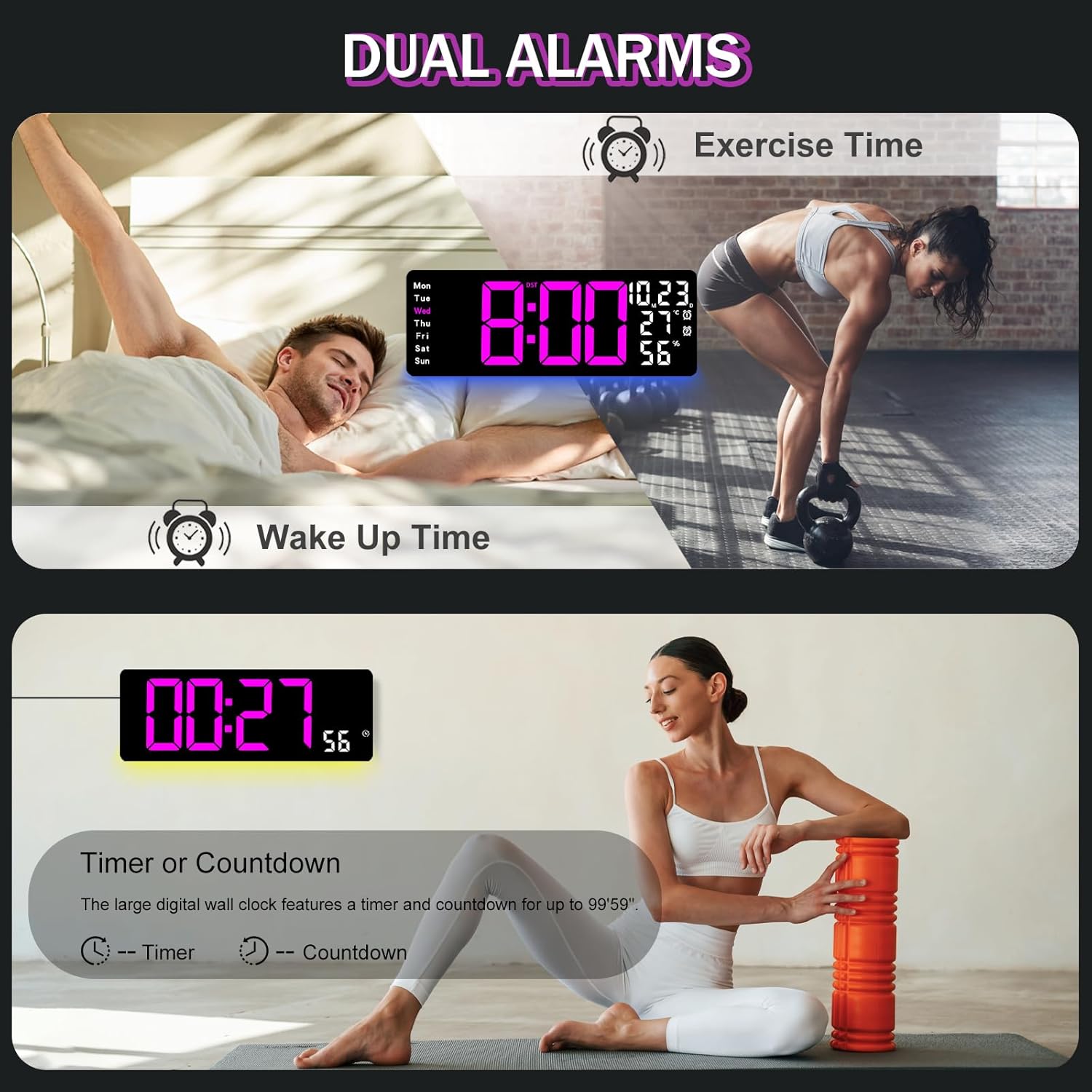
Figure 6.2: Dual alarm and timer functions.
6.5 Прилагодување на осветленоста
The clock offers 10 levels of brightness, adjustable manually or automatically.
- Автоматска осветленост: The built-in light sensor adjusts brightness based on ambient light. Activate this mode by pressing the АВТОМАТСКИ копче на далечинскиот управувач.
- Рачно осветлување: Притиснете го Осветленост button on the remote, then use + и - to select one of the 10 levels.

Figure 6.3: Custom and auto-brightness settings.

Figure 6.4: Brightness regulator illustration.
6.6 Ambient Light Features
The clock includes a night light feature at the bottom with multiple color options.
- Притиснете го СВЕТЛИНА button on the remote control or the back of the clock to cycle through 8 fixed colors and 1 multi-color mode.
- In multi-color mode, the colors automatically convert. Press OK to fix a favorite color.
- Adjust the brightness of the ambient light using the + и - buttons when the ambient light is active.

Figure 6.5: Multiple ambient night light options.

Figure 6.6: 9 color ambient light options.
6.7 Timer and Countdown Function
The clock features a timer (count-up) and countdown function up to 99 minutes and 59 seconds.
- Притиснете го ТАЈМЕР копче на далечинскиот управувач.
- Користете + и - to set the desired time for countdown.
- Притиснете СТАРТ/СТОП to begin or pause the timer/countdown.
- Притиснете РЕСЕТИРАЈ за да го исчистите тајмерот.

Figure 6.7: Timing function (count-up/countdown).
Video 6.1: Demonstration of multi-functional features including night light change, brightness control, count-up, and countdown. This video also shows the time, date, day, alarm clock, temperature, and humidity displayed on the same screen, along with 12/24 hour conversion, Celsius/Fahrenheit conversion, and DST enablement. The back design and buttons are also briefly shown.
6.8 Летно сметање на времето (DST)
If DST is observed in your region, you can enable or disable it.
- Долго притиснете го - button on the remote control to enable or disable DST. The DST indicator will appear/disappear on the display.

Figure 6.8: Enabling and disabling Daylight Saving Time.

Figure 6.9: Daylight Saving Time (DST) functionality.
6.9 Употреба на далечински управувач
The remote control provides convenient access to all clock functions without needing to reach the clock directly.

Figure 6.10: Remote control and its functions.

Слика 6.11: Далечински управувач во употреба.
- Ensure the remote control has 2 AAA batteries installed (not included).
- Point the remote control directly at the clock for optimal response.
- Each button on the remote corresponds to a specific function as described in this manual.
7. Одржување
- Clean the clock's display and body with a soft, dry cloth. Avoid abrasive cleaners or solvents.
- Ensure the power adapter and cord are free from damage.
- Replace the memory battery annually to ensure settings are retained during power interruptions.
8 Смена на проблеми
| Проблем | Можна причина | Решение |
|---|---|---|
| Приказот на часовникот е исклучен. | Нема напојување. | Check if the power adapter is securely plugged into the clock and the outlet. Ensure the outlet is functional. |
| Далечинскиот управувач не работи. | Low or dead batteries in remote; obstruction; remote out of range. | Replace remote batteries (2 AAA). Ensure no obstructions between remote and clock. Point directly at the clock within effective range. |
| Поставките се губат по исклучувањето на струјатаtage. | No memory battery or dead memory battery. | Install a fresh 1.5V AAA battery in the memory compartment. |
| Incorrect temperature/humidity reading. | Sensor interference or placement. | Ensure the clock is not placed near heat sources, direct sunlight, or in areas with extreme drafts. Allow time for the sensor to stabilize. |
| Ambient light not changing colors. | Stuck in fixed color mode. | Press the LIGHT button on the remote to cycle through modes. If stuck on a fixed color, press the OK button to release it from fixed mode. |
9. Спецификации
| Карактеристика | Детал |
|---|---|
| Бренд | JoFomp |
| Број на модел | 6669 |
| Тип на дисплеј | Дигитална LED диода |
| Големина на приказ | 17.3 инчи |
| Димензии на производот | 16.5"Ш x 6.7"В |
| Извор на енергија | Електричен кабел (вклучен е адаптер од 5V/2A) |
| Мемориска батерија | 1 x AAA (не е вклучено) |
| Нивоа на осветленост | 10 (Auto/Manual) |
| Ambient Light Colors | 8 Fixed + 1 Multi-color |
| Посебни карактеристики | Large Display, Adjustable Brightness, Temperature Display, Humidity Display, Dual Alarms, Timer, Countdown, DST, Remote Control |
| Тип на монтирање | Монтирање на ѕид |
| Тежина на ставката | 1.95 фунти |
10. Гаранција и поддршка
JoFomp products are designed for reliability and performance. For warranty information or technical support, please refer to the contact details provided with your purchase or visit the official JoFomp webстраница. Чувајте ја сметката за купување како доказ за купување.