
1. Вовед
This manual provides detailed instructions for the XBG B15pro Wireless Bluetooth Mouse. This device offers versatile connectivity options, an ergonomic design, and an intuitive LED display for enhanced user experience.
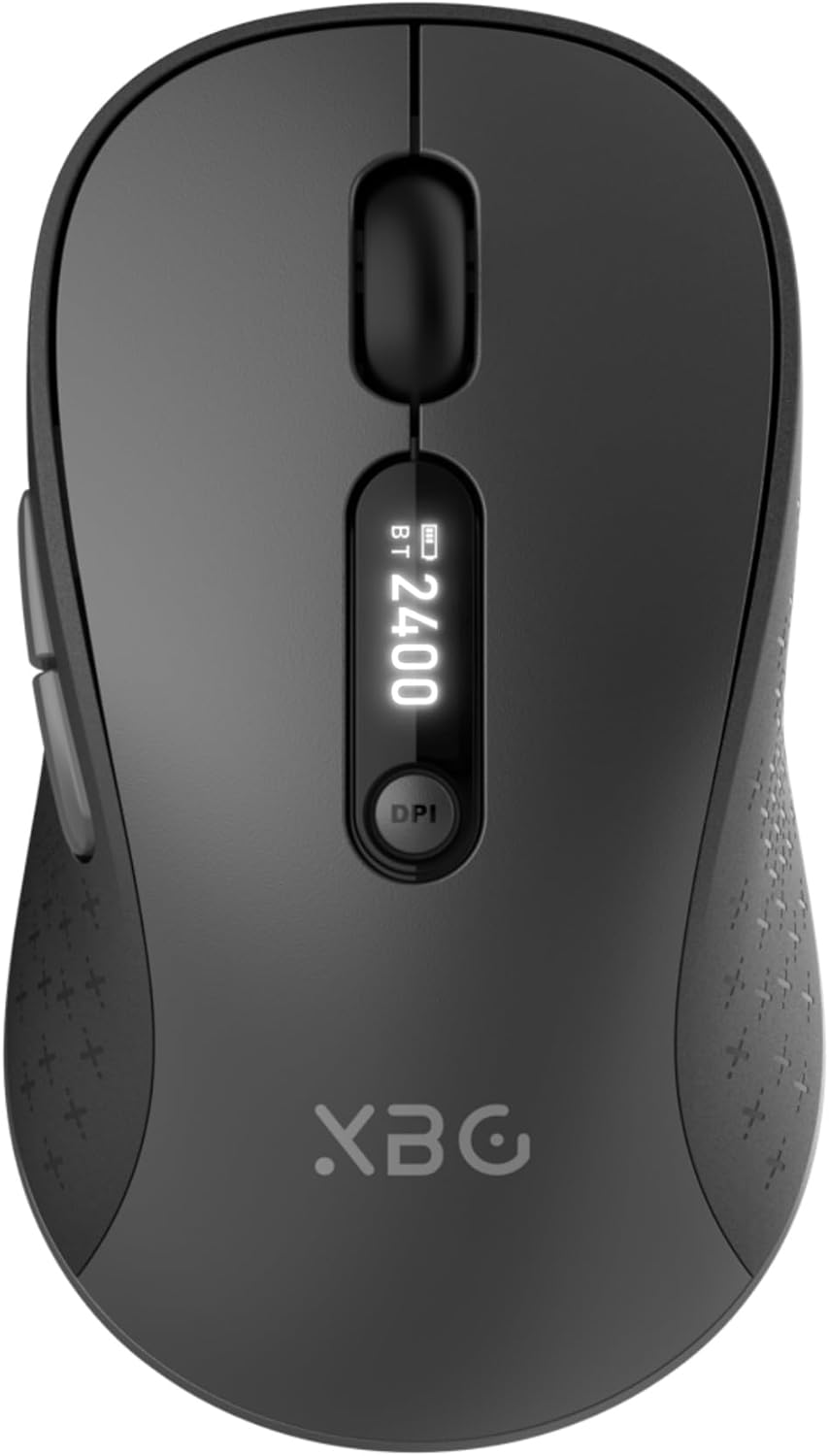
Image 1.1: The XBG B15pro Wireless Bluetooth Mouse, showcasinнеговиот елегантен дизајн и LED дисплеј.
Содржина на пакетот:
- 1 x XBG B15pro Wireless Bluetooth Mouse
- 1 x USB кабел за полнење (тип-C)
- 1 x USB приемник (2.4G)
- 1 x Упатство за употреба
2. Карактеристики на производот
- Три-режимска поврзаност: Supports Bluetooth 5.0, Bluetooth 4.0, and 2.4GHz wireless connections, allowing seamless switching between up to three devices.
- LED Screen Display: Обезбедува информации во реално време за процентот на батеријатаtage, DPI level, and current connection mode.
- Прилагодлив DPI: Five adjustable DPI levels (800/1000/1200/1600/2400) for precise cursor control.
- Батерија на полнење: Built-in 500 mAh lithium polymer battery, rechargeable via Type-C port.
- Копчиња за тивко кликнување: Main left and right buttons feature silent click technology, reducing noise in quiet environments.
- Ергономски дизајн: Contoured shape with a thumb rest and arched palm support for comfortable use during extended periods.
- Компатибилност со повеќе површини: Operates effectively on various surfaces including resin, wood, fabric, paper, and metal.

Image 2.1: The XBG B15pro mouse designed for multi-device use, highlighting its wireless capabilities.

Image 2.2: The ergonomic contour of the XBG B15pro mouse, designed for comfortable hand fit.
3. Поставување
3.1 Полнење на глувчето
Before first use, or when the battery indicator on the LED screen shows low power, charge the mouse using the provided Type-C USB cable. Connect the cable to the mouse's Type-C port and a USB power source (e.g., computer USB port, USB wall adapter).

Image 3.1: The XBG B15pro mouse connected for charging via its Type-C port.
3.2 Поврзување на глувчето
The XBG B15pro mouse supports three connection modes: 2.4GHz wireless (via USB receiver) and two Bluetooth channels (BT1, BT2). The mode switch is located on the bottom of the mouse.

Image 3.2: The underside of the XBG B15pro mouse, showing the ON/OFF switch, mode switch button, and USB receiver storage.
Безжична врска од 2.4 GHz:
- Locate the USB receiver stored in the bottom compartment of the mouse.
- Приклучете го USB-приемникот во достапна USB порта на вашиот компјутер.
- Turn on the mouse using the ON/OFF switch on the bottom.
- Press the Mode Switch button on the bottom until the LED indicator shows a Црвено светло, indicating 2.4G mode. The mouse should connect automatically.
Bluetooth конекција (BT1 / BT2):
- Turn on the mouse using the ON/OFF switch on the bottom.
- Press the Mode Switch button on the bottom to select either BT1 (Сина светлина) or BT2 (Зелено светло).
- Press and hold the Mode Switch button for 3-5 seconds until the corresponding Bluetooth indicator light (blue or green) starts flashing rapidly. This indicates pairing mode.
- On your device (laptop, tablet, PC), go to Bluetooth settings and search for new devices.
- Select "XBG B15pro" from the list of available devices to pair.
- Откако ќе се спари, индикаторското светло ќе престане да трепка и ќе остане цврсто.

Image 3.3: Illustration of the XBG B15pro mouse connecting to multiple devices via 2.4G and Bluetooth modes.
4. Упатства за работа
4.1 LED екран
The integrated LED screen provides essential information at a glance:
- Батерија Percentage: Го прикажува моменталното ниво на батеријата.
- Ниво на DPI: Displays the active DPI setting (800/1000/1200/1600/2400).
- Режим на поврзување: Indicates the active connection (2.4G, BT1, or BT2).
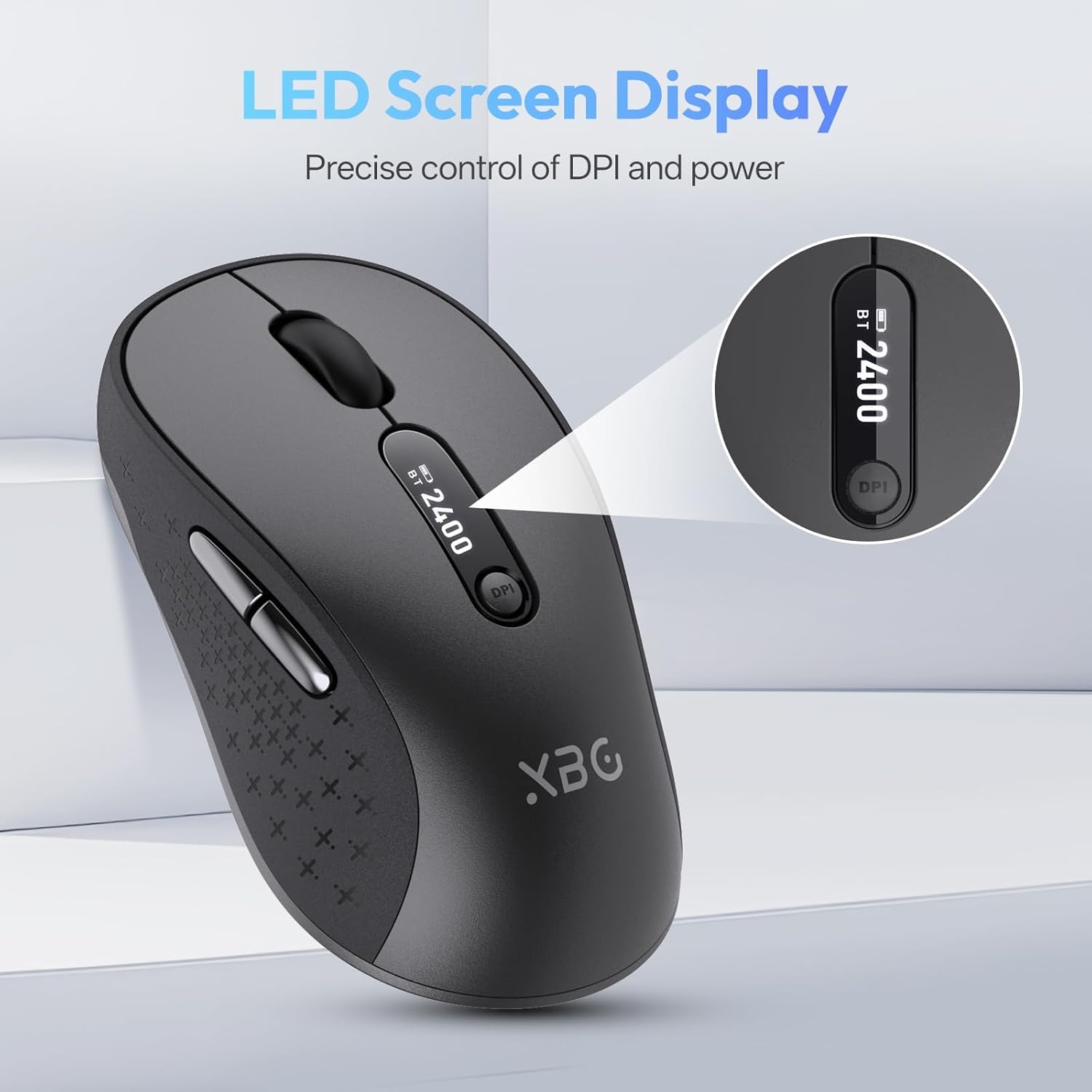
Слика 4.1: Детален view of the mouse's LED screen, showing battery, DPI, and connection status.
4.2 Прилагодување на DPI
Press the DPI button located below the scroll wheel to cycle through the five available DPI settings (800, 1000, 1200, 1600, 2400). The current DPI level will be displayed on the LED screen.
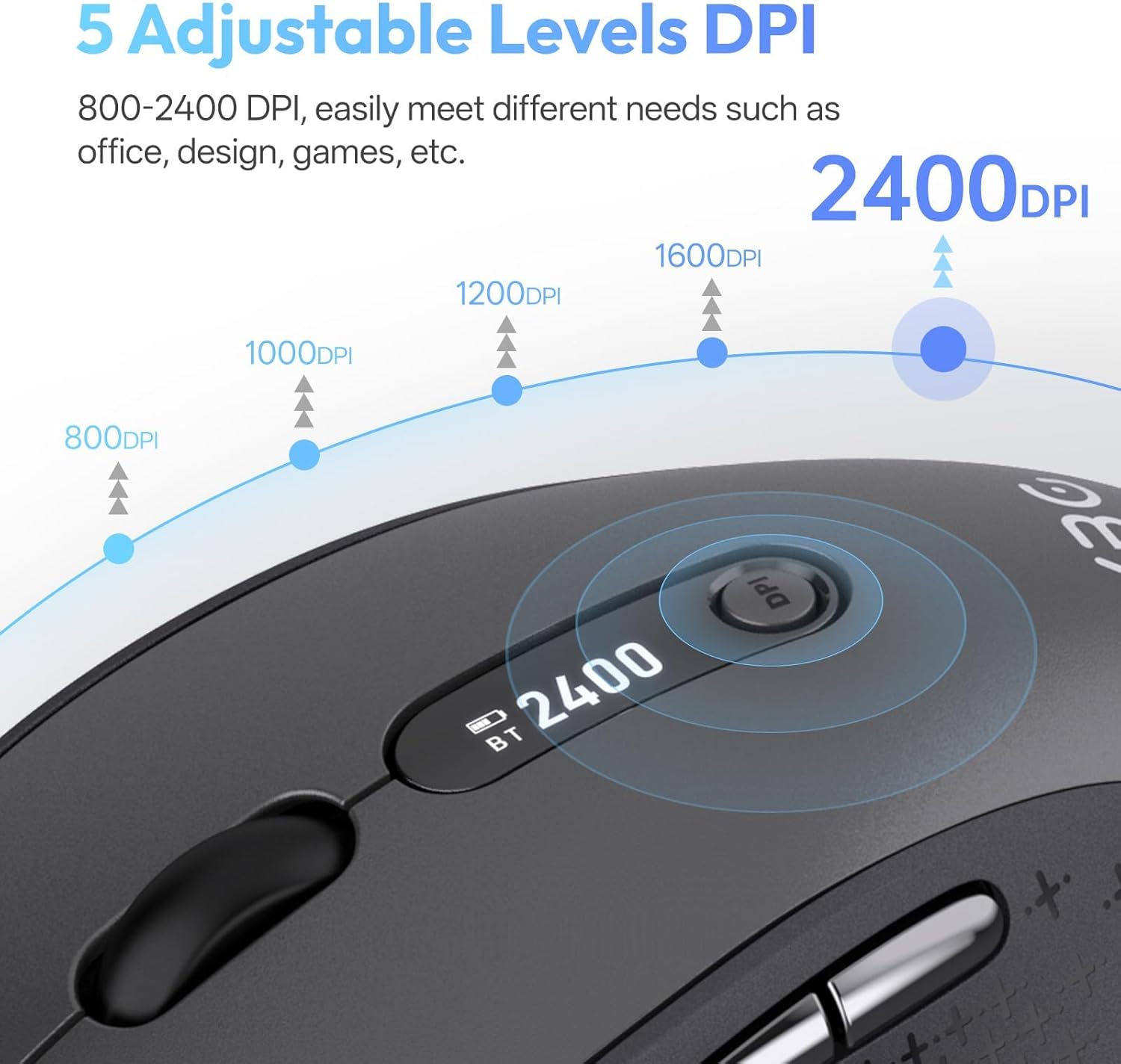
Image 4.2: Visual representation of the five adjustable DPI levels and how to change them.
4.3 Silent Click Functionality
The main left and right click buttons are designed for silent operation, providing a tactile click feel without audible noise. This feature is ideal for environments requiring minimal disturbance.

Image 4.3: A user operating the XBG B15pro mouse, illustrating its silent click feature in a quiet setting.
4.4 Автоматски режим на мирување
To conserve battery, the mouse will automatically enter sleep mode after 5 minutes of inactivity. To wake the mouse, simply move it or click any button.
5. Одржување
5.1 Грижа за батерии
- Charge the mouse fully before first use.
- Избегнувајте често целосно празнење на батеријата за да го продолжите нејзиниот век на траење.
- Користете го дадениот кабел Type-C за полнење.
- When not in use for extended periods, turn off the mouse using the ON/OFF switch on the bottom to prevent battery discharge.

Image 5.1: The XBG B15pro mouse being charged, illustrating its fast charging capability and long-lasting battery.
5.2 Чистење
Wipe the mouse with a soft, damp крпа. Избегнувајте употреба на груби хемикалии или абразивни материјали кои можат да ја оштетат површината.
6 Смена на проблеми
- Глувчето не реагира:
- Осигурајте се дека глувчето е ВКЛУЧЕНО.
- Check the battery level on the LED screen and charge if necessary.
- Verify the correct connection mode (2.4G, BT1, BT2) is selected and properly paired.
- For 2.4G mode, ensure the USB receiver is securely plugged into the computer.
- For Bluetooth mode, ensure Bluetooth is enabled on your device and re-pair if connection is lost.
- Движењето на курсорот е неправилно или бавно:
- Прилагодете ја поставката DPI користејќи го копчето DPI.
- Ensure the mouse is used on a clean, suitable surface.
- Mouse disconnects frequently:
- Ensure the mouse is within the effective range of your device (typically 10 meters for Bluetooth/2.4G).
- Минимизирајте ги пречките од други безжични уреди.
- Проверете го нивото на батеријата.
- Mouse does not automatically enter sleep mode:
- While the mouse has an automatic sleep feature, it is recommended to manually turn off the mouse via the ON/OFF switch when not in use for extended periods to ensure maximum battery conservation.
7. Спецификации
| Карактеристика | Спецификација |
|---|---|
| Број на модел | Б15 про |
| Технологија за поврзување | Bluetooth 5.0/4.0, 2.4GHz Wireless |
| Детекција на движење | Оптички |
| Нивоа на DPI | 800, 1000, 1200, 1600, 2400 |
| Тип на батерија | 1 Lithium Polymer (500 mAh, included) |
| Порта за полнење | Тип-C |
| Димензии на производот | 4.55 x 2.83 x 0.04 инчи (11.56 x 7.19 x 0.1 см) |
| Тежина на ставката | 2.65 унци (75 грама) |
| Посебни карактеристики | Ergonomic Design, Portable, Silent Click, LED Screen Display |

Image 7.1: A guide for recommended mouse size based on palm length and width.
8. Гаранција и поддршка
XBG offers a satisfaction guarantee for the B15pro Wireless Bluetooth Mouse.
- Политика за враќање 30 дена: If you are not satisfied with the product, you may return it within 30 days of purchase.
- 1-Year Replacement Warranty: The product is covered by a 1-year replacement warranty for manufacturing defects.
For further assistance or support, please refer to the contact information provided with your purchase or visit the official XBG webсајт.