
1. Водич за поставување
1.1 Содржина на пакетот
Пред да започнете, проверете дали сите артикли се присутни во вашиот пакет:
- Базна единица
- 3 безжични слушалки
- 3 AC адаптери
- Кабел за телефонска линија
- 3 NiMH Batteries
- Држач за монтирање на ѕид
- Abridged User’s Manual
- Водич за брз почеток

Image: The VTech CS5329-3 cordless phone system, showing the main base unit and three cordless handsets with their charging cradles.
1.2 Инсталација на батерија
Each cordless handset requires a NiMH battery for operation. To install:
- Отворете го капакот на преградата за батерии на задниот дел од слушалката.
- Цврсто поврзете го приклучокот на батеријата во приклучокот во внатрешноста на преградата.
- Ставете го пакетот батерии во преградата.
- Затворете го капакот на преградата за батерии.
1.3 Поврзување на основната единица
Connect the base unit to your telephone line and a power outlet:
- Приклучете го едниот крај од телефонскиот кабел во приклучокот TEL LINE на задната страна од базата.
- Вклучете го другиот крај од телефонскиот кабел во телефонски ѕиден приклучок.
- Приклучете го малиот крај на AC адаптерот во приклучокот POWER на задната страна од базата.
- Вклучете го големиот крај на AC адаптерот во ѕиден штекер кој не се контролира со ѕиден прекинувач.
1.4 Handset Charging
Place each handset in its respective charging cradle or the main base unit. The handsets will begin charging automatically. Allow at least 10-12 hours for the initial charge before first use to ensure optimal battery performance.
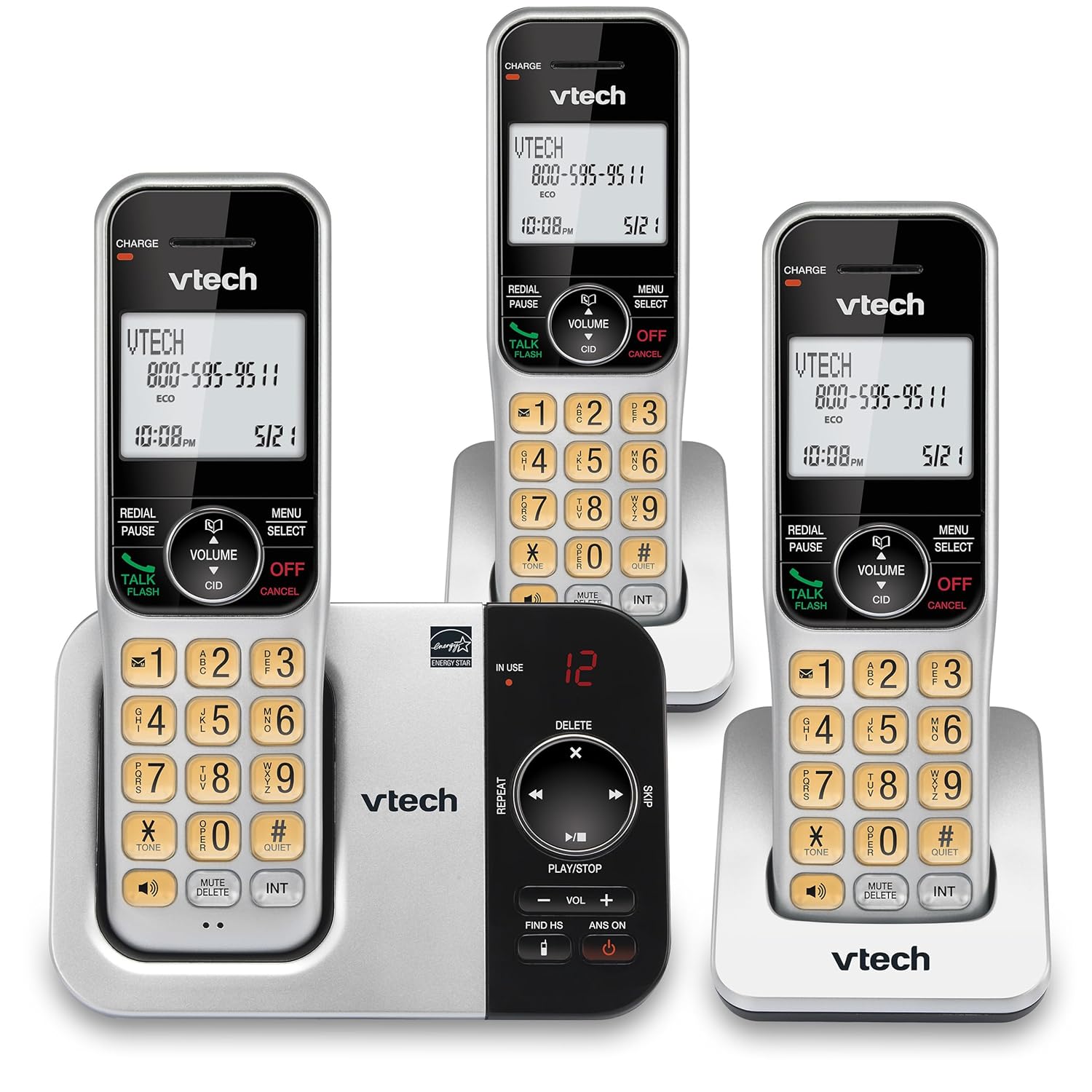
Слика: Алтернатива view of the VTech CS5329-3 phone system, highlighting the compact design of the handsets and charging cradles.
2. Упатства за работа
2.1 Остварување и примање повици
За да остварите повик, притиснете го Зборувајте / трепкајте button, then dial the number. To receive a call, simply lift the handset from the cradle or press any key (except ИСКЛУЧЕНО/ОТКАЖИ).
2.2 Дигитален телефонски систем
The integrated digital answering system offers up to 23 minutes of recording time for incoming messages, announcements, and memos. You can play back messages directly from the base unit or any handset. The lighted display on the handset indicates the number of new messages waiting.
2.3 Full Duplex Speakerphone
Enjoy clear, natural conversations with the full-duplex handset speakerphone. This feature allows both parties to speak and be heard simultaneously, enhancing call quality and participation.
2.4 ID на повикувач
Caller ID entries are displayed on the large, backlit LCD screen of the handset, making it easy to identify callers even in low-light conditions. The screen provides high-contrast text for readability.
2.5 Блокирање на повици
Effectively manage unwanted calls by utilizing the Call Block feature. You can input and/or save up to 150 names and numbers in the call block directory to prevent them from ringing through.
2.6 Проширливост
The VTech CS5329-3 system is expandable up to 5 handsets using only one phone jack. Additional CS5309 accessory handsets (sold separately) can be placed anywhere in your home or office near an outlet, providing flexible and convenient communication throughout your space.

Image: Another perspective of the VTech CS5329-3 phone system, showcasing the sleek design and keypad layout of the handsets.
3. Одржување
3.1 Чистење на вашиот телефон
Избришете го телефонот и базата со мека, малку влажна крпа.amp крпа. Не користете спрејови за чистење или груби хемикалии, бидејќи тие може да ја оштетат завршната обработка или електричните компоненти.
3.2 Грижа за батерии
To maintain optimal battery life, ensure handsets are placed on their charging cradles when not in use. Avoid exposing batteries to extreme temperatures.
4 Смена на проблеми
If you experience issues with your VTech CS5329-3 phone system, try the following common troubleshooting steps:
- Нема тон на бирање: Ensure the telephone line cord is securely connected to both the base unit and the wall jack. Check if other phones in your home have a dial tone.
- Без моќност: Verify that the AC adapter is properly plugged into the base unit and a working electrical outlet.
- Лош квалитет на звукот: Приближете се до базата. Уверете се дека нема големи метални предмети или други електронски уреди што го попречуваат сигналот.
- Слушалката не се полни: Make sure the handset is properly seated in the charging cradle and the charging contacts are clean.
- Телефонската секретарка не снима: Check the recording time available. Ensure the answering system is turned ON.
For more detailed troubleshooting, refer to the Abridged User’s Manual included in your package.
5. Спецификации
| Карактеристика | Детал |
|---|---|
| Димензии на производот | 5.54 x 7.31 x 2.99 инчи; 2.36 фунти |
| Број на модел на ставка | CS5329-3 |
| Батерии | Потребни се 3 AAA батерии. (вклучено) |
| Производител | VTech |
| Боја | Сребрена/Црна |
| Тип на телефон | Безжичен |
| Материјал | Пластика |
| Извор на енергија | Електричен со кабел |
| Тип на одговорен систем | Дигитален |
| Тежина на ставката | 1.07 килограми |
| Компатибилни уреди | PSTN Landline Connections |
6. Гаранција и поддршка
Your VTech CS5329-3 Cordless Phone System is covered by a manufacturer's warranty. Please refer to the warranty information provided in your Abridged User’s Manual for specific terms and conditions.
For technical support, product registration, or to purchase additional accessories, please visit the official VTech website or contact their customer service. Contact details can typically be found in your product documentation or on the VTech brand store page.
За повеќе информации, можете да ја посетите VTech Store on Amazon.