
Вовед
Thank you for choosing the CREATE Speaker Retro. This portable Bluetooth speaker combines a classic retro design with modern audio technology, offering versatile connectivity and powerful sound. This manual will guide you through the setup, operation, and maintenance of your new speaker to ensure optimal performance and longevity.

Image: The CREATE Speaker Retro, highlighting its elegant retro aesthetic and compact form factor.
Важни безбедносни инструкции
- Внимателно прочитајте ги сите упатства пред да го користите производот.
- Чувајте го ова упатство за идна референца.
- Do not expose the speaker to water or excessive moisture. This product is не водоотпорен.
- Не поставувајте во близина на извори на топлина како што се радијатори, грејни тела, шпорети или други апарати (вклучувајќи ampлајфикатори) кои произведуваат топлина.
- Користете само додатоци/додатоци наведени од производителот.
- Исклучете го овој апарат од струја за време на громови или кога не го користите подолг период.
- Целото сервисирање упатете го на квалификуван сервисен персонал.
Содржина на пакетот
The CREATE Speaker Retro package includes:
- CREATE Speaker Retro Portable Bluetooth Speaker (1 unit)
- USB-C кабел за полнење
- Упатство за употреба (овој документ)
Контроли и порти прекуview
Запознајте се со контролите и портите за поврзување на звучникот:

Слика: Детална view на горната контролна табла на звучникот.
- Копче за јачина на звук: Adjusts the overall sound volume.
- Бас копче: Го прилагодува нивото на бас.
- Рачка за високи тонови: Го прилагодува нивото на високите тонови.
- Прекинувач за избор на влез: Toggles between AUX, Bluetooth (BT), and USB input modes.
- Прекинувач: Го вклучува/исклучува звучникот.
- AUX влез (3.5 мм): За поврзување на надворешни аудио уреди преку аудио кабел.
- USB порта: За репродукција од USB уред.
- DC-IN 5V порт: За полнење на звучникот.
- Индикаторско светло: Го прикажува статусот на напојување, статусот на полнење и статусот на спарување со Bluetooth.
Поставување
1. Полнење на звучникот
Before first use, fully charge the speaker. Connect the provided USB-C charging cable to the DC-IN 5V port on the speaker and the other end to a compatible USB power adapter (not included) or a computer's USB port. The indicator light will show the charging status. A full charge takes approximately 4-5 hours.
- Полнење: Indicator light glows (color may vary).
- Целосно наполнето: Indicator light turns off or changes color.
2. Вклучување/исклучување
To power on the speaker, flip the Прекинувач за напојување to the "ON" position. To power off, flip the switch to the "OFF" position.
Упатства за работа
1. Режим на Bluetooth
The speaker features Bluetooth 5.2 for wireless audio streaming with a range of up to 10 meters.
- Вклучување на звучникот.
- Поставете го Прекинувач за избор на влез to "BT/AUX" and then ensure it's in Bluetooth mode (indicator light will blink, indicating pairing mode).
- На вашиот паметен телефон, таблет или друг уред со Bluetooth, овозможете Bluetooth и пребарајте достапни уреди.
- Select "CREATE Speaker Retro" from the list.
- Once paired, the indicator light will stop blinking and remain solid. You can now play music wirelessly.
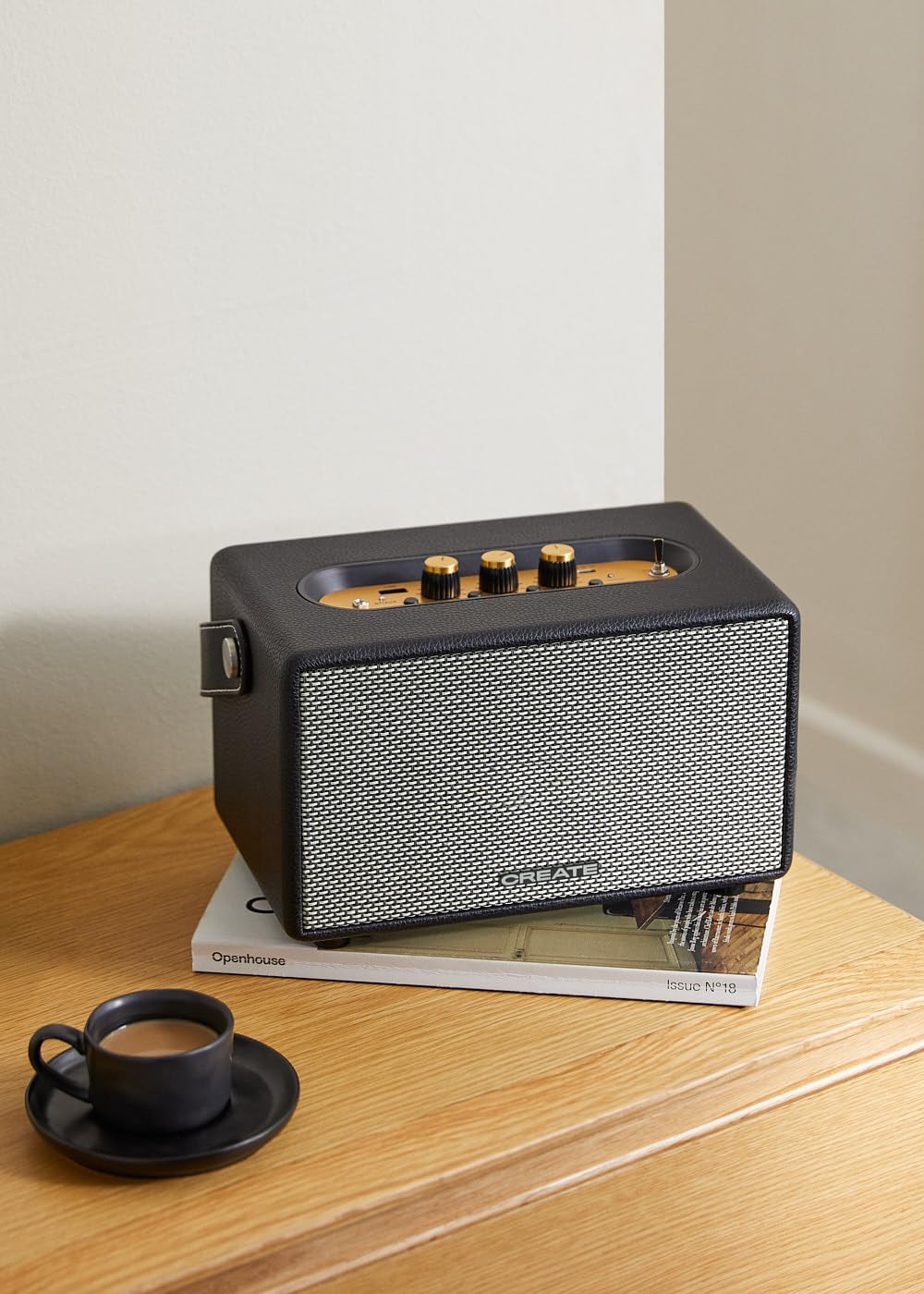
Image: Connecting to the speaker via Bluetooth from a mobile device.
2. Режим на репродукција преку USB
Пушти аудио fileдиректно од USB флеш драјв.
- Вклучување на звучникот.
- Вметнете USB флеш-уред што содржи аудио fileи во USB порта.
- Поставете го Прекинувач за избор на влез to "USB". The speaker will automatically begin playing music from the USB drive.

Image: Inserting a USB drive for direct audio playback.
3. Режим на AUX влез
Поврзете надворешни аудио уреди со помош на 3.5 мм аудио кабел.
- Вклучување на звучникот.
- Поврзете го едниот крај од 3.5 мм аудио кабел (не е вклучен) со AUX влез порт на звучникот.
- Connect the other end of the cable to the headphone jack or audio output of your external device (e.g., MP3 player, laptop).
- Поставете го Прекинувач за избор на влез to "AUX". The speaker will now play audio from your connected device.
4. Прилагодување звук
Користете ги наменските копчиња на контролната табла за да го подесите вашето аудио искуство:
- Завртете го Копче за волумен to increase or decrease the overall sound level.
- Завртете го Бас копче to adjust the low-frequency sounds.
- Завртете го Трепл копче to adjust the high-frequency sounds.
Одржување
Чистење
To clean the speaker, use a soft, dry cloth. Do not use abrasive cleaners, waxes, or solvents as they may damage the finish. Avoid spraying liquids directly onto the speaker.
Складирање
When not in use for extended periods, store the speaker in a cool, dry place away from direct sunlight and extreme temperatures. Ensure the speaker is fully charged before storing to preserve battery health.
Нега на батерии
The speaker is equipped with a built-in rechargeable battery. To maximize battery life:
- Избегнувајте често целосно празнење на батеријата.
- Recharge the battery regularly, even if the speaker is not used often.
- Не го изложувајте звучникот на температури над 45°C (113°F) или под 0°C (32°F).
Решавање проблеми
If you encounter any issues with your CREATE Speaker Retro, please refer to the following common problems and solutions:
| Проблем | Можна причина | Решение |
|---|---|---|
| Звучникот не се вклучува. | Батеријата е испразнета. | Charge the speaker for 4-5 hours using the USB-C cable. |
| Нема звук од звучникот. | Јачината на звукот е прениска; неточен режим на внесување; уредот не е правилно поврзан. | Increase volume. Ensure the correct input mode (BT, USB, AUX) is selected. Reconnect Bluetooth device or AUX cable. |
| Спарувањето со Bluetooth не успеа. | Speaker is not in pairing mode; device is out of range; interference. | Ensure speaker is in Bluetooth pairing mode (blinking indicator). Move device closer to speaker (within 10m). Turn off other Bluetooth devices. |
| USB репродукцијата не работи. | Incorrect input mode; USB drive not formatted correctly or no compatible files. | Ensure "USB" input mode is selected. Check USB drive for compatible audio files (e.g., MP3). Try a different USB drive. |
| Play/Pause button not responding. | Potential hardware issue or software glitch. | Restart the speaker. If the issue persists, contact customer support. (Забелешка: Корисникот повторноview mentioned this issue.) |
Спецификации
| Име на моделот | SPEAKER RETRO |
| Број на модел | 181643_452174 година |
| Димензии (Д x Ш x В) | 17 x 26 x 15 cm |
| Тежина | 2.5 кг |
| Max. Speaker Output Power | 40 W |
| Режим за излез на звук | Стерео (2.0 канали) |
| Технологија за поврзување | Bluetooth 5.2, USB, AUX (3.5mm) |
| Опсег на Bluetooth | До 10 метри |
| Капацитет на батеријата | 3000 mAh |
| Траење на батеријата | До 5 часа (во зависност од употребата) |
| Време на полнење | Прибл. 4-5 часа |
| Контролен метод | Touch (knobs and switches) |
| Боја | Црното |
| Водоотпорен | бр |
Гаранција и поддршка
Информации за гаранцијата
The CREATE Speaker Retro comes with a standard manufacturer's warranty. Please retain your proof of purchase for warranty claims. The warranty covers defects in materials and workmanship under normal use. It does not cover damage caused by misuse, accidents, unauthorized modifications, or exposure to water.
For specific warranty terms and conditions, please refer to the warranty card included with your product or contact CREATE customer service.
Поддршка за корисници
If you have any questions, require technical assistance, or need to report an issue that cannot be resolved using the troubleshooting guide, please contact CREATE customer support.
You can find more information and contact details on the official CREATE website or through their Amazon brand store: