
GGSTOPWATER XG99
AI Translate True Wireless OWS Headset XG99
Прирачник за корисничко упатство
1. Вовед
The GGSTOPWATER AI Translate True Wireless OWS Headset XG99 is an innovative open-ear audio device designed for seamless communication and immersive listening. Featuring advanced AI technology, it supports real-time translation across 150 languages, making it an ideal companion for travel, business, and daily interactions. Its open-ear design ensures comfort and situational awareness, while Bluetooth 5.4 connectivity provides stable and efficient performance.

Figure 1.1: The XG99 Open-Ear Headset and its Portable Charging Case.
2. Поставување
2.1. Полнење на слушалките и футролата
Before first use, fully charge the headset and its charging case. Place the earbuds into the charging case. Connect the charging case to a USB power source using the provided charging cable. The digital display on the charging case will indicate the battery level. A full charge typically takes approximately 1.5 hours.

Figure 2.1: The XG99 Charging Case with Digital Battery Indicator.
2.2. Bluetooth спарување
- Ensure the headset earbuds are charged and removed from the charging case. They will automatically enter pairing mode.
- На вашиот паметен телефон или уред, овозможете Bluetooth.
- Пребарај за достапни уреди и изберете „XG99“ од листата.
- Откако ќе се поврзете, гласовен потсетник ќе потврди успешно спарување.
2.3. Инсталација на апликација
To utilize the full AI translation capabilities, download the "EarJoy Intelligence APP" from your device's app store (available for iOS and Android). Follow the on-screen instructions to complete the app setup and connect your XG99 headset.
3. Упатства за работа
3.1. Вклучување/исклучување
- Вклучување: Извадете ги слушалките од кутијата за полнење. Тие автоматски ќе се вклучат.
- Исклучено: Вратете ги слушалките во кутијата за полнење. Тие автоматски ќе се исклучат и ќе почнат да се полнат.
3.2. Репродукција на музика и повици
Control music playback and manage calls using the touch controls on the earbuds. Refer to the app or quick start guide for specific touch commands (e.g., single tap for play/pause, double tap for next track, etc.).
3.3. Функција за превод со вештачка интелигенција
The XG99 headset, in conjunction with the EarJoy Intelligence APP, provides real-time translation for 150 languages. This feature supports various modes, including AI binaural translation (both users wear an earbud), Headphone + mobile phone translation (one user wears an earbud, the other speaks into the phone), and AI chat.

Figure 3.1: Using the XG99 for enhanced communication in professional settings.

Figure 3.2: The XG99 facilitates barrier-free communication across multiple languages.
3.4. Open-Ear Design Benefits
The XG99 features an open-ear design, meaning the earbuds do not enter your ear canal. This allows you to enjoy audio while remaining aware of your surroundings, enhancing safety during outdoor activities and comfort during prolonged use. The ergonomic hook design ensures a secure and comfortable fit.

Figure 3.3: Open-Ear Design for Comfort and Awareness.

Figure 3.4: The XG99's comfortable open-ear fit compared to traditional designs.
3.5. Квалитет на звукот
The XG99 delivers high-fidelity audio with low distortion, providing a rich and vibrant sound experience. Its design focuses on reproducing clear and immersive sound for both music and voice communication.

Figure 3.5: Internal components contributing to the XG99's sound quality.
3.6. Траење на батеријата
The XG99 headset provides approximately 6 hours of listening time on a single charge. The portable charging case extends the total usage time significantly, offering multiple recharges. The case itself can hold a charge for extended periods, providing up to 30 hours of standby time when the device is not connected, and up to 120 days when the device is turned off.

Figure 3.6: XG99 Battery Life Indicators.
3.7. Multi-Scenario Use
The durable and comfortable design of the XG99 makes it suitable for various activities, including driving, cycling, sports, and work, ensuring reliable performance throughout your day.

Figure 3.7: Versatile Use of the XG99 Headset.
4. Одржување
4.1. Чистење
Regularly clean your headset and charging case with a soft, dry, lint-free cloth. Avoid using abrasive materials or harsh chemicals. Do not submerge the headset or case in water.
4.2. Складирање
Кога не ги користите, чувајте ги слушалките во нивната кутија за полнење за да ги заштитите од прашина и оштетување. Чувајте ги на ладно и суво место, подалеку од директна сончева светлина и екстремни температури.
4.3. Отпорност на вода и прашина
The XG99 headset is designed with dustproof and waterproof features, making it suitable for active use. However, it is not designed for submersion. Avoid exposing it to excessive moisture or liquids.
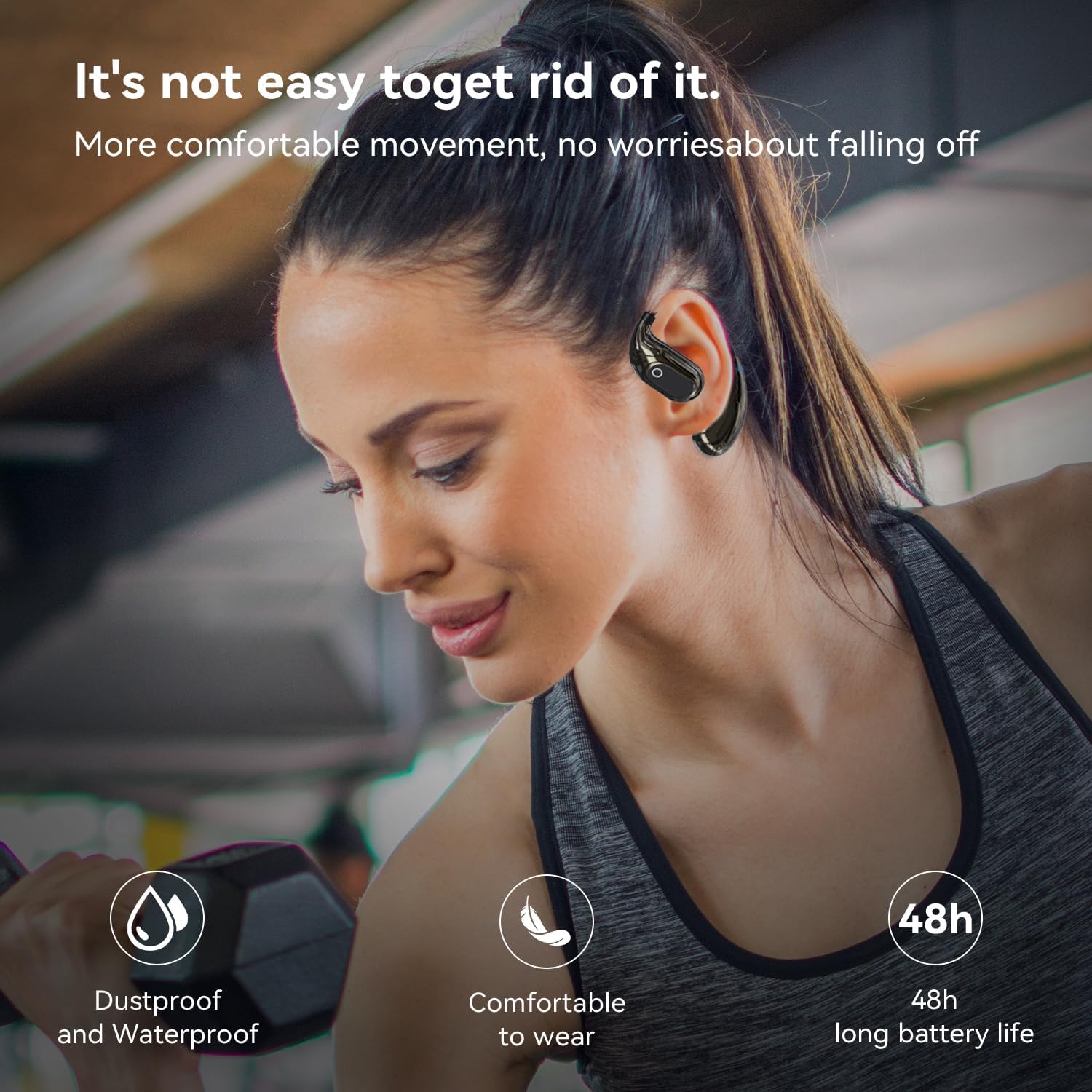
Figure 4.1: The XG99's durability for active lifestyles.
5 Смена на проблеми
| Проблем | Можна причина | Решение |
|---|---|---|
| Слушалките не се вклучуваат. | Слаба батерија. | Наполнете ги слушалките и кутијата за полнење целосно. |
| Не може да се спари со уредот. | Bluetooth е исклучен на уредот; слушалките не се во режим на спарување; премногу далеку од уредот. | Ensure Bluetooth is on; place earbuds in case then remove to re-enter pairing mode; keep devices within 10 meters. |
| Нема звук или звукот е слаб. | Volume too low; headset not properly connected; interference. | Adjust volume; re-pair headset; move away from sources of interference. |
| Функцијата за превод не работи. | App not connected; internet connection issues; incorrect app settings. | Ensure headset is connected to app; check internet connection; verify language settings in EarJoy Intelligence APP. |
6. Спецификации
| Карактеристика | Детал |
|---|---|
| Име на моделот | XG99 |
| Бренд | GGSTOPWATER |
| Технологија за поврзување | Безжичен (Bluetooth) |
| Bluetooth верзија | 5.4 |
| Опсег на Bluetooth | До 10 метри |
| Поставување на увото | Отворено уво |
| Облик на слушалката | Отвори |
| Импеданса | 40 Ом |
| Траење на батеријата (слушање) | Прибл. 6 часа |
| Контролен метод | App / Touch Controls |
| Вклучени компоненти | Куќичка за безжично полнење |
| Компатибилни уреди | Паметни телефони, лаптопи, таблети, паметни звучници |
| Тежина на ставката | 3.52 унци |
| Димензии на пакетот | 4.57 x 4.13 x 1.46 инчи |
| Земја на потекло | Кина |
7. Гаранција и поддршка
7.1. Информации за гаранцијата
The GGSTOPWATER AI Translate True Wireless OWS Headset XG99 comes with a standard manufacturer's warranty against defects in materials and workmanship. Please retain your proof of purchase for warranty claims. Specific warranty terms and duration may vary by region and retailer.
7.2. Поддршка за корисници
For technical assistance, troubleshooting, or warranty inquiries, please contact GGSTOPWATER customer support through the retailer where you purchased the product or visit the official GGSTOPWATER webсајт за информации за контакт.
Ask a question about this manual
Ask about setup, troubleshooting, compatibility, parts, safety, or missing instructions. Manuals+ will review the question and use this page’s manual context to help answer it.