
1. Вовед
Ви благодарам за купувањетоasing the AGPTEK A02XT MP3 Player. This device is designed to provide a high-quality audio experience with its HIFI lossless sound and Bluetooth 5.3 connectivity. It features a compact design, button operation, and various functions including FM radio, voice recording, and a pedometer. This manual will guide you through the setup, operation, and maintenance of your new MP3 player.

Figure 1.1: AGPTEK A02XT MP3 Player with accessories.
2. Производот завршиview
2.1 Содржина на пакетот
- AGPTEK A02XT MP3 Player (1)
- USB-C кабел за полнење (1)
- Упатство за употреба (1)
- Earphones (1 pair) - May vary by region/package

Figure 2.1: Contents of the AGPTEK A02XT package.
2.2 Распоред на уредот и контроли
Familiarize yourself with the buttons and ports on your A02XT MP3 player.

Слика 2.2: Предна страна view of the A02XT MP3 Player.
- Екран: Displays menus, music information, and settings.
- Копче М: Menu/Back button. Long press to lock/unlock the screen.
- Копче за репродукција/пауза: Ја започнува или паузира репродукцијата.
- Копчиња за претходно/следно: Navigates through tracks or menu options.
- Копче VOL: Контрола на јачината на звукот.
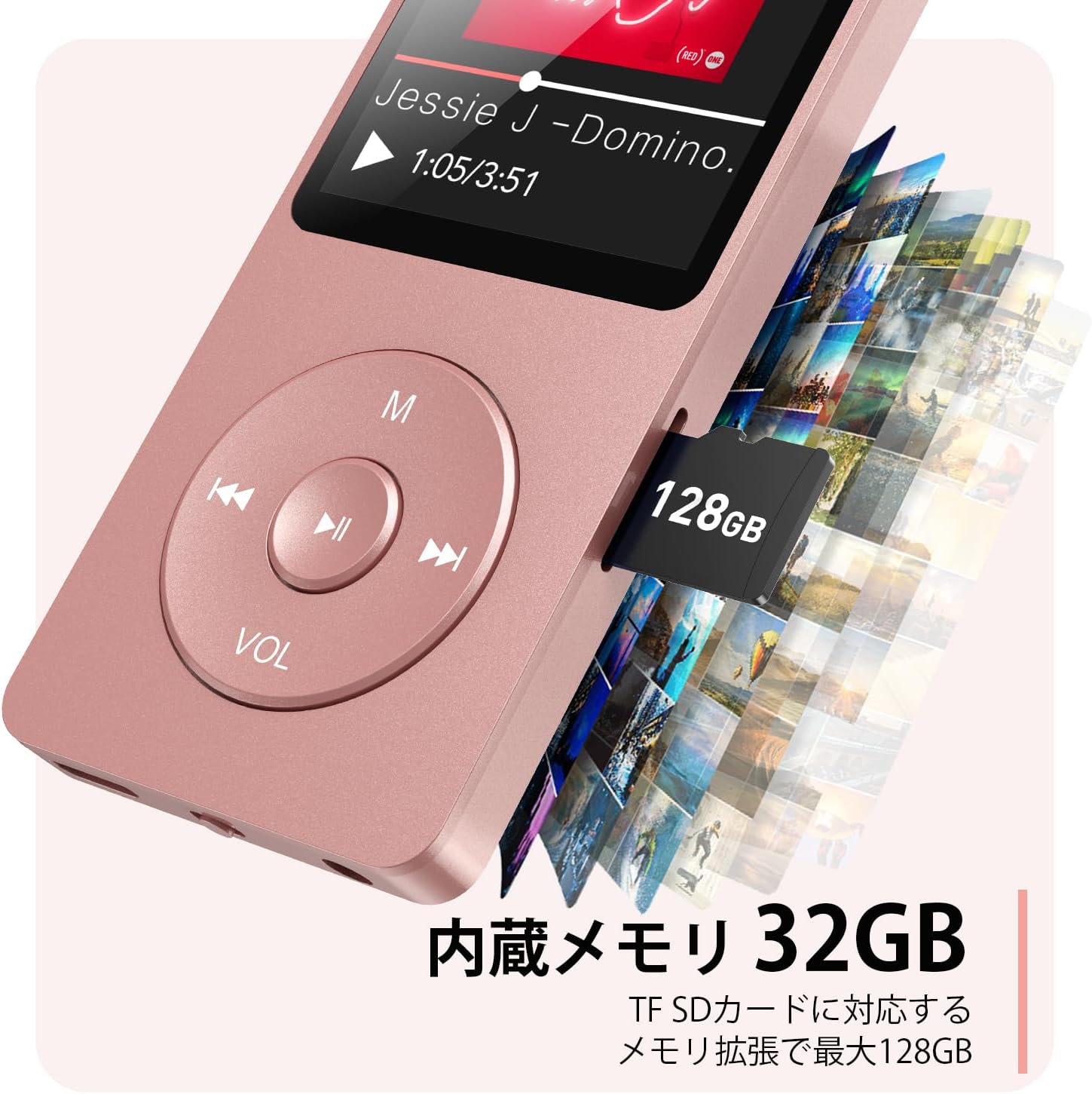
Слика 2.3: Страна view with microSD card slot.
- USB-C порта: За полнење и пренос на податоци.
- 3.5 мм приклучок за слушалки: За жичен аудио излез.
- Слот за MicroSD картичка: For expandable storage up to 64GB.
3. Поставување
3.1 Полнење на уредот
Before first use, fully charge the MP3 player. Connect the provided USB-C cable to the player's USB-C port and the other end to a USB power adapter (not included) or a computer's USB port. The screen will indicate charging status. A full charge takes approximately 2 hours and provides up to 40 hours of music playback.

Figure 3.1: MP3 Player charging indication.
3.2 Вметнување на MicroSD картичка
The player has 32GB of internal storage. To expand storage, insert a microSD card (up to 64GB, not included) into the microSD card slot until it clicks into place. Ensure the card is inserted correctly to avoid damage.
3.3 Пренесување музика Files
- Поврзете го MP3 плеерот со вашиот компјутер користејќи USB-C кабел.
- The player will appear as a removable disk on your computer.
- Повлечете и испуштете ја вашата музика files (MP3, WMA, OGG, WAV, APE, FLAC, AAC, ACELP) into the 'Music' folder on the player or microSD card.
- Безбедно извадете го уредот од компјутерот пред да го исклучите кабелот.
4. Упатства за работа
4.1 Вклучување/исклучување
- Вклучување: Long press the Power button (usually on the side or top edge) until the screen lights up.
- Исклучено: Long press the Power button until the 'Power Off' option appears, then select it.
4.2 Основна навигација
Use the navigation buttons (Previous, Next, Play/Pause, M) to move through menus and select options. The Play/Pause button often acts as a 'Confirm' button in menus.

Figure 4.1: Main menu interface with various functions.
4.3 Репродукција на музика
- Од главното мени, изберете „Музика“.
- Browse by Artist, Album, Songs, Playlists, etc.
- Изберете песна за да започнете со репродукција.
- Use the Previous/Next buttons to skip tracks, and Play/Pause to control playback.
- Adjust volume using the VOL button.
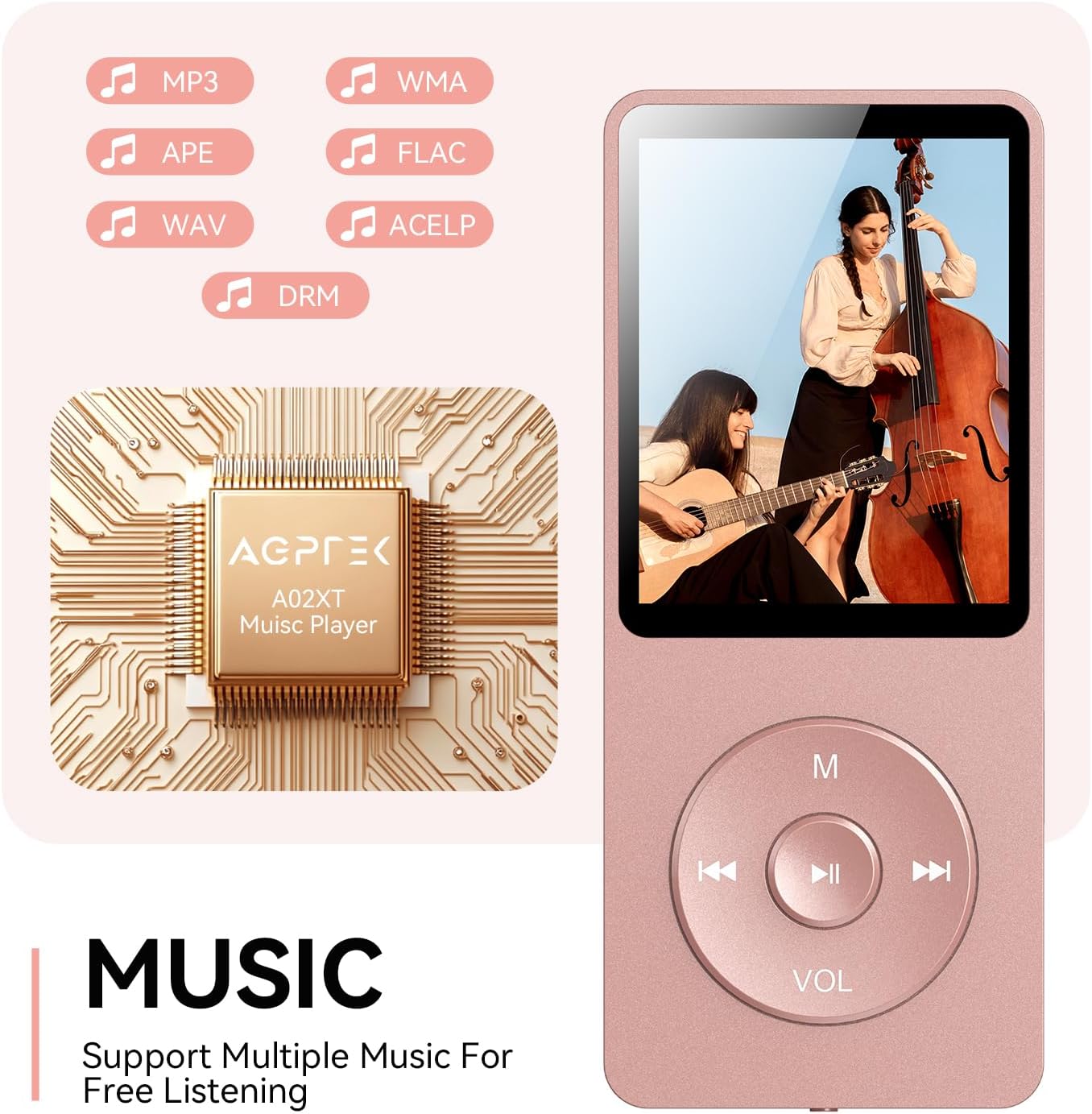
Figure 4.2: Music playback screen and supported formats.
4.4 Bluetooth конекција
The A02XT supports Bluetooth 5.3 for wireless audio output to headphones or speakers.
- Од главното мени, изберете „Bluetooth“.
- Turn on Bluetooth on the player.
- Проверете дали вашите Bluetooth слушалки/звучник се во режим на спарување.
- The player will search for nearby devices. Select your device from the list to pair.
4.5 FM радио
- Поврзете ги жичените слушалки со 3.5 мм приклучок; тие служат како антена.
- Од главното мени, изберете „FM радио“.
- Користете ги копчињата за навигација за скенирање станици или рачно прилагодување.
4.6 Гласовно снимање
- From the main menu, select 'Record'.
- Choose 'Start Voice Recording' to begin.
- Press Play/Pause to stop and save the recording.
4.7 Заклучување на екранот
To prevent accidental button presses, long press the 'M' button to lock the screen. Repeat the action to unlock.
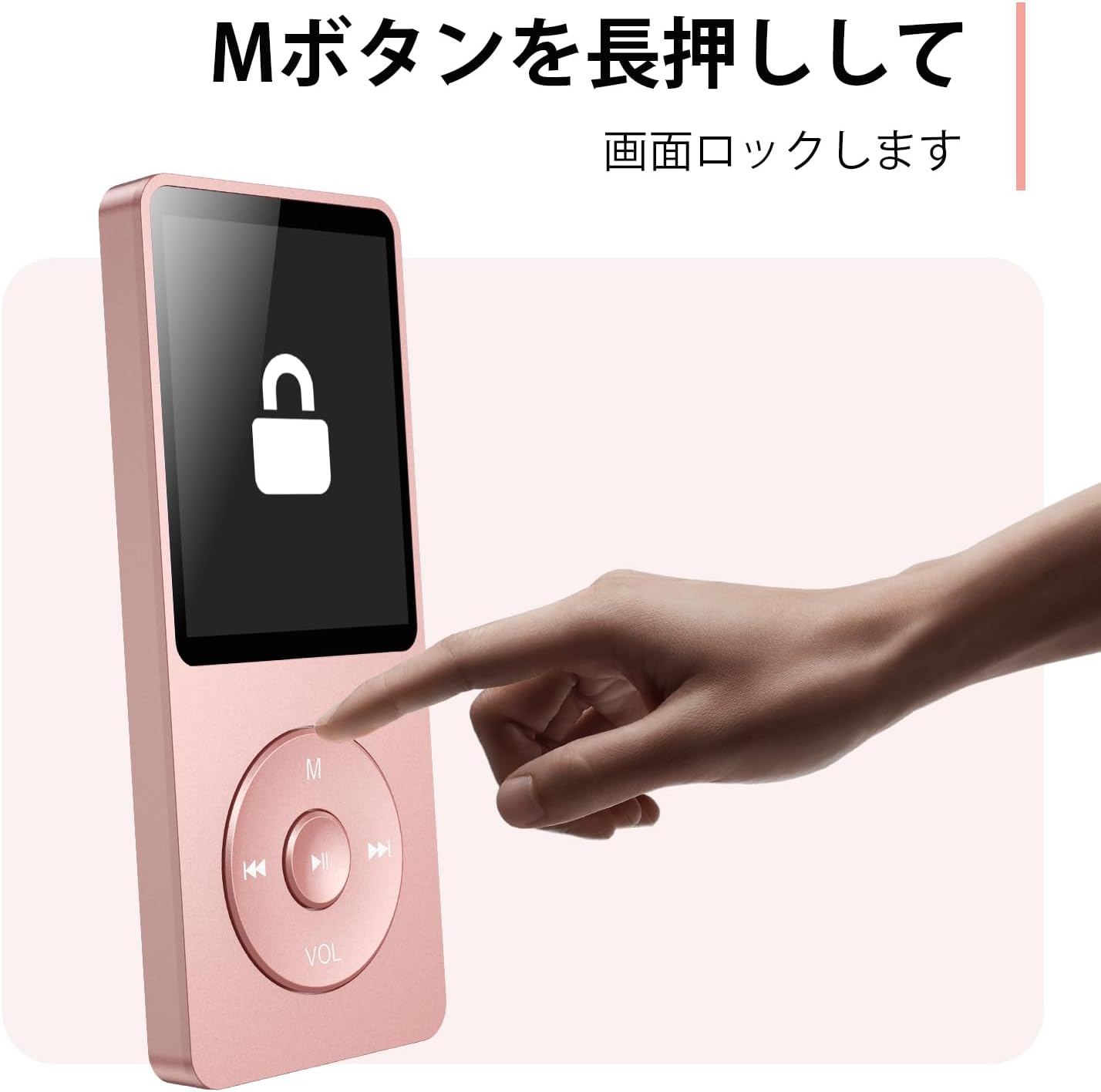
Figure 4.3: Screen lock function using the M button.
5. Одржување
5.1 Чистење
- Избришете го уредот со мека, сува крпа.
- Не користете течни средства за чистење или растворувачи.
5.2 Складирање
- Чувајте го плеерот на ладно и суво место, подалеку од директна сончева светлина и екстремни температури.
- Избегнувајте паѓање или изложување на уредот на силни удари.
5.3 Грижа за батерии
- Редовно полнете ја батеријата, дури и ако не е во употреба, за да ја одржите нејзината состојба.
- Избегнувајте често целосно празнење на батеријата.
6 Смена на проблеми
6.1 Уредот не се вклучува
- Проверете дали батеријата е наполнета. Поврзете ја со извор на енергија и обидете се повторно.
- Извршете хард ресетирање со притискање и држење на копчето за вклучување 10-15 секунди.
6.2 Не може да се префрли Files
- Check the USB-C cable connection. Try a different cable or USB port.
- Ensure the device is properly recognized by your computer.
- Потврдете дека file format is supported by the player.
6.3 Проблеми со спарување со Bluetooth
- Ensure both the player and the Bluetooth device are in pairing mode and within range.
- Исклучете и вклучете го Bluetooth на двата уреди.
- Избришете ги претходните спарувања и обидете се повторно да спарите.
6.4 Нема звук
- Проверете го нивото на јачина на звук.
- Ensure headphones are properly connected or Bluetooth device is paired.
- Test with different headphones or Bluetooth device.
7. Спецификации
| Бренд | АГПТЕК |
| Име на моделот | A02XT |
| Капацитет за складирање на меморија | 32 GB (expandable up to 64 GB via microSD card) |
| Боја | Розова |
| Големина на екранот | 8.9 сантиметри (приближно 3.5 инчи) |
| Тип на медиум | картичка microSD |
| Технологија на прикажување | LCD екран |
| Поддржани аудио формати | MP3, WMA, OGG, WAV, APE, FLAC, AAC, ACELP |
| Траење на батеријата | До 40 часа |
| Тежина на ставката | 130 грама |
8. Гаранција и поддршка
8.1 Информации за гаранцијата
This AGPTEK A02XT MP3 Player comes with a 1 година гаранција од датумот на купување. Оваа гаранција ги покрива производствените дефекти и неисправности при нормална употреба. Не ги покрива штетите предизвикани од злоупотреба, несреќи, неовластени модификации или нормално абење.
8.2 Поддршка за корисници
If you encounter any issues or have questions regarding your AGPTEK A02XT MP3 Player, please refer to the troubleshooting section of this manual first. If the problem persists, contact AGPTEK customer support through the official website or your retailer's support channels. Please have your purchase receipt and product model number (A02XT) ready when contacting support.