
Вовед
This manual provides comprehensive instructions for the Gravity C28 Rugged Smartwatch. Please read this manual carefully before using the device to ensure proper operation and maintenance. Keep this manual for future reference.
The Gravity C28 is designed for durability and advanced functionality, featuring a 2.02-inch TFT high-resolution display, AI-generated watch faces, and over 100 sports modes. It includes health monitoring features such as heart rate and sleep tracking, Bluetooth calling, and smart notifications. The smartwatch is built to withstand various environments with its 1 ATM waterproof, shockproof, and dustproof design.
Што има во кутијата
- Gravity C28 Smartwatch
- Кабел за полнење
- Упатство за употреба (овој документ)
The product package includes the Gravity C28 Smartwatch and its essential accessories for charging and initial setup.
Производот завршиview

Слика 1: Предна страна view of the Gravity C28 Smartwatch, showcasing its rugged design and digital display with time, date, and health metrics.
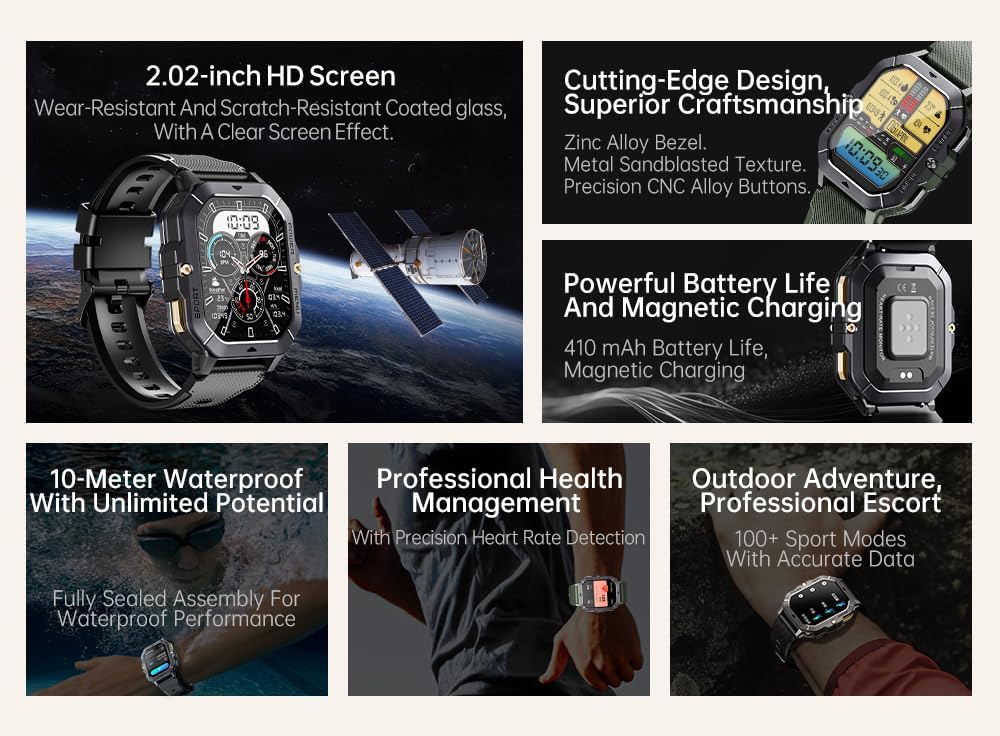
Слика 2: Во текот наview of key features including 2.02-inch HD screen, cutting-edge design, powerful battery, 10-meter waterproof rating, professional health management, and 100+ sport modes.
Поставување
1. Полнење на уредот
Before first use, fully charge your Gravity C28 Smartwatch. Connect the magnetic charging cable to the charging points on the back of the watch and plug the USB end into a power adapter (not included) or a computer's USB port.

Слика 3: Close-up of the Gravity C28 Smartwatch's rear, showing the magnetic charging contacts and heart rate sensor. The watch easily attaches to the charging dock via strong magnetic force for secure and convenient charging.

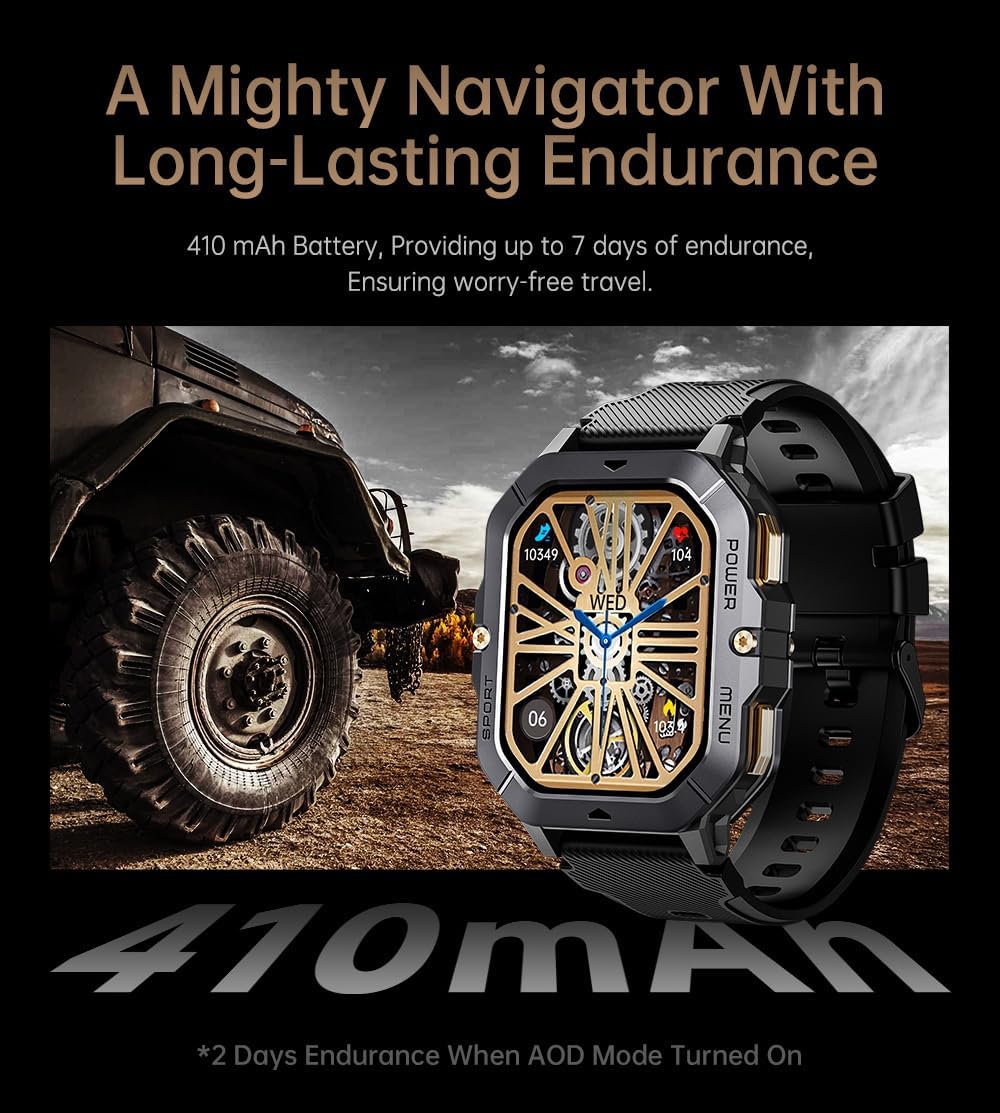
Слика 4: The Gravity C28 Smartwatch highlighting its 410mAh battery, providing long-lasting endurance for worry-free travel.
- Осигурајте се дека контактите за полнење на часовникот и кабелот се чисти и суви.
- Целосното полнење обично трае околу 2 часа.
- The watch has a 410mAh battery, providing up to 25 days of standby time.
2. Downloading the Da Fit App
The Gravity C28 Smartwatch requires the "Da Fit" application for full functionality and synchronization with your smartphone.
- Scan the QR code provided in the quick start guide or search for "Da Fit" in your smartphone's app store (Google Play Store for Android, Apple App Store for iOS).
- Преземете ја и инсталирајте ја апликацијата.
3. Спарување со вашиот паметен телефон
- Проверете дали Bluetooth е овозможен на вашиот паметен телефон.
- Отворете ја апликацијата „Да Фит“.
- Follow the on-screen instructions to add your device. The app will search for available smartwatches. Select "Gravity C28" from the list.
- Потврдете го барањето за спарување и на вашиот телефон и на паметниот часовник.
Note: For optimal performance, ensure the Da Fit app has necessary permissions enabled (e.g., location, notifications, background refresh).
Упатства за работа
Основна навигација
- Копче за вклучување: Press and hold to power on/off. Short press to return to the watch face or wake the screen.
- Копче за мени: Short press to access the main menu.
- Спортско копче: Кратко притискање за брз пристап до спортски режими.
- Гестови на екран на допир:
- Повлечете нагоре: View известувања.
- Swipe down: Access quick settings.
- Swipe left/right: Navigate through widgets (e.g., activity, heart rate, weather).
- Tap: Select an item or open an application.

Слика 5: Illustration of various menu display modes available on the Gravity C28 Smartwatch, including Grid View, Surface, Parallel, and Helm, allowing for flexible switching.
Здравствен мониторинг
The Gravity C28 provides comprehensive health tracking features:
- Мониторинг на отчукувањата на срцето: Real-time heart rate tracking throughout the day. Access the heart rate widget or app on the watch for detailed data.
- Следење на сонот: Автоматски ги следи вашите навики на спиење, вклучувајќи длабок сон, лесен сон и време на будење. View sleep data in the Da Fit app.
- Кислород во крвта (SpO2): Измерете ги нивоата на сатурација на кислород во крвта.
- Крвен притисок: Provides an estimate of blood pressure. For medical accuracy, consult a healthcare professional.
- Следење на стресот: Tracks stress levels based on heart rate variability.
- Следење активност: Ги евидентира чекорите, растојанието и согорените калории.

Слика 6: Display of various health tracking metrics available on the Gravity C28, including heart rate, SpO2, blood pressure, stress levels, sleep patterns, and cycle tracking.
Спортски режими
With over 100 sports modes, the Gravity C28 can accurately track various physical activities. To start a workout:
- Press the Sport button or navigate to the Sports app from the main menu.
- Изберете ја саканата активност (на пр., трчање, возење велосипед, пливање).
- Tap to start the activity. The watch will display real-time metrics such as duration, heart rate, and calories.
- To end the activity, swipe right or press the power button and select "End".
Слика 7: The Gravity C28 Smartwatch being used during snorkeling, illustrating its 1 ATM waterproof capability suitable for various water activities like daily cleaning, sweating, and rain exposure.
Bluetooth повици и известувања
The smartwatch supports Bluetooth calling and smart notifications:
- Повикување преку Bluetooth: Once paired, you can answer incoming calls directly from your wrist. The watch has a built-in microphone and speaker.
- Паметни известувања: Receive alerts for calls, messages, and social media apps (e.g., WhatsApp, Facebook) directly on your watch. Configure notification settings within the Da Fit app.

Слика 8: Two Gravity C28 smartwatches demonstrating the Bluetooth call and message alert functionality, showing an incoming call screen.
Прилагодување
- Лица на часовникот: Change watch faces directly on the device or through the Da Fit app. The app offers a wide selection and supports AI-generated watch faces for personalization.
- Стил на мени: The watch supports various menu display modes (e.g., Grid View, List View) which can be changed in settings.

Слика 9: Explanation of the DA GPT and AI Watch Face features, showing how users can interact with DA GPT for new ideas and conveniently change watch faces, including generating images from text prompts.
Одржување и нега
- Чистење: Редовно чистете го вашиот паметен часовник и ремен со мека, дamp крпа. Избегнувајте употреба на груби хемикалии или абразивни материјали.
- Отпорност на вода: The Gravity C28 is 1 ATM waterproof. It is suitable for daily use, hand washing, rain, and shallow water activities like swimming. Do not use it for diving or high-pressure water activities. Avoid hot water or steam.
- Температура: The watch is designed to withstand temperatures from -24°C to 60°C. Avoid exposing it to extreme temperatures outside this range.
- Полнење: Always ensure the charging contacts are dry before charging to prevent corrosion.
- Складирање: Кога не го користите подолг период, чувајте го часовникот на ладно и суво место. Полнете го периодично за да ја одржите состојбата на батеријата.
Решавање проблеми
| Проблем | Можна причина | Решение |
|---|---|---|
| Часовникот не се вклучува | Слаба батерија; Уредот е замрзнат; | Charge the watch for at least 30 minutes. If still unresponsive, press and hold the power button for 10-15 seconds to force restart. |
| Не може да се спари со телефон | Bluetooth е исклучен; Апликацијата не работи; Часовникот не е откриен; Пречки | Ensure Bluetooth is on. Restart both watch and phone. Make sure the Da Fit app is open. Forget previous pairings on phone. Try pairing in a different location. |
| Неточни здравствени податоци | Improper fit; Sensor obstruction; Movement during measurement | Ensure the watch is snug but comfortable on your wrist. Clean the sensor on the back of the watch. Remain still during measurements. |
| Известувањата не се примени | Дозволи за апликации; Поставки за известувања; Bluetooth е исклучен; Bluetooth е исклучен | Check Da Fit app permissions for notifications. Verify notification settings within the app. Ensure Bluetooth connection is stable. |
| Краток век на батеријата | Frequent use of features; High screen brightness; AOD mode enabled | Reduce screen brightness. Limit continuous heart rate monitoring. Disable Always-On Display (AOD) if not needed. Close unused apps on the watch. |
Спецификации
| Карактеристика | Детал |
|---|---|
| Број на модел | W4-C28 |
| Приказ | TFT екран од 2.02 инчи, резолуција од 320x390 |
| Капацитет на батеријата | 410 mAh |
| Траење на батеријата (Во мирување) | До 25 дена |
| Отпорност на вода | 1 ATM (Waterproof, Shockproof, Dustproof) |
| Работна температура | -24°C до 60°C |
| Поврзување | Bluetooth |
| Компатибилност | Android OS, iOS (via Da Fit app) |
| Здравствен мониторинг | Heart Rate, Sleep, SpO2, Blood Pressure, Stress, Activity |
| Спортски режими | 100+ |
| Тежина на ставката | 1 фунти |
| Димензии на пакетот | 9 x 4 x 1 инчи |
Гаранција и поддршка
Gravity provides a standard manufacturer's warranty for the C28 Smartwatch against defects in materials and workmanship under normal use. Please refer to the warranty card included with your product or visit the official Gravity webстраница за детални услови за гаранција.
For technical support, troubleshooting assistance, or warranty claims, please contact Gravity customer service through their official webстраницата или информациите за контакт наведени во пакувањето на вашиот производ.
Онлајн ресурси:
- Official Gravity Webсајт: www.gravity.com
- Da Fit App Support: Refer to the help section within the Da Fit application.