
Gravity C26
Gravity C26 Smartwatch User Manual
Модел: C26
Вовед
Welcome to the Gravity C26 Smartwatch user manual. This guide provides detailed instructions on how to set up, operate, and maintain your new smartwatch. The Gravity C26 features a 1.96-inch AMOLED display, Bluetooth calling, over 100 sports modes, comprehensive health monitoring, and an AI voice assistant. Its robust design ensures durability for various environments.
Содржина на пакетот
Ве молиме означете го полето за следните ставки:
- Gravity C26 Smartwatch
- Кабел за полнење
- Упатство за употреба (овој документ)
Производот завршиview
Familiarize yourself with the components and key features of your Gravity C26 Smartwatch.

Слика: Предна страна view of the Gravity C26 Smartwatch, showcasing its square AMOLED display, two side buttons labeled "POWER" and "SPORT", and a durable black strap.
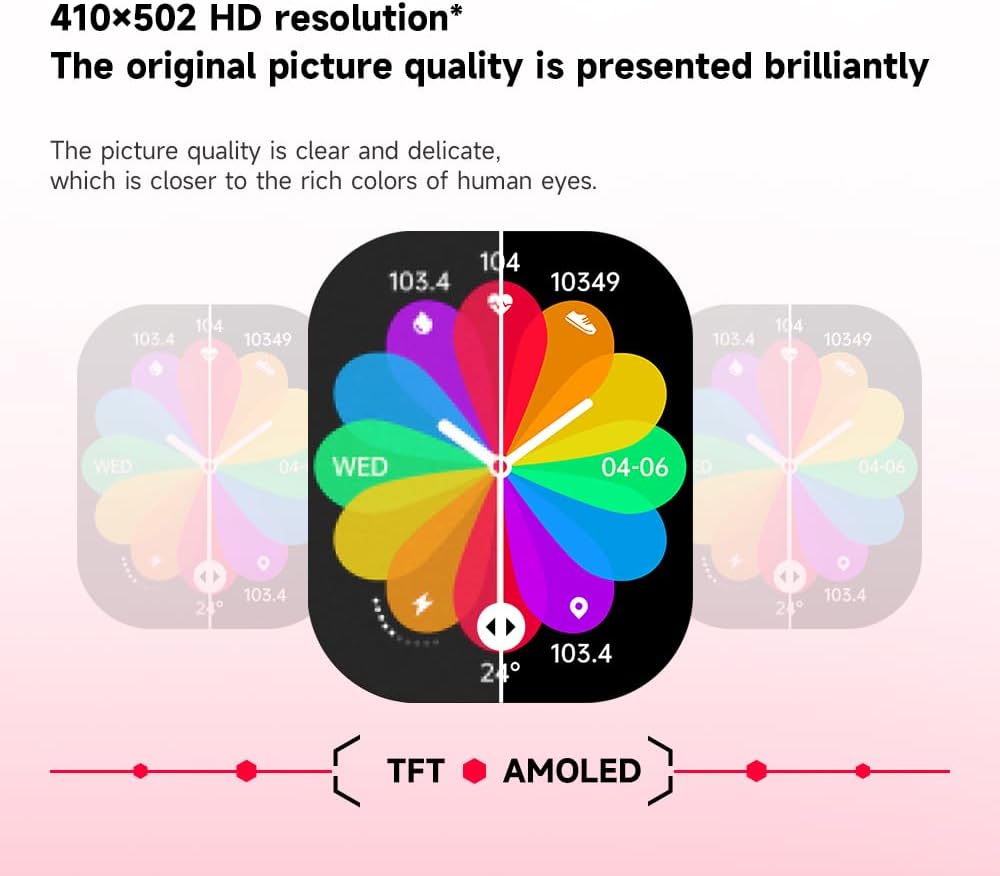
Слика: Illustration demonstrating the superior visual quality of the 410x502 HD AMOLED display compared to a TFT screen, highlighting vibrant colors and clarity.

Слика: Одблиску view of the 1.96-inch AMOLED screen, emphasizing its explosion-proof and drop-proof tempered glass, thermal shock resistance, anti-corrosion, and anti-scratch properties.
Поставување
1. Полнење на паметниот часовник
Before first use, fully charge your Gravity C26 Smartwatch. Connect the magnetic charging cable to the charging points on the back of the watch and plug the USB end into a power adapter (not included) or a computer's USB port.
- Целосното полнење обично трае околу 2 часа.
- The watch features a 350mAh battery, providing up to 25 days of standby time.

Слика: Visual representation of the Gravity C26 Smartwatch's 350mAh battery, highlighting intelligent battery life upgrade, over-temperature protection, overvoltage protection, and intelligent optimization of application scenarios.
2. Pairing with Your Smartphone (FitCloudPro App)
To unlock the full potential of your Gravity C26, download and install the FitCloudPro app on your iOS or Android smartphone.
- Преземете ја апликацијата: Пребарај за "FitCloudPro" in the Apple App Store (for iOS) or Google Play Store (for Android), or scan the QR code provided in the watch's quick start guide.
- Креирај сметка: Отворете ја апликацијата FitCloudPro и следете ги упатствата на екранот за да креирате сметка или да се најавите.
- Овозможи Bluetooth: Проверете дали Bluetooth е овозможен на вашиот паметен телефон.
- Додај уред: In the FitCloudPro app, navigate to the "Device" or "Add Device" section. The app will search for nearby smartwatches. Select "Gravity C26" from the list.
- Потврдете го спарувањето: Барање за спарување ќе се појави и на вашиот телефон и на паметниот часовник. Потврдете го спарувањето на двата уреди.
- Доделете дозволи: Дозволете ги потребните дозволи (на пр., известувања, локација, контакти) за апликацијата да функционира правилно.
Once paired, the watch will synchronize data with your phone, and you can customize settings, view health data, and manage notifications through the app.
Упатства за работа
1. Навигација низ интерфејсот
The Gravity C26 features a touch-sensitive AMOLED display and two physical buttons for navigation.
- Екран на допир: Повлечете лево/десно, горе/долу за да се движите низ менијата и виџетите. Допрете за да изберете опција.
- "POWER" Button (Top Right): Press to wake/sleep the screen, return to the watch face, or long-press to access power options.
- "SPORT" Button (Bottom Right): Press to quickly access the sports modes menu.

Слика: Display of four different menu styles available on the Gravity C26 Smartwatch, including grid views and list views for accessing various functions like settings, dialer, contacts, call records, and voice assistant.
2. Остварување и примање повици
Со овозможено Bluetooth повикување, можете да управувате со повици директно од вашиот зглоб.
- Упатување повик: Пристапете до тастатурата за бирање или листата со контакти на вашиот часовник за да започнете повик.
- Примање повик: Кога ќе пристигне повик, часовникот ќе го прикаже идентификациониот број на повикувачот. Допрете ја зелената икона за да одговорите или црвената икона за да одбиете.

Слика: Depiction of the Gravity C26 Smartwatch's Bluetooth calling feature showing an incoming call screen and message notifications. Also illustrates the AI voice assistant responding to commands like "How is the weather tomorrow?" and "Call my mom."
3. Using AI Voice Assistant
The built-in AI voice assistant allows for hands-free control. Simply raise your hand to activate the voice assistant and speak your commands.
- Активирање: Raise your wrist or use a specific gesture/button press (refer to app settings for customization).
- Наредби: Ask about weather, play music, set alarms, make calls, and more.
4. Tracking Sports Modes
The Gravity C26 supports over 100 sports modes for accurate workout tracking.
- Режими на пристап: Press the "SPORT" button or navigate through the menu to find the sports modes.
- Започнување на вежбање: Select your desired activity (e.g., running, cycling, walking) and tap to start. The watch will track duration, heart rate, calories burned, and other relevant metrics.
- Завршување на тренингот: Swipe or press the appropriate button to pause or end the workout. Data will be synced to the FitCloudPro app.

Слика: Illustration showing the Gravity C26 Smartwatch tracking various sports activities such as walking, running, climbing, and cycling, with real-time data display for duration, heart rate, and calories.
5. Health Monitoring (Heart Rate, Sleep)
The smartwatch continuously monitors your health metrics.
- Отчукувањата на срцето: The watch automatically monitors your heart rate throughout the day. You can also initiate a manual measurement from the heart rate widget.
- Следење на спиење: Носете го часовникот пред спиење за автоматска анализа на спиењето, вклучително и анализа на спиењето.tages (deep, light, REM) and duration.
- Потсетници за хидратација: Set up hydration reminders in the FitCloudPro app to ensure you stay hydrated.
6. Прилагодување на екраните на часовникот
Personalize your smartwatch with over 200 cool visual watch faces available through the FitCloudPro app.
- Changing Faces: Open the FitCloudPro app, navigate to the watch face section, and select your preferred design. You can also long-press the watch face on the device to quickly switch between pre-loaded faces.
- Прилагодени лица: Some watch faces allow for customization with your own photos.

Слика: A collage of various watch faces available for the Gravity C26 Smartwatch, demonstrating the wide range of visual styles and customization options.
Одржување
1. Чистење
- Избришете го екранот и куќиштето на часовникот со мека крпа што не остава влакненца.
- За ременот, користете рекламаamp cloth and mild soap if necessary, then rinse thoroughly and dry completely before wearing.
- Избегнувајте употреба на груби хемикалии или абразивни материјали.
2. Водоотпорност
The Gravity C26 is 1 ATM waterproof, meaning it can withstand splashes, rain, and brief immersion in shallow water. It is suitable for daily use and light water activities.
- Do not use the watch for diving, hot showers, or saunas, as steam and hot water can compromise the seals.
- По изложување на вода, особено солена вода, исплакнете го часовникот со свежа вода и темелно исушете го.
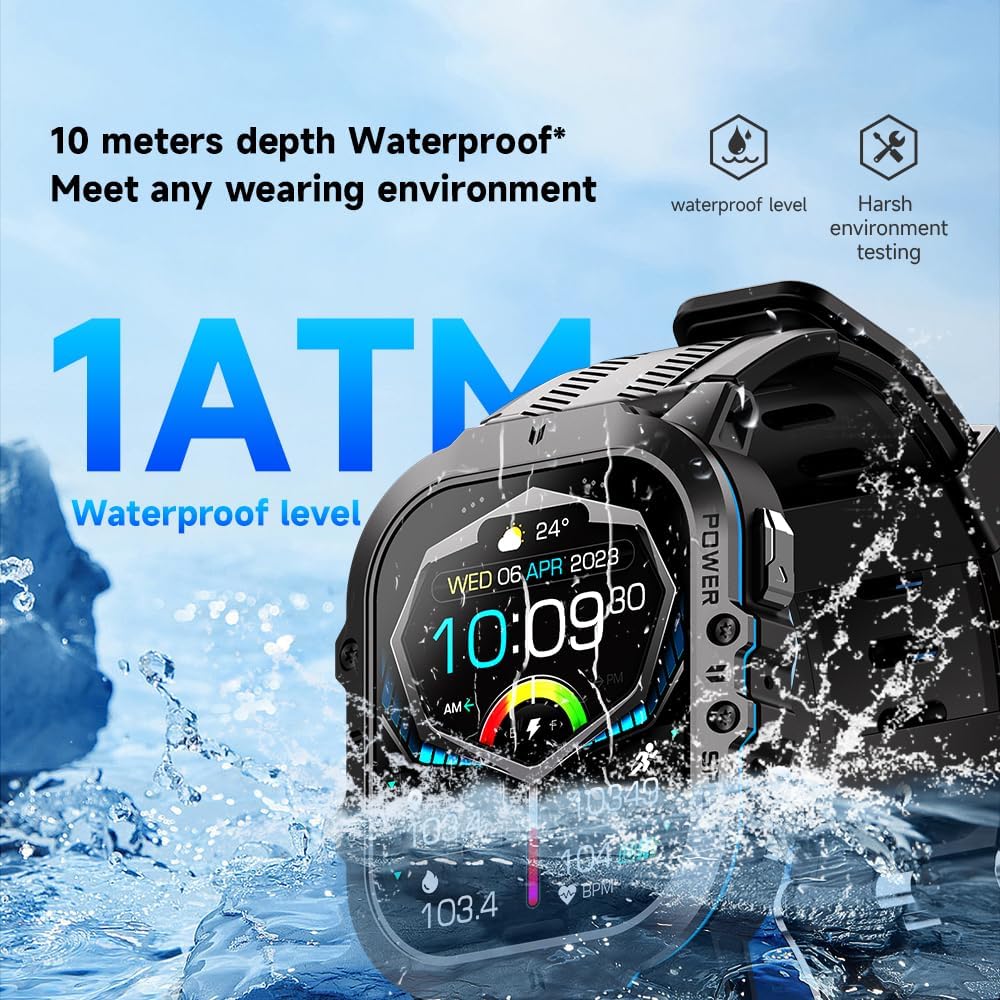
Слика: The Gravity C26 Smartwatch partially submerged in water, illustrating its 1 ATM waterproof rating and ability to meet various wearing environments.
3. Нега на батерии
- Avoid extreme temperatures (below -24°C or above 60°C) as they can affect battery life and performance.
- Полнете го часовникот редовно, дури и ако не е во употреба, за да ја одржите состојбата на батеријата.
Решавање проблеми
| Проблем | Можно решение |
|---|---|
| Часовникот не се вклучува | Проверете дали часовникот е целосно наполнет. Поврзете го со кабелот за полнење и извор на енергија најмалку 30 минути. |
| Не може да се спари со паметен телефон |
|
| Известувањата не се примени |
|
| Неточни здравствени податоци |
|
| Краток век на батеријата |
|
Спецификации
| Карактеристика | Детал |
|---|---|
| Модел | C26 |
| Приказ | 1.96-inch AMOLED, 410x502 resolution |
| Капацитет на батеријата | 350 mAh |
| Време на мирување | До 25 дена |
| Отпорност на вода | 1 ATM (suitable for splashes, rain, brief immersion) |
| Поврзување | Bluetooth |
| Компатибилност | iOS and Android (via FitCloudPro app) |
| Работна температура | -24°C до 60°C |
| Тежина на ставката | 1 фунти |
| Димензии | 9 x 4 x 1 инчи (Димензии на пакетот) |
Гаранција и поддршка
For warranty information and technical support, please refer to the official Gravity webлокација или контактирајте го вашиот продавач. Чувајте ја сметката како доказ за купување.
For further assistance, you may also refer to the FitCloudPro app's help section or frequently asked questions.
Ask a question about this manual
Ask about setup, troubleshooting, compatibility, parts, safety, or missing instructions. Manuals+ will review the question and use this page’s manual context to help answer it.