
Производот завршиview
The Gravity C28 Rugged Smartwatch is designed for durability and comprehensive health and fitness tracking. It features a 2.02-inch TFT high-resolution display, AI-generated watch faces, and over 100 sports modes. This device also includes Bluetooth calling, smart notifications, and robust water, shock, and dust resistance.

Слика: напред view of the Gravity C28 Rugged Smartwatch, showcasinнеговиот робустен дизајн и дигитален дисплеј.
Клучни карактеристики
- 2.02" HD екран: Clear visuals with 320x390 resolution and customizable watch faces.
- Сеопфатно следење на здравјето: Monitors heart rate, sleep patterns, step count, and calories.
- 100+ спортски режими: Tracks various activities including running, cycling, and hiking.
- Bluetooth Calling & Smart Alerts: Answer calls and receive notifications directly from the wrist.
- Издржлив и отпорен на временски услови: 1 ATM waterproof, shockproof, and dustproof design.
- Долг век на батеријата: Up to 25 days standby time with a 410mAh battery.
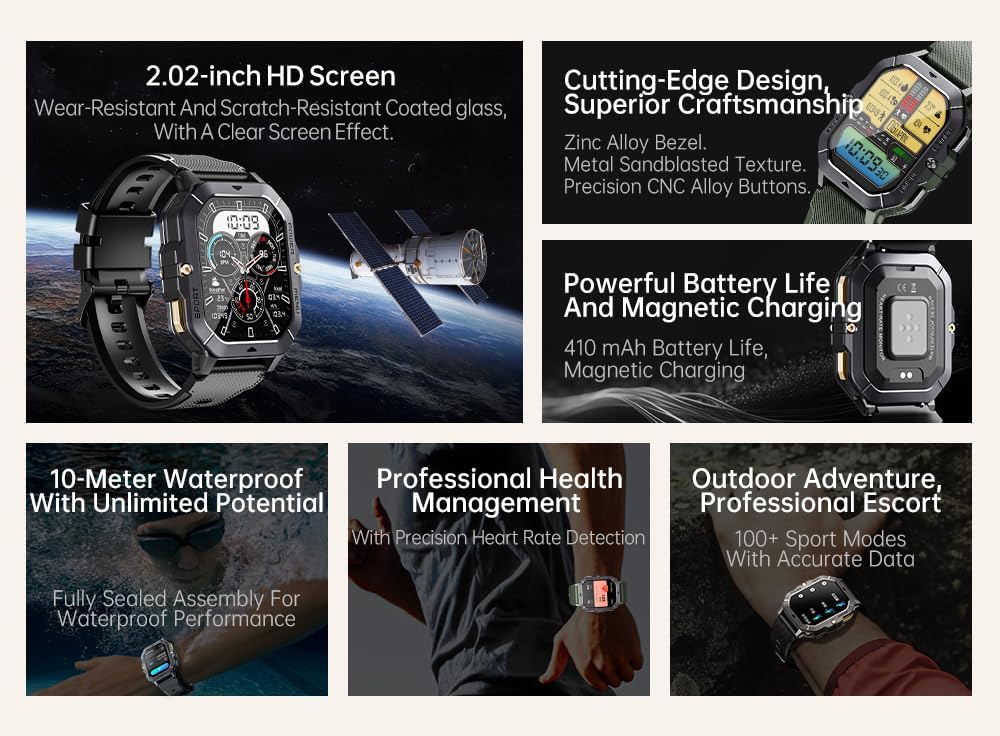
Image: Visual summary of the smartwatch's features, including HD screen, craftsmanship, battery life, waterproofing, health management, and sports modes.
Што има во кутијата
Upon unboxing your Gravity C28 Smartwatch, please ensure all components are present:
- Gravity C28 Smartwatch
- Кабел за полнење
- Упатство за употреба (овој документ)
Поставување
1. Полнење на уредот
Before first use, fully charge your Gravity C28 Smartwatch. Connect the magnetic charging cable to the charging points on the back of the watch and plug the USB end into a compatible power adapter (not included) or a computer USB port.

Image: Close-up of the smartwatch's rear, showing the magnetic charging pins and the charging cable attached.
2. Вклучување/исклучување
- Вклучување: Press and hold the 'POWER' button (typically the top right button) until the screen illuminates.
- Исклучено: Press and hold the 'POWER' button, then select 'Power Off' on the screen, or continue holding until the device shuts down.
3. Инсталација на апликација и спарување
The Gravity C28 Smartwatch uses the Da Fit application for full functionality and data synchronization. The app is compatible with both Android and iOS devices.
- Download the 'Da Fit' app from your device's app store (Google Play Store for Android, Apple App Store for iOS).
- Отворете ја апликацијата Da Fit и следете ги упатствата на екранот за да креирате сметка или да се најавите.
- Проверете дали Bluetooth е овозможен на вашиот паметен телефон.
- In the Da Fit app, navigate to 'Add Device' or 'Bind Device'.
- Select 'C28' from the list of available devices.
- Потврдете го барањето за спарување и на вашиот паметен телефон и на паметниот часовник.
Работа со паметниот часовник
Навигација
- Екран на допир: Swipe left, right, up, or down to navigate through menus and access different functions. Tap to select.
- Копче „НАПОЈУВАЊЕ“: Кратко притискање за враќање на екранот на часовникот или активирање на екранот. Долго притискање за опции за вклучување.
- Копче „МЕНИ“: Short press to access the main menu.
- Копче „СПОРТ“: Кратко притискање за брз пристап до спортски режими.

Слика: Прamples of different menu display modes available on the smartwatch, such as Grid View, Surface, Parallel, and Helm.
Bluetooth Calling and Smart Alerts
Once paired with your smartphone, the Gravity C28 allows you to manage calls and notifications directly from your wrist.
- Одговарање на повици: When an incoming call is received, the watch will display the caller ID. Tap the green phone icon to answer.
- Остварување повици: Access the dial pad or contact list through the watch's menu to initiate calls.
- Известувања: Receive alerts for messages, social media, and other app notifications. Swipe down from the watch face to view неодамнешни известувања.

Image: Two Gravity C28 smartwatches displaying an incoming call and a message alert, demonstrating the Bluetooth call and message alert features.
AI Watch Face and DA GPT
The smartwatch supports AI-generated watch faces for personalization and integrates with DA GPT for interactive features.
- AI Watch Face: Customize your watch face by providing text prompts to the AI, which will generate unique designs.
- DA GPT: Interact with the DA GPT feature to explore new ideas or learn new things directly from your watch.

Image: Diagram illustrating the DA GPT interaction flow and the AI Watch Face generation process, showing how users can request custom watch face backgrounds.
Спортски режими
The Gravity C28 offers over 100 sports modes to accurately track your physical activities. Access these modes via the 'SPORT' button or the main menu.
- Select your desired sport (e.g., running, cycling, swimming).
- The watch will begin tracking relevant metrics such as duration, distance, calories burned, and heart rate.
- End your workout by following the on-screen prompts. Data will sync with the Da Fit app.
Здравствен мониторинг
The smartwatch provides continuous monitoring of various health metrics.
- Отчукувањата на срцето: Следење на срцевиот ритам во реално време.
- Следење на сонот: Analyzes sleep patterns, including deep sleep, light sleep, and awake times.
- Step Counter & Calories: Tracks daily steps and estimated calories burned.
- SpO2, Blood Pressure, Stress: Provides readings for blood oxygen saturation, blood pressure, and stress levels.

Image: Screenshots of the smartwatch display showing various health metrics: Heart Rate, SpO2, Blood Pressure, Stress, Sleep, and Cycle Tracking.
Одржување
Чистење
Regular cleaning helps maintain the smartwatch's appearance and functionality.
- Избришете го екранот и куќиштето со мека крпа што не остава влакненца.
- За тврдокорна нечистотија, малку дampИзмијте ја крпата со вода. Избегнувајте груби хемикалии или абразивни материјали.
- Пред полнење, проверете дали контактите за полнење се чисти и суви.
Отпорност на вода
The Gravity C28 is 1 ATM waterproof, meaning it can withstand splashes, rain, and brief immersion in shallow water. It is suitable for daily cleaning, sweating, and getting wet by rain.

Image: The smartwatch being used underwater, illustrating its 1 ATM waterproof capability for activities like snorkeling, and icons for daily cleaning, sweat, and rain resistance.
Важно: While waterproof, avoid prolonged exposure to hot water, steam, or high-pressure water jets. Do not operate buttons underwater.
Складирање
Store the smartwatch in a cool, dry place away from direct sunlight and extreme temperatures when not in use for extended periods.
Решавање проблеми
- Часовникот не се вклучува: Проверете дали часовникот е целосно наполнет. Поврзете го со полначот најмалку 30 минути.
- Не може да се спари со телефон:
- Проверете дали Bluetooth е овозможен на вашиот телефон и часовник.
- Проверете дали часовникот е во опсег на Bluetooth (приближно 10 метри).
- Рестартирајте ги и часовникот и телефонот.
- Исчистете го кешот на Bluetooth на вашиот телефон (Android) или заборавете го уредот и повторно спарете го (iOS).
- Неточни здравствени податоци:
- Осигурајте се дека часовникот е цврсто носен на вашиот зглоб, не е премногу лабав или премногу тесен.
- Исчистете го сензорот на задната страна од часовникот.
- Избегнувајте прекумерно движење за време на мерењата.
- Известувањата не се појавуваат:
- Check notification permissions in the Da Fit app and your phone's settings.
- Ensure the Da Fit app is running in the background.
- Проверете дали часовникот е поврзан преку Bluetooth.
- Кратко траење на батеријата:
- Намалете ја осветленоста на екранот.
- Оневозможете го континуираното следење на срцевиот ритам доколку не е потребно.
- Ограничете го бројот на активни известувања.
- Ensure background app refresh for Da Fit is enabled on your phone.
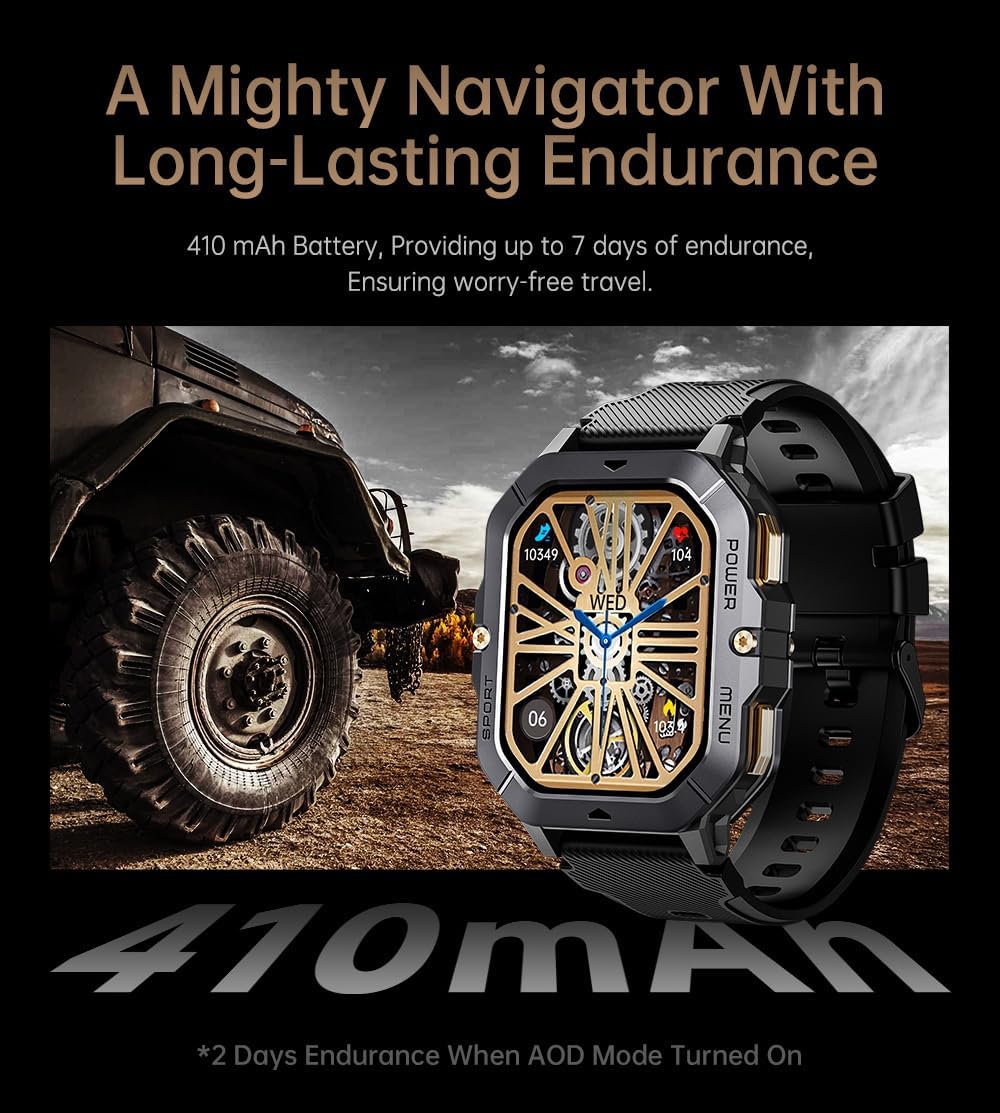
Image: The smartwatch displayed next to a large tire, emphasizing its ruggedness and long-lasting 410 mAh battery, providing up to 7 days of endurance (2 days with AOD mode).
Спецификации
| Карактеристика | Детал |
|---|---|
| Број на модел | W4-C28 |
| Големина на приказ | 2.02 инчи TFT |
| Капацитет на батеријата | 410 mAh |
| Оперативен систем | Android OS (compatible with Android & iOS via Da Fit app) |
| Поврзување | Bluetooth |
| Отпорност на вода | 1 банкомат |
| Тежина на ставката | 1 фунти |
| Димензии | 9 x 4 x 1 инчи (пакет) |
| Тип на батерија | Литиум полимер |
Гаранција и поддршка
Информации за гаранцијата
Warranty details for the Gravity C28 Smartwatch are typically provided with your purchase documentation. Please refer to the warranty card or contact your retailer for specific terms and conditions regarding coverage and duration.
Поддршка за корисници
For technical assistance, troubleshooting not covered in this manual, or inquiries regarding your device, please contact Gravity customer support through the contact information provided on the product packaging or the official Gravity webсајт.