
1. Вовед
Thank you for choosing the XINDADA VP29 Smart Watch. This device combines advanced communication, navigation, and health monitoring features in a sleek, wearable design. Please read this manual carefully to ensure proper setup and optimal use of your new smartwatch.
2. Клучни карактеристики
- 4G/5G LTE SIM Card Support: Stay connected with independent calling capabilities.
- 2.29-inch AMOLED HD Large Screen: Enjoy vibrant visuals with 490*580 high-resolution display.
- 180-degree Telescopic Rotating Camera: Capture photos and videos from various angles.
- GPS & WiFi Connectivity: Accurate navigation and internet access.
- Оперативен систем Андроид 9.0: Access a wide range of applications.
- Опции за меморија: Available in 3GB+32GB or 4GB+64GB configurations.
- Здравствено следење: Includes heart rate sensor and step counting.
- Водоотпорно ниво: IP67 оценет за заштита од прав и потопување во вода.
- Дополнителни карактеристики: Compass, barometer, accelerometer, gyroscope, Bluetooth 4.1.
3. Поставување
3.1 Инсталација на SIM картичка
The XINDADA VP29 Smart Watch supports 4G/5G LTE SIM cards for independent communication. Follow these steps to install your SIM card:
- Пронајдете го слотот за SIM картичка на страната од часовникот.
- Carefully open the SIM card tray using the provided tool or by gently prying it open.
- Insert your Nano-SIM card into the tray, ensuring the gold contacts face upwards and the card is correctly oriented.
- Нежно турнете ја фиоката назад во отворот додека не кликне на своето место.
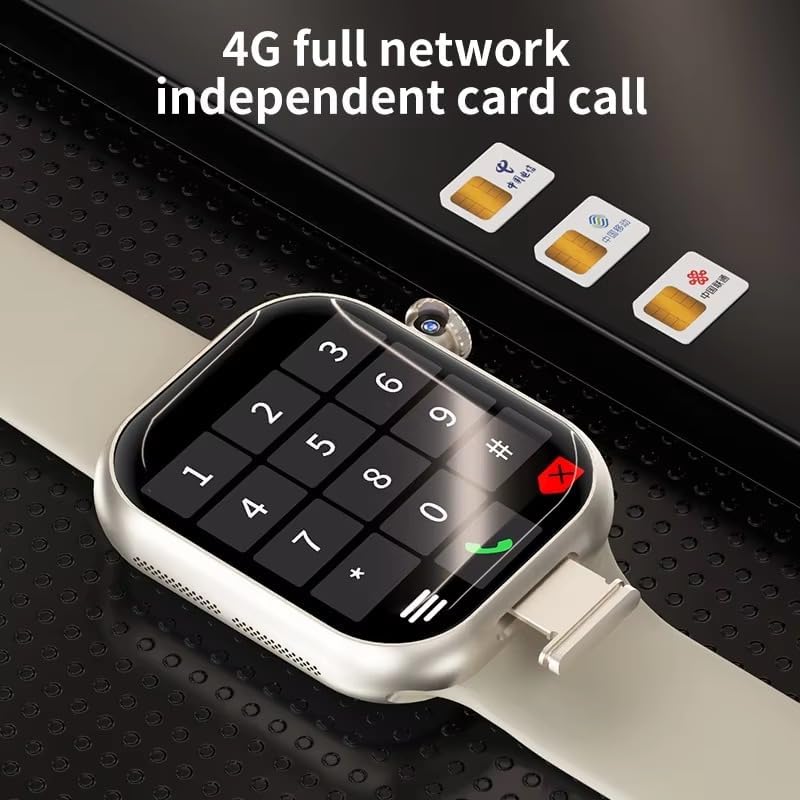
Image: The XINDADA VP29 Smart Watch displaying a dial pad, with three SIM cards shown in the background, illustrating the watch's 4G full network independent card call capability.
Video: A general guide demonstrating SIM card installation, app pairing, and basic settings for a smartwatch. While the watch model shown may differ, the process for SIM card insertion and initial setup is similar.
3.2 Спарување на апликации
To unlock the full potential of your VP29 Smart Watch, pair it with your smartphone using the dedicated companion app. The app allows for advanced settings, data synchronization, and remote control features.
- Scan the QR code displayed on your watch or in the manual to download the recommended app.
- Install the app on your smartphone and create an account if prompted.
- Open the app and follow the on-screen instructions to add your device. This typically involves scanning a QR code on the watch or selecting it from a list of nearby devices.
- Потврдете го барањето за спарување и на вашиот паметен телефон и на паметниот часовник.
3.3 Јазични поставки
You can change the language of your smartwatch through the settings menu:
- Navigate to the 'Settings' menu on your smartwatch.
- Look for 'Language' or 'Bahasa' (if applicable) and select it.
- Изберете го саканиот јазик од достапните опции.
3.4 Прилагодување на маската на часовникот
Personalize your smartwatch by changing the watch face:
- On your smartwatch, long-press the current watch face to enter customization mode.
- Swipe left or right to browse through pre-installed watch faces.
- Alternatively, use the companion app on your smartphone to access a wider selection of watch faces or create custom ones using your own photos.
- Select your desired watch face to apply it.
Video: A general demonstration of how to change the watch face on a smartwatch, including selecting from pre-installed options and customizing with personal images via a companion app.
4. Упатства за работа
4.1 Основна навигација
The VP29 Smart Watch features a multi-touch AMOLED display. Swipe up, down, left, or right to navigate through menus, notifications, and apps. Tap to select an item or open an application.
4.2 Остварување и примање повици
With an installed SIM card, your VP29 Smart Watch can make and receive calls independently:
- Остварување повици: Open the 'Phone' app, dial the number, and tap the call icon. You can also access your contacts.
- Примање повици: Кога ќе добиете повик, допрете ја зелената икона за одговор на екранот.
4.3 Using GPS
The integrated GPS allows for accurate location tracking and navigation:
- Access the 'Maps' or 'Navigation' app on your watch.
- Внесете ја вашата дестинација или изберете точка од интерес.
- Follow the on-screen directions for turn-by-turn navigation.

Image: The XINDADA VP29 Smart Watch showing a map with a navigation route, indicating its multiple positioning capabilities.
Функционалност на камерата 4.4
The unique 180-degree telescopic rotating camera allows for versatile photo and video capture:
- Отворете ја апликацијата „Камера“.
- Ротирајте го модулот на камерата под посакуваниот агол.
- Tap the screen to take a photo or start/stop video recording.
- View your media in the 'Gallery' app.
4.5 Мониторинг на здравјето
Monitor your health with the built-in sensors:
- Отчукувањата на срцето: Open the 'Heart Rate' app to measure your current heart rate.
- Броење чекори: Часовникот автоматски ги следи вашите чекори во текот на денот. View your daily activity in the 'Step' app or the companion app.
4.6 Употреба на апликација
As an Android-powered device, the VP29 Smart Watch supports various applications:
- Access pre-installed apps like Clock, SMS, Browser, Calendar, E-Mail, Music, Alarm, etc.
- Download additional apps from the 'Application Market' to expand functionality.
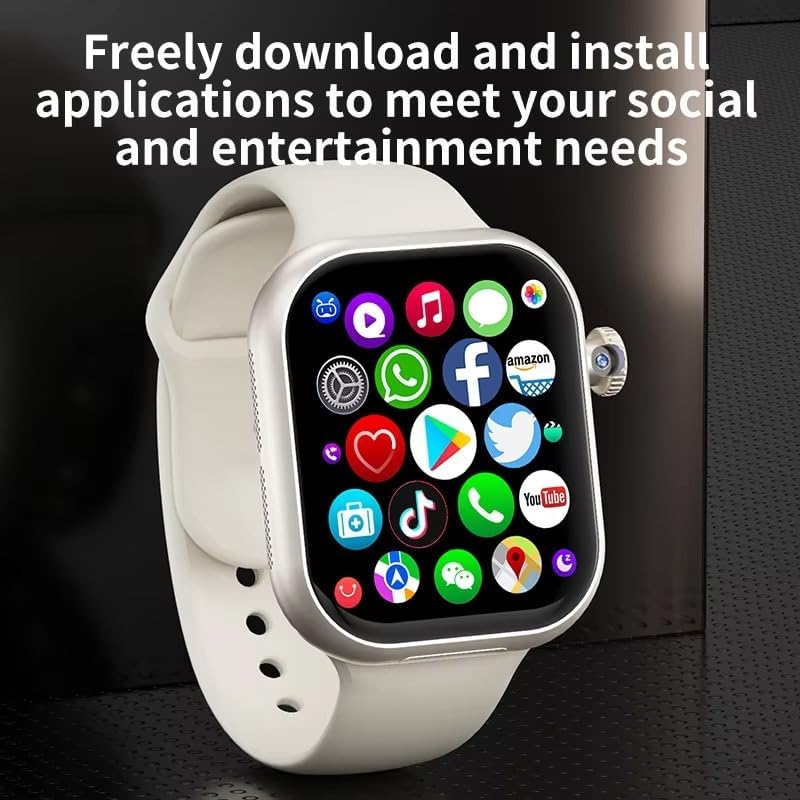
Image: The XINDADA VP29 Smart Watch displaying a grid of application icons, including social media, shopping, and utility apps, highlighting its ability to download and install applications.
Видео: Генерал надview of a 4G LTE smartwatch, showcasing various features such as calling, health tracking, and app usage. This video provides a visual representation of common smartwatch functionalities.
5. Одржување
- Чистење: Редовно бришете го часовникот и ременот со мека, дamp крпа. Избегнувајте груби хемикалии.
- Полнење: Use only the provided charging cable and a compatible power adapter. Ensure charging contacts are clean and dry.
- Отпорност на вода: The watch is IP67 waterproof. Avoid prolonged submersion or exposure to high-pressure water jets. Ensure the SIM card slot cover is securely closed.
- Ажурирања на софтверот: Keep your watch's software updated for optimal performance and new features. Check for updates via the companion app or the watch's settings.
6 Смена на проблеми
- Часовникот не се вклучува: Проверете дали часовникот е целосно наполнет. Поврзете го со полначот најмалку 30 минути.
- Не можам да остварувам/примам повици: Check if the SIM card is correctly installed and activated. Verify network signal strength.
- GPS не работи: Ensure GPS is enabled in settings. Use GPS in an open area with a clear view на небото.
- Проблеми со Bluetooth конекција: Ensure Bluetooth is enabled on both the watch and your smartphone. Try unpairing and re-pairing the devices.
- Екранот не реагира: Рестартирајте го часовникот. Ако проблемот продолжи, извршете фабричко ресетирање (забелешка: ова ќе ги избрише сите податоци).
7. Спецификации
| Карактеристика | Спецификација |
|---|---|
| Бренд | КСИНДАДА |
| Модел | VP29 |
| Приказ | 2.29 inch AMOLED HD (490*580 resolution) |
| Оперативен систем | Андроид 9.0 |
| Поврзување | 4G/5G LTE (B1,B3,B5,B7,B8,B20,B38,B39,B40,B41), GPS, WiFi, Bluetooth 4.1 |
| Меморија (RAM+ROM) | 3GB+32GB or 4GB+64GB |
| Камера | 180-degree Telescopic Rotating Camera |
| Батерија | 1380 mAh |
| Сензори | Акцелерометар, жироскоп, броење чекори, сензор за отчукувања на срце, барометар, компас |
| Отпорност на вода | IP67 |
| Аудио формати | MP3/AAC/AAC+/WMA/DRA/AMR-NB |
| Формати на слики | JPG, JPEG, BMP |
8. Гаранција и поддршка
For warranty information and customer support, please refer to the documentation included with your product or contact the retailer where you purchased the XINDADA VP29 Smart Watch. Keep your proof of purchase for warranty claims.