Вовед
Thank you for choosing the hOmeLabs 25 Pint Wi-Fi Dehumidifier. This manual provides essential information for the safe operation, maintenance, and troubleshooting of your new appliance. Designed for efficient moisture removal in spaces up to 3,500 sq ft, this dehumidifier features Wi-Fi smart control, quiet operation, and flexible drainage options to enhance your indoor environment.
Важни безбедносни инструкции
Please read all instructions carefully before using the dehumidifier. Failure to follow these instructions may result in electric shock, fire, or serious injury.
- Секогаш вклучувајте го одвлажнувачот во заземјен електричен штекер.
- Не ракувајте со уредот ако кабелот за напојување или приклучокот се оштетени.
- Осигурајте се дека уредот е поставен на рамна, стабилна површина за да спречите превртување.
- Не ги блокирајте влезовите или излезите за воздух. Одржувајте најмалку 8 инчи простор околу уредот.
- Исклучете го одвлажнувачот од струја пред чистење, преместување или вршење какво било одржување.
- Do not use the unit in areas where flammable liquids or gases are stored.
- Овој уред е наменет само за домашна употреба.
- Држете ги децата и домашните миленици подалеку од уредот за време на работата.
Производот завршиview
Familiarize yourself with the components of your hOmeLabs dehumidifier.

The hOmeLabs 25 Pint Wi-Fi Dehumidifier shown alongside its blue and white product packaging, highlighting its compact design and brand.

An illustration showing the dimensions of the dehumidifier: 19.6 inches high, 12.2 inches wide, and 8.2 inches deep, emphasizing its compact form factor.

A close-up of the dehumidifier's control panel, displaying buttons for Wi-Fi, fan speed, timer, comfort mode, and indicators for tank full and filter status.

The dehumidifier positioned in a gym setting next to a yoga mat, illustrating its compact design and emphasizing its ultra-quiet operation at 47 dB.
Клучни компоненти:
- Контролен панел: Дигитален дисплеј и копчиња за поставки.
- Влез/излез на воздух: Каде што воздухот влегува и излегува од единицата.
- Резервоар за вода: Removable bucket for collected moisture.
- Континуиран излез за одвод: Port for connecting a drain hose for continuous operation.
- Caster Wheels & Handle: За лесна преносливост.
- Филтер за перење: Located at the back for air purification.
Инструкции за поставување
- Отпакување: Внимателно извадете го одвлажнувачот од пакувањето. Зачувајте ги материјалите за пакување за идно складирање или транспорт.
- Поставување: Place the unit upright on a firm, level surface in the area where dehumidification is desired. Ensure there is at least 8 inches (20 cm) of space around all sides of the unit for proper airflow. Avoid placing it near heat sources or in direct sunlight.
- Поврзување за напојување: Plug the power cord into a grounded 110-120V/60Hz electrical outlet. The unit will beep once, and the display will light up.
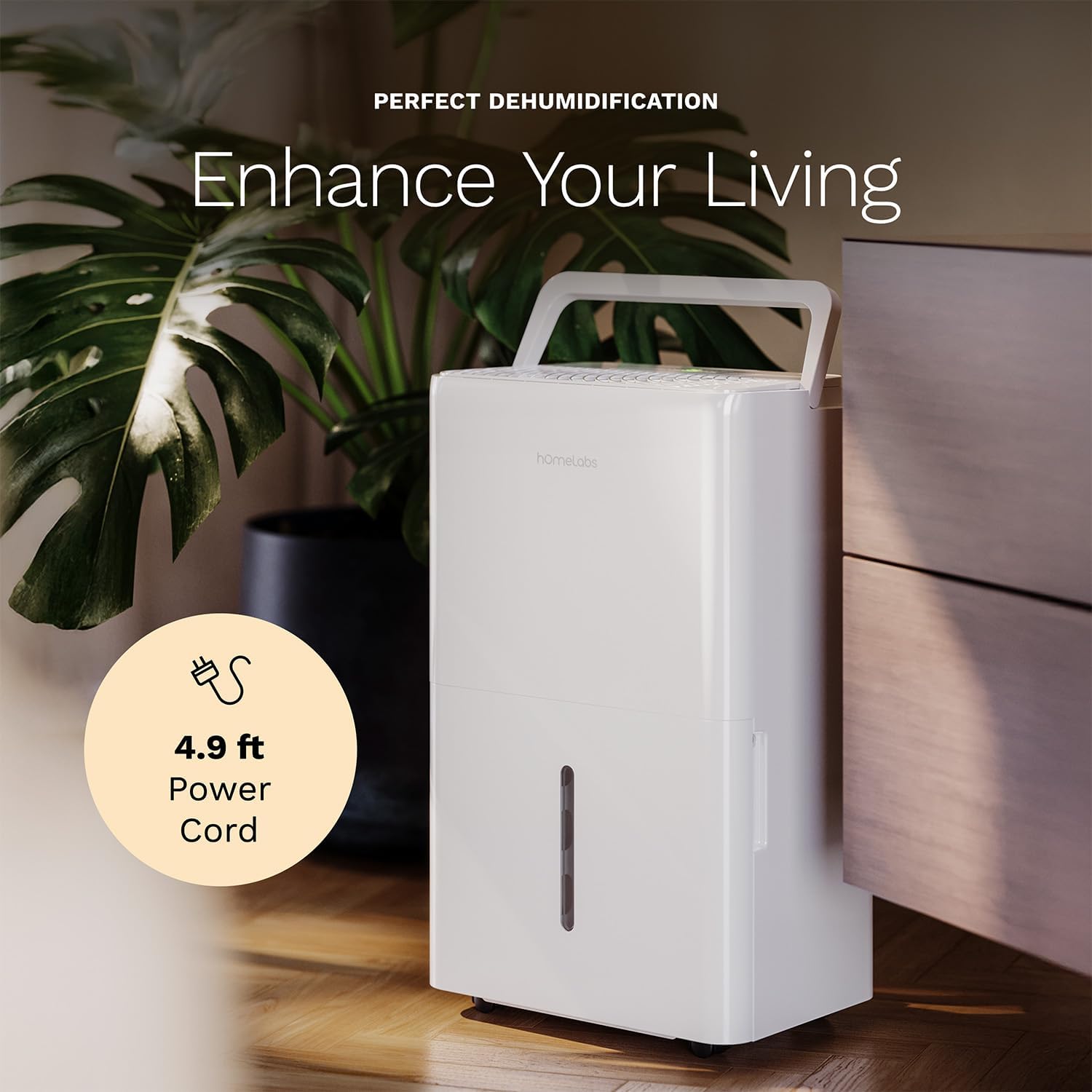
The dehumidifier positioned in a room, highlighting its 4.9 ft power cord for flexible placement.
- Опција за дренажа (опционално):

An image illustrating the two drainage options: using the built-in tank (manual emptying) or connecting a gravity drain hose for continuous drainage.
- Рачно одводнување: The unit will collect water in the internal tank. When the tank is full, the unit will automatically shut off and indicate "Tank Full". Empty the tank as described in the Maintenance section.
- Континуирано одводнување: For continuous operation without emptying the tank, attach the included drain hose to the continuous drain outlet. Ensure the hose is sloped downwards to a suitable drain (e.g., floor drain, large bucket) to allow gravity drainage.
Упатства за работа
Функции на контролниот панел:
- Копче за вклучување: Притиснете за да го вклучите или исклучите уредот.
- Копчиња за поставување на влажност (+/-): Adjust the desired humidity level from 35% to 85% relative humidity (RH) in 5% increments.
- Копче за брзина на вентилаторот: Cycle through High, Medium, and Low fan speeds.
- Копче за тајмер: Set a timer for automatic ON/OFF operation (1-24 hours).
- Comfort Mode Button: Activates a preset humidity level for optimal comfort.
- Копче за Wi-Fi: Activates Wi-Fi pairing mode.
Wi-Fi Smart Control:
Your dehumidifier can be controlled remotely via Wi-Fi using a smartphone app, Google Assistant, or Alexa.

The dehumidifier shown with icons indicating compatibility with Google Home and Alexa, along with a smartphone icon representing app control for remote operation.
- Преземи апликација: Download the hOmeLabs app from your smartphone's app store (iOS or Android).
- Спарување: Follow the in-app instructions to pair your dehumidifier with your home Wi-Fi network. This typically involves pressing and holding the Wi-Fi button on the control panel until the indicator light flashes.
- Далечински управувач: Once paired, you can adjust settings, monitor humidity levels, and set schedules from anywhere using your smartphone.
Одржување
Редовното одржување обезбедува оптимални перформанси и го продолжува животниот век на вашиот одвлажнувач на воздух.
Празнење на резервоарот за вода:
- When the water tank is full, the "Tank Full" indicator will illuminate, and the unit will stop operating.
- Внимателно извлечете го резервоарот за вода од предната страна на уредот.
- Истурете ја собраната вода во мијалник или одвод.
- Вратете го празниот резервоар назад во уредот додека не кликне на своето место. Уредот ќе продолжи да работи.
Чистење на филтерот за воздух:
The "Filter" indicator light will illuminate after 250 hours of operation, reminding you to clean the filter. Clean the filter every two weeks or more frequently depending on usage and air quality.
- Исклучете го одвлажнувачот и исклучете го од штекерот.
- Отстранете го филтерот за воздух од задниот дел на уредот.
- Измијте го филтерот со топла вода со сапуница. Исплакнете темелно.
- Оставете филтерот целосно да се исуши на воздух пред повторно да го инсталирате. Не користете машина за сушење алишта или директна топлина.
- Once the filter is reinstalled, press and hold the "Filter" button for 3 seconds to reset the filter timer.
Општо чистење:
- Избришете ја надворешноста на уредот со мека, гamp крпа.
- Не користете груби хемикалии, абразиви или растворувачи.
- Редовно чистете го резервоарот за вода за да спречите појава на мувла и габи.
Решавање проблеми
Погледнете го овој дел за вообичаени проблеми и нивни решенија.
| Проблем | Можна причина | Решение |
|---|---|---|
| Одвлажнувачот не се вклучува. | No power; Power cord not plugged in; Tank full. | Check power supply; Plug in power cord securely; Empty water tank. |
| Единицата работи, но не собира вода. | Humidity setting too high; Room temperature too low; Air filter clogged. | Lower desired humidity setting; Ensure room temperature is above 41°F (5°C); Clean air filter. |
| Единицата е бучна. | Unit not level; Air filter clogged; Fan obstruction. | Поставете на рамна површина; Исчистете го филтерот за воздух; Проверете дали има пречки во областа на вентилаторот. |
| Проблеми со Wi-Fi конекција. | Неточна лозинка за Wi-Fi; Рутерот е предалеку; Проблеми со апликацијата. | Verify Wi-Fi password; Move unit closer to router; Restart app/unit. |
Спецификации
| Карактеристика | Детал |
|---|---|
| Бренд | Домашни лаборатории |
| Име на моделот | hOmelabs - Dehumidifier - 25 Pint - WIFI (HME0088) |
| Капацитет за одвлажнување | 25 Pints per Day (at 80°F, 60%RH) / MAX 64 Pints (at 95°F, 90%RH) |
| Областа на покриеност | До 3,500 метри квадратни |
| Волумен на резервоарот | 1 галони |
| Димензии на производот (Д x Ш x В) | 8.2" Д x 12.2" Ш x 19.6" В |
| Тежина на ставката | 27.1 фунти |
| Режим на работа | Автоматски |
| Посебни карактеристики | Adjustable Humidity Control, Automatic Defrost, Automatic Moisture Removal, Automatic Shutoff, Bucket Storage, Digital Display, Portable, Quiet Operation, Removable Tank, Timer, Washable Filter, Wi-Fi Enabled |
| Енергетска ефикасност | Energy Star Most Efficient 2024 Certified |
Гаранција и поддршка
Your hOmeLabs 25 Pint Wi-Fi Dehumidifier comes with a standard manufacturer's warranty. For detailed warranty information, please refer to the official warranty document provided with your purchase or visit the hOmeLabs webсајт.
Гарантен документ: Преземи гаранција (PDF)
For technical support, troubleshooting assistance, or to inquire about replacement parts, please contact hOmeLabs customer service. Contact information can typically be found on the hOmeLabs webна локацијата или во пакувањето на вашиот производ.