1. Вовед
This manual provides comprehensive instructions for the installation, operation, and maintenance of your Generic CG3A Outdoor Security Camera. Designed for reliable outdoor surveillance, this camera features 1080P live video, full-color night vision, wireless connectivity, and a rechargeable battery. Please read this manual thoroughly before using the product to ensure proper setup and optimal performance.
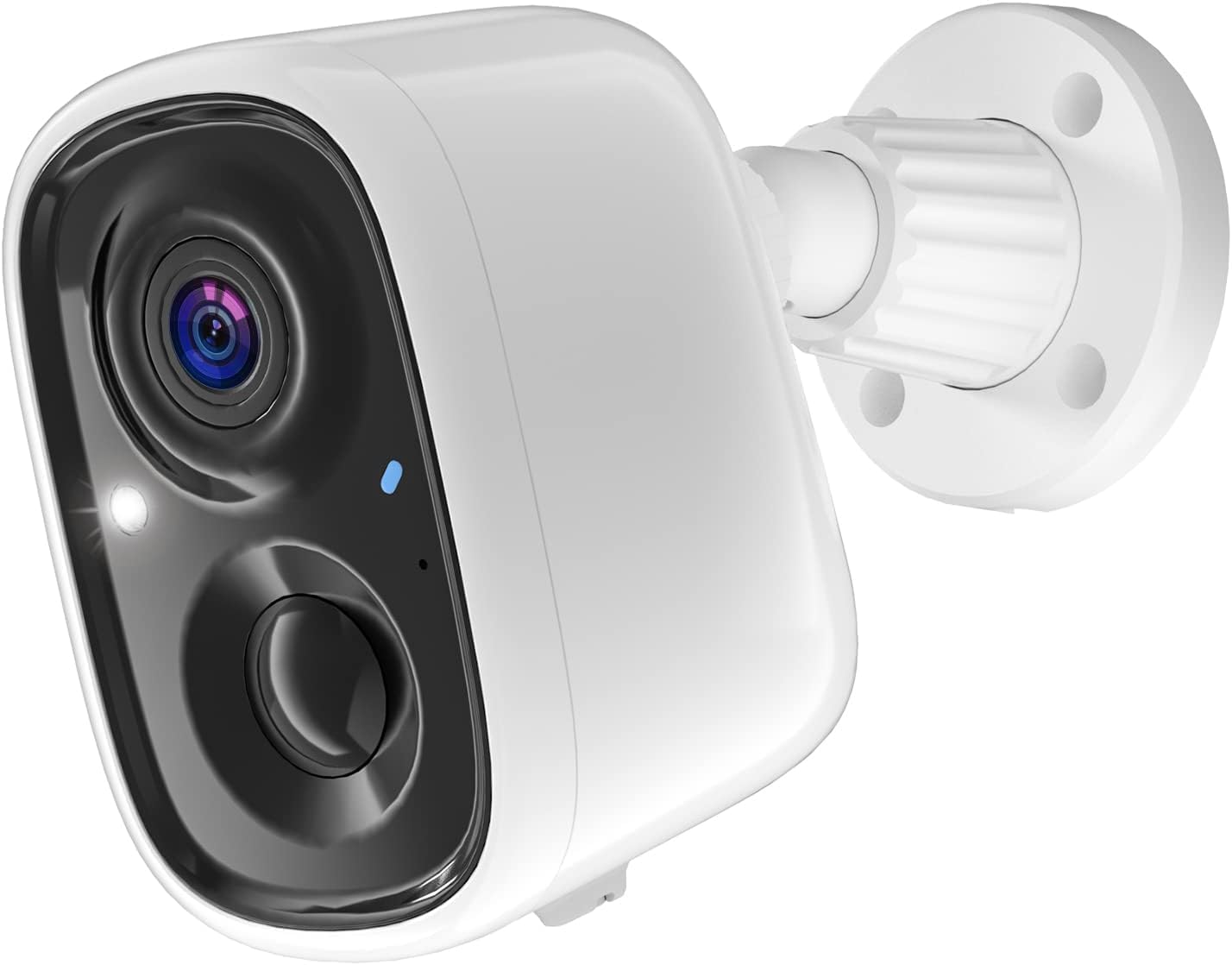
Figure 1: Generic CG3A Outdoor Security Camera. This image shows the white bullet-style camera with its lens, infrared lights, and a blue status indicator, attached to a white wall-mount base.
2. Содржина на пакетот
Verify that all items listed below are present and in good condition upon opening the package. If any items are missing or damaged, please contact customer support.
- Generic CG3A Outdoor Security Camera
- Држач за монтирање на ѕид
- USB кабел за полнење
- Mounting Screws and Wall Anchors (typically 4 sets)
- Упатство за употреба (овој документ)

Figure 2: Package Contents. This image displays the security camera, its wall mount, a USB charging cable, a set of screws and wall anchors, and a small instruction manual booklet.
3. Карактеристики на производот
- 1080P Full HD видео: Снима јасен и детален видео записtage.
- Ноќно гледање во боја во целост: Provides vivid, full-color video even in low-light conditions, enhancing visibility and detail compared to traditional black-and-white infrared night vision.
- Безжична поврзаност: Connects to your home Wi-Fi network for flexible placement without network cables.
- Батерија на полнење: Equipped with a long-lasting battery for wire-free operation.
- IP65 Водоотпорност: Designed to withstand various outdoor weather conditions, ensuring durability and reliable performance.
- PIR Motion Detection & AI Recognition: Advanced passive infrared (PIR) sensor detects human motion, and AI technology helps differentiate between humans, pets, cars, and packages, reducing false alarms.
- Двонасочно аудио: Вградениот микрофон и звучник овозможуваат комуникација во реално време со посетителите или одвраќање на натрапници.
- Складирање во облак: Offers free 3-day video history cloud storage for convenient access to recorded events.

Figure 3: PIR Motion Detection & AI Recognition. This image illustrates the camera's ability to distinguish between humans, pets, cars, and packages, with examples of detected objects highlighted by green boxes on a smartphone screen displaying the camera's app interface.
4. Водич за поставување
4.1 Почетно полнење
Before first use, fully charge the camera battery. Connect the provided USB cable to the camera's charging port and plug the other end into a 5V/1A USB power adapter (not included). The indicator light will show charging status and turn solid when fully charged.
4.2 Инсталација на апликација и креирање сметка
- Download the "Smart Camera" app from your smartphone's app store (Google Play Store for Android or Apple App Store for iOS).
- Отворете ја апликацијата и следете ги упатствата на екранот за да креирате нова сметка.
- Најавете се на вашата новокреирана сметка.
4.3 Спарување на камерата
- Во апликацијата, допрете ја иконата „+“ за да додадете нов уред.
- Select "Security Camera" or "Wireless Camera" from the device list.
- Power on the camera. Ensure the camera's indicator light is blinking, indicating it's ready for pairing. If not, press and hold the reset button for 5 seconds until it blinks.
- Enter your 2.4GHz Wi-Fi network name (SSID) and password into the app. Note: This camera supports 2.4GHz Wi-Fi only.
- The app will generate a QR code. Hold your smartphone approximately 6-8 inches (15-20 cm) in front of the camera lens until you hear a confirmation sound from the camera.
- Once connected, the camera's indicator light will turn solid blue, and the app will confirm successful pairing. You can then name your camera.
4.4 Монтирање на камерата
- Choose a suitable outdoor location for mounting. Consider Wi-Fi signal strength, viewing angle, and proximity to a charging point if needed.
- Користете го држачот за ѕид како шаблон за да ги означите точките за дупчење на ѕидот.
- Дупчете дупки на означените места. Вметнете ѕидни анкери ако монтирате на ѕид или гипс картон.
- Прицврстете го држачот за монтирање на ѕид на ѕидот со помош на приложените завртки.
- Attach the camera to the wall mount bracket and adjust the angle for optimal coverage. Ensure it is securely fastened.
5. Упатства за работа
5.1 Во живо View
Open the "Smart Camera" app and select your camera from the device list. You will see the live video feed. From here, you can take screenshots, record manually, or use the two-way audio function.
5.2 Детекција и снимање на движење
- The camera automatically records video clips when motion is detected. These clips are stored in the cloud for 3 days.
- To adjust motion detection sensitivity or set detection zones, navigate to the camera settings within the app.
- You will receive push notifications on your smartphone when motion is detected, allowing you to view the live feed or recorded event.
5.3 Ноќно гледање во боја со целосен опсег
The camera automatically switches to full-color night vision mode in low-light conditions. This feature utilizes built-in spotlights to illuminate the area, providing clear, color images at night.
5.4 Двонасочно аудио
Додека сте во живо view, tap the microphone icon in the app to speak through the camera's speaker. Tap it again to end speaking. The speaker icon allows you to hear audio from the camera's microphone.
5.5 Playback Recorded Videos
Access the "Playback" or "History" section in the app to review recorded motion-triggered events. You can filter by date and time.
6. Одржување
6.1 Полнење на батеријата
Monitor the battery level via the app. When the battery is low, remove the camera from its mount and recharge it using the USB cable. A full charge typically takes several hours.
6.2 Чистење на камерата
Периодично чистете го објективот и куќиштето на камерата со мека, дamp cloth. Do not use harsh chemicals or abrasive cleaners, as these can damage the camera's finish or lens coating.
6.3 Ажурирања на фирмверот
Check the app regularly for firmware updates. Keeping your camera's firmware updated ensures optimal performance, security, and access to new features. Follow the in-app instructions for any available updates.
7 Смена на проблеми
| Проблем | Можна причина | Решение |
|---|---|---|
| Камерата не се вклучува. | Батеријата е испразнета. | Наполнете ја камерата целосно со помош на испорачаниот USB кабел. |
| Не може да се поврзе на Wi-Fi. | Incorrect Wi-Fi password; camera too far from router; 5GHz Wi-Fi network. | Ensure correct 2.4GHz Wi-Fi password. Move camera closer to router. Confirm router is broadcasting 2.4GHz. Reset camera and try pairing again. |
| Motion detection is too sensitive/not sensitive enough. | Поставките за чувствителност не се оптимизирани. | Adjust the PIR motion detection sensitivity in the app settings. Ensure camera is not facing busy streets or swaying trees if false alarms are an issue. |
| No video or poor image quality. | Lens is dirty; poor Wi-Fi signal; camera offline. | Clean the camera lens. Check Wi-Fi signal strength in the app. Ensure camera is online and connected. |
| Двонасочното аудио не работи. | Microphone/speaker muted in app; app permissions. | Check if microphone/speaker icons are enabled in the app. Verify app has microphone permissions on your smartphone. |
8. Спецификации
| Карактеристика | Детал |
|---|---|
| Име на моделот | CG3A |
| Внатрешна/надворешна употреба | На отворено |
| Резолуција за снимање видео | 1080 стр |
| Технологија за поврзување | Безжичен (Wi-Fi 2.4 GHz) |
| Извор на енергија | Напојува со батерија (вклучена е 1 литиум-јонска батерија) |
| Специјална карактеристика | 2-Way Audio, Full Color Night Vision, PIR Motion Detection, AI Recognition, IP65 Waterproof |
| Компатибилни уреди | Паметен телефон (Android, iOS) |
| Тип на монтирање | Монтирање на ѕид |
| Димензии на производот | 5.04 x 3.27 x 6.26 инчи |
| Тежина на ставката | 14.1 унци |
9. Гаранција и поддршка
This product comes with a standard manufacturer's warranty. For specific warranty terms and conditions, please refer to the documentation included with your purchase or contact the retailer. For technical support, troubleshooting assistance, or inquiries regarding your Generic CG3A Security Camera, please contact the manufacturer's customer service. Contact information can typically be found on the product packaging or the manufacturer's official webсајт.
Ве молиме зачувајте ја вашата сметка за гаранциски барања.
