
Вовед
This manual provides detailed instructions for the installation, operation, and maintenance of your Zyyini B150M V3 Computer Motherboard. Please read this manual thoroughly before proceeding with installation to ensure proper setup and to prevent damage to the components. This motherboard is designed for desktop computers, supporting LGA 1151 CPUs and DDR4 memory, offering a stable and efficient platform for various computing needs.
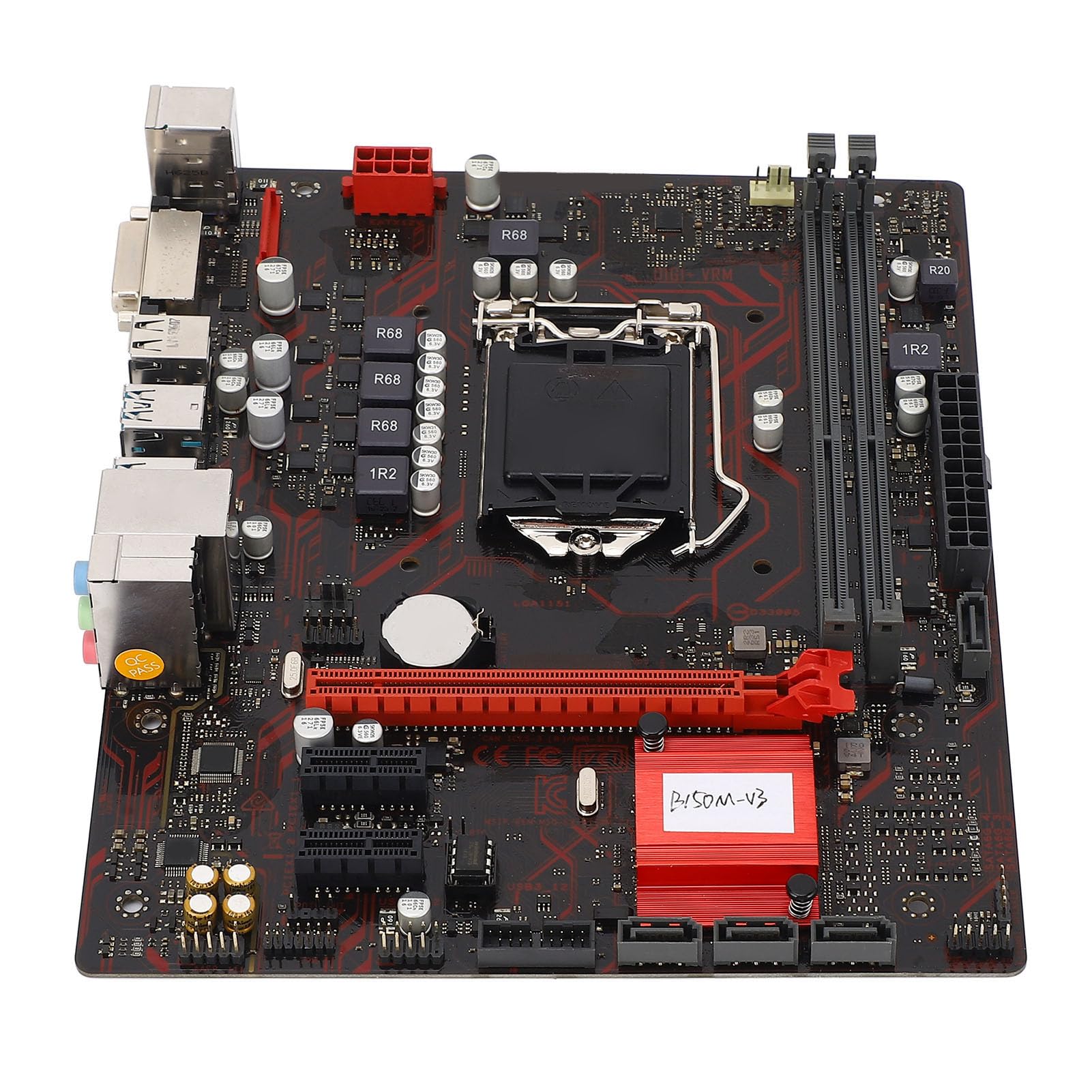
Слика 1: Готовоview of the Zyyini B150M V3 Motherboard.
Поставување и инсталација
Before beginning installation, ensure your workspace is clean and static-free. It is recommended to wear an anti-static wrist strap to prevent electrostatic discharge (ESD) damage to components.
1. Безбедносни мерки на претпазливост
- Секогаш исклучувајте го напојувањето од ѕидниот штекер пред да инсталирате или отстраните било кои компоненти.
- Handle components by their edges to avoid touching sensitive circuits.
- Ensure proper grounding to prevent ESD.
- Refer to the CPU, memory, and other component manuals for specific installation instructions.
2. Распоред на матичната плоча

Слика 2: Од горе надолу view highlighting key components and connectors on the motherboard.
Familiarize yourself with the locations of the CPU socket, memory slots, PCI-E slots, SATA ports, and power connectors before installation.
3. Инсталација на процесорот (LGA 1151)
- Лоцирајте го LGA 1151 процесорскиот приклучок на матичната плоча.
- Нежно притиснете ја рачката за полнење надолу и повлечете ја настрана за да го отворите капакот на приклучокот на процесорот.
- Carefully align the notches on your Intel Core i7/i5/i3/Pentium/Celeron (14nm) processor with the corresponding keys on the socket. Ensure the gold triangle on the CPU matches the triangle on the socket.
- Внимателно ставете го процесорот во приклучокот без да го форсирате.
- Затворете ја плочата за товарење и турнете ја рачката за товарење назад на место додека не кликне.

Слика 3: Одблиску view of the LGA 1151 CPU socket, ready for processor installation.
4. Memory Installation (DDR4 DIMM)
The motherboard features two DDR4 DIMM slots, supporting dual-channel DDR4 2133MHz memory up to a maximum of 32GB.
- Отворете ги штипките на двата краја од слотот за DIMM.
- Порамнете го засекот на меморискиот модул DDR4 со клучот во слотот DIMM.
- Вметнете го меморискиот модул цврсто во слотот додека штипките не се заглават на своето место. Проверете дали обете штипки се затворени.

Figure 4: The two DDR4 DIMM slots for memory installation.
5. Storage Device Installation (SATA III & M.2)
The motherboard provides 4 x Serial ATA III interfaces and 1 x M.2 slot for storage devices.
- SATA уреди: Connect one end of a SATA data cable to a SATA III port on the motherboard and the other end to your SATA hard drive or SSD. Connect the SATA power cable from your power supply to the drive.
- M.2 уреди: Insert your M.2 SSD into the M.2 slot, securing it with the provided screw.
6. Expansion Card Installation (PCI-E)
The motherboard includes 1 x PCI-E x16 graphics card slot and 2 x PCI-E x1 slots for expansion cards.
- Align your PCI-E expansion card (e.g., graphics card, sound card, network card) with the desired PCI-E slot.
- Press the card firmly into the slot until it is fully seated. Secure the card with a screw to the chassis.
7. Поврзување на периферни уреди и преден панел
Connect your USB devices, DVI display, audio devices, and Ethernet cable to the rear I/O panel. Connect the front panel connectors (power button, reset button, USB ports, audio jacks) from your PC case to the corresponding headers on the motherboard.

Слика 5: Детално view of the rear I/O panel, showing USB, DVI, Ethernet, and audio ports.
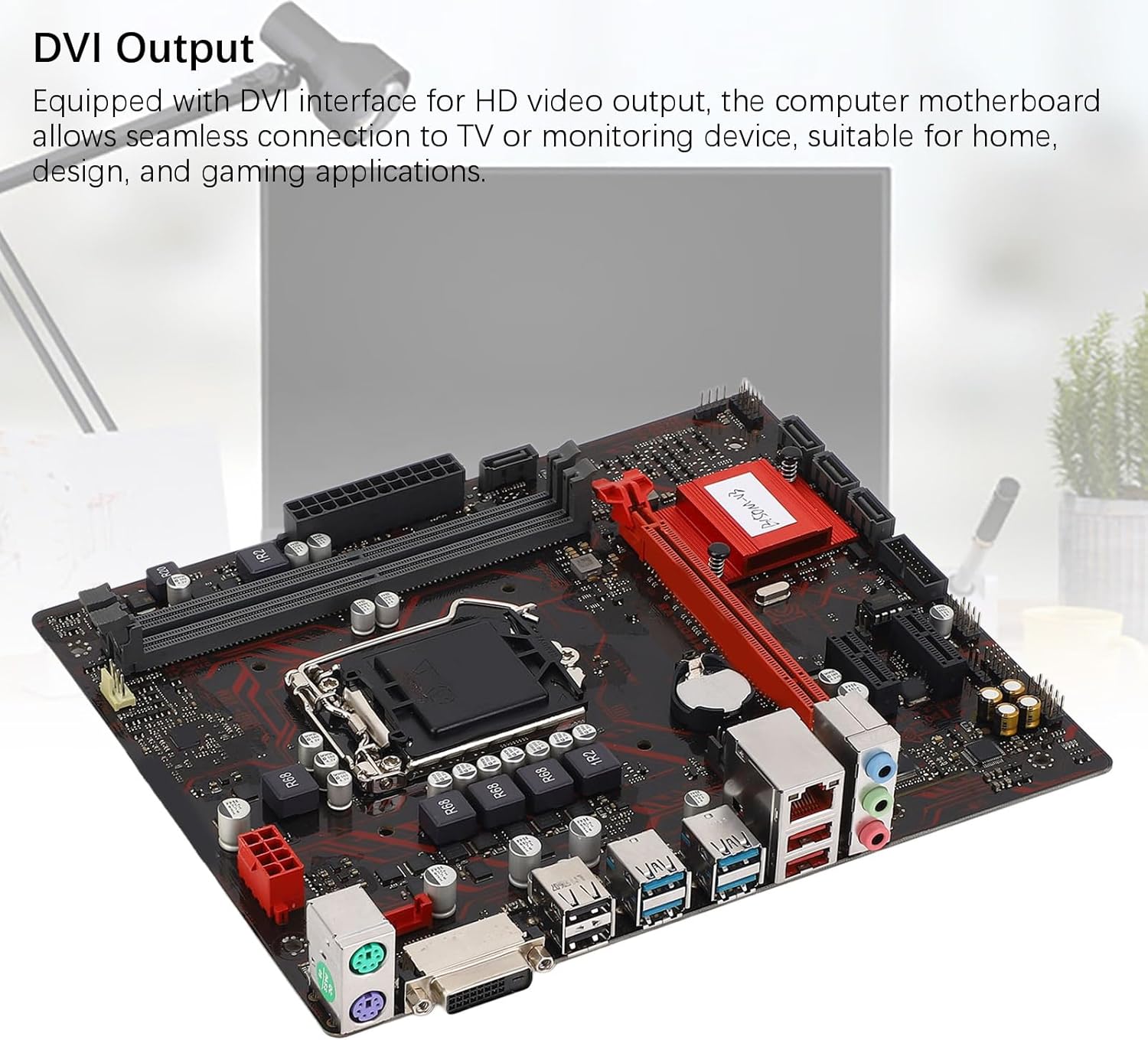
Figure 6: The DVI interface for connecting a display.
8. Приклучоци за напојување
Connect the 24-pin ATX power connector and the 8-pin CPU power connector from your power supply to the respective ports on the motherboard. Ensure they are firmly seated.

Слика 7: Аголна view showing the location of power connectors and other ports.
Упатства за работа
1. Првично стартување
After all components are installed and connected, power on your system. The system should initiate the boot process. If no display appears, refer to the troubleshooting section.
2. Конфигурација на BIOS/UEFI
During boot-up, press the designated key (usually ДЕЛ or F2) to enter the BIOS/UEFI setup. Here you can configure boot order, system time, and other advanced settings. Save changes before exiting.
3. Инсталација на драјвери
After installing your operating system, install the necessary drivers for the motherboard chipset, network, and audio. These are typically provided on a driver CD or available for download from the manufacturer's webсајт.
Одржување
1. Чистење од прашина
Regularly clean the inside of your computer case to prevent dust buildup, which can lead to overheating and component failure. Use compressed air to gently remove dust from fans, heatsinks, and motherboard surfaces.
2. Ажурирања на BIOS-от
Периодично проверувајте ги упатствата на производителот website for BIOS updates. BIOS updates can improve system stability, add support for new hardware, or fix bugs. Follow the update instructions carefully to avoid damaging the motherboard.
Решавање проблеми
1. Нема моќ
- Осигурајте се дека напојувањето е поврзано со ѕидниот штекер и е вклучено.
- Verify that the 24-pin and 8-pin power connectors are securely attached to the motherboard.
- Проверете ја врската на прекинувачот за напојување на предниот панел со матичната плоча.
2. Нема дисплеј
- Confirm that the monitor is connected to the correct video output (DVI) on the motherboard or graphics card and is powered on.
- Reseat the memory modules. Try booting with only one memory module installed.
- Повторно поставете ја графичката картичка (доколку е применливо).
- Ensure the CPU is properly installed and the CPU cooler is securely attached.
3. Нестабилност на системот / Падови
- Check for overheating. Ensure all fans are working and heatsinks are clean.
- Verify that all components (CPU, RAM, storage) are properly seated.
- Стартувајте алатки за дијагностика на меморијата за да проверите за неисправна RAM меморија.
- Осигурајте се дека сите драјвери се ажурирани.
Спецификации

Figure 8: The motherboard's robust construction ensures stable performance and longevity.
| Карактеристика | Детал |
|---|---|
| Модел на матична плоча | B150M-V3 |
| Чипсет | Чипсет B150 |
| Сокет на процесорот | LGA 1151 |
| Compatible CPU Type | Intel Core i7, i5, i3, Pentium, Celeron (14nm processors) |
| Тип на меморија | 2 x DDR4 DIMM (двоканален) |
| Брзина на меморија | 2133 MHz |
| Максимален капацитет на меморија | 32 GB |
| PCI-E Standard | PCI-E 3.0 |
| PCI-E x16 Slots | 1 |
| PCI-E x1 Slots | 2 |
| Интерфејси за складирање | 4 x Serial ATA III, 1 x M.2 |
| USB Interfaces (Rear) | 4 x USB3.0, 4 x USB2.0 |
| USB Interfaces (Internal) | 1 x USB3.0 header, 1 x USB2.0 header |
| Интерфејс за видео | 1 x DVI |
| Network Chip | Realtek RTL8111GR Gigabit Ethernet |
| Звучен чип | Realtek ALC887 8-Channel |
| Интерфејси за напојување | One 8-Pin, One 24-Pin |
| Форма фактор | M-ATX |
| Режим на напојување | 5 фаза |
| Други интерфејси | RJ45, Chassis Fan, Internal Speaker, System Panel, Sound, PS/2 Mouse, PS/2 Keyboard, COM |
Информации за гаранцијата
For specific warranty terms and conditions, please refer to the documentation provided with your purchase or visit the official Zyyini webлокација. Гаранцијата обично вклучува дефекти во материјалите и изработката при нормална употреба.
Поддршка за корисници
If you encounter any issues that cannot be resolved using this manual, please contact your retailer or visit the Zyyini official support channels for assistance. Have your product model number (B150M-V3) and purchase details ready when seeking support.


