1. Вовед во производот
The Generic Bluetooth Curtain Robot transforms traditional curtains into smart curtains, offering convenient control and automation. This device operates quietly, ensuring a peaceful environment. It features a robust motor capable of handling curtains up to 8kg.
Клучни карактеристики:
- Quiet operation for a serene smart home experience.
- Maximum thrust capacity of 8kg.
- Supports one-way and two-way curtain solutions.
- Adjustable curtain running direction via the app.
- Manual start function: gently pull the curtain to activate automatic opening/closing.
- Inductive resistance and stop function for safety, preventing movement if an obstacle is detected.
- Intelligent linkage with other smart home devices (requires Bluetooth gateway).
- App and Voice Control via Smart Life APP, Google Assistant, and Alexa (requires Bluetooth gateway).
Производот завршиview

Слика 1: Готовоview of the Smart Curtain Robot highlighting its features.

Image 2: Illustration of the curtain robot's 8KG load capacity, suitable for various curtain weights.
2. Поставување и инсталација
Важни забелешки пред инсталацијата:
- Three (3) AA batteries are required for power supply and are не се вклучени со производот.
- For remote control, voice control, and smart device linkages, a Bluetooth gateway is required и мора да се купи одделно.

Image 3: Diagram illustrating the system setup, emphasizing the need for a Bluetooth gateway.
2.1 Инсталација на батерија
- Open the back cover of the curtain robot.
- Insert three (3) AA batteries, ensuring correct polarity as indicated in the battery compartment.
- Добро затворете го задниот капак.
2.2 Спарување на уреди
- Upon first power-on, the device should automatically enter pairing mode, indicated by a flashing blue light.
- If the device does not enter pairing mode automatically, press and hold the product button for 5 seconds until the blue light flashes.
- In the Smart Life App, navigate to your Zigbee gateway.
- Click the "Add Device" button and follow the on-screen instructions to complete the pairing process.
2.3 Физичка инсталација
The curtain robot is designed for universal compatibility, supporting mainstream U-bar and I-bar curtain tracks. For Roman rods, an additional accessory (not included) may be required.
- Slide down the main body of the robot to remove the hooks on both sides.
- Use the side knob to adjust the hooks to their top position.
- Attach the hooks to the corresponding curtain rings on your track.
- Combine the main body of the curtain robot with the hooks.
- Adjust the knob with the down arrow to ensure the top roller fits snugly against the curtain track.

Image 4: The curtain robot is compatible with various curtain rail types including U-rail, I-rail, and curtain rods.
2.4 Калибрација
After physical installation, calibrate the device using the Smart Life App:
- Completely close the curtains.
- Open the device panel in the Smart Life App and click "Calibrate".
- Select "Indoor" or "Outdoor" based on the orientation of the device buttons, then click "Next".
- Choose the direction of the curtain track (Left/Right) and click "Next".
- Select the type of curtain (Half/Full) and click "Next".
- Click the "Start" button to begin calibration.
- Once the curtains are fully open, click the "Stop" button immediately to complete the calibration.
Installation and Pairing Video Guide
Video 1: A comprehensive guide on battery installation, device pairing, and physical installation of the smart curtain robot.
3. Упатства за работа
3.1 Контрола на апликации
Control your curtains remotely using the Smart Life App. You can precisely adjust the opening and closing percentage of your curtains.
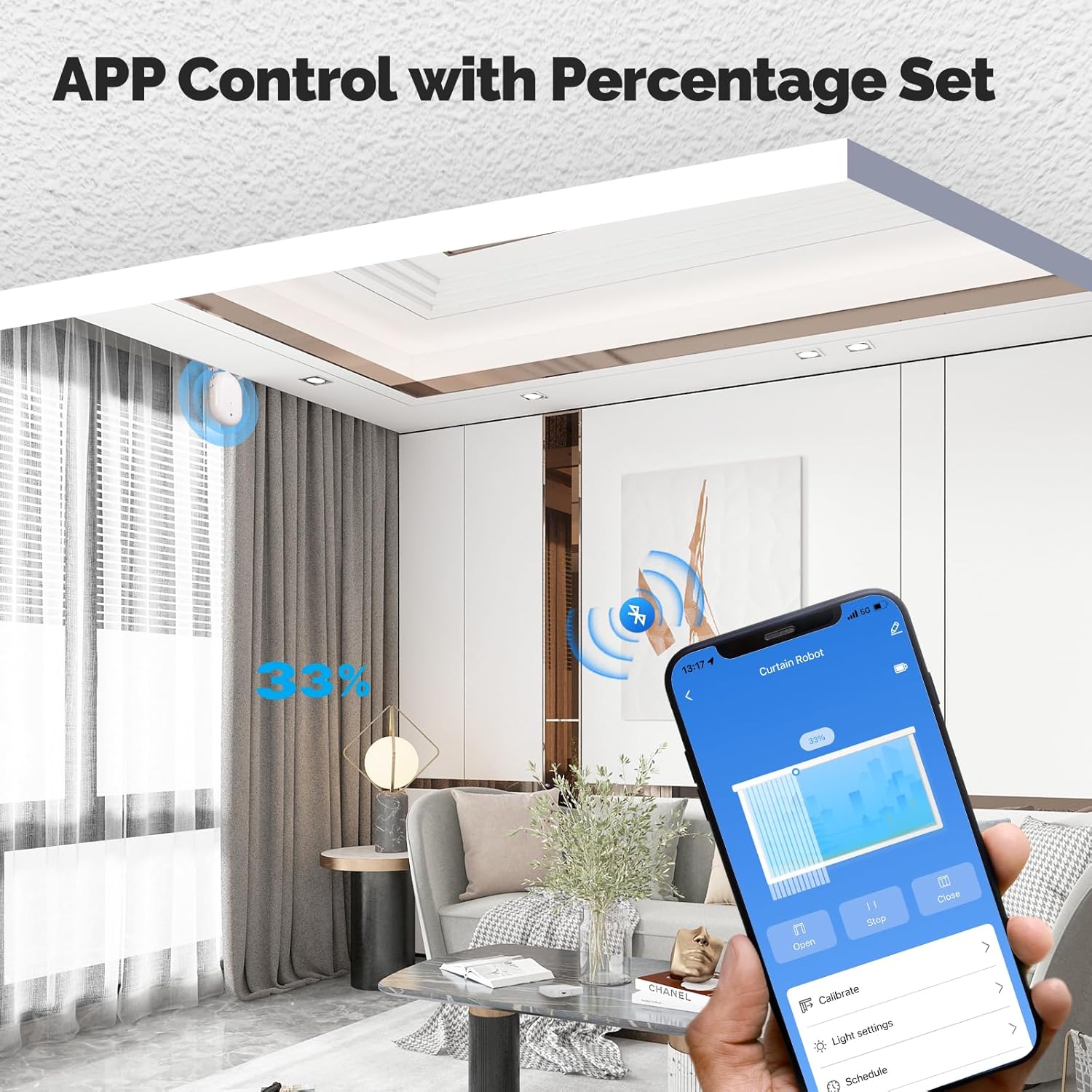
Image 5: The Smart Life App interface for controlling the curtain robot, including percentage поставувања.
3.2 Гласовна контрола
Integrate with Google Assistant or Alexa (via a Bluetooth gateway) to control your curtains with simple voice commands.
3.3 Распоред и автоматизација
Set schedules for automatic opening and closing of your curtains through the Smart Life App. You can also create intelligent linkages with other smart devices, for example, having curtains open automatically when a smart door lock is disengaged.

Слика 6: На пр.ample of the timing function for automatic curtain operation.
3.4 Manual Start and Safety Features
- Рачен почеток: Gently pull the curtain for more than 10cm, and the robot will automatically complete the opening or closing action. This feature works even without electricity.
- Inductive Resistance and Stop: If the curtain encounters resistance (e.g., an obstruction) during operation, it will automatically stop to prevent damage or injury.
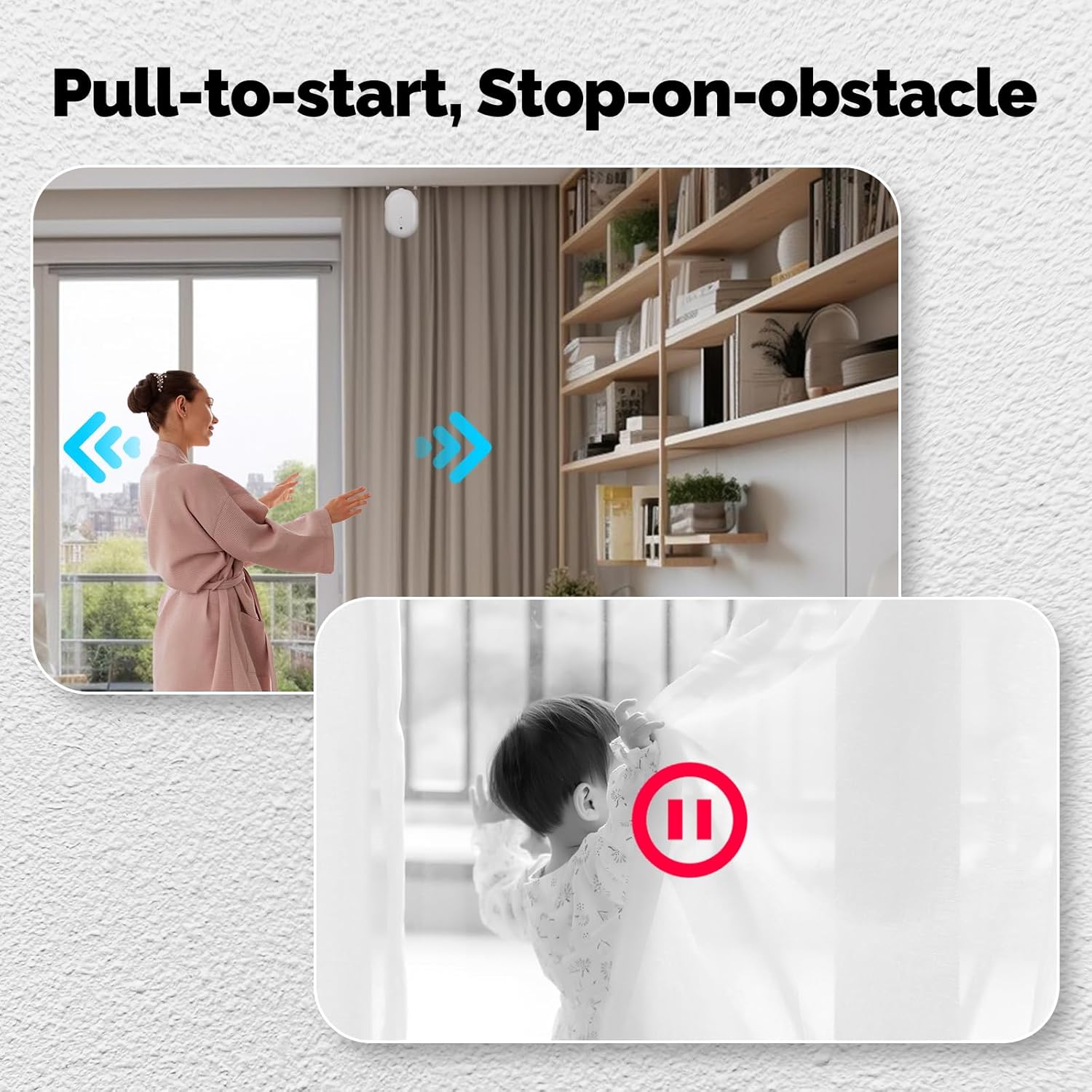
Image 7: Demonstration of the manual pull-to-start and obstacle detection features.
3.5 One-way / Two-way Curtain Solutions
The system supports both one-way and two-way curtain configurations:
- For one-way curtains, a single curtain robot is sufficient for intelligent control.
- For two-way curtains (center opening), it is recommended to use two curtain robots to achieve synchronized opening and closing.
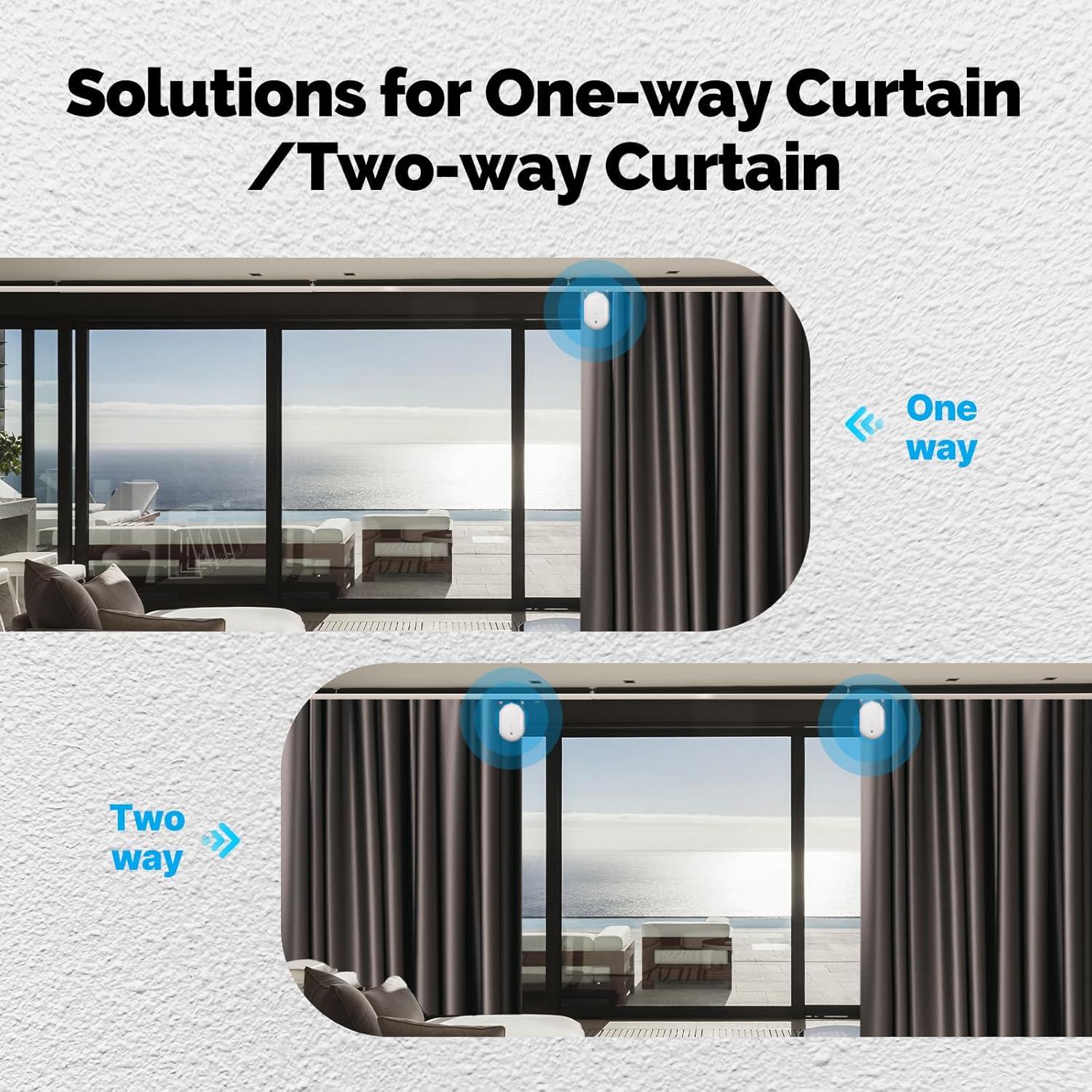
Image 8: Visual guide for setting up one-way or two-way curtains.
4. Одржување
- Regularly check battery levels and replace AA batteries as needed.
- Keep the device clean and free from dust to ensure optimal performance. Use a soft, dry cloth for cleaning.
- Ensure the curtain track is clear of obstructions to prevent the inductive resistance feature from activating unnecessarily.
- Избегнувајте изложување на уредот на екстремни температури или влага.
5 Смена на проблеми
- Уредот не се спарува: Ensure batteries are correctly installed and charged. Press and hold the product button for 5 seconds until the blue light flashes to enter pairing mode. Check your Bluetooth gateway connection in the Smart Life App.
- Curtains not moving: Check battery levels. Ensure the device is properly installed on the curtain track and calibrated. Verify there are no obstructions on the track.
- Inaccurate curtain position: Recalibrate the device through the Smart Life App (refer to Section 2.4).
- Гласовната контрола не работи: Ensure your Bluetooth gateway is connected to your voice assistant (Alexa/Google Home) and the curtain robot is linked to the gateway. Check voice command syntax.
- Device making unusual noise: Check for any physical obstructions on the curtain track or within the device's movement path. Ensure the device is securely attached.
6. Спецификации
| Име на производ | Роботот за завеса |
| Број на модел | Bluetooth curtain robot |
| Производител | МОЕС |
| Димензии | 3.35 x 2 x 5.51 инчи |
| Тежина | 266 g (приближно) |
| Боја | Бело |
| Безжичен протокол | Bluetooth |
| Работна температура | 0°C - 45°C |
| Напојување | 3 x AA батерии (не се вклучени) |
| Вклучени компоненти | Curtain Robot *1 |
7. Гаранција и поддршка
За информации за гаранцијата и техничка поддршка, ве молиме обратете се до официјалниот контакт на производителот. webна локацијата или контактирајте го вашиот продавач. Зачувајте ја сметката за гаранциски барања.


