1. Производот завршиview
The HP OfficeJet Pro 9125e is a versatile All-in-One printer designed for office and hybrid workspace environments. This certified refurbished unit offers print, scan, copy, and fax functionalities, along with advanced features like a color touchscreen and HP Wolf Pro Security. It is engineered for professional-quality color documents and efficient operation.
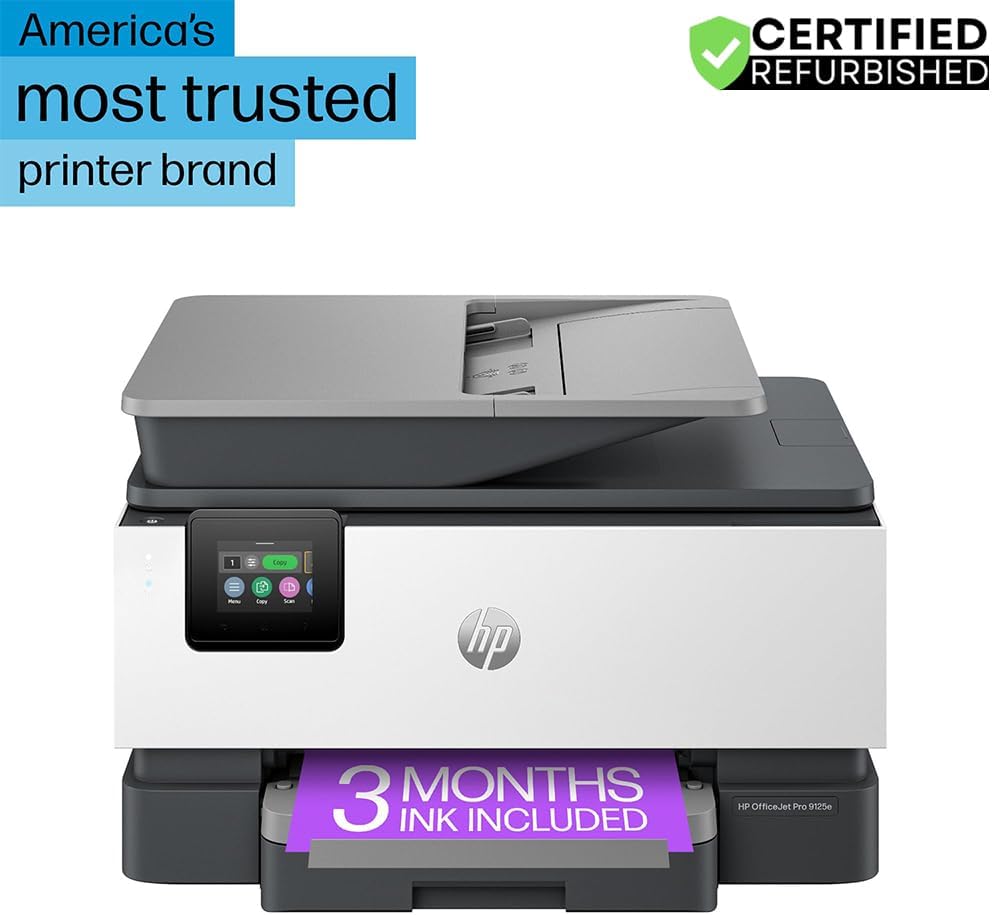
Слика 1: Предна страна view of the HP OfficeJet Pro 9125e All-in-One Printer.
Клучни карактеристики:
- Сè-во-едно функционалност: Print, copy, scan, and fax capabilities.
- Печатење со голема брзина: Up to 22 pages per minute (ppm) for black and 18 ppm for color.
- Безжична поврзаност: Reliable dual-band Wi-Fi with automatic connection issue resolution.
- HP Smart апликација: Enables printing, scanning, copying, and faxing directly from a smartphone.
- Безбедност на HP Wolf Pro: Integrated security tools to protect data and networks.
- 2.7-инчен екран на допир во боја: Intuitive user interface for easy navigation.
- Автоматски внесувач на документи (ADF): For efficient multi-page scanning and copying.
- Дуплекс печатење: Automatic two-sided printing.
- Одржлив дизајн: Constructed with over 40% recycled plastic.

Слика 2: Готовоview of the HP OfficeJet Pro 9125e's primary functions and features.
2. Упатства за поставување
2.1 Распакување и содржина
Carefully unpack the printer and ensure all components are present. The package should contain the following:
- HP OfficeJet Pro 9125e „сè-во-едно“ печатач
- HP 936 кертриџ со црно мастило за поставување
- HP 936 кертриџ за цијан мастило за поставување
- HP 936 картриџ за магента мастило за поставување
- HP 936 кертриџ со жолто мастило за поставување
- Кабел за напојување
- Регулаторен флаер
- Флаер за претпазливост со мастило
- Постер за поставување
- Референтен водич

Figure 3: Included items in the HP OfficeJet Pro 9125e package.
2.2 Почетно поставување на печатачот
- Поврзување за напојување: Поврзете го кабелот за напојување со печатачот, а потоа со ѕидниот штекер.
- Вклучување: Притиснете го копчето за вклучување за да го вклучите печатачот.
- Инсталација на кертриџ со мастило: Follow the on-screen instructions on the 2.7-inch touchscreen to install the HP 936 setup ink cartridges. Ensure each cartridge clicks into place.
- Вчитување хартија: Load plain paper into the 250-sheet input tray. Adjust the paper guides to fit the paper size.
- Јазик и регион: Select your preferred language and region on the touchscreen.
- Мрежна конекција: Connect the printer to your wireless network using the touchscreen. The dual-band Wi-Fi will help ensure a stable connection.
- HP Smart App Installation: Download the HP Smart App on your smartphone or computer for guided setup and advanced features.
- HP+ Activation (Optional): If you wish to enroll in the Instant Ink delivery service and extend your warranty, activate HP+ during the setup process. This may include 3 months of Instant Ink.
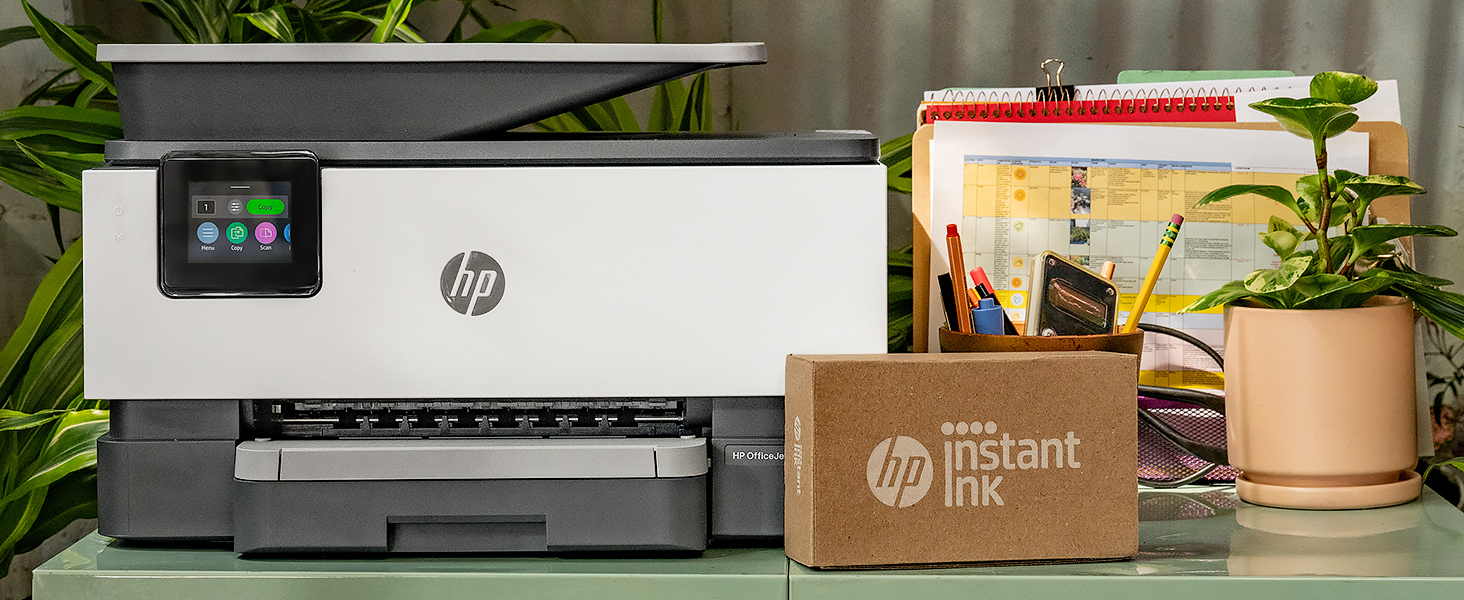
Figure 4: Printer ready for setup, showing the Instant Ink box.
3. Упатства за работа
3.1 Печатење документи
The HP OfficeJet Pro 9125e supports printing from various devices, including computers and smartphones.
- Од компјутер: Ensure the printer drivers are installed. Select "Print" from your application, choose the HP OfficeJet Pro 9125e, and adjust settings as needed (e.g., color, black and white, duplex printing).
- Од мобилен уред (апликација HP Smart): Open the HP Smart App, select "Print Documents" or "Print Photos," choose the file, and send it to the printer.
- Брзини на печатење: Up to 22 ppm for black and 18 ppm for color.
- Дуплекс печатење: The printer supports automatic two-sided printing. This option can be selected in your print settings.
3.2 Скенирање документи
Документите може да се скенираат со помош на скенерот со рамно лежиште или автоматскиот внесувач на документи (ADF).
- Користење на рамниот кревет: Place a single document face down on the scanner glass. Close the lid. Select "Scan" on the printer's touchscreen or through the HP Smart App.
- Користење на ADF: Load multiple pages face up into the ADF. The ADF supports dual-pass 2-sided scanning. Select "Scan" on the printer's touchscreen or through the HP Smart App and choose the ADF option.
- Дестинации за скенирање: Scanned documents can be sent to a computer, email, or cloud services via the HP Smart App.
3.3 Копирање документи
The printer allows for quick and efficient copying.
- Иницирај копирање: Press the "Copy" icon on the printer's touchscreen.
- Документ за место: Place the document on the flatbed scanner or in the ADF.
- Прилагодете ги поставките: Select the number of copies (up to 99), color or black and white, and other options like resizing or quality.
- Започни копирање: Press the "Start Copy" button on the touchscreen.
3.4 Испраќање документи по факс
The HP OfficeJet Pro 9125e includes fax functionality.
- Вчитај документ: Place the document on the flatbed scanner or in the ADF.
- Внесете број: Press the "Fax" icon on the touchscreen and enter the recipient's fax number.
- Испрати факс: Confirm settings and send the fax.
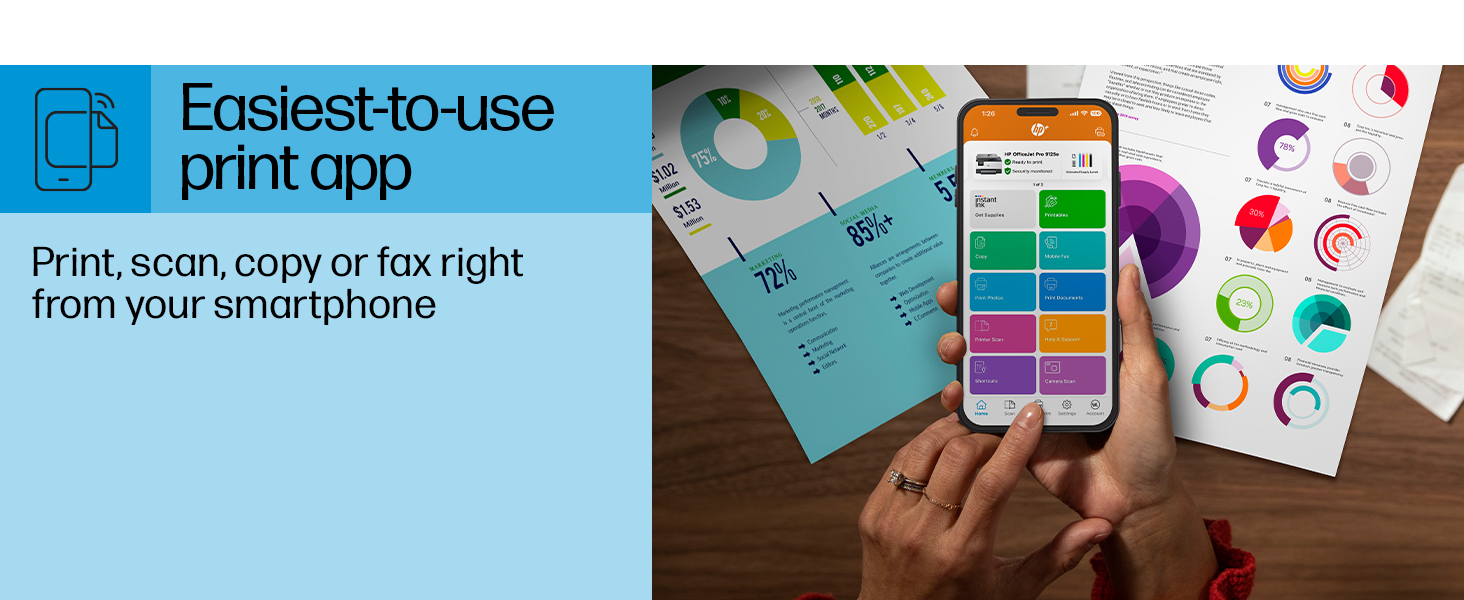
Figure 5: The HP Smart App allows control of print, scan, copy, and fax functions from a smartphone.
4. Одржување
4.1 Замена на кертриџ со мастило
The printer uses HP 936 series ink cartridges (Black, Cyan, Magenta, Yellow). The touchscreen will indicate when ink levels are low or when a cartridge needs replacement.
- Отворете ја вратата за пристап до касетата со мастило.
- Press the tab on the old cartridge to release it, then pull it out.
- Unpack the new HP 936 cartridge, being careful not to touch the electrical contacts or ink nozzles.
- Вметнете ја новата кертриџ во соодветниот отвор додека не кликне на своето место.
- Затворете ја вратата за пристап до касетата со мастило.
4.2 Ракување со хартија
- Влезна фиока: The printer features a 250-sheet input tray. Ensure paper is loaded correctly and paper guides are adjusted to prevent jams.
- Излезна фиока: The output tray has a capacity of 60 sheets.
- Поддржани медиуми: The printer supports various paper types and sizes, including plain paper, photo paper, and envelopes. Supported sizes range from 3 x 5 inches to 8.5 x 14 inches.
- Envelope Stopper: Utilize the built-in envelope stopper to prevent jams when printing envelopes.
4.3 Чистење
Редовното чистење помага во одржувањето на квалитетот на печатењето и долготрајноста на печатачот.
- Надворешност: Избришете ја надворешноста на печатачот со мека, дamp, крпа без влакненца.
- Стакло за скенер: Исчистете го стаклото на скенерот со мека крпа и неабразивен чистач за стакло.
- ADF ролери: Погледнете ја поддршката на HP website or the HP Smart App for instructions on cleaning ADF rollers if paper feed issues occur.
5 Смена на проблеми
This section provides solutions to common printer issues. For more detailed troubleshooting, refer to the HP support website or the HP Smart App.
5.1 Проблеми со поврзувањето
- Печатачот е офлајн: Ensure the printer is powered on and connected to the correct Wi-Fi network. Restarting both the printer and your router can often resolve temporary network glitches.
- Исклучување на Wi-Fi: The printer's dual-band Wi-Fi is designed to automatically resolve connection issues. If problems persist, try reconnecting through the printer's touchscreen or the HP Smart App.
- USB/Ethernet Connection: If using a wired connection, ensure cables are securely plugged into both the printer and the computer/router.
5.2 Проблеми со квалитетот на печатењето
- Избледени или шарени отпечатоци: Check ink levels and replace any low or empty cartridges. Perform a printhead cleaning cycle through the printer's maintenance menu.
- Неточни бои: Ensure you are using genuine HP ink cartridges. Run a printhead alignment from the printer's maintenance menu.
- Заглавување на хартија: Follow the on-screen instructions to clear any jammed paper. Ensure paper is loaded correctly and not overfilled in the input tray.
5.3 Scanning/Copying Issues
- Blank Scans/Copies: Ensure the document is placed correctly on the scanner glass or in the ADF.
- Lines on Scans/Copies: Clean the scanner glass and the ADF rollers.
6. Технички спецификации
| Карактеристика | Спецификација |
|---|---|
| Име на моделот | HP OfficeJet Pro 9125e |
| Функции | Печатење, копирање, скенирање, факсирање |
| Технологија на печатење | Inkjet (Four-color inkjet cartridges) |
| Максимална брзина на печатење (црна) | 22 ppm |
| Максимална брзина на печатење (во боја) | 18 ppm |
| Максимална резолуција за печатење (црна) | 1200 x 1200 dpi |
| Максимална резолуција за печатење (во боја) | До 4800 x 1200 оптимизирани dpi |
| Дуплекс печатење | Автоматски |
| Тип на скенер | Лесно лизгачко стакло, двостран ADF со двојно поминување |
| Максимална резолуција на копирање | 600 x 600 dpi (Black & Color) |
| Max Copies per Run | 99 |
| Поврзување | Ethernet, USB, Wi-Fi (Dual-band) |
| Контролен метод | Апликација, екран на допир |
| Големина на екран на допир | 2.7 инчи |
| Капацитет на влезниот лист | 250 листови |
| Капацитет на излезен лист | 60 листови |
| Поддржани големини на медиуми | 3 x 5 инчи до 8.5 x 14 инчи |
| Капацитет за складирање на меморија | 512 MB |
| Димензии на производот (Д x Ш x В) | 13.48" x 17.3" x 10.94" |
| Тежина на ставката | 20.5 фунти |
| Потрошувачка на енергија | 5.06 вати |

Figure 6: Physical dimensions of the HP OfficeJet Pro 9125e.
7. Гаранција и поддршка
7.1 Информации за гаранцијата
- Certified Refurbished Warranty: This unit comes with a 90-day manufacturer warranty, ensuring reliable, like-new performance.
- Extended Protection Pack: The product bundle includes a 2-year CPS Enhanced Protection Pack.
- HP+ Offer Warranty: A one-year limited hardware warranty is provided, with an option to extend to two years upon acceptance of the HP+ Offer during setup.
For specific terms and conditions regarding your warranty, please refer to the documentation included with your product or visit the official HP support webсајт.
7.2 Поддршка за корисници
For further assistance, technical support, or to access detailed user guides and drivers, please visit the official HP support webсајт:
You can also utilize the HP Smart App for troubleshooting and accessing support resources directly from your mobile device.