
1. Вовед
This manual provides essential information for setting up, operating, and maintaining your SVITOO 10-inch Android Tablet. Please read through these instructions carefully to ensure optimal performance and longevity of your device. This tablet is designed for a wide range of uses, from entertainment and learning to productivity, featuring an advanced Android 16 operating system and robust hardware.
2. Што има во кутијата
Upon unboxing your SVITOO tablet, please verify that all the following items are included:
- Tablet (SVITOO 10-inch Android Tablet)
- Protective Cover Case with Magnetic Bracket
- USB-C кабел за полнење
- Упатство за употреба (овој документ)
- Подарочна кутија (пакување)
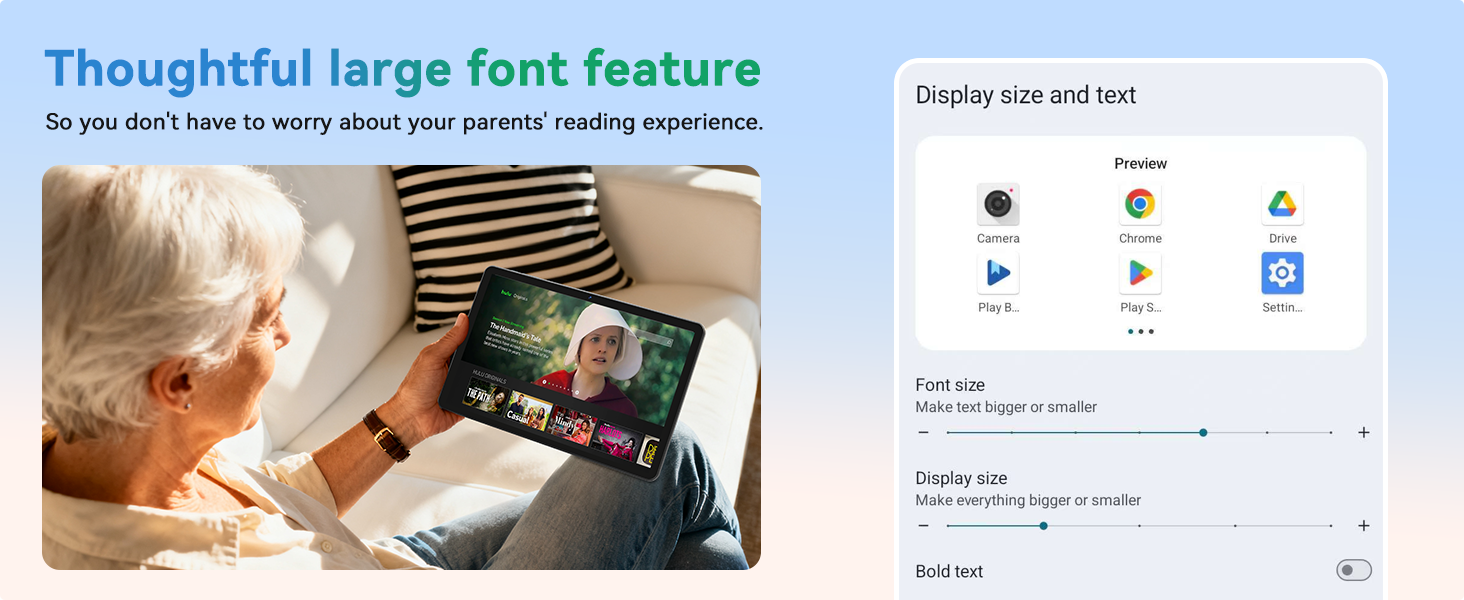
Image: Contents of the SVITOO 10-inch Android Tablet packaging, showing the tablet, protective case, USB-C charging cable, and user manual.
Video: An unboxing video demonstrating the contents of the SVITOO 10-inch Android Tablet package, including the tablet, protective case, and charging accessories.
3. Поставување
- Наполнете го таблетот: Before first use, fully charge the tablet using the provided USB-C cable and power adapter. Connect the USB-C cable to the tablet's charging port and the adapter to a power outlet.
- Вклучување: Press and hold the Power ON/OFF button located on the top edge of the tablet until the screen lights up.
- Волшебник за првично поставување: Следете ги упатствата на екранот за да го завршите почетното поставување. Ова обично вклучува:
- Избирање на вашиот јазик.
- Поврзување со Wi-Fi мрежа.
- Signing in with your Google account (or creating a new one).
- Setting up screen lock (PIN, pattern, or facial recognition).
- Install MicroSD Card (Optional): If you wish to expand storage, insert a MicroSD card (up to 1TB, sold separately) into the dedicated slot on the side of the tablet.

Слика: Детална view of the SVITOO tablet's side, highlighting the USB-C port, headphone jack, volume buttons, power button, and MicroSD card slot.
Video: A demonstration of the SVITOO tablet's features, including its responsive touchscreen and pre-installed Google apps, showcasing the ease of initial setup and navigation.
4. Упатства за работа
4.1 Основна навигација
- Гестови на екран на допир: Допрете за да изберете, повлечете за да скролувате, стиснете за да зумирате.
- Почетен екран: Пристапете до вашите апликации и виџети. Повлечете налево или надесно за да се движите помеѓу екраните.
- Известувања: Повлечете надолу од горниот дел на екранот до view известувања и брзи поставки.
- Неодамнешни апликации: Tap the square (Recent Apps) button to view и префрлајте помеѓу неодамна користените апликации.
4.2 Мултитаскинг на поделен екран
The tablet supports split-screen mode for using two applications simultaneously:
- Отворете ја првата апликација што сакате да ја користите.
- Tap the square (Recent Apps) button.
- Tap the app icon at the top of one of the windows.
- Select "Split screen" from the menu.
- Choose the second app to open alongside the first.

Image: A visual guide demonstrating the steps to activate and use the split-screen dual-mode display feature on the SVITOO tablet.
4.3 Контроли на родители
Utilize Google Family Link for parental controls to manage device usage and app access for children:
- Поставете ограничувања за времето поминато на екранот.
- Block harmful apps and webсајтови.
- Approve or deny app downloads.
- Track your child's location.
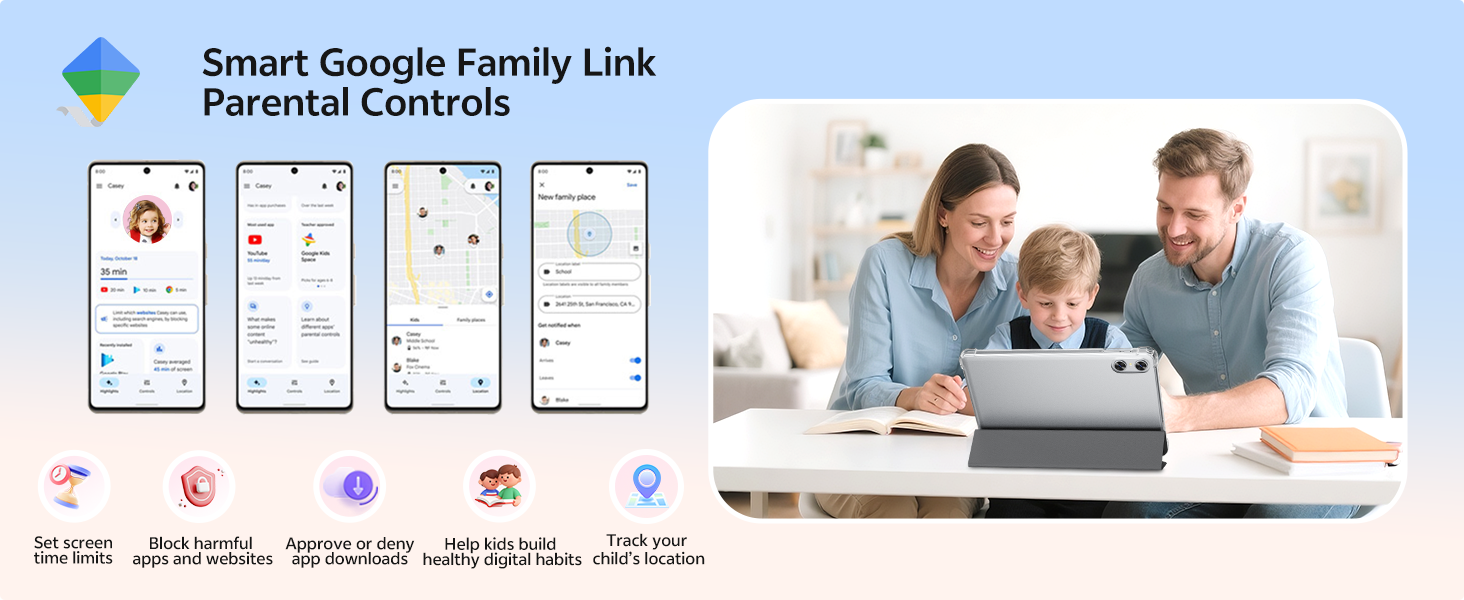
Image: An illustration of the Smart Google Family Link Parental Controls interface, showing various options for managing a child's tablet usage.
4.4 Eye Protection Night Mode
Activate Night Mode for a better reading experience and reduced eye strain, especially in low-light conditions. This feature adjusts screen colors to warmer tones.
4.5 Отклучување со лице
Configure facial recognition technology for quick and secure unlocking of your device. This can be set up in the Security settings.
5. Клучни карактеристики
5.1 Приказ и визуелни елементи
- 10.1-инчен HD IPS екран: Enjoy crisp visuals with a 1280 x 800 resolution and a 16:10 aspect ratio, providing a wide field of view and vibrant colors.
- Widevine L1 сертификација: Supports HD streaming on platforms like Netflix, Prime Video, Disney+, and Hulu.

Image: The SVITOO 10.1-inch HD IPS screen showcasing vibrant colors and clear detail, with logos of streaming services like YouTube, Disney+, Prime Video, Hulu, and Netflix, indicating Widevine L1 support.
Видео: Сеопфатен прегледview of the SVITOO Android Tablet, highlighting its 10-inch display, octa-core processor, and expandable storage, demonstrating its suitability for various tasks.
5.2 Перформанси и складирање
- Осумјадрен процесор: Equipped with a Unisoc T7250 octa-core CPU (or T606 in some variants), ensuring smooth multitasking and efficient performance.
- 20GB RAM (4GB + 16GB): Ample memory for running multiple applications without lag.
- 128GB внатрешна меморија: Generous storage for apps, media, and documents.
- 1TB MicroSD Expandable: Expand storage up to 1TB using a MicroSD card (sold separately).
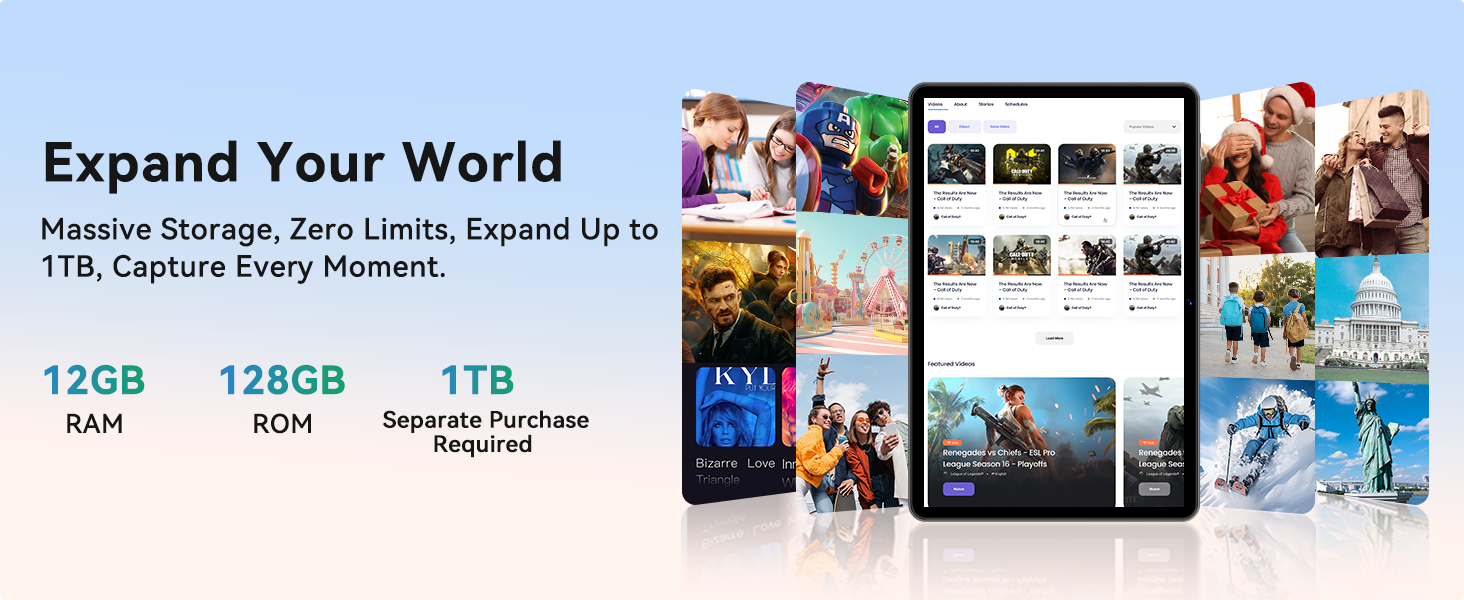
Image: A graphic detailing the SVITOO tablet's memory and storage, showing 12GB RAM, 128GB ROM, and 1TB expandable storage (MicroSD card sold separately).
5.3 Поврзување и батерија
- Wi-Fi со двоен опсег: Supports 2.4/5 GHz Wi-Fi bands for stable and fast internet connections.
- Bluetooth 5.0: Enables seamless pairing with external devices like speakers and headphones.
- Батерија со висок капацитет од 6600 mAh: Provides extended usage for entertainment, work, and learning, with up to 12 hours of video playback or browsing, and 56 days of standby.
- Вграден GPS: For reliable navigation and location tracking.
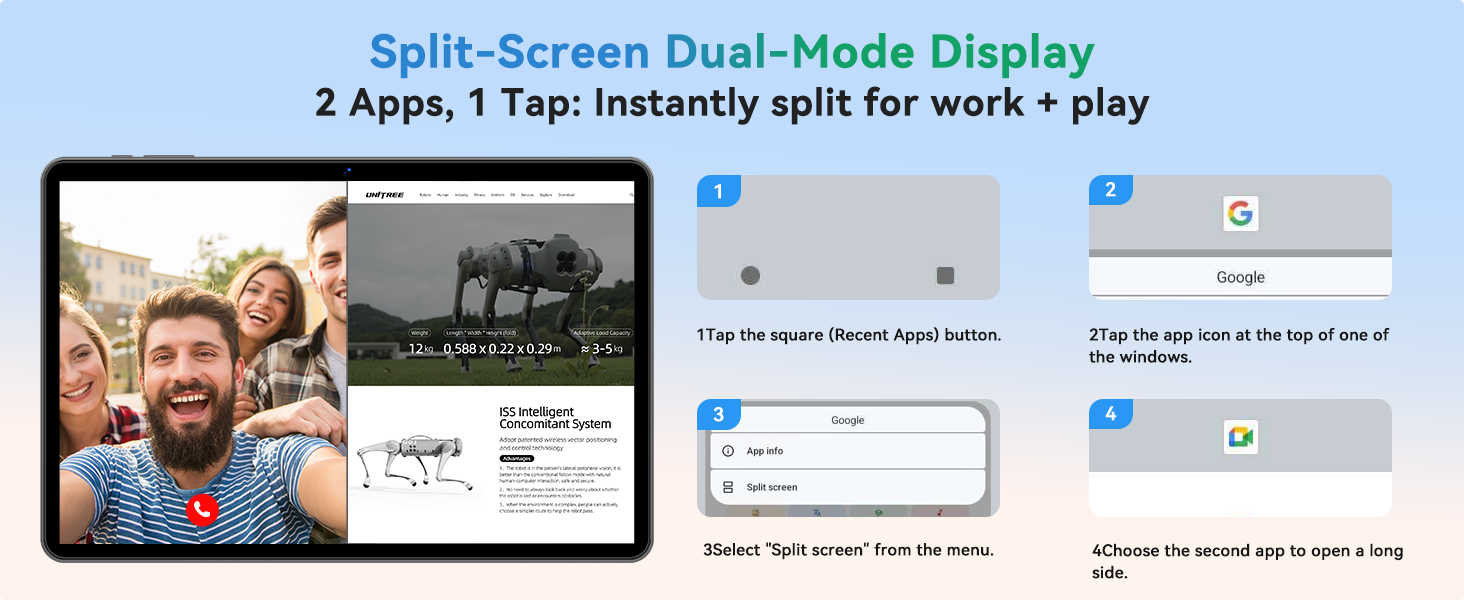
Image: An infographic highlighting the SVITOO tablet's 6600mAh battery, showing estimated usage times for video, music, and browsing, along with Type-C charging and Night Mode features.
5.4 Камери и аудио
- Задна камера: 8MP with autofocus for high-quality photos and videos.
- Предна камера: 2MP for clear video calls and selfies.
- Dual-Box Speakers: Овозможува подобрено аудио искуство.
- Аудио приклучок од 3.5 мм: For wired headphone connections.
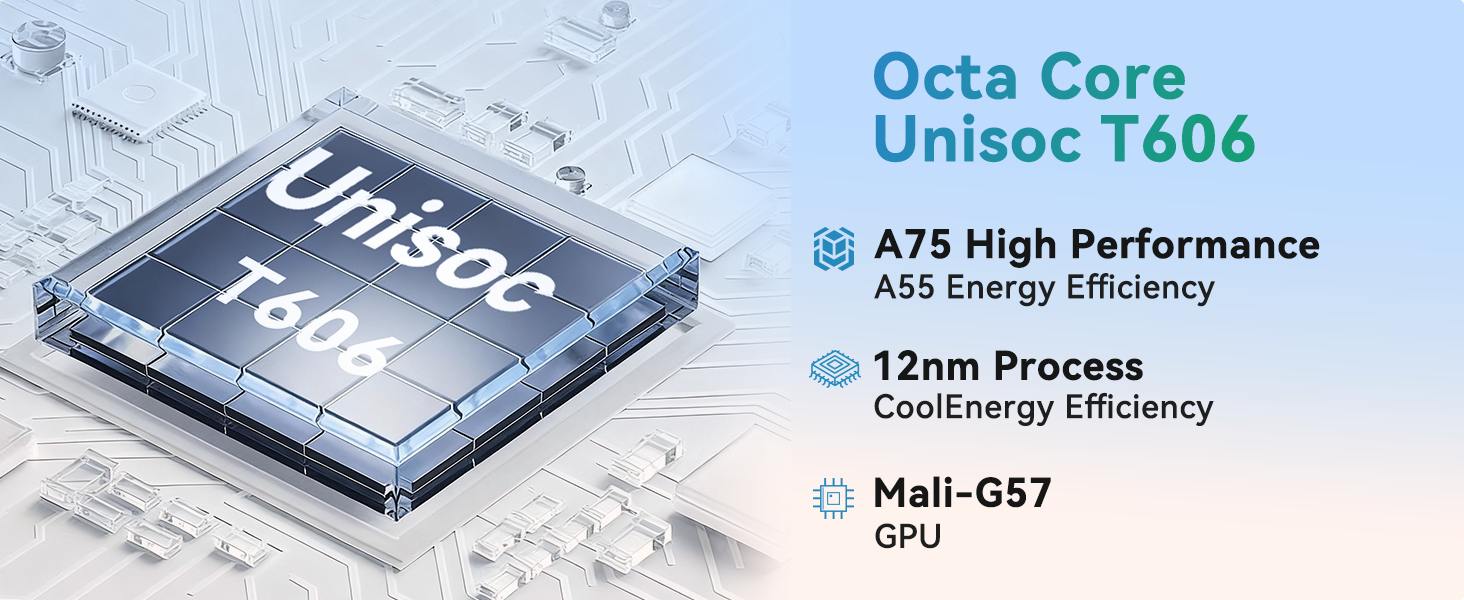
Image: A visual representation of the SVITOO tablet's camera capabilities, featuring a 2MP front camera and an 8MP rear camera, alongside the Smart Google Lens and Face Unlock features.
6. Одржување
- Чистење: Користете мека крпа што не остава влакненца за чистење на екранот и куќиштето. Избегнувајте абразивни средства за чистење или растворувачи.
- Ажурирања на софтверот: Редовно проверувајте и инсталирајте системски ажурирања за да обезбедите оптимални перформанси и безбедност. Одете на Поставки > Систем > Ажурирање на системот.
- Нега на батеријата: За да го продолжите животниот век на батеријата, избегнувајте екстремни температури и не дозволувајте батеријата често да се празни целосно.
- Управување со складирање: Периодично бришете непотребно files and apps to maintain performance. Use the built-in Storage Manager (Поставки > Складирање) to free up space.
- Заштитно куќиште: Keep the tablet in its protective case to guard against drops and scratches.
7 Смена на проблеми
| Проблем | Решение |
|---|---|
| Таблетот не се вклучува | Ensure the tablet is fully charged. Press and hold the power button for 10-15 seconds to perform a force restart. |
| Бавни перформанси | Close unused apps, clear cache, or free up storage space. Consider a factory reset if the issue persists (back up data first). |
| Проблеми со Wi-Fi конекцијата | Restart the tablet and your Wi-Fi router. Forget the network and reconnect. Ensure you are within range. |
| Апликациите паѓаат | Clear the app's cache and data (Settings > Apps > [App Name] > Storage). Update the app or reinstall it. |
| Батеријата брзо се троши | Reduce screen brightness, disable unused features (Bluetooth, GPS), close background apps, or check for rogue apps consuming power. |
8. Спецификации
| Карактеристика | Детал |
|---|---|
| Број на модел | SVITOO Tab 10 GMS Certified 1060T |
| Оперативен систем | Андроид 16 |
| Големина на приказ | 10.1 инчи |
| Резолуција на екранот | 1280 x 800 пиксели (HD IPS) |
| Процесор | Unisoc T7250 Octa-Core (up to 1.8 GHz) |
| RAM меморија | 20GB (4GB + 16GB) |
| Внатрешно складирање | 128 GB |
| Складирање што може да се прошири | До 1TB преку MicroSD картичка (се продава одделно) |
| Капацитет на батеријата | 6600mAh (up to 12 hours average life) |
| Задна камера | 8MP Auto-Focus |
| Предна камера | 2 MP |
| Поврзување | Dual-Band Wi-Fi (802.11ac, b, g, n), Bluetooth 5.0, GPS |
| Пристаништа | USB-C, 3.5mm Audio Jack, MicroSD Card Slot |
| Димензии (ДxШxВ) | 9.7 x 6.4 x 0.4 инчи |
| Тежина на ставката | 2.31 фунти |
9. Гаранција и поддршка
Your SVITOO tablet comes with a 12-month product support period. Amazon offers a 30-day return and exchange policy. If the Amazon return window has passed, please contact SVITOO directly for support.
How to Contact SVITOO Support:
- Through Your Order: Log in to Amazon, go to "Your Orders", find the item, and click "Contact Seller".
- Through the Product Page: On the product page, click the seller’s name, then click "Contact Seller".
Note: Product support does not cover damage caused by human error, natural disasters, or other force majeure events.