
Вовед
The Samsung HW-Q800F Q Series Soundbar with 5.1.2 channels and a subwoofer delivers an immersive audio experience. Featuring True 5.1.2Ch Sound, Wireless Dolby Atmos, Q-Symphony integration with Samsung TVs, and SpaceFit Sound Pro Plus for automatic sound calibration, this system is designed to enhance your home entertainment. This manual provides essential information for setting up, operating, and maintaining your soundbar system.
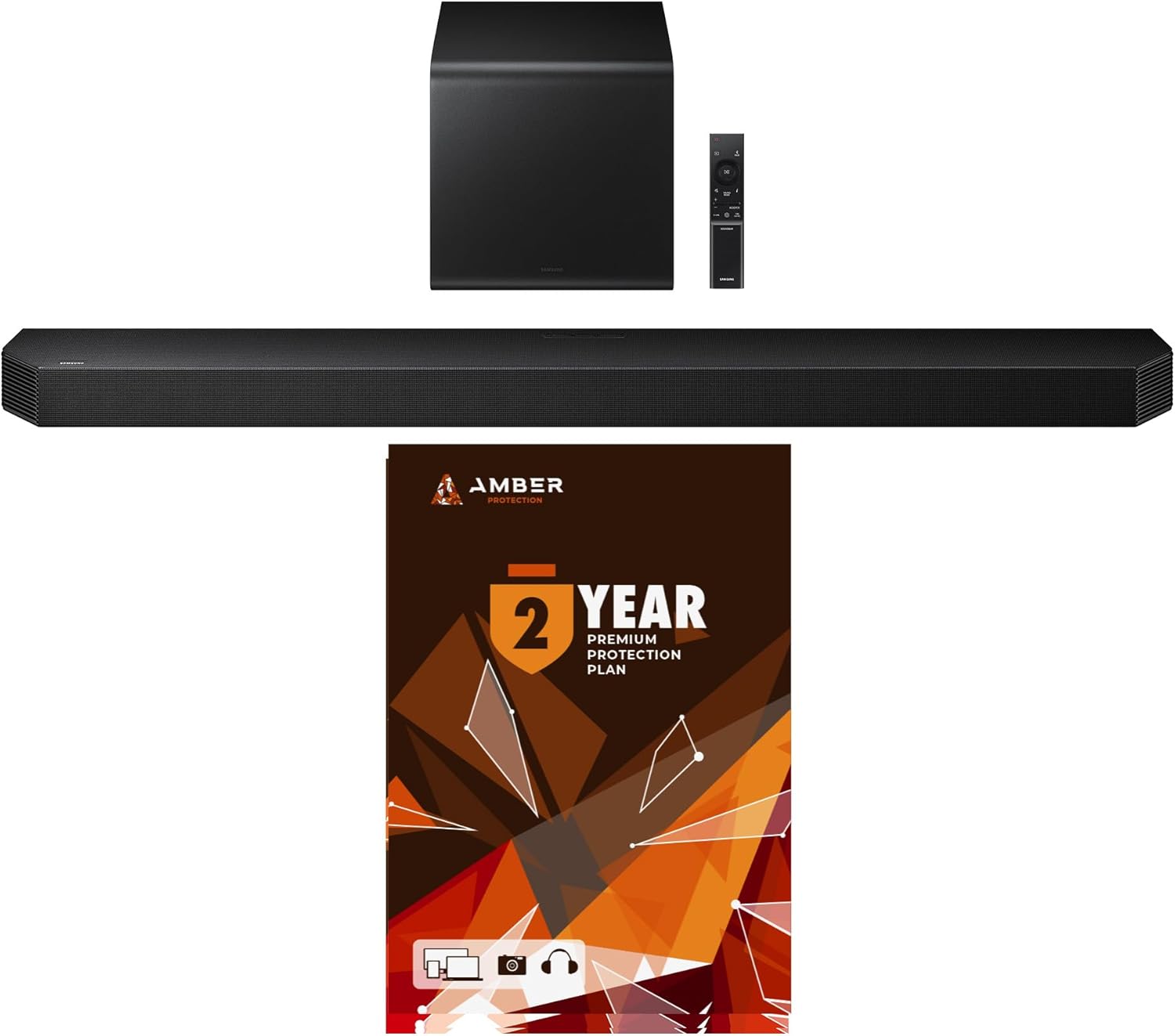
Image: The Samsung HW-Q800F Soundbar system, including the soundbar, wireless subwoofer, remote control, and a visual representation of the Amber Protection Plan.
Што има во кутијата
Внимателно распакувајте го вашиот саундбар систем и проверете дали сите компоненти се присутни:
- Звучна лента
- Сабвуфер
- HDMI кабел
- Комплет за монтирање на Wallид
- Гумени стапала
- Далечински управувач со батерии

Image: A visual representation of the soundbar, subwoofer, and remote control, alongside a list of included accessories and product dimensions.
Поставување
Физичко поставување
For optimal sound performance, place the soundbar centrally below your television. The wireless subwoofer can be placed anywhere in the room, ideally near a wall or corner for enhanced bass. Ensure both units have access to a power outlet.

Image: The Samsung soundbar positioned in front of a television, with the wireless subwoofer placed to the side.
Врски
- Поврзување за напојување: Connect the power cables to the soundbar and subwoofer, then plug them into a wall outlet.
- HDMI (ARC/eARC) Connection: For the best audio quality and control, connect an HDMI cable from the soundbar's HDMI ARC/eARC port to your TV's HDMI ARC/eARC port.
- Bluetooth конекција: For wireless audio from compatible devices (TV, smartphone, laptop), enable Bluetooth on your device and select the Samsung soundbar from the available devices. The soundbar will automatically connect when powered on after initial pairing.
Почетно вклучување
Once connected, power on the soundbar using the remote control or the power button on the unit. The display will show 'HELLO' and then 'BT READY' or the current input. The subwoofer will automatically pair with the soundbar.
Оперативни
Функции на далечински управувач
The included remote control provides full command over your soundbar system. It allows you to:
- Вклучување/исклучување
- Adjust Master Volume
- Control Subwoofer Volume independently
- Change Sound Modes (e.g., Game Mode Pro, Standard, Surround, Adaptive Sound)
- Select Input Source (HDMI, Bluetooth, Wi-Fi)
- Access Settings for channel levels and other audio adjustments
Карактеристики на звукот
- True 5.1.2Ch Sound: Experience multi-dimensional audio with dedicated side and up-firing speakers, creating a truly immersive soundstage.

Image: A visual diagram showing sound waves emanating from the soundbar and subwoofer, illustrating the True 5.1.2ch surround sound experience.
- Безжичен Dolby Atmos: Enjoy the ultimate 3D sound experience with Dolby Atmos, providing overhead and surround sound effects without the need for additional cables.

Image: A diagram depicting sound waves moving upwards and outwards from the soundbar, representing the immersive effect of Wireless Dolby Atmos.
- Q-Симфонија: When paired with a compatible Samsung TV, Q-Symphony allows the soundbar and TV speakers to operate simultaneously, creating a richer and more expansive sound.

Image: A diagram showing sound waves from both a Samsung TV and the soundbar working in harmony to create a more nuanced sound experience.
- SpaceFit Sound Pro Plus: This feature automatically analyzes your room's acoustics using embedded sensors and calibrates the sound and bass settings for optimal audio performance in any environment.
- Активен глас Ampлифирач Про: Enhances dialogue clarity, ensuring voices are clear and distinct even during loud action scenes.
Одржување
To ensure the longevity and optimal performance of your soundbar system, regular maintenance is recommended:
- Keep the soundbar and subwoofer free from dust using a soft, dry cloth.
- Avoid placing liquids or heavy objects on the units.
- Обезбедете соодветна вентилација околу звучната лента и сабвуферот за да спречите прегревање.
- For screen cleaning, use the provided Amber Protection HDTV Screen Cleaner Kit. This non-ammonia and alcohol-free solution cleans without dripping, streaking, or leaving residue, effectively removing dust, dirt, and fingerprints for optimum display brightness and clarity.

Image: The Amber Protection HDTV Screen Cleaner Kit, including a spray bottle of cleaning solution and a microfiber cloth.
Решавање проблеми
If you encounter issues with your soundbar, refer to the following common troubleshooting steps:
| Проблем | Решение |
|---|---|
| Нема звук | Check power connections for both soundbar and subwoofer. Ensure correct input source is selected. Verify TV audio output settings (e.g., external speakers, PCM). |
| Сабвуферот не се поврзува | Ensure subwoofer is powered on. Manually re-pair the subwoofer by pressing the ID SET button on the back of the subwoofer and then the UP button on the soundbar remote for 5 seconds. |
| Проблеми со поврзувањето со Bluetooth | Ensure soundbar is in Bluetooth pairing mode. Delete the soundbar from your device's Bluetooth list and re-pair. Move devices closer to the soundbar. |
| Далечинскиот управувач не работи | Check batteries and replace if necessary. Ensure no obstructions between the remote and the soundbar. |
| Дисторзија на звукот | Reduce volume. Check audio source quality. Adjust sound modes or equalizer settings. |
Спецификации
| Карактеристика | Детал |
|---|---|
| Име на моделот | HW-Q800F/ZA |
| Тип на звучник | Звучна лента со безжичен сабвуфер |
| Конфигурација на каналот за опкружувачки звук | 5.1.2 гл |
| Режим за излез на звук | Опкружувачки |
| Фреквентен одговор | 20 Hz |
| Технологија за поврзување | Bluetooth, Wi-Fi, HDMI |
| Компатибилни уреди | Laptop, Television, Smartphone |
| Димензии на саундбарот (Д x Ш x В) | 4.72" x 43.73" x 2.38" |
| Димензии на сабвуферот (Д x Ш x В) | 9.8" x 9.8" x 9.91" |
| Тежина на ставката | 11.2 фунти |
| Боја | Црното |
| Контролен метод | Далечински управувач |
| Извор на енергија | AC |
Гаранција и поддршка
Your Samsung HW-Q800F Q Series Soundbar comes with a 1-year manufacturer's warranty. Additionally, this bundle includes an extra 1-year Amber Protection Plan, providing a total of 2 years of coverage for your product. This extended protection covers mechanical and electrical failures and includes power surge protection.

Image: Details of the Extended Protection Plan, outlining features such as mechanical & electrical failures, power surge protection, nationwide network of service providers, and 24/7/365 customer support.
For technical support, warranty claims, or service inquiries, please refer to the contact information provided in your product's original packaging or visit the official Samsung support webсајт.