1. Вовед
This manual provides instructions for the Generic APRR/AREA Type TS3203 Toll Tag Holder. This product is designed to securely hold your APRR/AREA toll tag (type TS3203) in your vehicle or on your motorcycle, ensuring optimal detection at toll booths. The kit includes the holder and high-performance double-sided adhesive for easy and durable installation.
2. Содржина на пакетот
Ве молиме проверете дали сите артикли се присутни во вашиот пакет:
- 1 x APRR/AREA Type TS3203 Toll Tag Држач
- 1 x High-performance double-sided adhesive

Image: The TS3203 toll tag holder and its accompanying double-sided adhesive.
3. Компатибилност
This toll tag holder is specifically designed for APRR/AREA toll tags од типот TS3203. It is compatible with both cars and motorcycles. Ensure your toll tag matches the TS3203 type for proper fit and function.
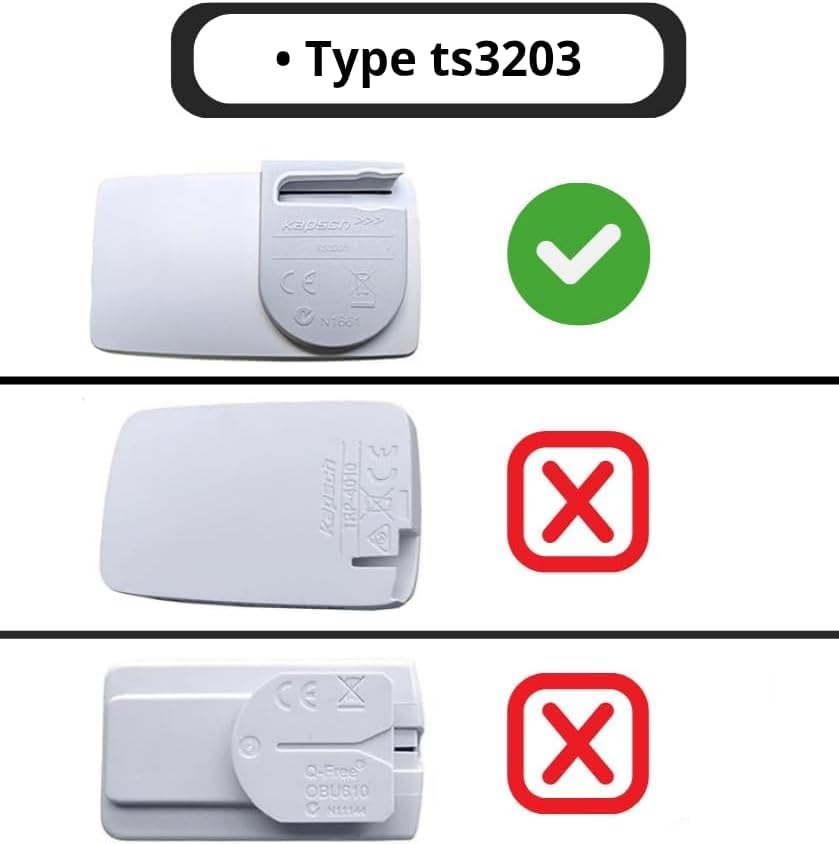
Image: Visual guide for compatible (TS3203) and incompatible toll tag типови.
4. Поставување и инсталација
Follow these steps for proper installation of your toll tag држач:
- Подгответе ја површината: Choose a clean, smooth, and dry area on your vehicle's windshield (for cars) or a suitable flat surface (for motorcycles). Ensure the area is free from dust, grease, or moisture. Clean the surface thoroughly with an alcohol wipe and let it dry completely.
- Prepare the Adhesive: Carefully peel off one side of the protective film from the double-sided adhesive.
- Attach Adhesive to Holder: Align the adhesive with the designated area on the back of the toll tag holder and press firmly to ensure a strong bond.
- Attach Holder to Vehicle: Peel off the remaining protective film from the adhesive. Carefully position the holder on the prepared surface of your windshield or motorcycle. Press firmly for at least 30 seconds to ensure maximum adhesion. Allow the adhesive to cure for a few hours (ideally 24 hours) before inserting the toll tag, especially in extreme temperatures.
- Insert Toll Tag: Once the holder is securely attached, slide your APRR/AREA TS3203 toll tag into the holder. Ensure it is seated correctly and firmly.

Image: Close-up of the high-performance double-sided adhesive.
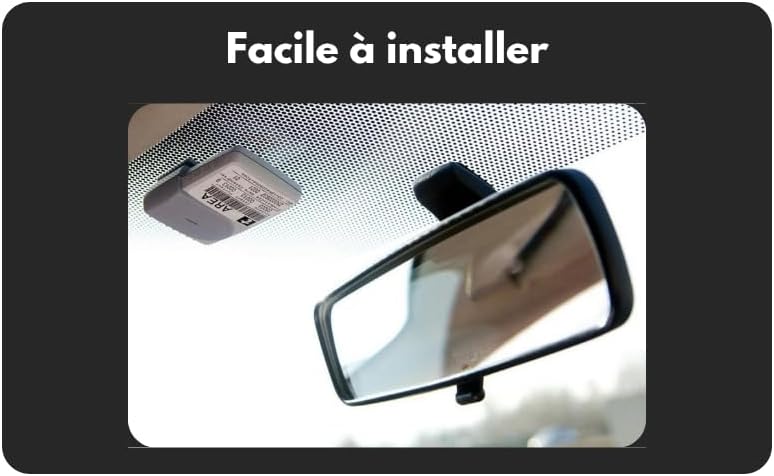
Слика: Прample of the toll tag holder installed on a car windshield.
5. Упатства за работа
Once the holder is installed and the toll tag is inserted, no further action is required for operation. The holder's design ensures proper positioning for optimal signal transmission and detection at toll gates. Ensure the toll tag is always facing outwards towards the toll reader.
6. Одржување
- Чистење: Clean the holder periodically with a soft, damp cloth. Avoid using abrasive cleaners or solvents, as these may damage the plastic.
- Проверка на лепило: Periodically check the adhesive for signs of wear or weakening. If the adhesive shows signs of losing its grip, replace it with a new high-performance automotive-grade double-sided adhesive to prevent the holder from detaching.
- Складирање: If removing the holder for extended periods, store it in a clean, dry place away from direct sunlight.
7 Смена на проблеми
- патарина tag не е откриен:
- Ensure the toll tag is correctly inserted into the holder and facing the correct direction.
- Verify the holder is securely attached to the windshield/motorcycle in a clear, unobstructed area. Avoid placing it behind tinted strips or other objects that might block the signal.
- Check if the toll tag itself is active and functional. Contact your toll service provider if you suspect an issue with the tag.
- Holder detaches from surface:
- Пред првичното нанесување, проверете дали површината за инсталација е темелно исчистена и сува.
- Reapply with new high-performance double-sided adhesive, following the installation instructions carefully. Ensure adequate curing time.
8. Спецификации
| Производител | 3D Build |
| Бренд | Генерички |
| Модел | TS3203 |
| Тежина на ставката | 10 гр |
| Димензии на пакетот | 4.9 x 3 x 1.5 cm |
| Референца на производителот | 3DBKTS |
| ASIN | B0F63CLDKY |
| Материјал | Resistant Plastic |

Слика: Детална view of the TS3203 toll tag држач.
9. Гаранција и поддршка
For warranty information or technical support regarding your Generic APRR/AREA Type TS3203 Toll Tag Holder, please contact your retailer or the manufacturer directly. It is recommended to keep your purchase receipt as proof of purchase.

