
1. Вовед
This manual provides essential information for setting up, operating, maintaining, and troubleshooting your HP OMEN 16L Gaming Desktop PC. Please read this manual thoroughly before using your new desktop to ensure proper functionality and longevity.
The OMEN 16L Gaming Desktop PC features an Intel Core Ultra 5 225F processor, 16 GB DDR5 RAM, a 1 TB PCIe Gen4 NVMe M.2 SSD, and NVIDIA GeForce RTX 5060 graphics. It comes pre-installed with Windows 11 Home and includes Microsoft Copilot for enhanced productivity.
2. Што има во кутијата
Проверете дали сите предмети се присутни во пакувањето:
- OMEN 16L десктоп компјутер за игри TG03-0120 компјутер
- HP USB бела жичена тастатура
- HP USB бел жичен глушец
- Напојување од 500 W 80 Plus Platinum сертифицирано
- Инструкции за поставување
- 3 months of PC Game Pass (digital entitlement)
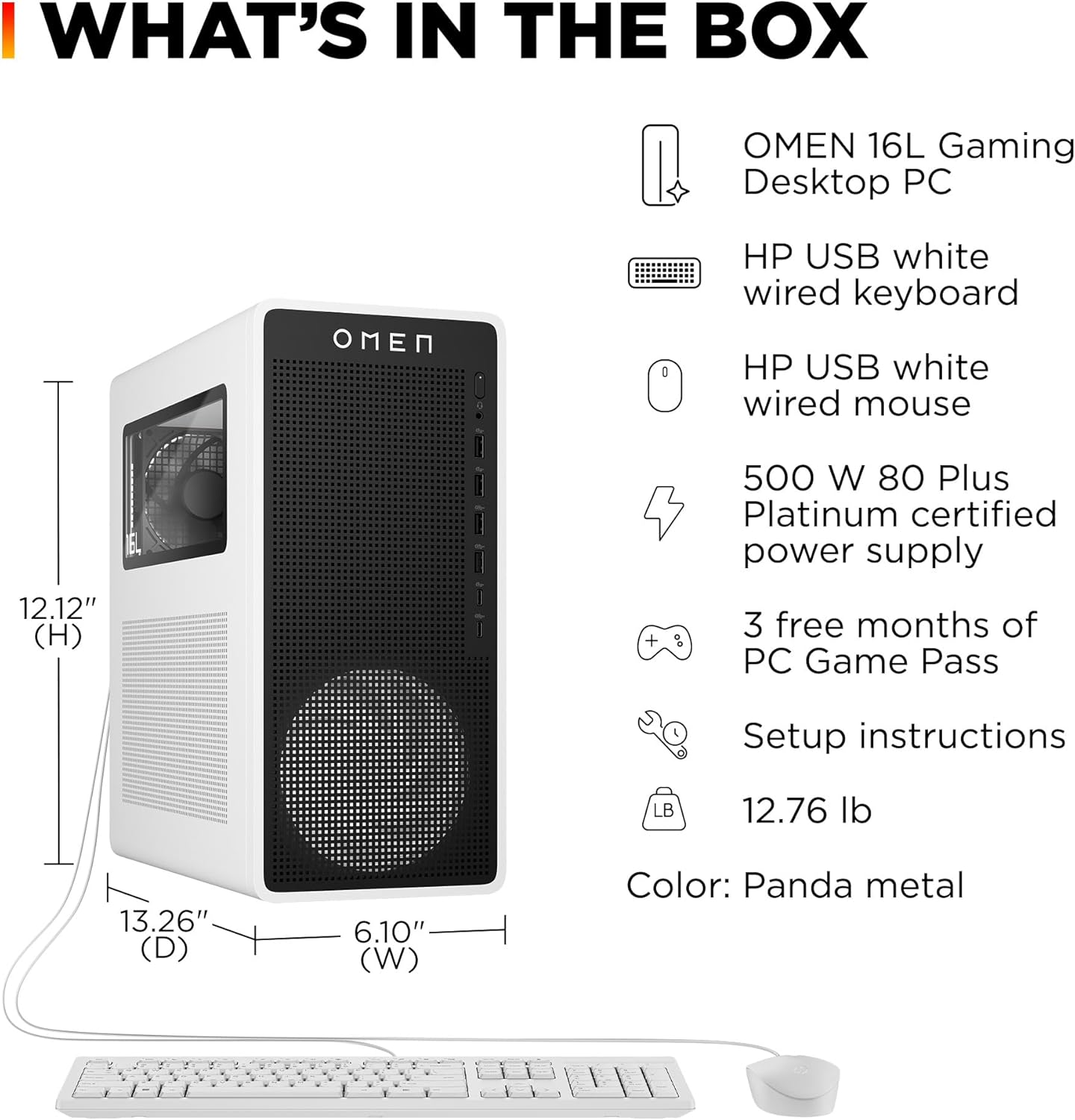
Image: The OMEN 16L Gaming Desktop PC, along with the included HP USB white wired keyboard and mouse, and a list of package contents.
3. Упатства за поставување
- Распакувајте ја работната површина: Carefully remove the OMEN 16L Gaming Desktop PC and all accessories from the packaging.
- Поврзете периферни уреди:
- Connect the HP USB white wired keyboard to an available USB port.
- Connect the HP USB white wired mouse to an available USB port.
- Connect your monitor(s) to the appropriate video output ports (HDMI or DisplayPort) on the graphics card.
- Поврзете напојување: Connect the 500 W power supply to the desktop and then plug the power cable into a wall outlet.
- Вклучување: Притиснете го копчето за вклучување на предната страна од работната површина.
- Почетно поставување: Follow the on-screen instructions to complete the Windows 11 Home setup, including network connection, user account creation, and system preferences.

Image: Front panel ports of the OMEN 16L Desktop, including headphone, microphone, and USB ports.
4. Упатства за работа
4.1. Windows 11 Home and Microsoft Copilot
Your desktop comes with Windows 11 Home, offering a modern interface and enhanced features. Microsoft Copilot is integrated to assist with tasks, creativity, and communication. Access Copilot via the dedicated key on your keyboard or through the Windows taskbar.
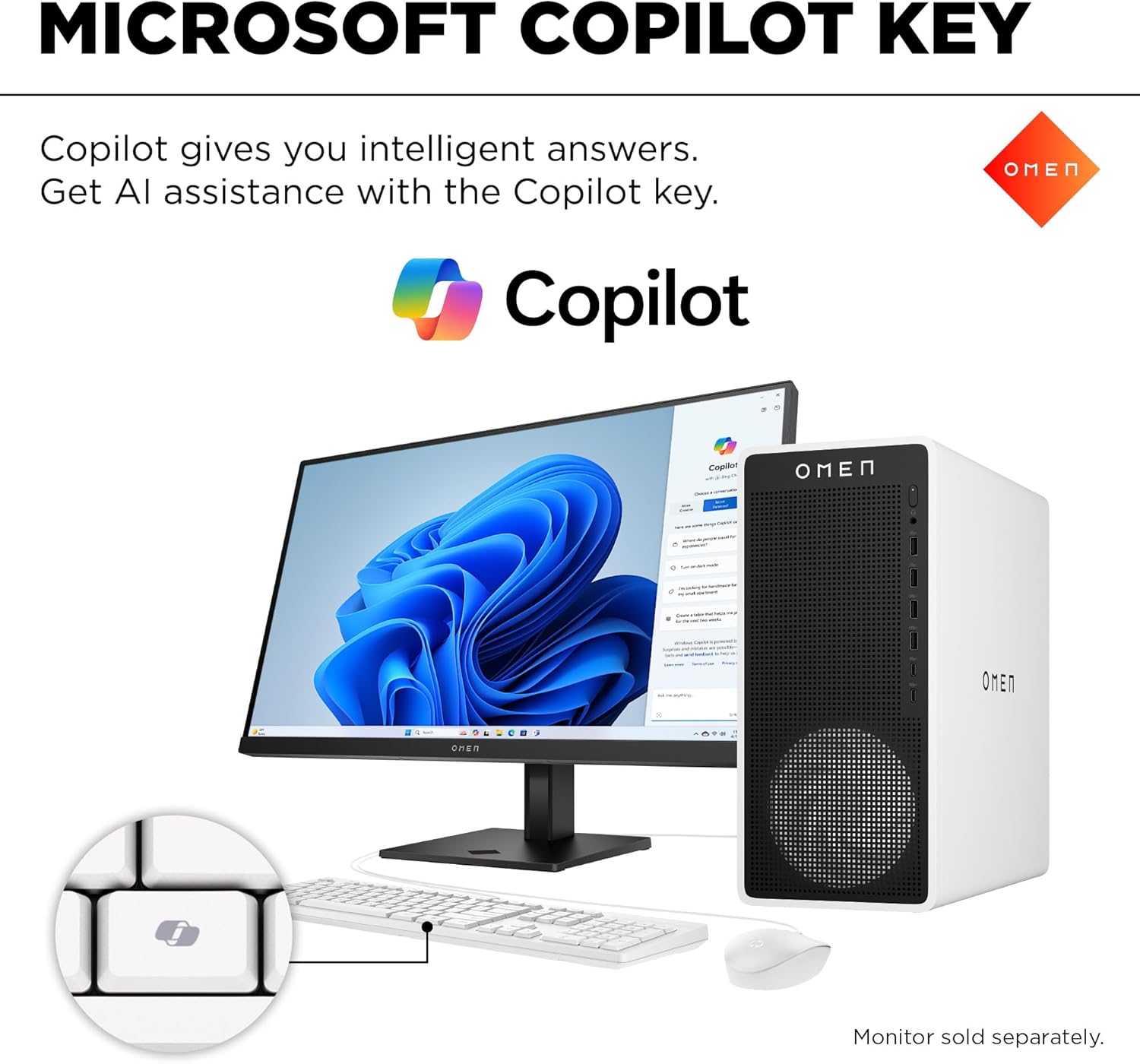
Image: The OMEN 16L Desktop setup showing the Microsoft Copilot feature on the display and the dedicated Copilot key on the keyboard.
4.2. OMEN Light Studio
Personalize the RGB lighting effects of your desktop and connected OMEN devices using OMEN Light Studio. This application allows you to choose from various effects like ambient, wave, and interactive lighting to match your preferences.

Image: The OMEN 16L Desktop with a monitor displaying the OMEN Light Studio software for RGB customization.
4.3. OMEN AI and OMEN Gaming Hub
OMEN AI provides personalized settings recommendations to optimize FPS for supported games, eliminating the need for manual adjustments. The OMEN Gaming Hub is a central application for software enhancements, hardware control, and access to live services, designed to enhance your gaming experience.

Image: The OMEN 16L Desktop with a monitor displaying the OMEN Gaming Hub software.
4.4. DTS X Ultra Technology
This technology provides authentic, spatially accurate 3D sound, enhancing the depth and immersion for games, movies, and music.
5. Спецификации
| Карактеристика | Детал |
|---|---|
| Бренд | HP |
| Име на моделот | OMEN 16L десктоп компјутер за игри TG03-0120 компјутер |
| Оперативен систем | Windows 11 Home |
| Процесор | Intel Core Ultra 5 225F (up to 4.9 GHz) |
| Графичка картичка | NVIDIA GeForce RTX 5060 (8 GB GDDR7 dedicated) |
| RAM меморија | 16 GB DDR5 (5600 MT/s, 2 x 8 GB) |
| Складирање | 1 TB PCIe Gen4 NVMe M.2 SSD |
| Поврзување | Wi-Fi 6E (2x2), Bluetooth 5.3, Realtek RTL8125BGH-CG 10/100/1000/2500M GbE Ethernet |
| Порти (напред) | 1 USB Type-C 10Gbps, 1 USB Type-C 5Gbps, 2 USB Type-A 10Gbps, 2 USB Type-A 5Gbps, 1 Headphone/Microphone combo |
| Видео излез | 1 HDMI 2.1b, 3 DisplayPort 2.1b |
| Аудио | 5.1 surround sound; Omen Audio Control Support DTS:X Ultra |
| Димензии (Ш x Д x В) | 6.1 x 13.26 x 12.12 инчи |
| Тежина | 12.83 фунти |
| Напојување | 500 W 80 Plus Platinum certified |
| Боја | Panda Metal (Snow White metal chassis, white metal bezel, black accents) |
6. Одржување
- Чистење: Regularly clean the exterior of the desktop with a soft, dry cloth. Use compressed air to clear dust from vents and fans to ensure optimal airflow and prevent overheating.
- Ажурирања на софтверот: Keep your Windows operating system, drivers (especially graphics drivers), and OMEN software updated to the latest versions for performance and security.
- System Backups: Периодично правете резервна копија на важните податоци на надворешен диск или складирање во облак за да спречите губење на податоци.
7 Смена на проблеми
- Без моќност: Ensure the power cable is securely connected to both the desktop and a working wall outlet. Check the power supply switch if available.
- Нема приказ: Verify that your monitor is powered on and correctly connected to the graphics card's video output port. Try a different cable or port if available.
- Забавување на системот: Check for background applications consuming resources. Ensure sufficient free space on your SSD. Run system diagnostics or antivirus scans.
- Периферни проблеми: If the keyboard or mouse is not responding, try connecting them to different USB ports. Ensure drivers are up to date.
8. Гаранција и поддршка
The HP OMEN 16L Gaming Desktop PC comes with a 1-годишна ограничена хардверска гаранција и 1-year limited technical support for software and initial setup. For warranty claims or technical assistance, please refer to the contact information provided in your product's documentation or visit the official HP support webсајт.
9. Видеа за производи
Gaming Ready with HP OMEN 16L
Видео: Оверview demonstrating the HP OMEN 16L Gaming Desktop PC's capabilities and features, highlighting its readiness for gaming.