
1. Вовед
Thank you for choosing the SANNCE PoE NVR 4K 8 Channel Security Camera System. This manual provides essential information for the proper installation, operation, and maintenance of your Network Video Recorder (NVR). Please read this manual thoroughly before using the product and retain it for future reference. This NVR supports up to 8 channels of 8MP cameras, along with 2 additional IP cameras, offering comprehensive surveillance capabilities with 4K HD quality output.
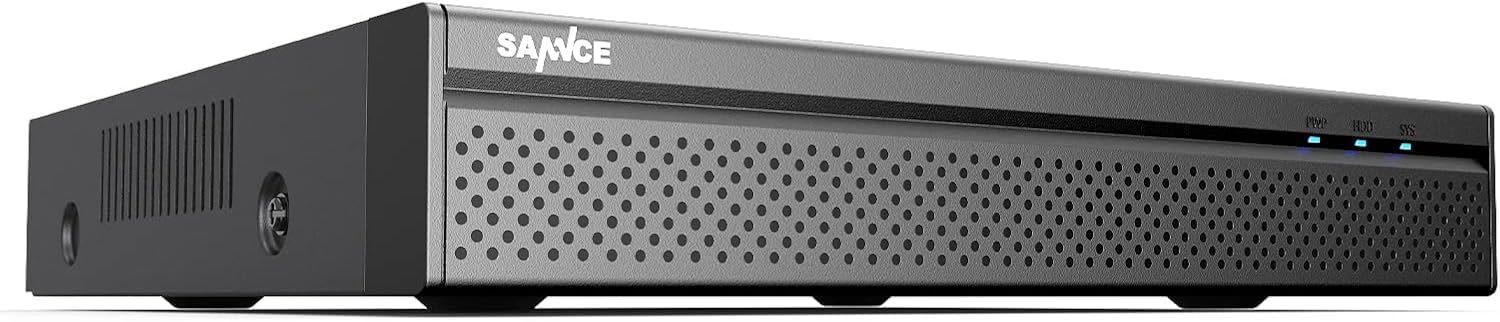
Слика 1: SANNCE PoE NVR 4K 8 Channel Security Camera System (Illustrative)
2. Информации за безбедност
- Напојување: Користете го само наведениот адаптер за напојување. Неточен волуменtage може да го оштети уредот и да ја поништи гаранцијата.
- Вентилација: Ensure proper ventilation around the NVR to prevent overheating. Do not block ventilation openings.
- Животна средина: Избегнувајте поставување на NVR на екстремни температури, висока влажност, прашливи средини или директна сончева светлина.
- Ракување: Ракувајте со уредот внимателно. Избегнувајте испуштање или изложување на силни удари.
- Чистење: Исклучете го напојувањето пред чистење. Користете мека, сува крпа. Не користете течни или аеросолни средства за чистење.
- Сервисирање: Не обидувајте се сами да го расклопите или поправите NVR-от. За сите сервисирања обратете се на квалификуван персонал.
3. Содржина на пакетот
Please check the package contents upon receipt. If any items are missing or damaged, contact your retailer immediately.
- SANNCE PoE NVR (Model: 61BH)
- Адаптер за напојување за NVR
- USB глушец
- Етернет кабел
- Водич за брз почеток
- Mounting Screws (for HDD installation, if applicable)
4. Поставување
4.1 Хардверска врска
Следете ги овие чекори за да ги поврзете вашиот NVR и камерите:
- Поврзете го мониторот: Connect a monitor to the NVR's HDMI or VGA output port using an appropriate cable.
- Поврзете го глувчето: Вклучете го USB-глушецoт во еден од USB-портите на NVR-от.
- Поврзете мрежа: Connect the NVR's LAN port to your router or network switch using an Ethernet cable for internet access and remote viewинг.
- Connect PoE Cameras: Connect your PoE IP cameras to the NVR's PoE ports using Ethernet cables. The NVR will provide both power and data transmission to the cameras.
- Connect Non-PoE IP Cameras (Optional): If you have additional non-PoE IP cameras, connect them to your network (via a separate PoE switch or power adapter) and ensure they are on the same network as the NVR. You can add up to 2 additional IP cameras.
- Поврзете напојување: Connect the NVR's power adapter to the DC 12V input port and then plug it into a power outlet. The NVR will power on automatically.
Слика 2: Illustrative diagram of NVR rear panel connections (HDMI, VGA, LAN, USB, PoE ports, DC 12V power input).
4.2 Почетна конфигурација
Upon first boot-up, the NVR will guide you through a setup wizard:
- Ставете лозинка: Create a strong password for the admin account.
- Мрежни поставки: Configure network settings (DHCP is usually enabled by default). Ensure the NVR has internet access for remote viewкарактеристики.
- Датум и време: Поставете го точниот датум, време и временска зона.
- Иницијализација на HDD: If a new hard drive is installed, the system may prompt you to initialize or format it. Follow the on-screen instructions.
- Camera Search: The NVR will automatically search for and add connected PoE cameras. For non-PoE IP cameras, you may need to add them manually via the camera management interface.
- Заврши: Complete the wizard to access the live view интерфејс.
5. Упатства за работа
5.1 Во живо View
After initial setup, the NVR will display the live view of all connected cameras. You can switch between single-camera view, мрежа со повеќе камери view, and access various controls via the on-screen menu (right-click with the mouse).
5.2 Режими на снимање
NVR поддржува неколку режими на снимање:
- Континуирано снимање: Снимки 24/7.
- Снимање на откривање на движење: Records only when motion is detected in the camera's field of view.
- Закажано снимање: Снима според однапред дефиниран распоред.
- Снимање аларм: Records when an external alarm device is triggered.
- Intelligent Detection Recording: If supported by the front-end camera protocol, the NVR can record based on human, face, or vehicle detection.
Configure recording schedules and detection zones in the NVR's menu under "Record" or "Alarm" settings.
5.3 Далечински пристап
Access your NVR remotely using the SANNCE App (Sannce Vision) or client software:
- Преземи апликација: Download the "Sannce Vision" app from your smartphone's app store.
- Регистрирајте сметка: Направете сметка и најавете се.
- Додај уред: Scan the NVR's QR code (usually found in the NVR's network settings or on a sticker on the device) or manually enter the device ID to add your NVR.
- View Live/Playback: Откако ќе се додаде, можете view live feeds, play back recordings, and receive real-time alerts on your mobile device or computer.
Ensure your NVR has a stable internet connection for reliable remote access and alert notifications.
5.4 Репродукција
За повторноview снимен footage:
- Пристап до репродукција: Десен-клик на живо view screen and select "Playback" from the menu.
- Select Date & Channel: Choose the desired date and camera channel(s) for playback.
- Пребарување: Use the timeline or intelligent retrieval options (by time point, calendar, event, channel, face, or vehicle) to find specific recordings.
- Контрола на репродукција: Користете ги контролите за репродукција (репродукција, пауза, брзо премотување напред, премотување назад) за да се движите низ содржината.tage.
6. Одржување
- Редовно чистење: Keep the NVR and cameras clean from dust and debris. Use a soft, dry cloth.
- Ажурирања на фирмверот: Periodically check the SANNCE official website for firmware updates to ensure optimal performance and security. Follow update instructions carefully.
- Управување со хард диск: The NVR supports up to 12 TB hard drives for 24/7 recording. Regularly check the HDD status in the NVR settings to ensure it is functioning correctly. Back up important footagд по потреба.
- Безбедност на лозинка: Change your NVR and app passwords regularly to maintain security.
7 Смена на проблеми
| Проблем | Можна причина | Решение |
|---|---|---|
| Нема видео излез на мониторот. | Loose cable connection, incorrect input source on monitor, NVR not powered on. | Check HDMI/VGA cable connections. Ensure monitor is set to correct input. Verify NVR power. |
| Камерите не се прикажуваат во живо view. | PoE cable issue, camera not powered, camera not added to NVR, network issue for non-PoE cameras. | Check PoE cable connections. Ensure cameras are powered. Go to "Camera Management" to search and add cameras. Verify network connectivity for non-PoE cameras. |
| Далечинскиот пристап не работи. | NVR not connected to internet, incorrect network settings, app issues. | Verify NVR's internet connection. Check network settings (DHCP/Static IP). Ensure correct device ID is entered in the app. Restart NVR and router. |
| No recording or incomplete recording. | HDD not initialized/full, recording schedule not set, motion detection not configured. | Check HDD status and initialize/format if needed. Review recording schedules. Configure motion detection zones and sensitivity. |
| System freezes or restarts unexpectedly. | Overheating, power supply issue, firmware issue, faulty HDD. | Ensure proper ventilation. Check power adapter. Update firmware. Check HDD health. Contact support if issues persist. |
8. Спецификации
| Карактеристика | Детал |
|---|---|
| Број на модел | 61БХ |
| Видео влез | 8-channel PoE (up to 8MP), 2-channel IP (up to 8MP) |
| Видео излез | HDMI (up to 4K), VGA |
| PoE пристаништа | 8 x 100Mbps, IEEE 802.3af/at compliant (up to 30W per port) |
| Видео компресија | H.264 + |
| Поддршка за хард диск | До 12 TB (HDD не е вклучен) |
| Поврзување | Жичен етернет |
| Посебни карактеристики | App Control, Human/Face/Vehicle Detection (camera dependent) |
| Извор на енергија | DC 12V (Corded Electric) |
| Димензии (Д x Ш x В) | 9 x 2 x 3 инчи |
| Тежина на ставката | 4 фунти |
9. Гаранција и поддршка
SANNCE products are designed for reliability and performance. For detailed warranty information, please refer to the warranty card included with your product or visit the official SANNCE webсајт.
If you encounter any issues or have questions regarding your SANNCE PoE NVR, please contact SANNCE customer support through their official website or the contact information provided in your product packaging. Please have your model number (61BH) and purchase details ready when contacting support.