
1. Вовед
This manual provides detailed instructions for the MCHOSE A5 Ultra V2 Wireless Gaming Mouse. Designed for high-performance gaming, this mouse combines a lightweight, symmetrical design with advanced connectivity and sensor technology. Please read this manual thoroughly to ensure proper setup and optimal use of your device.
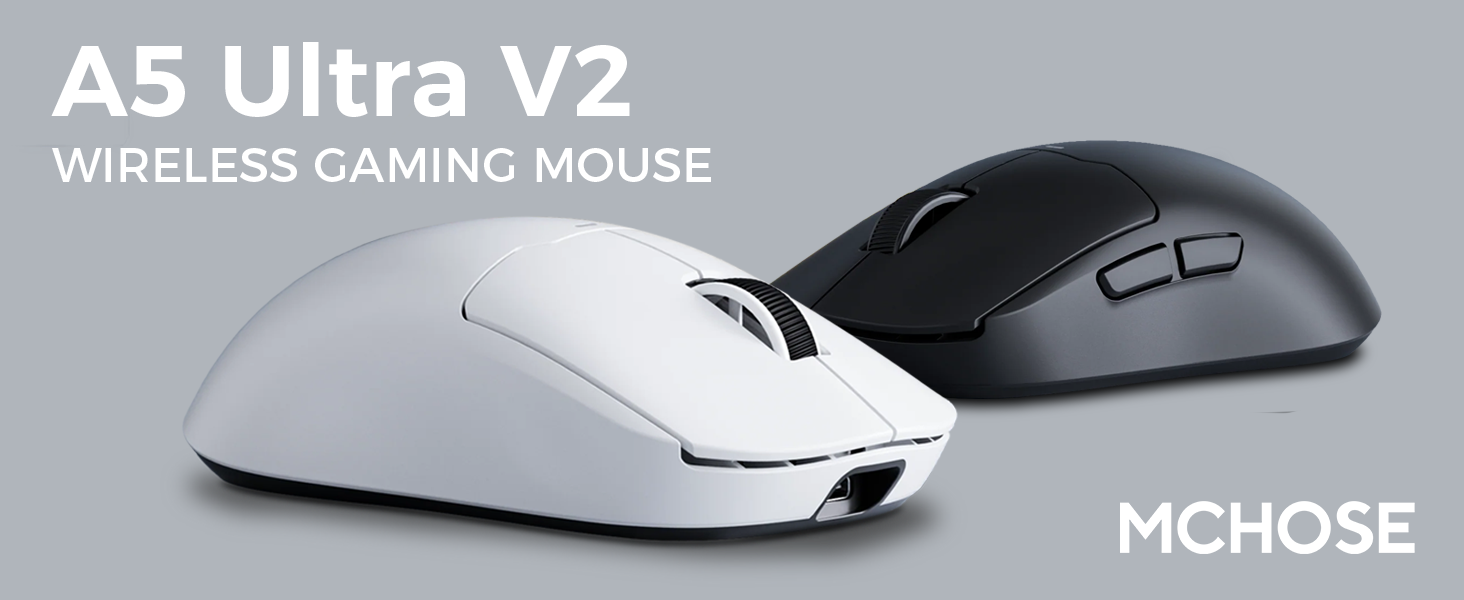
Figure 1: MCHOSE A5 Ultra V2 Wireless Gaming Mouse Overview
2. Клучни карактеристики
- Лесен дизајн: Weighing only 54g, the mouse offers optimal control and comfort for extended gaming sessions.

Figure 2: Lightweight design for enhanced comfort.
- High Precision PAW3395 Optical Sensor: Achieve maximum accuracy with up to 26,000 DPI for precise tracking.

Figure 3: PAW3395 optical sensor for high precision.
- Wired 8K/Wireless 4K Polling Rate: Experience ultra-low-latency and lightning-fast response times with up to 8000Hz wired and 4000Hz wireless polling rates.

Figure 4: Illustrating the 4K wireless polling rate capability.
- Трирежимска врска: Connect via ultra-low-latency 2.4GHz wireless, Bluetooth, or wired USB for versatile use across various devices.

Figure 5: Tri-mode connectivity options.
- Custom Software: Utilize the dedicated software to store custom settings for buttons, DPI adjustments, polling rates, and gaming modes directly on the mouse's onboard memory.

Figure 6: Custom software for personalized settings.
- Долготрајна батерија: Enjoy up to 130 hours of battery life on a single charge, minimizing interruptions during gameplay.
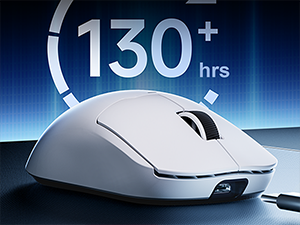
Figure 7: Extended battery life for prolonged use.
3. Упатства за поставување
The MCHOSE A5 Ultra V2 offers three connection modes: 2.4GHz wireless, Bluetooth, and wired USB.
3.1. Безжична конекција од 2.4 GHz
- Locate the 2.4GHz USB receiver (dongle) inside the mouse's bottom compartment.
- Приклучете го USB-приемникот во достапна USB порта на вашиот компјутер.
- Turn on the mouse using the switch located on the bottom. Ensure it is set to the 2.4GHz wireless mode (usually indicated by a specific position or LED color).
- Your computer should automatically detect the mouse. If not, try restarting your computer or replugging the receiver.

Figure 8: USB receiver stored in the mouse compartment.
3.2. Поврзување со Bluetooth
- Вклучете го глувчето и поставете го прекинувачот на дното во режим Bluetooth.
- На вашиот компјутер или уред, одете до поставките за Bluetooth.
- Initiate the pairing process on your device. The mouse should appear as "MCHOSE A5 Ultra V2" or similar.
- Изберете го глувчето за спарување. Следете ги сите упатства на екранот.
3.3. Жична USB конекција
- Поврзете го испорачаниот USB-C кабел со предниот порт на глувчето.
- Поврзете го другиот крај на кабелот со достапна USB порта на вашиот компјутер.
- Глувчето автоматски ќе се префрли во жичен режим и ќе почне да се полни.
4. Упатства за работа
4.1. Основни функции
- Лев клик: Примарна акција.
- Десен клик: Секундарно мени за акција/контекст.
- Тркало за лизгање: Скролувајте нагоре/надолу, кликнете со среден клик.
- Странични копчиња: Typically configured for forward/backward navigation in web browsers. Customizable via software.
4.2. Прилагодување на DPI
The mouse features a dedicated DPI button (often located on the bottom or top, near the scroll wheel) to cycle through preset DPI levels. For fine-tuning and custom DPI settings, use the MCHOSE custom software.
4.3. Custom Software Usage
Download the MCHOSE custom software from the official MCHOSE webстраница. Овој софтвер ви овозможува да:
- Премести ги копчињата.
- Adjust DPI levels and create custom profiles.
- Modify polling rates.
- Configure macros.
- Manage gaming modes.
Settings are stored on the mouse's onboard memory, allowing you to use your custom configurations on any computer without the software installed.
5. Одржување
- Чистење: Користете мека, сува крпа за чистење на површината на глувчето. За тврдокорна нечистотија, малкуamp cloth can be used, ensuring no moisture enters the device. Avoid harsh chemicals or abrasive materials.
- Чистење на сензорот: Periodically clean the optical sensor on the bottom of the mouse with a cotton swab to ensure optimal tracking performance.
- Нега на батеријата: To prolong battery life, avoid fully discharging the mouse frequently. Charge the mouse when the battery indicator is low.
- Складирање: Кога не го користите подолго време, чувајте го глувчето на ладно и суво место.
6 Смена на проблеми
| Проблем | Можна причина | Решение |
|---|---|---|
| Глувчето не реагира (Безжично) | Low battery; USB receiver disconnected; Incorrect mode selected. | Charge the mouse; Re-plug the USB receiver; Ensure the mouse is in 2.4GHz or Bluetooth mode. |
| Глувчето не реагира (Bluetooth) | Not paired; Bluetooth off on device; Low battery. | Re-pair the mouse; Enable Bluetooth on your device; Charge the mouse. |
| Неточно следење | Dirty sensor; Unsuitable surface; Incorrect DPI setting. | Clean the optical sensor; Use a mouse pad or suitable surface; Adjust DPI settings. |
| Копчињата не работат | Софтверски конфликт; Физичко оштетување. | Restart computer; Check custom software settings; Contact support if physical damage is suspected. |
| Краток век на батеријата | Frequent high polling rate use; Battery degradation. | Reduce polling rate if not critical; Ensure full charges; Contact support if battery life significantly degrades. |
7. Спецификации на производот
| Карактеристика | Детал |
|---|---|
| Модел | A5 Ultra V2 |
| Бренд | MCHOSE |
| Технологија за поврзување | 2.4GHz Wireless, Bluetooth, USB Wired |
| Технологија за откривање на движење | Optical (PAW3395) |
| Макс ДПИ | 26,000 DPI |
| Стапка на анкети | Wired 8000Hz, Wireless 4000Hz |
| Тежина на ставката | 54 грама (2.12 унци) |
| Траење на батеријата | До 130 часа |
| Батерии | 1 литиум-јонска батерија (вклучена) |
| Боја | Black (as per current variant) |
| Димензии на пакетот | 7.36 x 4.53 x 3.31 инчи |
| Компатибилност на оперативниот систем | Linux, Windows |
8. Гаранција и поддршка
This MCHOSE product is covered by a standard manufacturer's warranty. For specific warranty details, please refer to the warranty card included in your product packaging or visit the official MCHOSE webсајт.
For technical support, troubleshooting assistance, or warranty claims, please contact MCHOSE customer service through their official webстраницата или информациите за контакт наведени во документацијата за вашиот производ.
Note: Protection plans may be available for purchase separately through retailers. These plans are not directly provided by MCHOSE.