Вовед
This manual provides essential instructions for the installation, operation, and maintenance of your TOPHATTER 10.25-inch Multimedia Player for Mercedes-Benz W204 NTG4.0 systems. This device enhances your vehicle's infotainment capabilities with advanced features like Android 13, wireless CarPlay, Android Auto, and DSP audio processing.

Слика: Надview of the multimedia player's key features, including Snapdragon 668S, Android 13, 4G+5G WiFi, CarPlay, Android Auto, DSP, and 1920x720 HD resolution.
Поставување и инсталација
The TOPHATTER Multimedia Player is designed for plug-and-play installation, integrating seamlessly with your Mercedes-Benz W204 NTG4.0 system. Professional installation is recommended to ensure proper functionality and avoid damage to your vehicle's electrical system.
Список за проверка пред инсталацијата:
- Осигурајте се дека палењето на возилото е исклучено и дека батеријата е исклучена.
- Соберете ги потребните алатки (на пример, алатки за отстранување украси, шрафцигери).
- Confirm compatibility with your specific Mercedes-Benz W204 NTG4.0 system.
Чекори за инсталација (општо):
- Carefully remove the original head unit or display following vehicle-specific guides.
- Connect the provided wiring harness to the vehicle's existing connectors.
- Mount the new 10.25-inch display into the dashboard opening.
- Secure all connections and reassemble the dashboard trim.
- Reconnect the vehicle battery and test the unit.
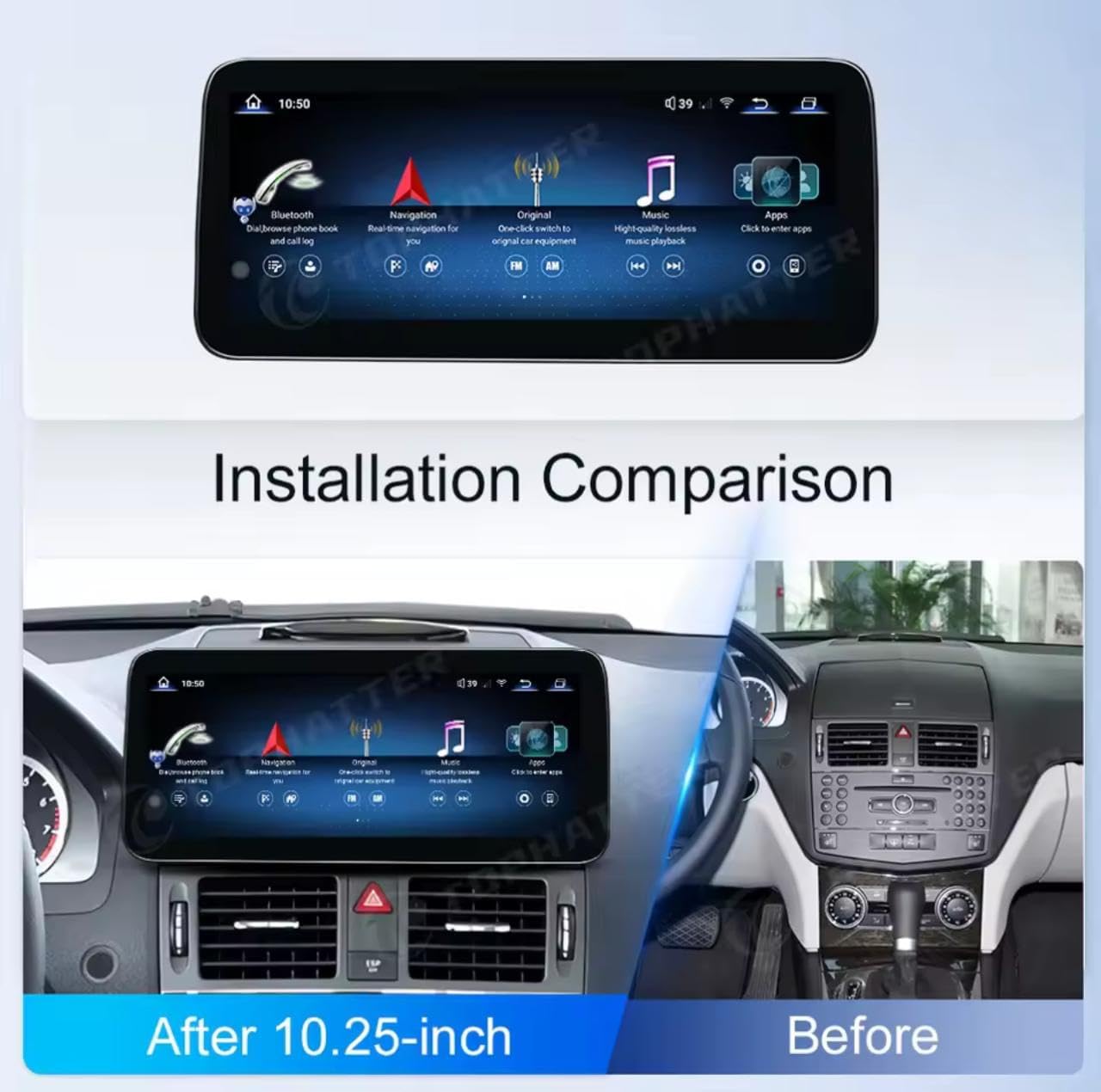
Image: A visual comparison showing the vehicle's dashboard before and after the installation of the 10.25-inch multimedia player, highlighting the integrated appearance.
Упатства за работа
This section covers the basic operation of your multimedia player, including navigation, audio, and smartphone integration.
Безжичен CarPlay и Android Auto:
The unit supports wireless Apple CarPlay and Android Auto for seamless smartphone integration. To connect:
- Проверете дали Bluetooth и Wi-Fi се овозможени на вашиот паметен телефон.
- On the multimedia player, navigate to the CarPlay or Android Auto application.
- Follow the on-screen prompts to pair your device via Bluetooth.
- Once paired, the system will automatically connect for wireless CarPlay or Android Auto.
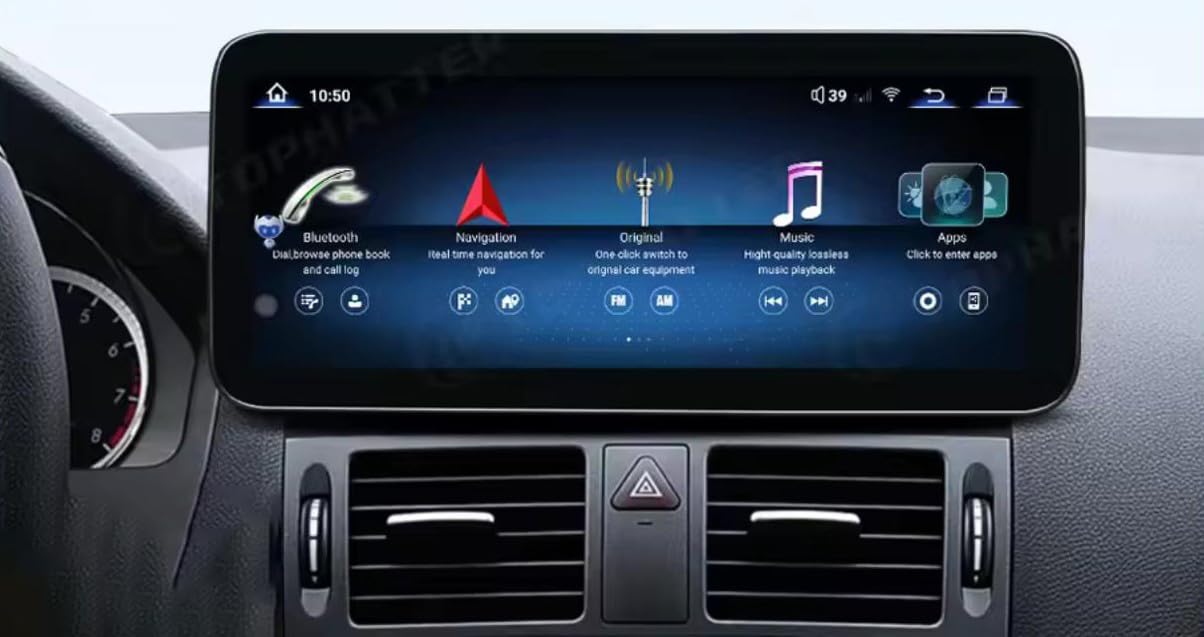
Image: A visual representation of the multimedia player's screen displaying the CarPlay and Android Auto interfaces, with a smartphone below indicating wireless connection.
DSP аудио обработка:
The built-in Digital Signal Processor (DSP) allows for advanced audio customization. Access the DSP settings through the audio menu to adjust equalizer presets, balance, fader, and other sound parameters for an optimized listening experience.
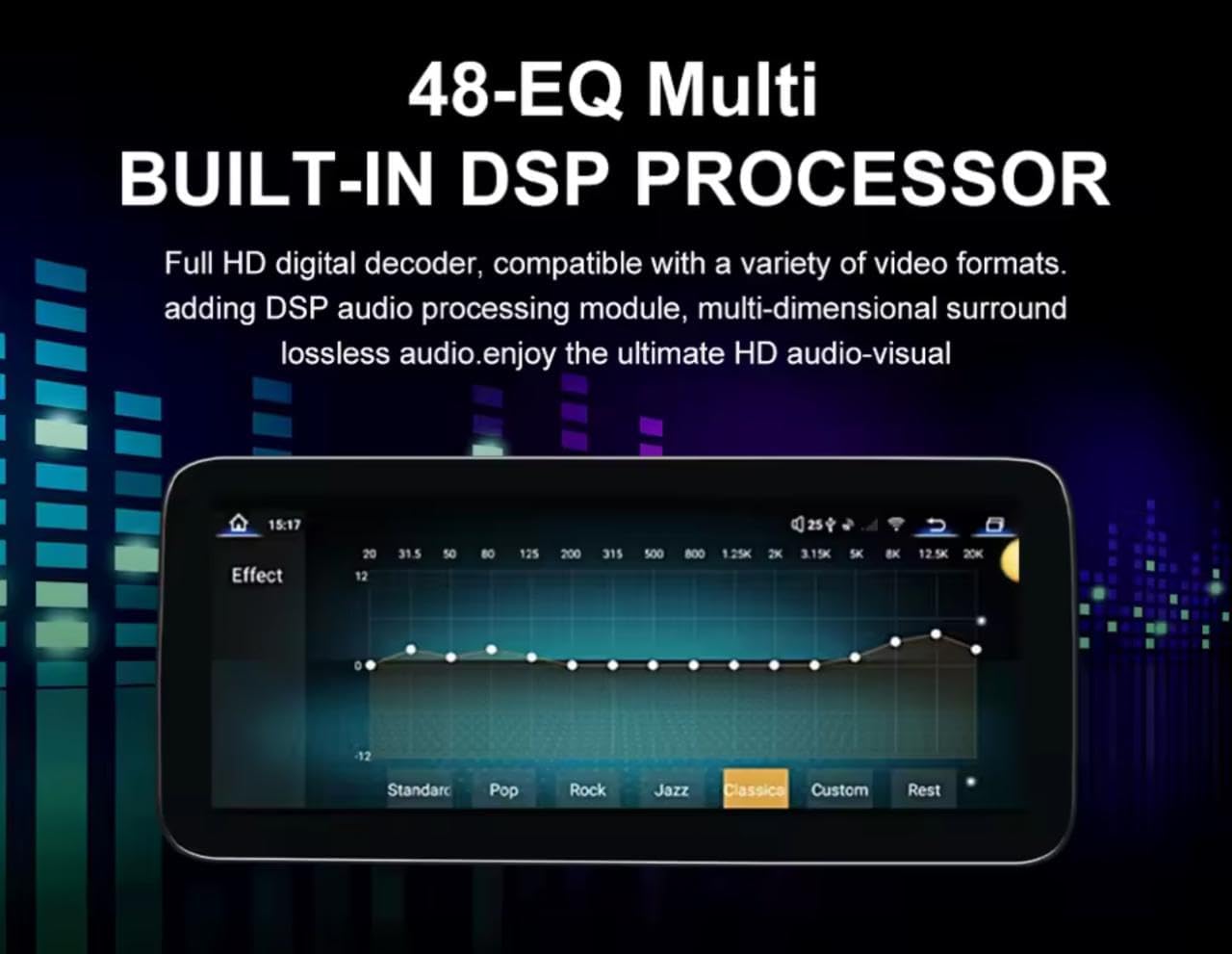
Image: The multimedia player's screen showing the 48-band equalizer interface for the built-in DSP processor, allowing users to fine-tune audio output.
Навигација и мултимедија:
Utilize the Android 13 operating system to access various navigation apps, streaming services, and other multimedia content. The 10.25-inch IPS touchscreen provides a clear and responsive interface.
Одржување
За да обезбедите долготрајност и оптимални перформанси на вашиот мултимедијален плеер, следете ги овие упатства за одржување:
- Чистење: Користете мека крпа без влакненца за нежно да го избришете екранот. За тврдокорни дамки, малку избришете гоampИзбришете ја крпата со вода или средство за чистење безбедно за екрани. Избегнувајте груби хемикалии или абразивни материјали.
- Ажурирања на софтверот: Periodically check for system software updates to ensure you have the latest features and security patches. Refer to the system settings for update options.
- Еколошки услови: Избегнувајте изложување на уредот на екстремни температури, директна сончева светлина подолг период или прекумерна влага.
Решавање проблеми
If you encounter issues with your multimedia player, refer to the following common troubleshooting steps:
- Без моќност: Check all power connections and ensure the vehicle's battery is properly connected and charged. Verify fuses.
- Нема звук: Check volume settings on both the multimedia player and the vehicle's audio system. Ensure all audio cables are securely connected.
- CarPlay/Android Auto не се поврзува: Ensure Bluetooth and Wi-Fi are active on your phone and the unit. Try restarting both devices. Forget and re-pair the device.
- Екранот на допир не реагира: Perform a soft reset of the unit (refer to system settings for reset options). Ensure the screen is clean and free of debris.
- Доцнење/замрзнување на системот: Close unnecessary background applications. If the issue persists, a factory reset might be necessary (note: this will erase all user data).
For persistent issues, contact customer support or a qualified technician.
Спецификации
Detailed technical specifications of the TOPHATTER 10.25-inch Multimedia Player:
| Карактеристика | Опис |
|---|---|
| Големина на приказ | 10.25 инчи |
| Тип на дисплеј | IPS екран на допир |
| Резолуција | 1920x720 HD |
| Процесор | Snapdragon 668S CPU (8-core, 2.4GHz) |
| Оперативен систем | Андроид 13 |
| RAM меморија | 12 GB |
| ROM | 256 GB |
| Поврзување | 4G, 5G WiFi, Bluetooth |
| Интеграција на паметни телефони | Безжичен Apple CarPlay и Android Auto |
| Аудио | Built-in DSP (48-EQ Multi) |
| Поддршка за камера | 360° Panoramic Camera System (Optional Rear CAM AHD) |
| Компатибилност | Mercedes NTG4.0 Systems (W204) |
| Инсталација | Plug & Play |
| Димензии на пакетот | 20 x 10 x 10 cm |
| Тежина | 1 кг |
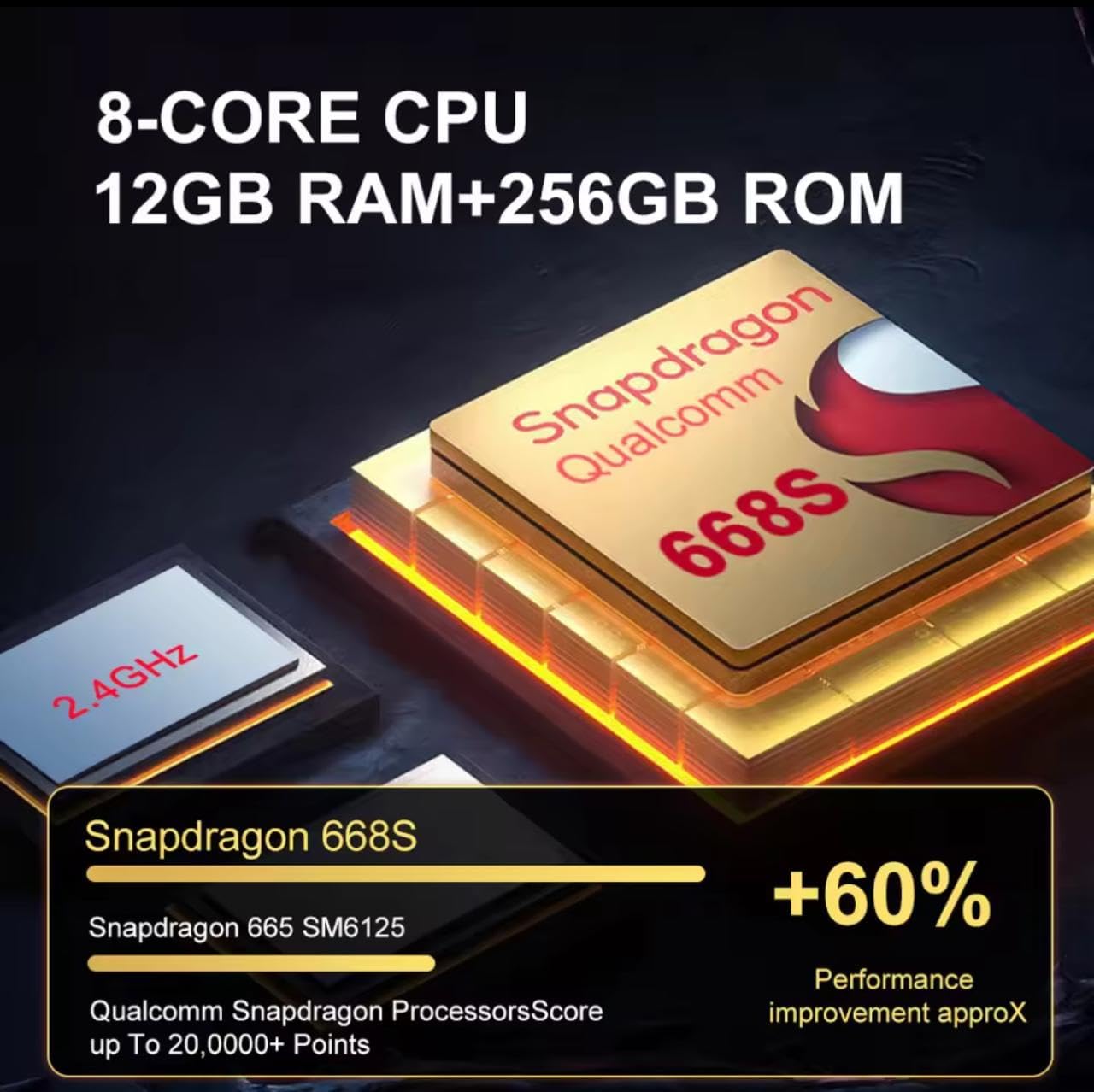
Слика: Крупен план view of the Snapdragon 668S processor, highlighting its 8-core CPU, 12GB RAM, 256GB ROM, and performance improvements over previous models.
Гаранција и поддршка
За информации за гаранција, техничка поддршка или барања за услуги, ве молиме погледнете ги контакт информациите дадени во вашата документација за купување или посетете ја официјалната канцеларија на производителот. webстраница. Зачувајте го доказот за купување за гаранциски побарувања.
Производител: TOPHATTER
ASIN: B0FF3214KX


