
XINDADA HW S11
XINDADA HW S11 Smartwatch User Manual
Model: HW S11
1. Вовед
The XINDADA HW S11 Smartwatch is a versatile device designed for communication, navigation, and activity tracking. Featuring a 2.02-inch HD display, Android 8.1 operating system, and a powerful quad-core processor, it supports independent calls, video calls, GPS positioning, and a wide range of applications.

Слика 1.1: Готовоview of the HW S11 Smartwatch highlighting key features such as 4G video calls, GPS, music control, and access to popular apps.
2. Што има во кутијата
Ве молиме проверете ја содржината на пакувањето при отпакувањето:
- XINDADA HW S11 Smartwatch
- Charging Cable (Magnetic Wireless)
- Упатство за употреба
3. Почетно поставување
3.1 Полнење на паметниот часовник
Before first use, fully charge your smartwatch. Connect the magnetic wireless charging cable to the charging points on the back of the watch and to a compatible USB power source. The watch has a 700 mAh battery.
3.2 Инсталација на SIM картичка
The HW S11 Smartwatch supports an independent SIM card for cellular connectivity. Locate the separate SIM card slot on the side of the watch. Carefully insert a Nano-SIM card into the slot, ensuring correct orientation.

Image 3.1: Detail of the smartwatch showing the 180° swivel camera and the dedicated SIM card slot for independent cellular connectivity.
3.3 Вклучување/исклучување
- За вклучување: Притиснете и држете го копчето за вклучување (обично од страна) додека екранот не светне.
- За исклучување: Притиснете го и задржете го копчето за вклучување, а потоа изберете „Исклучи“ на екранот.
3.4 Почетна конфигурација
Upon first power-on, follow the on-screen prompts to select your language, set the time and date, and connect to a Wi-Fi network if desired.
4. Упатства за работа
4.1 Навигација низ интерфејсот
The smartwatch features a 2.02-inch HD touchscreen. Swipe left, right, up, or down to access different menus, notifications, and quick settings. Tap to select items and press the side button to return to the home screen or go back.
4.2 Остварување и примање повици
With a SIM card installed, you can make and receive calls directly from your smartwatch. Access the 'Phone' application, dial a number, or select a contact to initiate a call. Incoming calls will display on the screen, allowing you to answer or reject.
4.3 Видео повици
The HW S11 supports HD video calls. Utilize the built-in 180° swivel telescopic camera for video communication. Ensure you have a stable internet connection (Wi-Fi or cellular data) and a compatible video calling application installed.
4.4 GPS позиционирање
The smartwatch integrates GPS, Beidou, and LBS Wi-Fi for precise real-time positioning. This feature allows for tracking your location, recording historical trajectories, and indoor positioning in large public spaces like malls or airports.
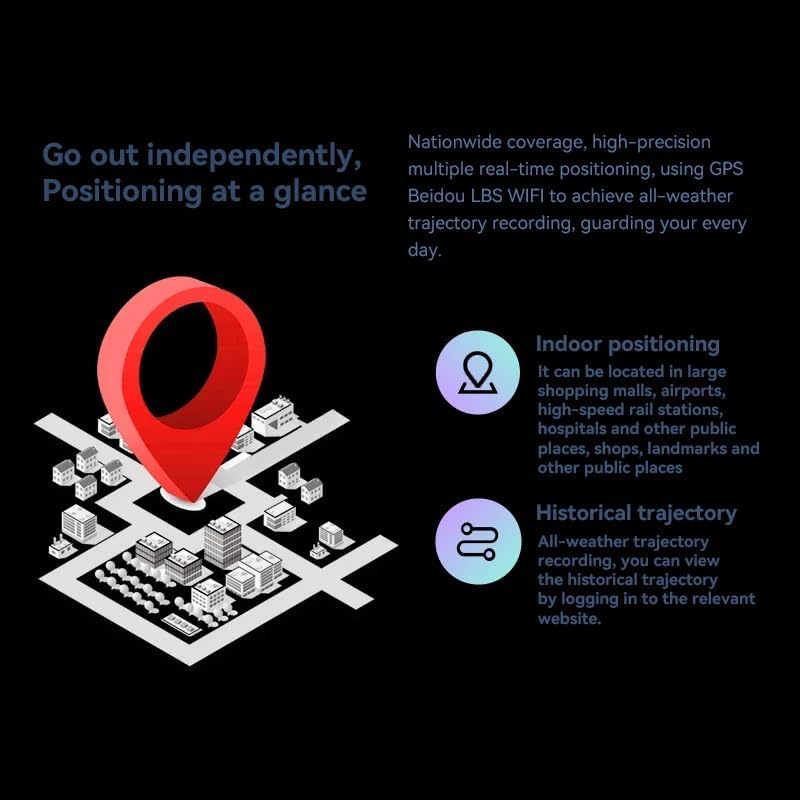
Image 4.1: Visual representation of the smartwatch's GPS and multi-location tracking features, including indoor and historical trajectory capabilities.
4.5 Користење на апликацијата
Running on Android 8.1 with 2GB RAM and 16GB internal storage, the smartwatch allows you to download and use various applications from its integrated app store. Popular apps like WeChat, TikTok, YouTube, and games are supported.

Image 4.2: The smartwatch interface showcasing a selection of popular applications available for download and use.
4.6 Контрола на музика
Control music playback on your connected smartphone or directly from the smartwatch if music files are stored on its internal memory. Access the music player app to play, pause, skip tracks, and adjust volume.
5. Одржување
- Чистење: Wipe the watch screen and body with a soft, dry, lint-free cloth. Avoid using harsh chemicals or abrasive materials.
- Отпорност на вода: While the device may have some resistance, avoid submerging it in water or exposing it to high-pressure water streams.
- Складирање: Чувајте го паметниот часовник на ладно и суво место кога не го користите.
- Нега на батеријата: To prolong battery life, avoid extreme temperatures and do not allow the battery to fully discharge for extended periods.
6 Смена на проблеми
6.1 Watch Does Not Power On
- Проверете дали часовникот е целосно наполнет. Поврзете го со полначот најмалку 30 минути.
- Try pressing and holding the power button for 10-15 seconds to force a restart.
6.2 Слаб GPS сигнал
- Осигурајте се дека сте на отворено место со чист простор view на небото.
- Avoid areas with tall buildings or dense foliage that can obstruct the signal.
6.3 Апликациите не се преземаат/не работат
- Check your Wi-Fi or cellular data connection.
- Ensure there is sufficient storage space on the device (16GB internal memory).
- Рестартирајте го паметниот часовник.
6.4 Екранот на допир не реагира
- Clean the screen to remove any dirt or moisture.
- Рестартирајте го уредот. Ако проблемот продолжи, контактирајте ја службата за корисници.
7. Спецификации

Слика 7.1: Внатрешна view highlighting the Android 8.1 operating system and the quad-core ASR8601 processor, ensuring smooth operation.
| Карактеристика | Детал |
|---|---|
| Модел | HW S11 |
| Бренд | КСИНДАДА |
| Оперативен систем | Андроид 8.1 |
| Процесор | Quad-core (ASR8601) |
| RAM меморија | 2 GB |
| Внатрешно складирање | 16 GB |
| Големина на приказ | 2.02 инчи |
| Тип на дисплеј | LCD екран |
| Резолуција | 320 x 390 пиксели |
| Капацитет на батеријата | 700 mAh |
| Поврзување | Bluetooth, Wi-Fi, 4G (SIM card support) |
| GPS | Integrated GPS, Beidou, LBS |
| Камера | 180° Swivel Telescopic Camera |
| Димензии | 5 x 5 x 5 cm |
| Тежина | 100 гр |
8. Гаранција и поддршка
За информации за гаранцијата и техничка поддршка, ве молиме погледнете ја документацијата што е доставена со вашата нарачка или контактирајте го вашиот продавач. Зачувајте го доказот за купување за какви било рекламации во врска со гаранцијата.
Ask a question about this manual
Ask about setup, troubleshooting, compatibility, parts, safety, or missing instructions. Manuals+ will review the question and use this page’s manual context to help answer it.