
Вовед
The Masajoy Spark 06 Wireless Headset is designed for clear communication and versatile connectivity in professional and personal environments. It features Bluetooth V5.3, 2.4G wireless via a USB A/C dongle, and a wired 3.5mm audio connection. Equipped with an AI noise-cancelling microphone and comfortable earcups, this headset aims to provide a reliable audio experience for calls, meetings, and music.

Image: User wearing the Masajoy Spark 06 headset, demonstrating its use in a work setting.
Содржина на пакетот
Проверете дали сите артикли се присутни во пакувањето:
- Безжични слушалки со микрофон
- USB A / C Dongle
- USB C to 3.5MM Audio Cable
- Кабел за полнење тип C
- Упатство за употреба
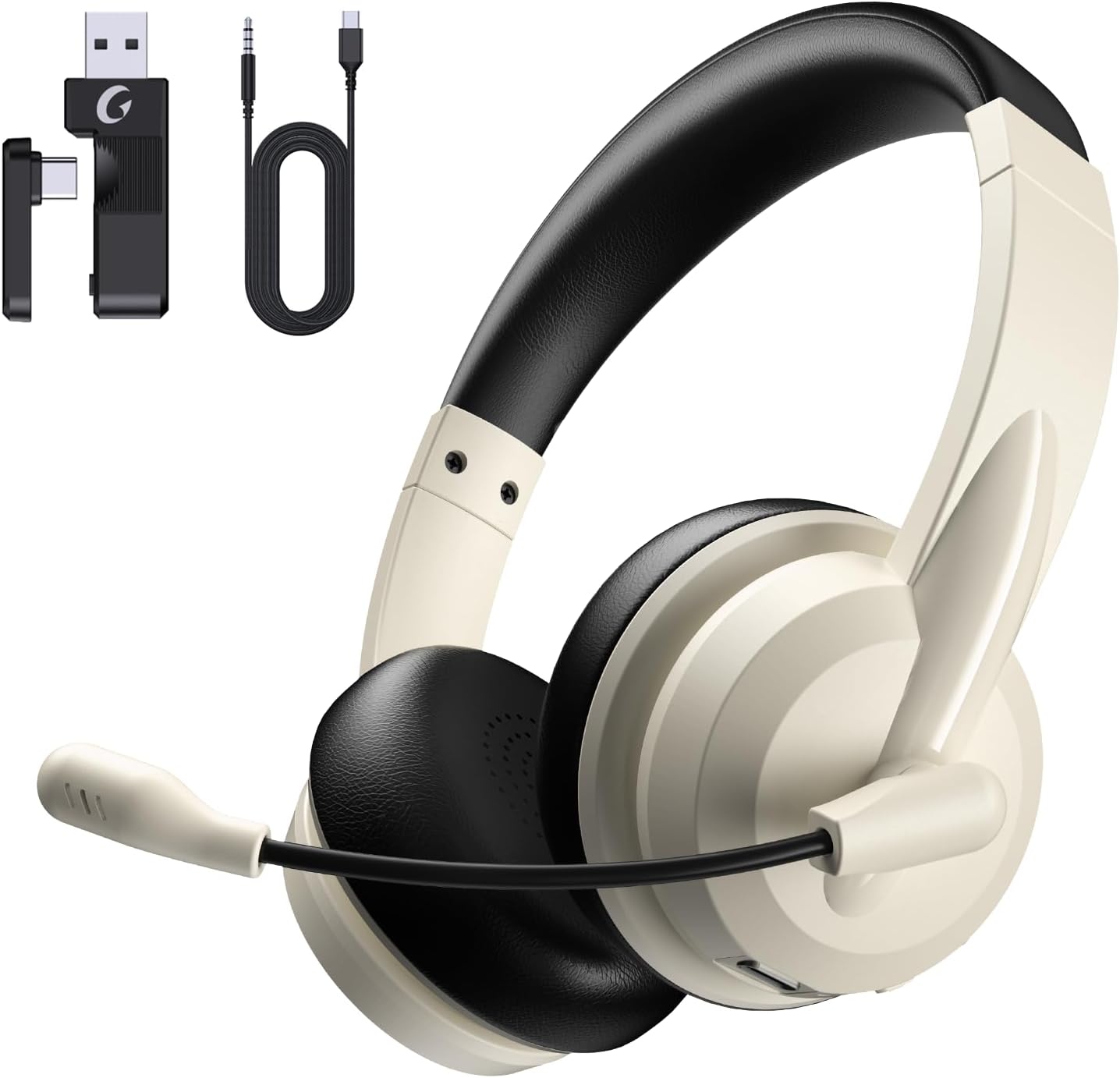
Image: The Masajoy Spark 06 headset shown with its accompanying accessories, including the USB A/C dongle and various cables.
Производот завршиview
The Masajoy Spark 06 headset features an ergonomic design for extended wear and clear audio performance.
- Прилагодлив лента за глава: За удобно прилагодување на различни големини на глава.
- Protein Memory Foam Earcups: Soft and breathable for all-day comfort.
- Ротирачки микрофонски стрелка: Allows for precise positioning and mute function activation.
- 40mm Audio Drivers: Deliver clear and balanced sound.

Слика: Крупен план view highlighting the soft, breathable protein memory foam earcups and the adjustable headband for comfort.

Слика: Внатрешен view of the earcup, illustrating the 40mm audio drivers responsible for sound quality.
Поставување
1. Полнење на слушалките
Before first use, fully charge the headset. Connect the included Type C Charging Cable to the headset's charging port and to a USB power source. The LED indicator will show charging status. A full charge takes approximately 2.5 hours.
2. Поврзување на слушалките
The Masajoy Spark 06 offers three connection methods:
Bluetooth V5.3 Connection
- Осигурете се дека слушалките се исклучени.
- Притиснете и задржете го копчето за вклучување додека LED индикаторот не трепка сино и црвено, што укажува на режим на спарување.
- On your device (smartphone, laptop), enable Bluetooth and search for "Masajoy Spark 06".
- Select the headset to connect. The LED will turn solid blue once connected.
2.4G Wireless Connection (USB A/C Dongle)
- Plug the USB A or USB C side of the dongle into an available port on your computer.
- Power on the headset. It will automatically attempt to connect to the dongle.
- The LED indicator on the headset will turn solid blue when connected.
Wired 3.5mm Audio Cable Connection
- Connect one end of the USB C to 3.5MM Audio Cable to the headset's USB-C port.
- Connect the other end (3.5mm jack) to your device's 3.5mm audio port.
- The headset will function as a wired headset. Power is not required for this mode.
Note: This headset does not support dual device connection simultaneously via Bluetooth and 2.4G wireless.

Image: Illustration of the Bluetooth V5.3 and 2.4GHz dual connection options, showing the USB A/C dongle and Bluetooth pairing with devices.
Упатства за работа
Вклучување/исклучување
- Вклучување: Притиснете и задржете го копчето за вклучување 3 секунди.
- Исклучено: Притиснете и задржете го копчето за вклучување 3 секунди.
Управување со повици
- Одговори/заврши повик: Притиснете го копчето за повеќе функции еднаш.
- Одбијте го повикот: Притиснете и задржете го копчето за повеќе функции 2 секунди.
Репродукција на музика
- Пушти/Пауза: Притиснете го копчето за повеќе функции еднаш.
- Јачина на звук нагоре: Притиснете го копчето за јачина на звук +.
- Намалување на јачината на звукот: Притиснете го копчето за јачина на звук -.
- Следна песна: Притиснете и задржете го копчето за јачина на звук +.
- Претходна песна: Притиснете и држете го копчето за јачина на звук -.
Функција за исклучување на микрофонот
To mute the microphone, simply rotate the microphone boom to the upright (vertical) position. A voice prompt will confirm "MIC mute". To unmute, rotate the microphone boom back down to the speaking position.

Image: A diagram illustrating the 270-degree rotation capability of the microphone boom, which activates the mute function when moved to the upright position.
Поништување на шум со вештачка интелигенција
The headset features AI noise cancellation technology to reduce background noise during calls, ensuring clearer voice transmission. This feature is automatically active when using the microphone in Bluetooth connection mode.
Note: The AI Noise Cancellation feature is only available when the headset is connected via Bluetooth.

Image: Depiction of the AI noise-cancelling microphone in action, showing how it filters out background noise for clear communication.
Одржување
- Чистење: Користете мека, сува крпа за чистење на слушалките. Не користете груби хемикалии или абразивни материјали.
- Складирање: Чувајте ги слушалките на ладно и суво место, подалеку од директна сончева светлина и екстремни температури.
- Нега на батеријата: За да го продолжите траењето на батеријата, избегнувајте често целосно празнење на слушалките. Полнете ги редовно, дури и ако не ги користите подолг период.
Решавање проблеми
| Проблем | Можна причина | Решение |
|---|---|---|
| Нема звук од слушалките | Headset not connected; Volume too low; Device audio output incorrect. | Ensure headset is connected (Bluetooth, 2.4G, or wired). Increase headset and device volume. Check device's audio output settings. |
| Микрофонот не работи | Microphone muted; Incorrect input device selected; AI Noise Cancellation not active (if not Bluetooth). | Rotate mic boom down to unmute. Check device's microphone input settings. Ensure Bluetooth connection for AI Noise Cancellation. |
| Не може да се поврзе преку Bluetooth | Headset not in pairing mode; Device Bluetooth off; Interference. | Put headset in pairing mode (flashing blue/red). Enable Bluetooth on device. Move closer to device, away from other wireless devices. |
| 2.4G dongle not connecting | Dongle not properly inserted; Headset not powered on. | Ensure dongle is fully inserted into a working USB port. Power on the headset. |
| Краток век на батеријата | Headset not fully charged; Battery degradation over time. | Ensure headset is fully charged (2.5 hours). If battery life significantly decreases, contact support. |
Спецификации
| Карактеристика | Детал |
|---|---|
| Име на моделот | Искра 06 |
| Технологија за поврзување | Wireless (Bluetooth, 2.4G), Wired (3.5mm) |
| Bluetooth верзија | 5.3 |
| Опсег на Bluetooth | До 36 стапки (11 метри) |
| Контрола на бучава | Passive Noise Cancellation (earcups), AI Noise Cancellation (microphone, Bluetooth mode only) |
| Тип на драјвер за аудио | Динамичен драјвер |
| Импеданса | 40 Ом |
| Опсег на фреквенција | 20Hz - 20,000Hz |
| Време на полнење | 2.5 часа |
| Време за разговор | До 30 часа |
| Време на репродукција на музика | До 25 часа |
| Време на мирување | До 400 часа |
| Тежина на ставката | 0.3 килограми (10.5 унци) |
| Материјал | Акрилонитрил бутадиен стирен (ABS) |
| Компатибилни уреди | Laptops, Desktops, iPhones, Mac devices |
Гаранција и поддршка
Masajoy products are designed for reliability and performance. For warranty information, please refer to the specific warranty card included with your product or visit the official Masajoy website. If you encounter any issues or require technical assistance, please contact Masajoy customer support through the contact information provided on the product packaging or the official webсајт.