Вовед
Thank you for choosing the CAMECHO 7 Inch Double Din Car Stereo. This multimedia MP5 player is designed to enhance your driving experience with its 7-inch touchscreen, Bluetooth connectivity, mirror link functionality, FM radio, and various input options. This manual provides detailed instructions for installation, operation, and maintenance to ensure optimal performance and longevity of your device.

Слика: напред view of the CAMECHO 7 Inch Double Din Car Stereo installed in a vehicle dashboard.
Што има во кутијата
Ве молиме проверете ја содржината на пакувањето по отпакувањето за да се осигурате дека сите артикли се присутни:
- 1 x Двоен Дин радио
- 1 x кабел за напојување
- 1 x кабел за рог
- 1 х загради за монтирање
- 1 x Упатство за употреба

Image: Visual representation of the package contents, including the head unit, cables, brackets, and user manual.
Спецификации
Key technical specifications for the CAMECHO 7 Inch Double Din Car Stereo:
| Димензии на производот | 3.1 x 7 x 4 inches (7.0"L x 4.0"H x 3.1"D) |
| Тежина на ставката | 1.54 фунти |
| Број на модел | B0FN3HHW99 |
| Технологија за поврзување | Bluetooth |
| Тип на контролер | Контрола на воланот |
| Посебни карактеристики | Built-In Bluetooth, Equalizer, FM Tuner, Multi Color Illumination, Touchscreen |
| Компатибилни уреди | Паметен телефон |
| Тип на конектор | USB тип-C |
| Режим за излез на звук | Стерео |
| Поддршка за видео кодирање | AVI, 3GP, MP4, MOV, MPG, MKV, VOB, RMVB, RM |
Поставување и инсталација
Proper installation is crucial for the functionality and safety of your car stereo. It is recommended to have this unit installed by a professional if you are unfamiliar with car audio wiring.
1. Приклучоци за жици
Refer to the wiring diagrams below for correct connections. Ensure all connections are secure to prevent malfunctions.

Image: Detailed wiring diagrams for the main power harness and speaker connections, along with rear panel port introductions.
- Кабел за напојување: Connect the yellow wire to the constant 12V power supply, the red wire to the accessory 12V supply (switched with ignition), and the black wire to ground.
- Кабли за звучници: Connect the speaker wires according to the color codes for front left, front right, rear left, and rear right speakers.
- Steering Wheel Control (KEY): Connect the steering wheel control wire(s) to your vehicle's steering wheel control interface (if applicable).
- Reverse Camera (REVERSE): Connect the reverse camera trigger wire to the vehicle's reverse light circuit.
- Антена (ANT): Поврзете ја радио антената на вашиот автомобил.
2. Заден делview Camera Connection (Optional)
If you are installing an optional rearview camera, connect it as shown in the diagram. The unit will automatically display the rearview image when the vehicle is in reverse gear.

Image: Diagram showing how to connect an optional rearview camera, including power and video signal connections.
Упатства за работа
1. Основно работење
- Вклучување/исклучување: Short press the volume knob to mute, long press to power off.
- Контрола на јачината на звукот: Вртете го копчето за јачина на звук за да го прилагодите нивото на звук.
- Екран на допир: Navigate menus and control functions by touching the 7-inch display.
2. Bluetooth без раце
Поврзете го вашиот мобилен телефон преку Bluetooth за повици без користење на рацете и аудио стриминг.

Image: The car stereo screen displaying a phone call interface, with a smartphone shown next to it, indicating Bluetooth connectivity.
- Овозможете Bluetooth на вашиот мобилен телефон.
- On the car stereo, go to the Bluetooth menu and search for available devices.
- Select the car stereo's Bluetooth name (e.g., "CAMECHO BT") from your phone's list and pair.
- Откако ќе се спари, можете безжично да воспоставувате/примате повици и да пуштате музика.
3. FM Radio & Equalizer
Access FM radio stations and customize your audio experience with the built-in equalizer.

Image: The car stereo screen displaying the FM radio tuner at 90.00 MHz and separate screens for equalizer settings, including standard presets and custom adjustments.
- ФМ радио: Select the FM function to scan for stations or manually tune to a frequency. Save your favorite stations as presets.
- Еквилајзер (EQ): Access the EQ settings to choose from preset sound modes (e.g., Pop, Classic, Rock) or customize the audio frequencies to your preference.
4. Функција за поврзување со огледала
Mirror your smartphone screen onto the car stereo display for navigation, video playback, and other applications.

Image: The car stereo screen displaying a mirrored smartphone screen, with icons indicating support for wired Android and iOS mirror link.
- Connect your Android or iOS phone to the stereo using a USB cable.
- Follow the on-screen prompts to enable mirror link. This may require installing a specific app on your phone.
- Once connected, your phone's screen will be displayed on the stereo, allowing for control via the stereo's touchscreen.
5. Контрола на воланот
Utilize your vehicle's existing steering wheel buttons to control the stereo for a safer driving experience.

Image: The car stereo screen displaying the steering wheel control learning interface, with a steering wheel shown. Also depicted are various input ports: TF Card, AUX, USB, Type-C Charging, and USB Charging.
- Access the steering wheel control settings in the system menu.
- Follow the instructions to program your steering wheel buttons to control functions like volume, track skip, and mode selection.
6. Репродукција на мултимедија
The unit supports various media inputs for audio and video playback.
- USB/Тип-C: Insert a USB drive or connect a device via the Type-C port for media playback or phone charging.
- SD-картичка: Insert an SD card into the dedicated slot for media playback.
- Влез AUX: Поврзете надворешни аудио уреди користејќи 3.5 mm AUX кабел.
7. Color Key Light Setting
Customize the backlight color of the physical buttons on the unit.
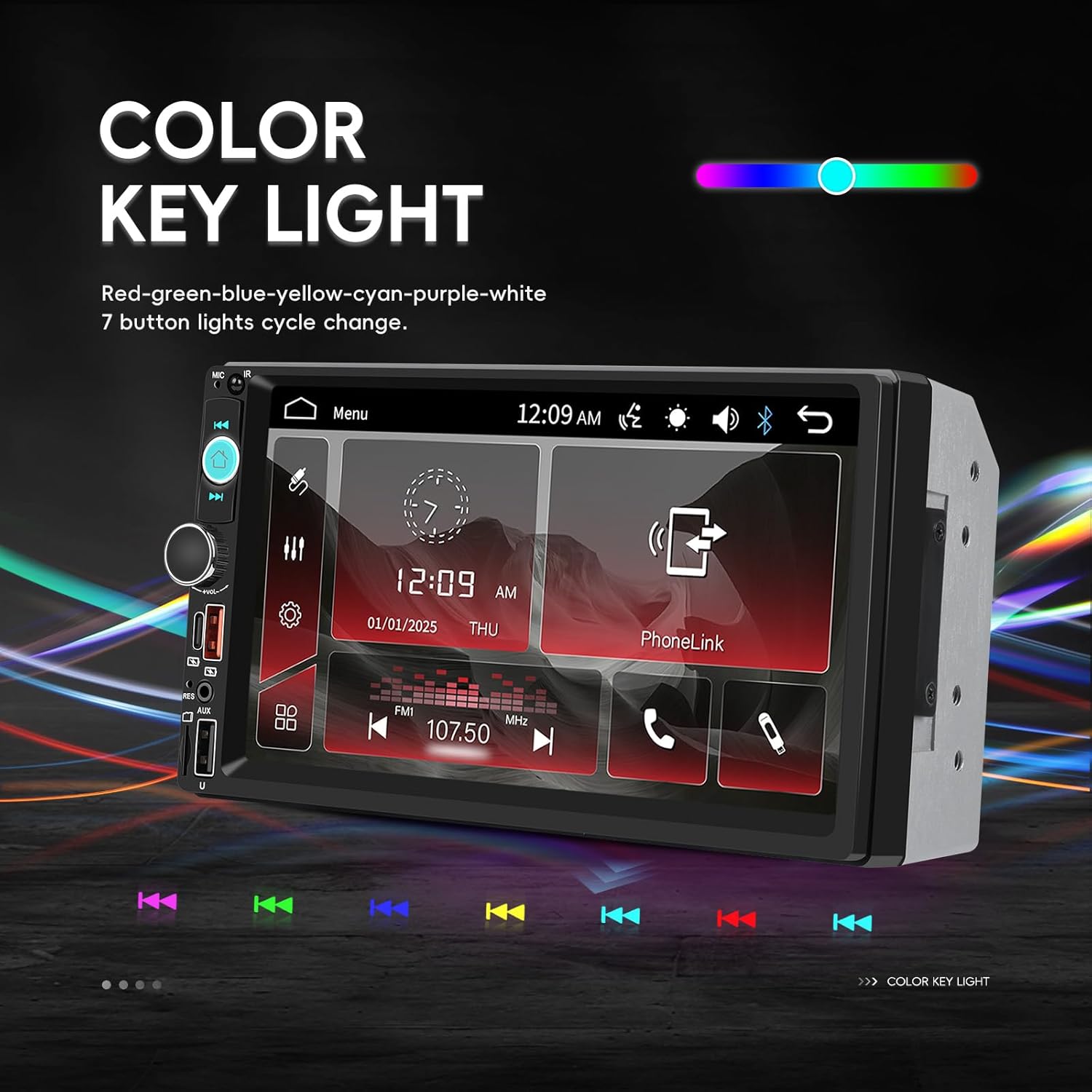
Image: The car stereo screen displaying options for changing the color of the key lights, showing a spectrum of colors and individual color selections.
- Navigate to the system settings menu.
- Find the 'Color Key Light' or 'Illumination' option.
- Choose from various colors (Red, Green, Blue, Yellow, Cyan, Purple, White) or set it to cycle through colors automatically.
Одржување
За да обезбедите долготрајност и оптимални перформанси на вашиот CAMECHO автомобилски стерео уред, следете ги овие упатства за одржување:
- Чистење на екранот: Користете мека крпа без влакненца за нежно да го избришете екранот на допир. За тврдокорни дамки, малку избришете гоampИзбришете ја крпата со вода или средство за чистење безбедно за екрани. Избегнувајте груби хемикалии или абразивни материјали.
- Општо чистење: Држете го уредот чист од прашина и остатоци. Користете мека четка или компримиран воздух за чистење околу копчињата и портите.
- Избегнувајте екстремни температури: Do not expose the unit to extreme heat or cold for extended periods, as this can affect electronic components.
- Проверете ги врските: Периодично проверувајте ги сите жичени врски за да се осигурате дека се безбедни и без корозија.
Решавање проблеми
Доколку наидете на проблеми со стерео уредот во вашиот автомобил, погледнете ги следните вообичаени проблеми и решенија:
| Проблем | Можна причина | Решение |
|---|---|---|
| Нема струја/Уредот не се вклучува | Неправилно поврзување на жици, прегорен осигурувач, проблем со акумулаторот на возилото. | Check power cable connections (yellow, red, black). Verify vehicle fuses and the stereo's fuse. Ensure vehicle battery is charged. |
| Нема излез на звук | Speaker wires incorrectly connected, volume too low, mute function active, faulty speakers. | Check all speaker wire connections. Increase volume. Ensure unit is not muted. Test with different audio sources. |
| Touchscreen unresponsive or inaccurate | Screen calibration needed, software glitch, physical damage. | Try restarting the unit. Check for a screen calibration option in settings. If issue persists, contact support. |
| Bluetooth не се поврзува | Bluetooth not enabled, incorrect pairing process, interference. | Проверете дали Bluetooth е овозможен на двата уреди. Избришете ги претходните спарувања и повторно спарете. Приближете се до уредот. |
| Линкот со огледало не работи | Incorrect USB cable, required app not installed, phone settings. | Use a high-quality USB data cable. Ensure the necessary mirror link app is installed and permissions are granted on your phone. |
Доколку овие решенија не го решат проблемот, ве молиме контактирајте ја поддршката за корисници за дополнителна помош.
Гаранција и поддршка
Your CAMECHO 7 Inch Double Din Car Stereo is covered by a 30-day return/replacement policy from the date of purchase. For specific warranty details beyond this period, please refer to the terms provided by your retailer.
Поддршка за корисници
For any technical assistance, troubleshooting, or inquiries regarding your product, please contact our customer support team:
Е-пошта: CAMECHOVIP@126.com

Image: A customer service representative ready to assist with product inquiries.


