
Вовед
The LDNIO SW03 Smart Watch is designed to provide comprehensive health monitoring, communication features, and fitness tracking. This manual provides instructions for setting up, operating, maintaining, and troubleshooting your device to ensure optimal performance and user experience.
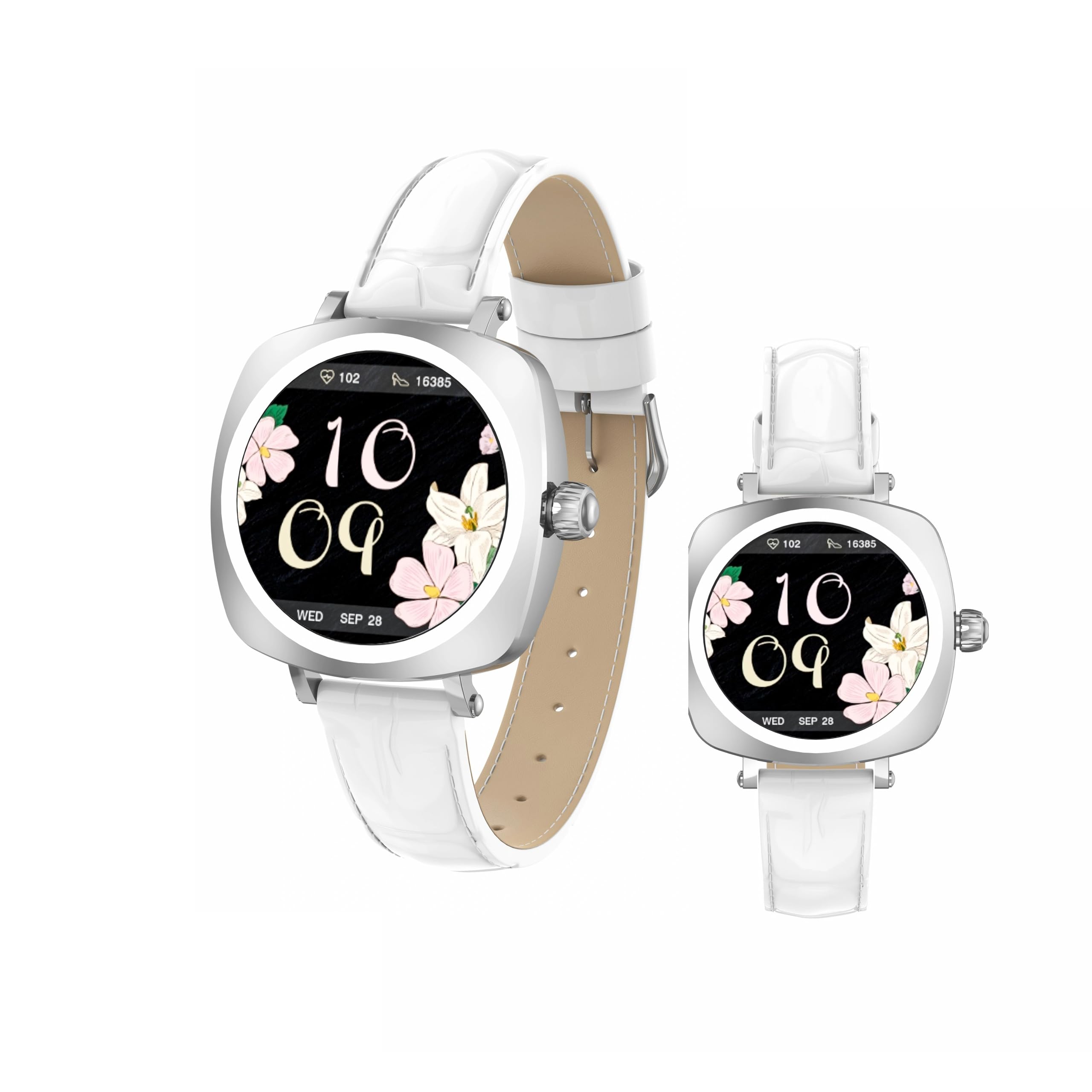
Image: LDNIO SW03 Smart Watch displaying a floral watch face.
Почеток
1. Полнење на уредот
Before initial use, fully charge your LDNIO SW03 Smart Watch. The device uses a magnetic charging method for convenience.
- Connect the magnetic charging cable to a standard USB power adapter (DC5V ≥ 500mA).
- Align the magnetic end of the cable with the charging contacts on the back of your smartwatch. The magnets will secure the connection.
- Екранот на часовникот ќе го покаже статусот на полнење. Целосното полнење обично трае 2-3 часа.
2. Вклучување/исклучување
- Вклучување: Долго притиснете го страничното копче додека не се осветли екранот.
- Исклучено: Navigate to the power off option in the watch settings or long press the side button and select 'Power Off' when prompted.
3. Инсталација на апликација и спарување
To unlock the full functionality of your smartwatch, install the DaFit app on your smartphone and pair the devices.
- Преземете го DaFit app from your smartphone's app store (compatible with Android 5.0+ and iOS 9.0+).
- Проверете дали Bluetooth е овозможен на вашиот паметен телефон.
- Open the DaFit app and follow the on-screen instructions to add your device. The app will search for available smartwatches.
- Select 'SW03' from the list of found devices to initiate pairing. Confirm the pairing request on both your watch and smartphone.
Работа со вашиот паметен часовник
1. Приказ и навигација
The LDNIO SW03 features a 1.19-inch AMOLED display with 390x390 resolution for clear visuals. Navigate the watch using touch gestures and the side button.
- Повлечете лево/десно: Enter the main menu or return to the previous interface.
- Quickly Press Twice (Side Button): Switch freely between multiple menus or watch faces.
- Long Press (Side Button): Вклучување/исклучување на уредот.

Image: Visual guide to the button functions: long press for power, quick double press for menu switching, and swipe for navigation.
2. Комуникациски карактеристики
Stay connected by making and receiving calls and texts directly from your wrist via Bluetooth V5.4 connection to your smartphone.
- Остварување повици: Access the dialer or contact list on your watch to initiate calls.
- Примање повици: Одговарајте или одбивајте дојдовни повици директно од екранот на часовникот.
- Известувања: Receive notifications for messages, social media alerts, and other app updates.
3. Следење на здравјето и фитнесот
The SW03 Smart Watch offers comprehensive monitoring capabilities to support your health and fitness goals.
- Мониторинг на отчукувањата на срцето: Continuously tracks your heart rate with off-hand detection.
- Анализа на спиењето: Provides 24-hour sleep monitoring, analyzing sleep quality and patterns.
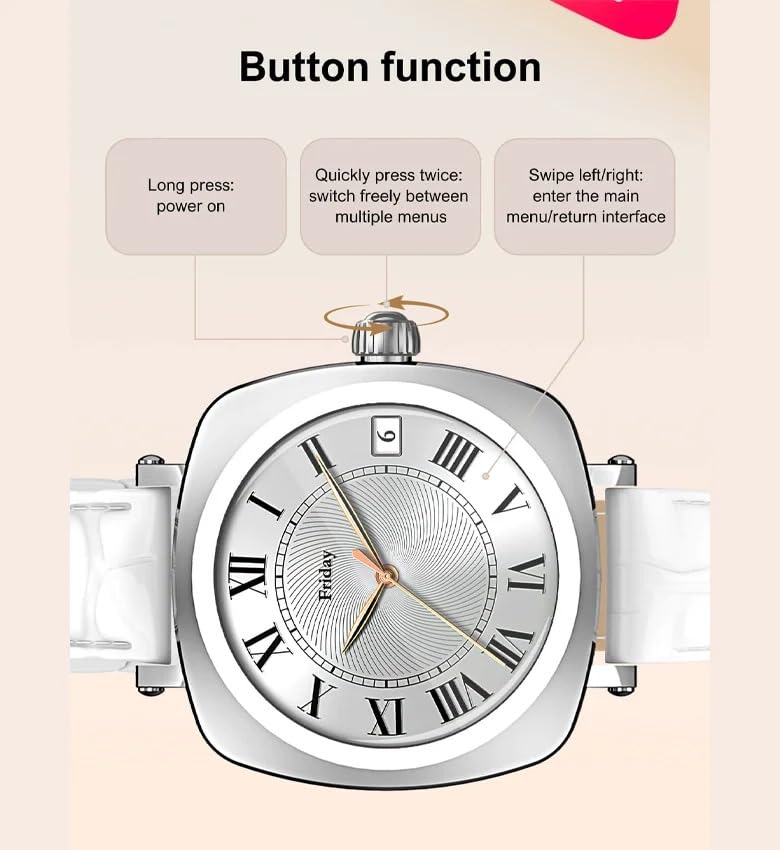
Image: The smartwatch screen showing sleep duration and analysis, worn by a user.
- Следење активност: Counts daily steps, calories burned, and distance covered.
- Режими на вежбање: Supports multiple sports modes including running, cycling, and yoga.
- Менаџмент на здравјето на жените: Features for scientifically recording and predicting menstrual periods and supporting pregnancy preparation.
4. Водоотпорност
The LDNIO SW03 Smart Watch has an IP68 waterproof and dustproof rating, making it suitable for daily wear and various activities.
- It can withstand immersion in water up to 1.5 meters for up to 30 minutes.
- Suitable for swimming, showering, and exposure to rain.
- Avoid hot water, steam, or prolonged exposure to high-velocity water.
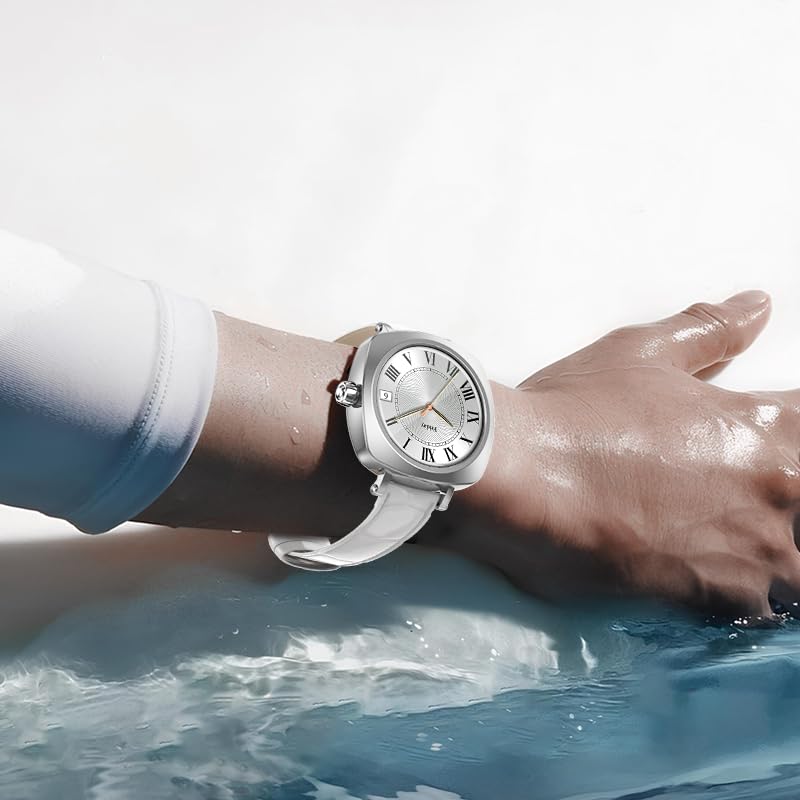
Image: The smartwatch on a user's wrist, partially submerged in water, demonstrating its water resistance.
5. Прилагодување
Personalize your smartwatch experience with various watch faces and settings.
- Лица на часовникот: Choose from a selection of pre-installed watch faces or download more via the DaFit app.
- Поставки: Adjust brightness, vibration, notification preferences, and other settings through the watch interface or the DaFit app.
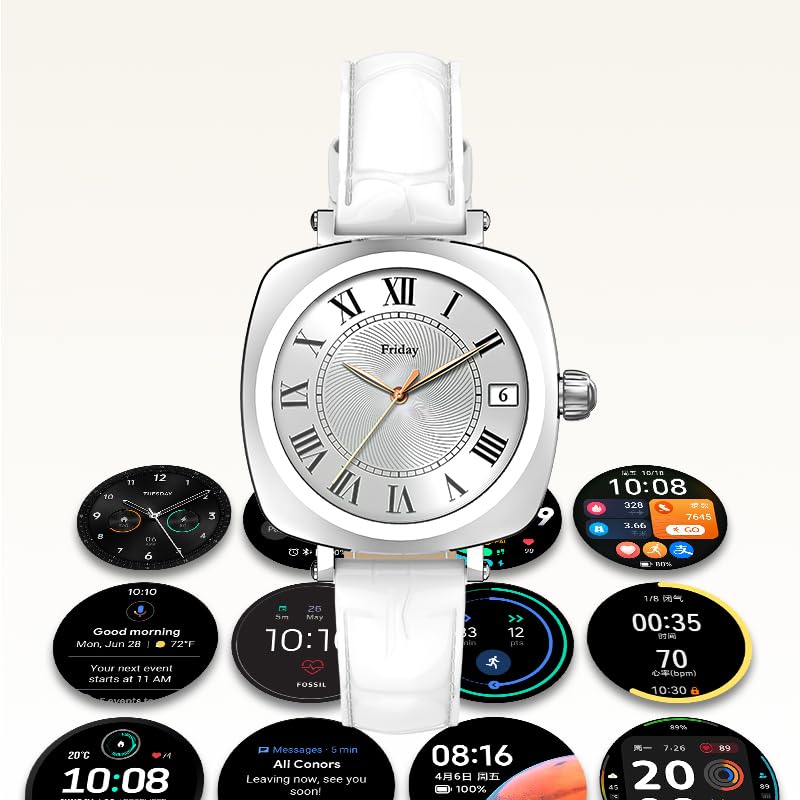
Image: A collection of different watch faces and functional widgets available on the LDNIO SW03 Smart Watch.
Одржување
1. Чистење
- Wipe the watch screen and strap regularly with a soft, dry, lint-free cloth.
- За тврдокорна нечистотија, малку дampИзмијте ја крпата со вода. Избегнувајте употреба на груби хемикалии или абразивни материјали.
- Пред полнење, проверете дали контактите за полнење се чисти и суви.
2. Информации за батеријата
- The watch is powered by a 180mAh Polymer rechargeable lithium battery.
- Typical usage provides 5 to 10 days of battery life on a single charge, depending on usage patterns and enabled features.
- To prolong battery life, reduce screen brightness, limit notifications, and disable unnecessary features.
Решавање проблеми
- Часовникот не се вклучува: Проверете дали часовникот е целосно наполнет. Поврзете го со полначот најмалку 30 минути.
- Не може да се спари со паметен телефон: Make sure Bluetooth is enabled on both devices. Restart both the watch and the smartphone. Ensure the DaFit app is updated to the latest version.
- Неточни здравствени податоци: Уверете се дека часовникот е цврсто носен на вашиот зглоб, не е премногу стегнат или премногу лабав. Одржувајте го сензорот чист.
- Не се примени известувања: Check app permissions in your smartphone settings to ensure the DaFit app has access to notifications. Verify notification settings within the DaFit app.
Спецификации
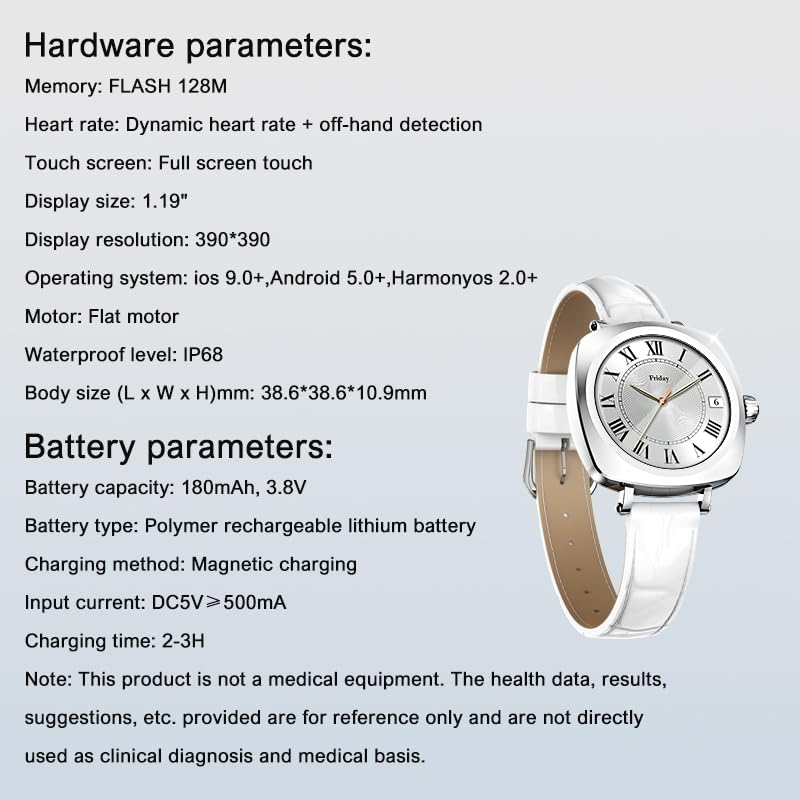
Image: Detailed specifications for the LDNIO SW03 Smart Watch, including hardware and battery parameters.
| Карактеристика | Детал |
|---|---|
| Модел | SW03 |
| Приказ | 1.19-inch AMOLED, 390×390 resolution |
| Меморија (ФЛЕШ) | 128 MB |
| Откривање на отчукувањата на срцето | Dynamic heart rate + off-hand detection |
| Екран на допир | Допир на цел екран |
| Компатибилност на оперативниот систем | iOS 9.0+, Android 5.0+, HarmonyOS 2.0+ |
| Мотор | Flat motor |
| Водоотпорно ниво | IP68 |
| Големина на телото (Д x Ш x В) | 38.6 x 38.6 x 10.9 mm |
| Капацитет на батеријата | 180 mAh, 3.8 V |
| Тип на батерија | Полимерна литиумска батерија на полнење |
| Начин на полнење | Магнетно полнење |
| Влезна струја | DC5V ≥ 500mA |
| Време на полнење | 2-3 часа |
| Технологија за поврзување | Bluetooth V5.4 |
| Посебни карактеристики | Fitness Monitoring, Call/Text Functionality |
Забелешка: This product is not a medical equipment. The health data, results, and suggestions provided are for reference only and are not directly used as clinical diagnosis or medical basis.
Гаранција и поддршка
For warranty information and technical support, please refer to the documentation provided with your purchase or contact LDNIO customer service. Keep your proof of purchase for warranty claims.