Вовед
Ви благодарам за купувањетоasing the ROCAM Digital Radio Alarm Clock. This manual provides detailed instructions for setting up, operating, and maintaining your device. Please read this manual thoroughly before use to ensure proper function and longevity of the product.
Информации за безбедност
- Осигурајте се дека уредот е поврзан со извор на енергија со точен напонtage.
- Не го изложувајте уредот на вода или прекумерна влажност.
- Избегнувајте да го ставате уредот во близина на извори на топлина или на директна сончева светлина.
- Не обидувајте се сами да го расклопите или поправите уредот. Контактирајте квалификуван сервисер.
- Да се чува подалеку од дофат на деца.
Производот завршиview
The ROCAM Digital Radio Alarm Clock features a clear display, intuitive controls, and multiple functions including FM radio, Bluetooth speaker, night light, and charging ports.

Предна страна view of the ROCAM Digital Radio Alarm Clock, showing the large digital display and speaker grille.
Клучни карактеристики:
- FM Radio (87.5 MHz - 108.0 MHz) with 20 presets.
- Bluetooth 5.0 speaker with 10m wireless range.
- Adjustable night light.
- USB and Type-C charging ports.
- Large, dimmable LED display (5 brightness levels).
- Dual alarm modes with classic beep or radio sound.
- 12/24 hour format and DST function.
- Battery backup for time and settings during power outagес.
Поставување
1. Поврзување за напојување:
Connect the provided power adapter to the DC input port on the back of the alarm clock and plug it into a wall outlet. The clock requires plug power to operate. The internal battery serves as a backup for settings during power interruptions.
2. Првично вклучување:
Once connected, the display will light up. You may need to set the time manually if it's the first use or after a prolonged power disconnection without battery backup.
Упатства за работа
Поставување време и датум:
- Притиснете и задржете го Поставено време button (or similar button, usually indicated by a clock icon). The hour digits will start flashing.
- Завртете го Time/Volume knob за прилагодување на часот.
- Притиснете го Поставено време притиснете го копчето повторно за да го потврдите часот и да преминете на минути.
- Завртете го Time/Volume knob за прилагодување на записникот.
- Притиснете го Поставено време притиснете го копчето уште еднаш за да заштедите време.
- За да префрлате помеѓу 12-часовен и 24-часовен формат, притиснете го копчето 12/24 ч копче.
Поставување аларми:
Часовникот поддржува два независни аларми.
- Притиснете и задржете го Аларм 1 or Аларм 2 копче. Цифрите за часот на алармот ќе трепкаат.
- Завртете го Time/Volume knob за да го поставите саканиот час на аларм.
- Притиснете го соодветното Аларм притиснете го копчето повторно за да го потврдите часот и да преминете на минути.
- Завртете го Time/Volume knob за да ги поставите посакуваните минути за алармот.
- Притиснете го Аларм button again to select the alarm sound: classic beep or FM radio.
- Притиснете го Аларм button one last time to save the alarm setting.
- За да активирате/деактивирате аларм, кратко притиснете го соодветното копче Аларм копче. На екранот ќе се појави/исчезне икона за аларм.
The alarm clock display showing the time and an active alarm icon, indicating the alarm function is set.
Функција за одложување:
Кога ќе се огласи аларм, притиснете го копчето Одложување/Светло button to temporarily silence the alarm for a few minutes (default snooze time). The alarm will sound again after the snooze period.
Работа со FM радио:
- Притиснете го Режим копче за да се префрлите во режим на FM радио.
- To perform an automatic scan for stations, press and hold the Скенирајте button. The radio will search for and save up to 20 available stations (87.5 MHz to 108.0 MHz).
- To manually tune, short press the Претходна/Следно копчиња за прилагодување на фреквенцијата.
- Завртете го Time/Volume knob to adjust the radio volume (16 levels).

The alarm clock display showing an FM radio frequency, indicating it is in radio mode.
Спарување на Bluetooth:
- Притиснете го Режим button to switch to Bluetooth mode. The display will show a Bluetooth icon, usually flashing to indicate pairing mode.
- On your mobile device or computer, enable Bluetooth and search for "ROCAM Alarm Clock" (or similar device name).
- Select the device to pair. Once connected, the Bluetooth icon on the clock's display will stop flashing.
- You can now stream audio from your device to the alarm clock.
- Завртете го Time/Volume knob to adjust the playback volume.

Внатрешна view of the ROCAM alarm clock highlighting its Bluetooth 5.0 capabilities and speaker components, demonstrating its audio features.
Функција на ноќно светло:
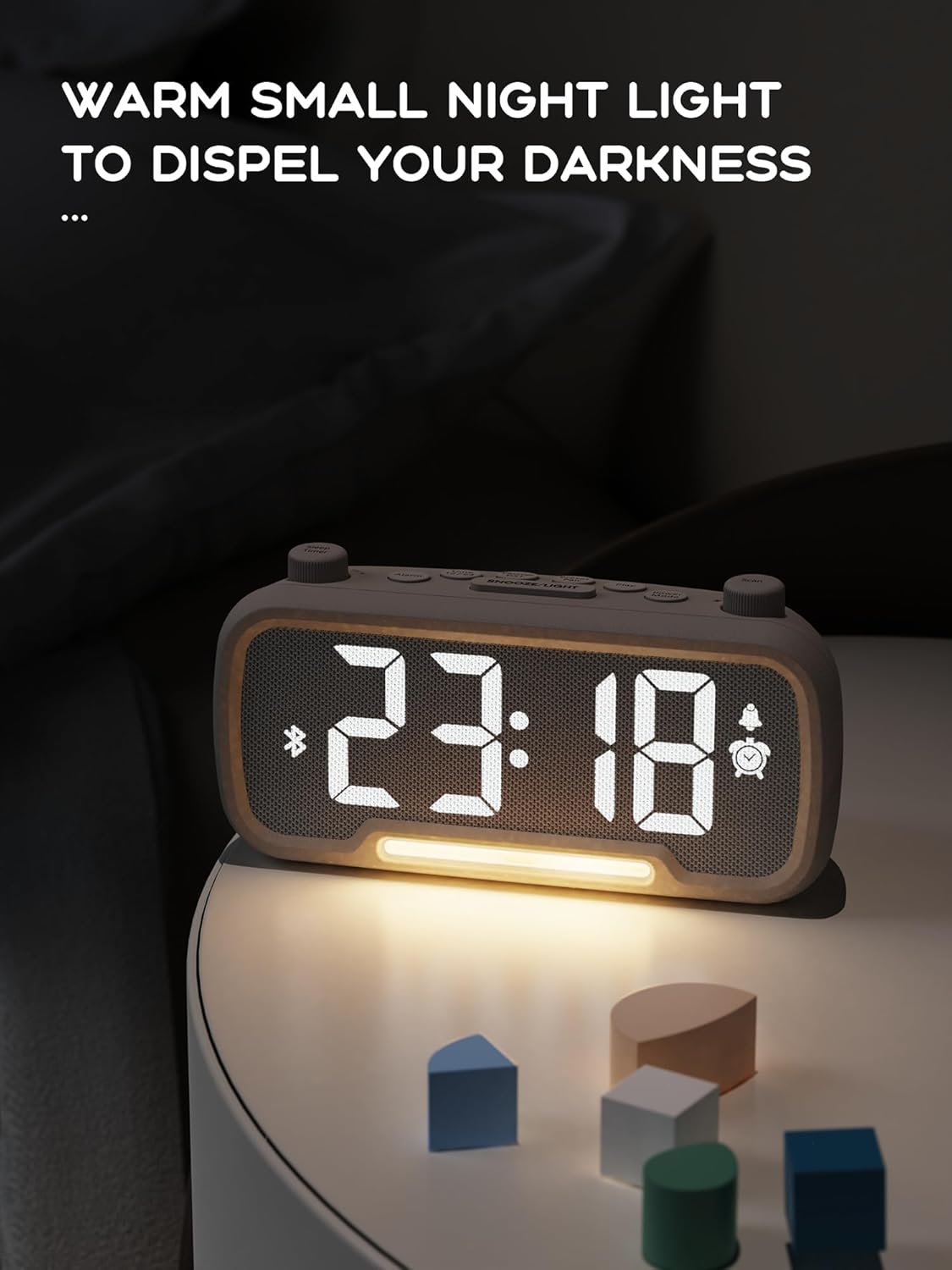
The alarm clock features an integrated night light.
- Кратко притиснете го Одложување/Светло копче за вклучување или исклучување на ноќното светло.
- The night light has adjustable brightness levels. Press and hold the Одложување/Светло button to cycle through the brightness options.

The ROCAM alarm clock on a bedside table, with its warm night light illuminated, providing ambient lighting.
Прилагодување на осветленоста на екранот:
The main display has 5 adjustable brightness levels.
- Притиснете го Осветленост button (or similar, often combined with Snooze/Light) to cycle through the display brightness levels.
- Изберете го нивото што е најзгодно за вашата околина.
Daylight Saving Time (DST) Function:
За да се прилагоди за летно сметање на времето:
- Кратко притиснете го ДСТ button (or similar, often indicated by a sun icon). The time will automatically adjust forward or backward by one hour.
- Press it again to revert the change.
USB and Type-C Charging Ports:
The alarm clock includes USB and Type-C ports for charging external devices.
- Connect your device's charging cable to the appropriate USB or Type-C port on the back of the alarm clock.
- Ensure the alarm clock is powered on for the charging ports to function.
Одржување
- Чистете го уредот со мека, сува крпа. Не користете течни средства за чистење или абразивни материјали.
- Keep the device free from dust and debris to ensure proper ventilation.
- Доколку уредот нема да се користи подолг временски период, исклучете го од штекерот.
Решавање проблеми
| Проблем | Можна причина | Решение |
|---|---|---|
| Приказот на часовникот е исклучен. | Нема струја, струјата е исклученаtage, or device is off. | Check power connection. Ensure the power adapter is securely plugged in. If there was a power outage, the battery backup should maintain settings, but the display requires main power. |
| Алармот не се огласува. | Alarm is not activated, volume is too low, or incorrect time set. | Ensure the alarm icon is visible on the display. Increase alarm volume. Verify alarm time is set correctly. |
| FM радио приемот е слаб. | Слаб сигнал, антената не е продолжена или има пречки. | Adjust the position of the device. Extend the FM antenna fully. Try auto-scanning for stations again. Avoid placing near other electronic devices. |
| Bluetooth уредот не може да се спари. | Clock not in Bluetooth mode, device too far, or already paired with another device. | Ensure the clock is in Bluetooth mode (flashing icon). Move your device closer to the clock. Disconnect from other Bluetooth devices. |
| Полнењето преку USB/Type-C не работи. | Clock not powered, cable faulty, or device not compatible. | Ensure the alarm clock is plugged into a wall outlet. Try a different charging cable. Verify your device is compatible with standard USB charging. |
Спецификации
| Карактеристика | Детал |
|---|---|
| Бренд | ROCAM |
| Модел | B0FNWB172Z |
| Боја | Греј |
| Димензии | 16.8 x 3.81 x 8.4 cm (6.6 x 1.5 x 3.3 инчи) |
| Тежина | 350 g (0.77 lbs) |
| Извор на енергија | Електричен со кабел |
| Батерија | 1 Lithium-metal battery (included, for backup) |
| Опсег на фреквенција FM | 87.5 MHz - 108.0 MHz |
| Bluetooth верзија | 5.0 |
| Осветленост на приказот | Прилагодливи 5 нивоа |
| Нивоа на јачина на звук | Прилагодливи 16 нивоа |
Гаранција и поддршка
За информации за гаранцијата или техничка поддршка, ве молиме погледнете ги контакт информациите дадени со вашата нарачка или посетете ја официјалната ROCAM webстраница. Зачувајте го доказот за купување за гаранциски побарувања.