
1. Вовед
This manual provides detailed instructions for the LAXASFIT GT1 Smart Watch. Please read this manual thoroughly before using your device to ensure proper operation and to maximize its features. Keep this manual for future reference.
2. Производот завршиview
2.1 Содржина на пакетот
Откако ќе го отворите пакувањето, проверете дали се присутни сите елементи:
- LAXASFIT GT1 Smart Watch
- USB кабел за полнење
- Упатство за употреба (овој документ)
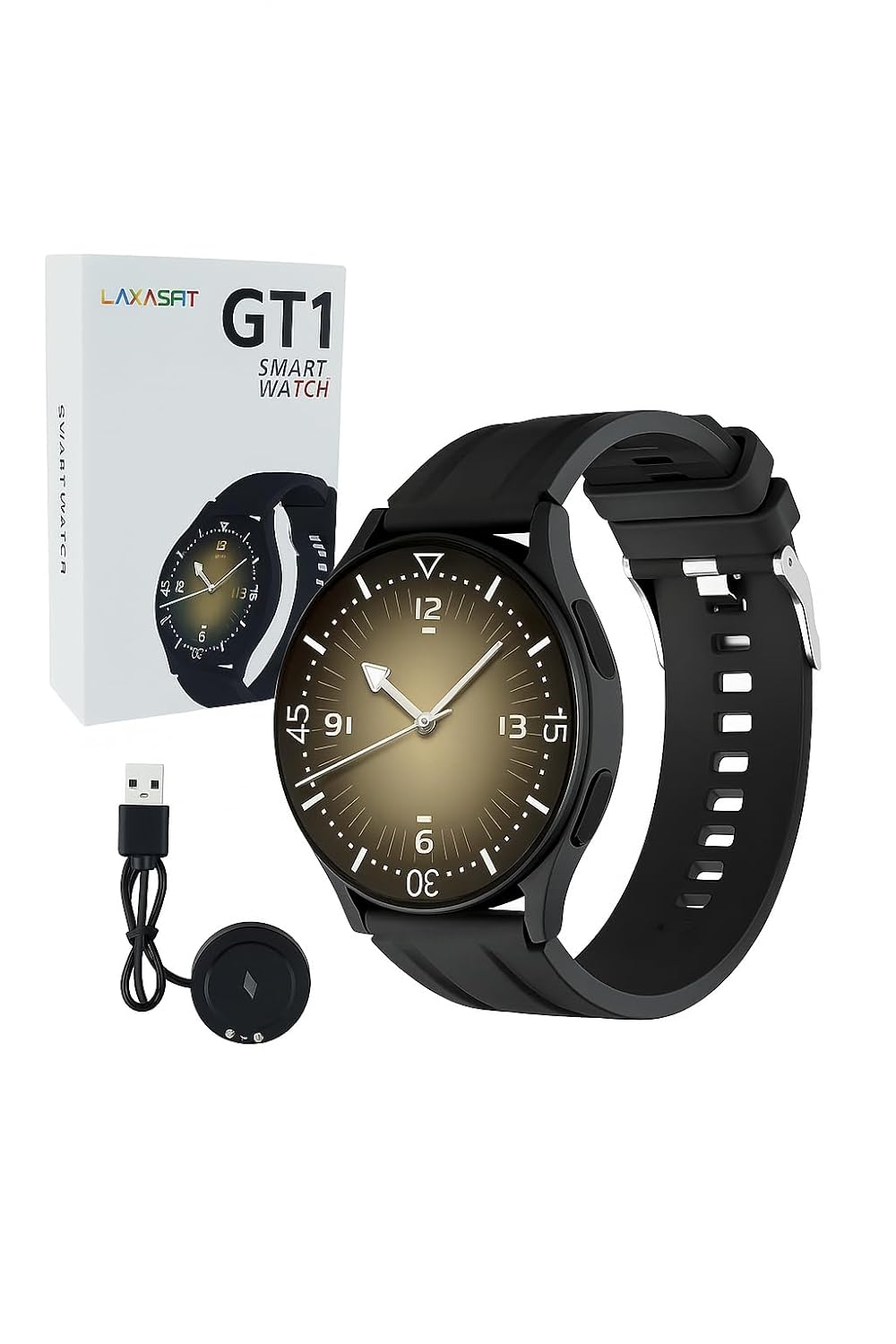
Image: The LAXASFIT GT1 Smart Watch, its retail packaging, and the included USB charging cable.
2.2 Клучни карактеристики
The LAXASFIT GT1 Smart Watch offers a range of functionalities designed to enhance your daily life:
- 1.32" IPS Pure Round Full Touch Screen: Vibrant and responsive display for clear interaction.
- Функционалност за повик преку Bluetooth: Воспоставувајте и примајте повици директно од вашиот зглоб.
- Следење на сонот: Tracks sleep patterns to help assess sleep quality.
- Повеќе спортски режими: Records data for various physical activities.
- Оценка за водоотпорност IP67: Resistant to splashes and brief immersion.
- Монитор на SpO2: Ги мери нивоата на сатурација на кислород во крвта.
- Мониторинг на отчукувањата на срцето: Континуирано следење на срцевиот ритам.
- Бројач на чекори: Tracks daily steps and activity.
- Известувања: Receives alerts for calls, messages, and app notifications.
- Издржлив дизајн: Features a black silicone strap with ventilation for comfort.
3. Водич за поставување
3.1 Полнење на паметниот часовник
Before initial use, fully charge your LAXASFIT GT1 Smart Watch.
- Connect the USB charging cable to a standard USB power adapter (not included) or a computer's USB port.
- Attach the magnetic charging pins to the charging contacts on the back of the watch. Ensure a secure connection.
- Екранот на часовникот ќе го покаже статусот на полнење. Целосното полнење обично трае приближно 2 часа.
3.2 Вклучување/исклучување
- За вклучување: Press and hold the side button until the LAXASFIT logo appears on the screen.
- За исклучување: From the watch face, swipe down to access the quick settings, then tap the power icon, or navigate to Settings > System > Power OffПотврдете го вашиот избор.
3.3 Инсталација на апликација и спарување на уреди
To unlock the full potential of your LAXASFIT GT1 Smart Watch, install the companion application on your smartphone.
- Преземете ја апликацијата: Пребарај за "Laxasfit" in the Google Play Store (for Android devices) or the Apple App Store (for iOS devices).
- Инсталирајте ја апликацијата: Следете ги упатствата на екранот за да ја инсталирате апликацијата.

Image: Screenshot of the Laxasfit app listing on the Google Play Store.

Image: Screenshot of the Laxasfit app listing on the Apple App Store.
- Овозможи Bluetooth: Проверете дали Bluetooth е овозможен на вашиот паметен телефон.
- Отворете ја апликацијата: Launch the Laxasfit app and follow the on-screen prompts to create an account or log in.
- Спари уред: Within the app, navigate to the device section and select "Add Device" or "Search Device." The app will scan for available smartwatches. Select "GT1" or the corresponding device name when it appears.
- Потврдете го спарувањето: A pairing request may appear on both your phone and watch. Confirm the pairing on both devices.
4. Упатства за работа
4.1 Основна навигација
- Екран на допир: Повлечете налево, надесно, нагоре или надолу за да се движите низ менијата и функциите. Допрете за да изберете ставка.
- Странично копче: Press the side button to return to the watch face or to wake the screen. A long press may access power options or other functions depending on context.
4.2 Функција за повик преку Bluetooth
After successful pairing with your smartphone, you can use the watch for Bluetooth calls:
- Проверете дали часовникот е поврзан со вашиот телефон преку Bluetooth.
- To make a call, access the dialer on the watch or select a contact from your synced phonebook.
- За да одговорите на дојдовен повик, допрете ја зелената икона за одговор на екранот на часовникот.
- To reject a call, tap the red reject icon.
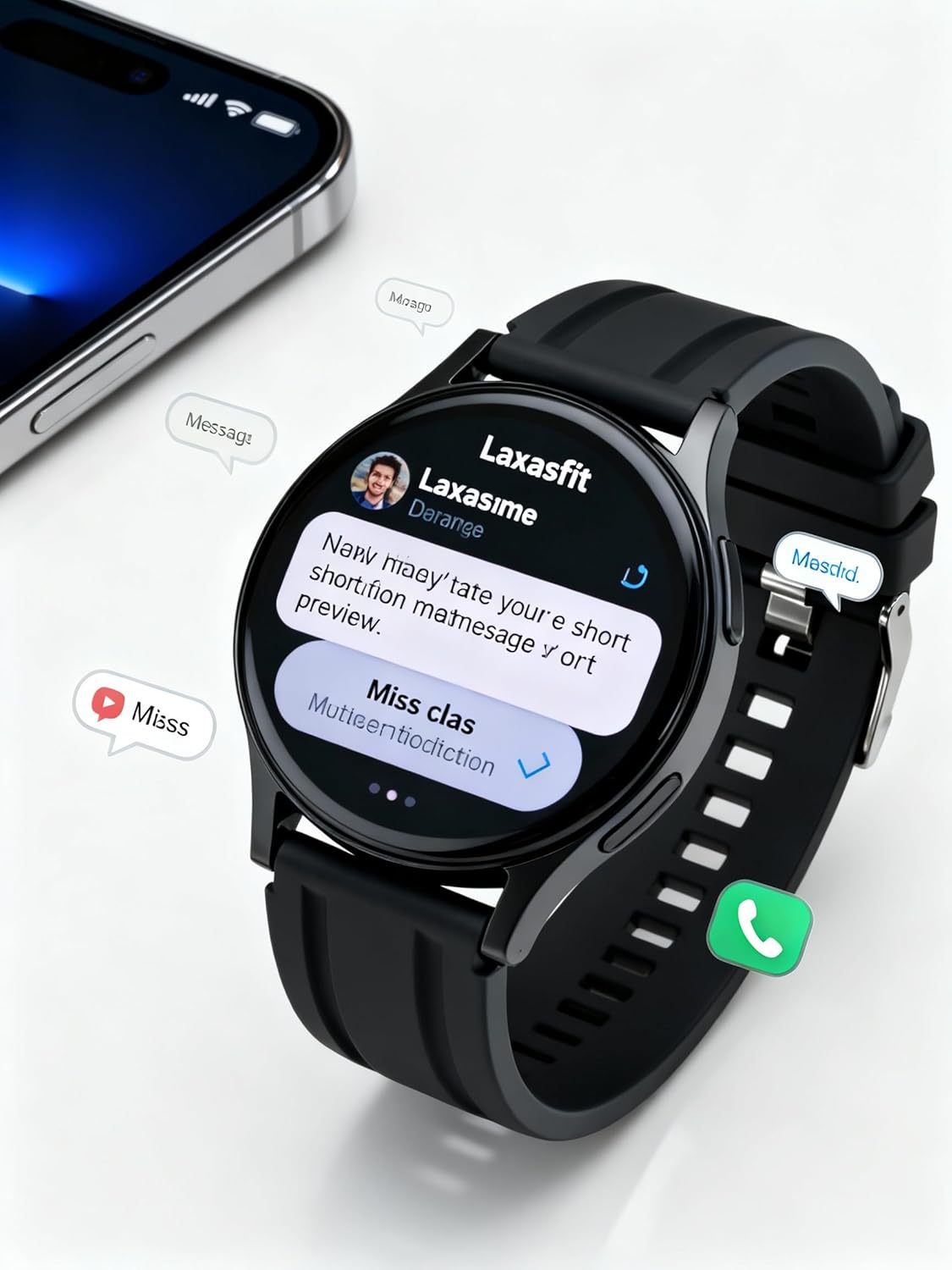
Image: The smart watch screen showing incoming message notifications and an icon for a phone call, indicating its communication features.
4.3 Мониторинг на здравјето
The GT1 Smart Watch provides various health tracking features:
- Отчукувањата на срцето: Access the heart rate monitor from the main menu. The watch will automatically measure and display your current heart rate. Continuous monitoring can be enabled via the app.
- SpO2 (кислород во крвта): Navigate to the SpO2 function. Keep your arm still during measurement for accurate results.
- Следење на сонот: Wear the watch to bed. It will automatically track your sleep duration and quality. View detailed sleep data in the Laxasfit app.
- Бројач на чекори: Часовникот континуирано ги следи вашите чекори, растојание и согорени калории во текот на денот.

Image: The smart watch on a user's wrist, displaying sleep duration and quality metrics, with a person sleeping in the background.

Image: The smart watch screen showing a heart rate reading in BPM and the total number of steps taken.
4.4 спортски режими
The watch supports various sports modes to track your workouts:
- Navigate to the "Sports" or "Workout" menu on your watch.
- Изберете ја саканата активност (на пример, трчање, одење, возење велосипед).
- The watch will begin recording data such as duration, distance, calories burned, and heart rate.
- End the workout by following the on-screen prompts. Data will sync to the Laxasfit app.
4.5 Известувања
Добивајте известувања од вашиот паметен телефон директно на вашиот часовник:
- Ensure notification permissions are granted to the Laxasfit app on your smartphone.
- Enable specific app notifications within the Laxasfit app settings.
- When a notification arrives, the watch will vibrate and display the message content.
5. Одржување
5.1 Чистење на вашиот паметен часовник
- Редовно чистете го екранот и ременот на часовникот со мека, дamp крпа.
- Избегнувајте употреба на груби хемикалии, абразивни средства за чистење или растворувачи, бидејќи тие можат да го оштетат уредот.
- Пред полнење, проверете дали контактите за полнење се чисти и суви за да спречите корозија.
5.2 Водоотпорност (IP67)
The LAXASFIT GT1 Smart Watch is rated IP67, meaning it is resistant to dust and can withstand immersion in water up to 1 meter for 30 minutes. However, it is not suitable for swimming, diving, or high-pressure water activities. Avoid exposure to hot water or steam.
5.3 Најдобри практики за наплата
- Користете го само обезбедениот кабел за полнење.
- Avoid overcharging the device; disconnect once fully charged.
- Do not charge the watch in wet conditions.
6 Смена на проблеми
If you encounter issues with your LAXASFIT GT1 Smart Watch, refer to the following common solutions:
- Часовникот не се вклучува: Проверете дали часовникот е целосно наполнет. Поврзете го со полначот најмалку 10 минути.
- Не може да се спари со телефон:
- Проверете дали Bluetooth е овозможен на вашиот телефон и часовник.
- Проверете дали часовникот е во домет на вашиот телефон.
- Рестартирајте ги и телефонот и часовникот.
- Исчистете го кешот на Bluetooth на вашиот телефон (Android) или заборавете го уредот и повторно спарете го (iOS/Android).
- Неточни здравствени податоци: Уверете се дека часовникот е цврсто носен на вашиот зглоб, не е премногу стегнат или премногу лабав. Одржувајте го сензорот чист.
- Не се примени известувања:
- Проверете ги дозволите за известувања на апликацијата на вашиот телефон.
- Verify that notifications are enabled within the Laxasfit app.
- Проверете дали часовникот е поврзан со вашиот телефон.
- Екранот не реагира: Try restarting the watch by long-pressing the side button. If unresponsive, allow the battery to drain completely and then recharge.
Ако проблемите продолжат, контактирајте со поддршката за корисници за понатамошна помош.
7. Спецификации
| Карактеристика | Детал |
|---|---|
| Бренд | ЛАКСАСФИТ |
| Име на моделот | GT1 (Zt1) |
| Број на модел на ставка | H9proMax |
| Тип на дисплеј | AMOLED |
| Големина на приказ на стоечки екран | 1.9 инчи (Note: Product title states 1.32" IPS, specifications state 1.9" AMOLED. Using 1.9" from specifications for consistency in this section.) |
| Оперативен систем | WatchOS (Note: This is likely a generic term or placeholder, as WatchOS is Apple's OS. The actual OS is typically proprietary for such devices.) |
| Капацитет за складирање на меморија | 500 MB |
| Големина на инсталирана RAM меморија | 0.13 MB |
| Посебни карактеристики | GPS |
| Компатибилни уреди | iPhone (Note: Also compatible with Android via the Laxasfit app.) |
| Просечен век на траење на батеријата | 1 Ден |
| Време на полнење | 2 часа |
| Капацитет на батеријата | 100 Amp Часови (Note: This unit is unusual for smartwatches, typically mAh. Assuming it refers to 100mAh or similar capacity.) |
| Безжичен тип | Bluetooth |
| Тип на конектор | Bluetooth |
| Интерфејс на уредот - Примарен | Екран на допир |
| Материјал | Силикон |
| Тежина на ставката | 200 гр |
| Оценка за отпорност на вода | IP67 |
8. Гаранција и поддршка
For warranty information and customer support, please refer to the documentation provided with your purchase or contact LAXASFIT customer service through their official website or the Laxasfit application. Keep your proof of purchase for warranty claims.


