
Вовед
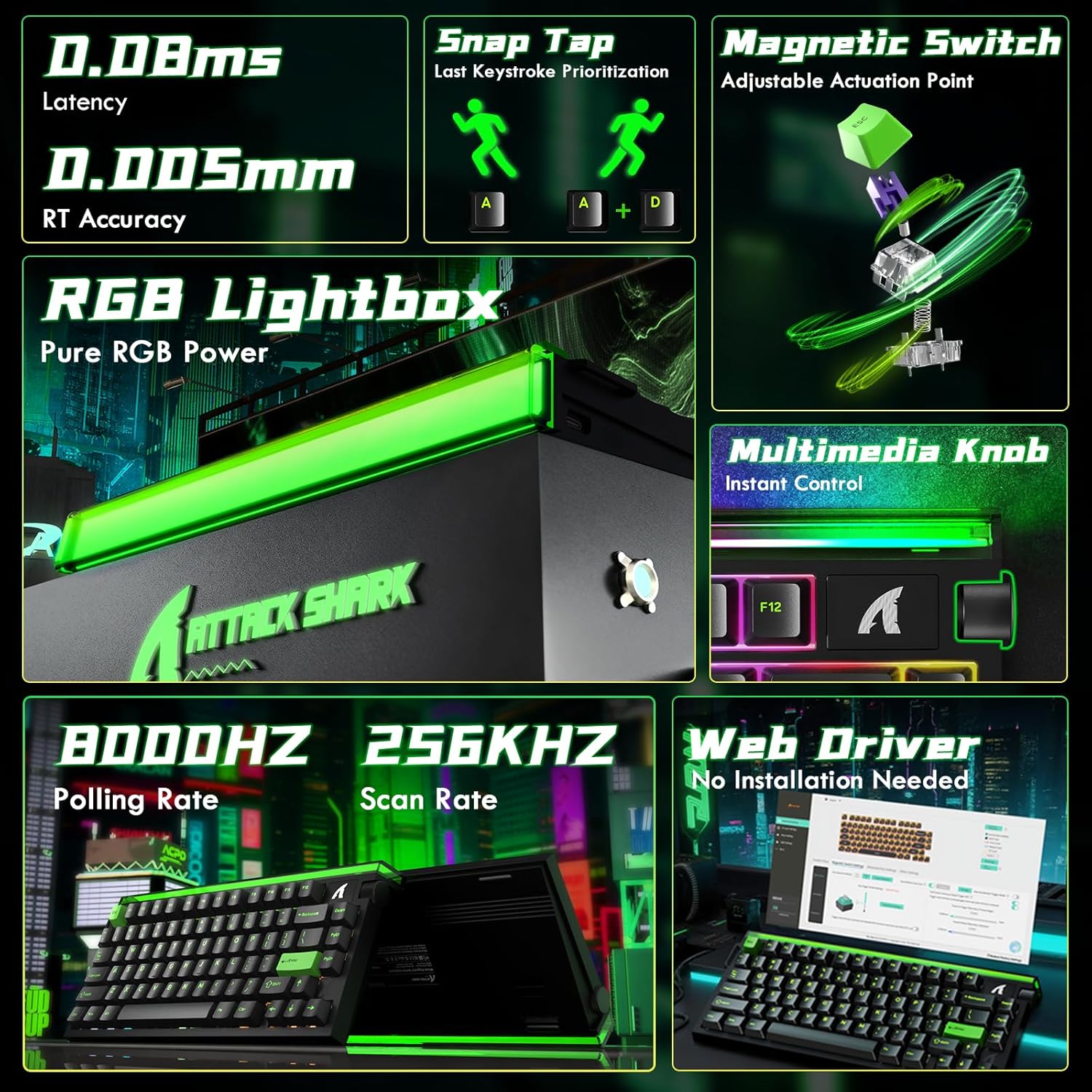
The ATTACK SHARK R85 HE is a high-performance wired 75% mechanical gaming keyboard designed for speed and precision. It features Hall Effect magnetic switches with adjustable actuation points, an 8000Hz polling rate, 0.05mm RT accuracy, and 0.08ms ultra-low latency. The keyboard includes a 5-layer sound dampening system for an optimal typing experience and customizable RGB lighting. It is compatible with both PC and Mac systems.
Поставување
To set up your ATTACK SHARK R85 HE keyboard, follow these steps:
- Поврзете ја тастатурата: Connect the keyboard to your computer using the provided USB-C cable. The keyboard is plug-and-play compatible with Windows and Mac operating systems.
- Инсталација на софтвер: For full customization and advanced features, download the dedicated software from the official ATTACK SHARK website or access the web-based driver. This software allows for key remapping, macro creation, RGB lighting adjustments, and magnetic switch settings.
- Почетна калибрација: After connecting and installing the software, it is recommended to perform a calibration. Refer to the 'Quick Calibration Guide' image below for detailed steps.

Упатства за работа
The ATTACK SHARK R85 HE keyboard offers a range of features for an enhanced gaming and typing experience.
1. Rapid Trigger and Magnetic Switches
The Hall Effect magnetic switches provide adjustable actuation points, allowing you to customize the key sensitivity from 0.1mm to 3.3mm. This feature, combined with Rapid Trigger technology, enables keys to activate and reset based on movement rather than a fixed point, offering unparalleled speed and precision in competitive gaming.
- Прилагодлива точка на активирање: Use the software to set individual key actuation points.
- Копче за прилепување (SOCD): Enables one keystroke to trigger multiple actions.
- Динамичко притискање на тастатура (DKS): Allows for advanced key functionalities.


2. RGB Lighting and Media Knob
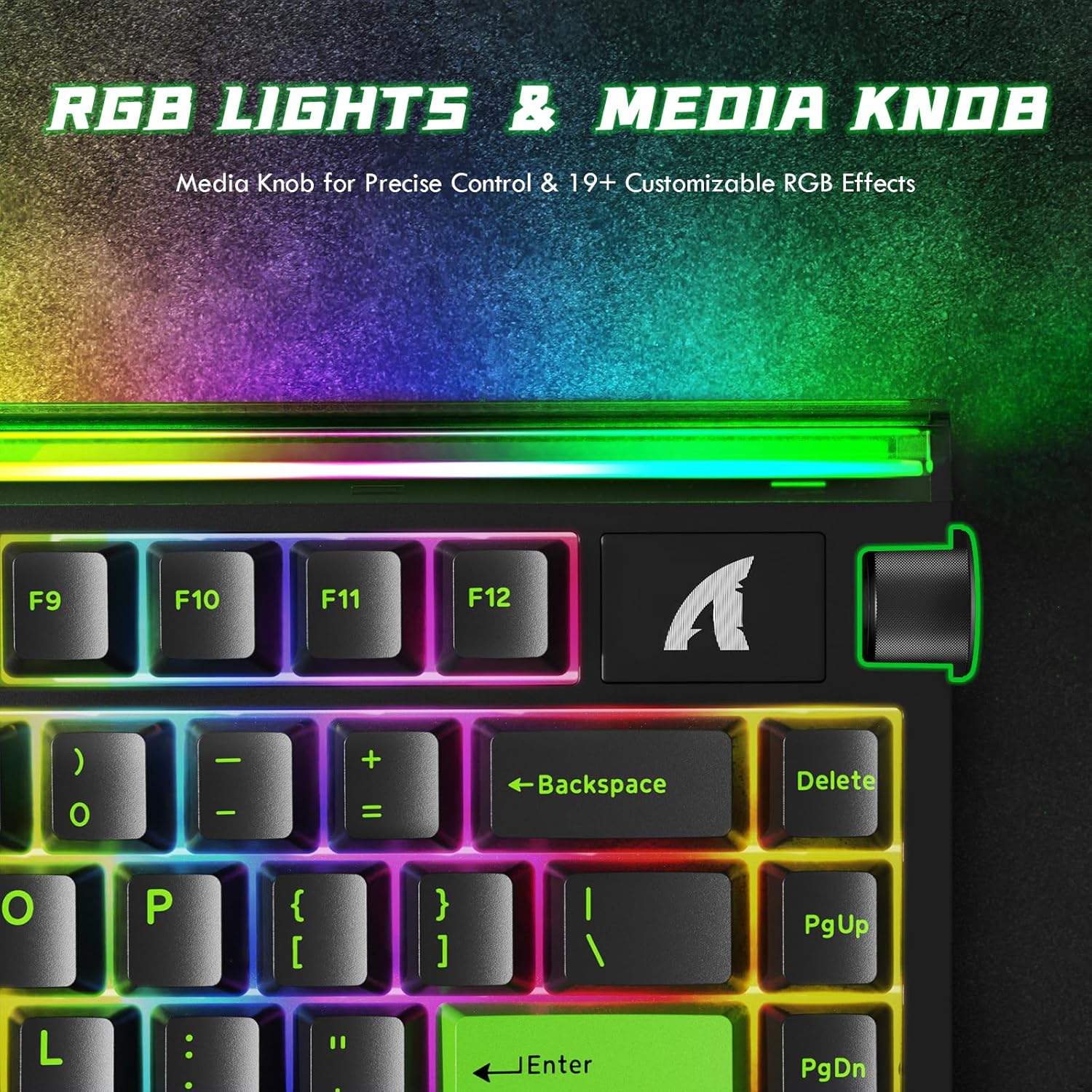
The keyboard features 19 dynamic backlight modes and a unique front-facing RGB light bar, offering 16.8 million colors for a personalized setup. A convenient volume roller is integrated for instant media control.
3. Sound Dampсистем за обновување
The keyboard incorporates a 5-layer sound-dampening system (PE Foam, IXPE, PET, Foam, Silicone) designed to absorb metallic ping and rattle, producing a satisfying "thock" sound with each keystroke.

4. Performance Metrics
Experience near-zero input delay with an 8000Hz polling rate and a 256K scanning rate, ensuring rapid response and precise control.

5. Производот завршиview
6. Официјални видеа за производи
Video: ATTACK SHARK RGB Rapid Trigger Mechanical Gaming Keyboard. This video showcases the RGB lighting effects and rapid trigger functionality of the keyboard.
Video: ATTACK SHARK R85HE RT Mechanical Keyboard. This video demonstrates the rapid trigger features and overall mechanical performance.
Video: ATTACK SHARK R85HE Magnetic Switch Mechanical Keyboard. This video focuses on the magnetic switch technology and its benefits.
Video: ATTACK SHARK R85 HE Wired RT 8K Polling Mechanical Keyboard. This video provides a detailed overview of the keyboard's wired connectivity, rapid trigger, and 8K polling rate.
Одржување
Правилното одржување гарантира долготрајност и перформанси на вашата тастатура.
- Чистење: Regularly clean the keycaps and chassis with a soft, dry cloth. For deeper cleaning, you may use a slightly damp cloth with mild soap, ensuring no liquid enters the keyboard.
- Отстранување на капачето на копчето: The keyboard features hot-swappable switches. If you need to remove keycaps for cleaning or replacement, use a keycap puller to gently lift them straight up to avoid damaging the switches.
- Грижа за кабел: Избегнувајте остри свиткувања или прекумерно влечење на USB-C кабелот за да спречите оштетување.
Решавање проблеми
If you encounter issues with your keyboard, consider the following:
- Тастатурата не реагира: Ensure the USB-C cable is securely connected to both the keyboard and the computer. Try connecting to a different USB port or a different computer to rule out port issues.
- Проблеми со RGB осветлување: If the RGB lighting is not functioning correctly, check the software settings to ensure the desired effects are selected. You may also try resetting the keyboard's lighting profiles.
- Key Input Problems: If specific keys are not registering or are double-typing, ensure the magnetic switches are properly seated. If the issue persists, perform a calibration through the software as described in the Setup section.
- Софтверот не ја детектира тастатурата: Reinstall the keyboard software or web driver. Ensure your operating system is up to date.
Спецификации
| Карактеристика | Детал |
|---|---|
| Бренд | НАПАДНА АЈКУЛА |
| Модел | R85 HE |
| Технологија за поврзување | USB-C кабел |
| Опис на тастатурата | Механички |
| Тип на прекинувач | Hall Effect Magnetic Switch |
| Стапка на анкети | 8 KHz |
| Точност на RT | 0.05 мм |
| Латентност | 0.08 ms |
| Стапка на скенирање | 256 KHz |
| Опсег на активирање | 0.1-3.3 mm (прилагодлив) |
| Звук Дampенинг | 5-Layer Filling (PE Foam, IXPE, PET, Foam, Silicone) |
| Клучни клучеви | Чери Проfile PBT Keycaps |
| Задно осветлување | RGB (19+ modes, front-facing light bar) |
| Број на клучеви | 84 |
| Компатибилни уреди | PC, Mac |
| Материјал | Aluminum, Plastic (PBT) |
| Посебни карактеристики | Програмабилна Web Driver, RGB Lightbox, Hot-Swappable |
Гаранција и поддршка
For warranty information, technical support, or to access the latest drivers and software, please visit the official ATTACK SHARK webлокација или директно контактирајте ја нивната служба за корисници. Зачувајте ја сметката за купување за гаранциски барања.