Вовед
Thank you for choosing the Acedeck L01 Super Loud Alarm Clock. This device is designed to provide a reliable and powerful wake-up experience, especially for heavy sleepers, with its 115dB dual alarms and adjustable features. This manual will guide you through the setup, operation, and maintenance of your new alarm clock.
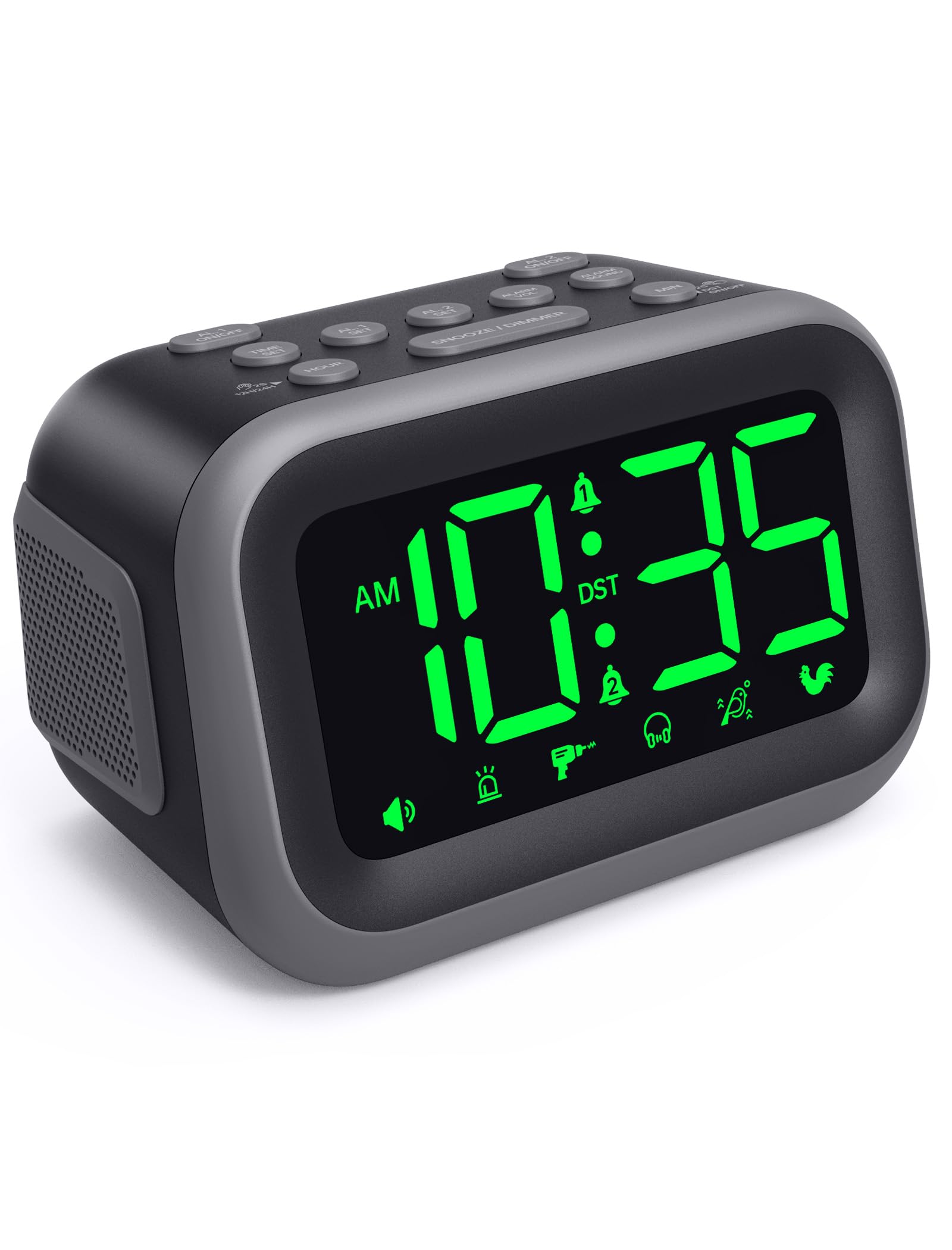
Figure 1: Acedeck L01 Super Loud Alarm Clock with green digits.
Поставување
1. Поврзување за напојување
Connect the provided AC adapter to the DC 5V port on the back of the alarm clock and plug it into a standard wall outlet. The display will light up, indicating the clock is powered on.
2. Резервна батерија (опционално)
За континуирано работење за време на исклучување на струјатаtages, insert 3 AAA batteries (not included) into the battery compartment on the bottom of the clock. The battery backup system retains time and alarm settings and will activate the alarm function during a power loss, though the display will turn off to conserve power.

Figure 2: Power connection and battery backup functionality.
3. Поставување на времето
- Притиснете го ВРЕМЕ СЕТ копче. Цифрите за часовите ќе трепкаат.
- Користете го ЧАС копче за да го прилагодите часот. Притиснете и држете за побрзо прилагодување.
- Притиснете го МИН button to adjust the minutes. Press and hold for faster adjustment.
- Притиснете ВРЕМЕ СЕТ повторно за да потврдите и да излезете од режимот за поставување време.
За да префрлате помеѓу 12-часовен и 24-часовен формат, притиснете го копчето 12ч/24ч button during time setting.

Figure 3: Switching between 12-hour and 24-hour display.
4. Летно сметање на времето (DST)
Притиснете го Вклучено / исклучено DST button to activate or deactivate Daylight Saving Time. The clock will adjust automatically.
5. Копче надview

Figure 4: Labeled buttons for clear function and fast setup.
Video: Setting the Time
This video demonstrates how to set the current time on your Acedeck L01 alarm clock, including toggling between 12-hour and 24-hour formats.
Упатства за работа
1. Поставување аларми (двојни аларми)
The Acedeck L01 features two independent alarms (AL1 and AL2). This allows you to set different wake-up times for different schedules.
- Притиснете го AL1 SET or AL2 SET button. The hour digits for the selected alarm will flash.
- Користете го ЧАС копче за прилагодување на часот на алармот.
- Користете го МИН копче за да ги прилагодите минутите на алармот.
- Притиснете го соодветното AL SET повторно притиснете го копчето за да го потврдите времето на алармот.
- За да активирате или деактивирате аларм, притиснете го копчето AL1 ВКЛУЧЕНО/ИСКЛУЧЕНО or AL2 ВКЛУЧЕНО/ИСКЛУЧЕНО button. An alarm icon will appear on the display when an alarm is active.
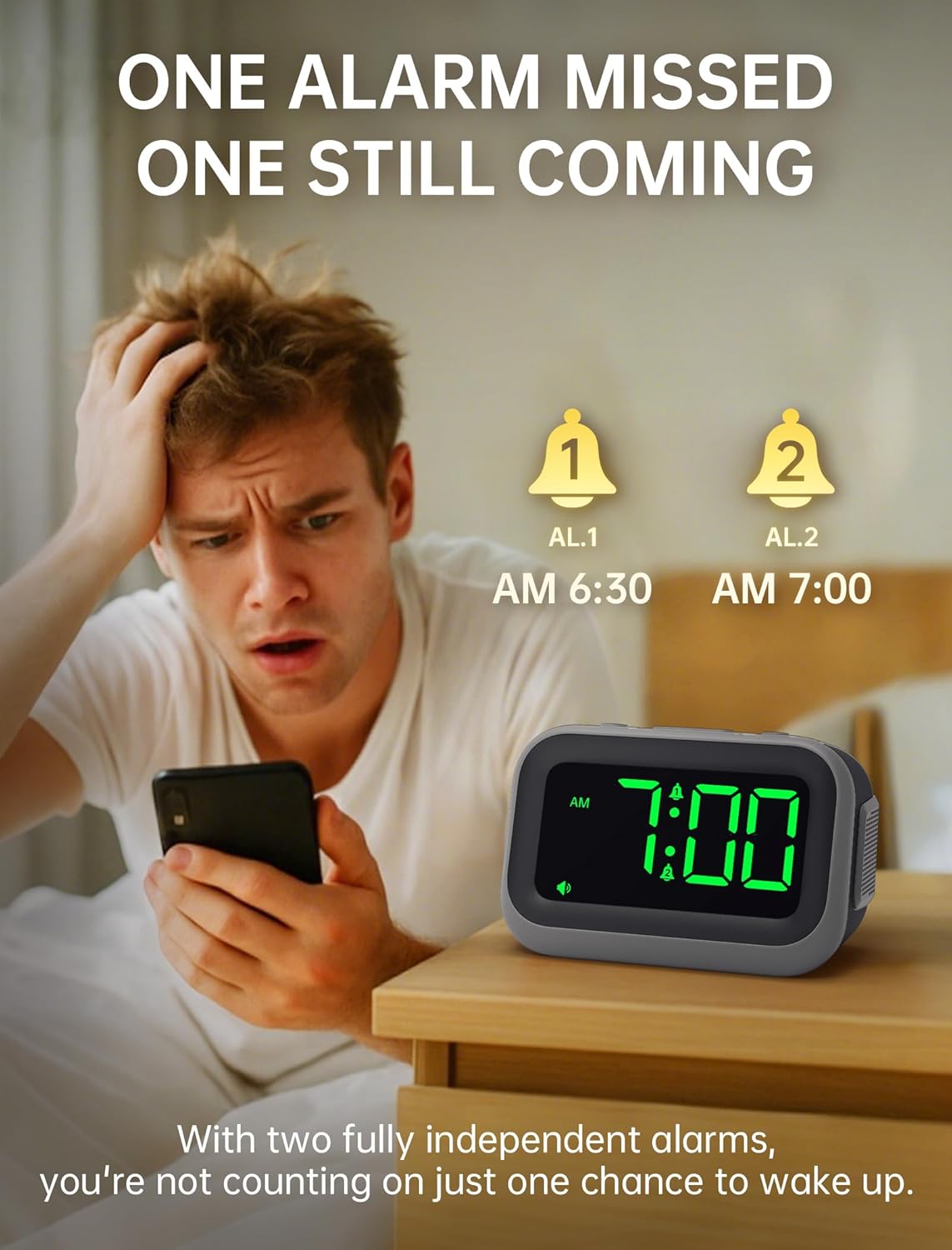
Figure 5: Dual alarm functionality for flexible scheduling.
2. Звуци на аларм
Choose from 6 distinct alarm sounds to suit your preference. While setting the alarm, press the АЛАРМ ЗВУК button to cycle through the available sounds: Beep, Siren, Jackhammer, Music, Bird Song, and Rooster.
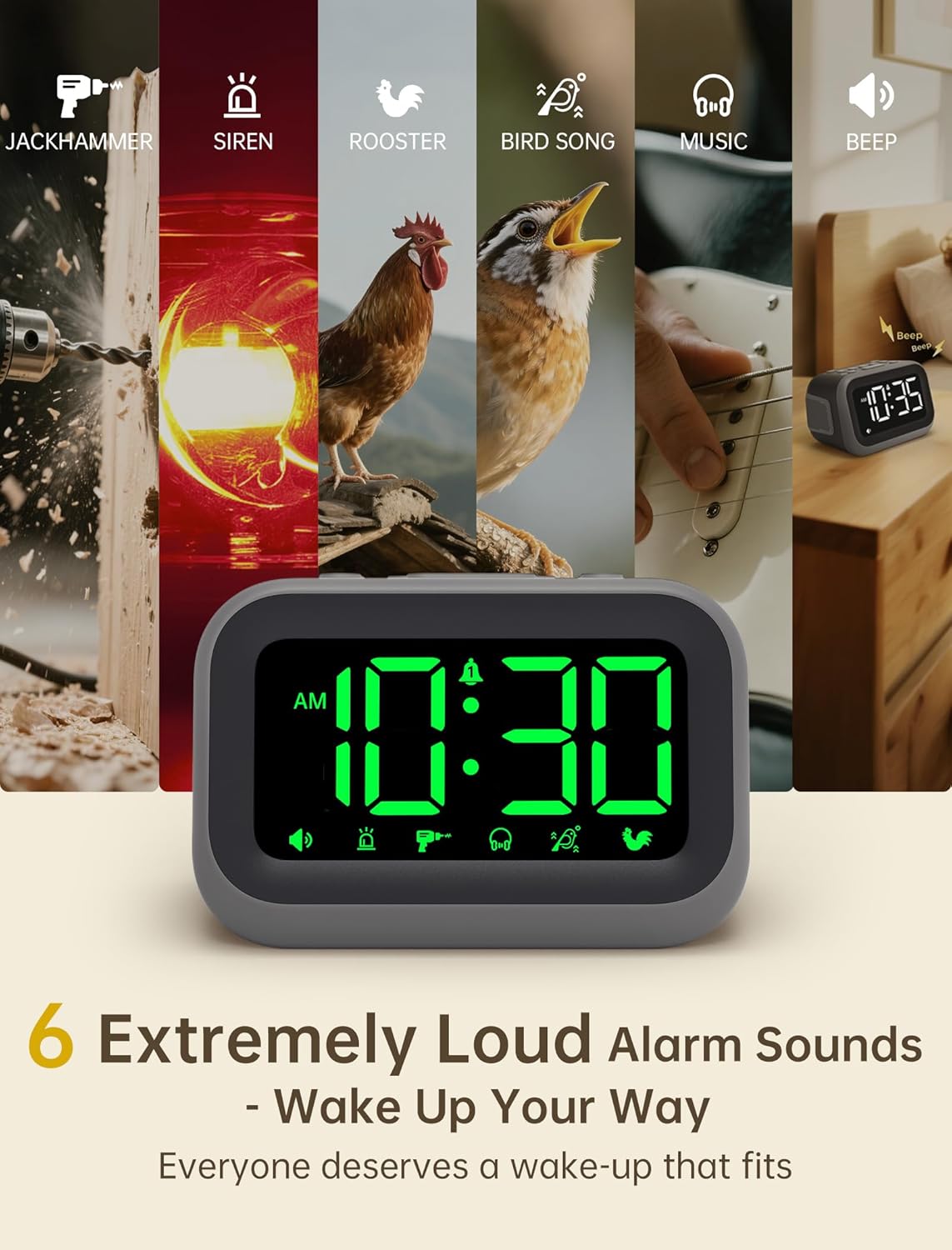
Figure 6: Selection of 6 unique alarm sounds.
3. Јачина на звук на аларм
The Acedeck L01 features an extra-loud 115dB alarm, ideal for heavy sleepers. You can adjust the alarm volume through 6 levels. Press the ALARM VOL button to cycle through the volume settings. The default volume is set to maximum, so adjust to a comfortable level before first use.

Figure 7: Adjustable volume levels for the alarm.
4. Функција за одложување
Кога ќе се огласи алармот, притиснете го големото копче СНОЗИ / ДИМЕР button to temporarily silence the alarm for a few minutes. The alarm will sound again after the snooze period ends.

Figure 8: Using the snooze function.
5. Adjustable Brightness
The 4.2-inch LED display offers 5 levels of adjustable brightness. Press the СНОЗИ / ДИМЕР button (when the alarm is not sounding) to cycle through the brightness levels, from brightest to completely off. This allows for comfortable viewing day or night without disturbing sleep.

Figure 9: Adjusting the display brightness.
6. USB порта за полнење
A built-in USB port on the back of the clock allows you to charge your smartphone or other USB-powered devices overnight. This feature is active when the clock is connected to AC power.

Слика 10: USB-портата за полнење е во употреба.
Video: Setting the Alarm
This video demonstrates how to set and activate the dual alarms on your Acedeck L01 alarm clock.
Video: Product Features Overview
This video provides a detailed demonstration of the Acedeck L01 alarm clock's features, including alarm sounds, volume, and brightness settings.
Одржување
To ensure the longevity and optimal performance of your Acedeck L01 alarm clock, follow these simple maintenance guidelines:
- Чистење: Избришете го часовникот со мека, сува крпа. Не користете абразивни средства за чистење или растворувачи, бидејќи тие може да ја оштетат завршната обработка.
- Замена на батерија: If using battery backup, replace the AAA batteries annually or when the battery indicator suggests low power to ensure continuous functionality during power outagес.
- Поставување: Поставете го часовникот на стабилна, рамна површина подалеку од директна сончева светлина, прекумерна топлина или влага.
Решавање проблеми
| Проблем | Решение |
|---|---|
| Приказот на часовникот е исклучен. | Ensure the AC adapter is securely plugged into both the clock and a working power outlet. If using battery backup, the display turns off to save power, but the alarm function remains active. |
| Алармот не се огласува. | Check if the alarm (AL1 or AL2) is activated (icon visible on display). Verify the alarm time is set correctly. Ensure the alarm volume is not set to zero. If running on battery backup, ensure batteries are fresh. |
| Времето е неточно. | Re-set the time following the 'Setting the Time' instructions. Check for power interruptions; if frequent, ensure battery backup is installed and functional. |
| USB полнењето не работи. | Ensure the alarm clock is connected to AC power. The USB charging port does not function when the clock is running on battery power. Check the USB cable and the device being charged. |
Спецификации
- Бренд: Ацедек
- Модел: L01
- Тип на приказ: Дигитална LED диода
- Боја на екранот: Зелени цифри
- Јачина на аларм: До 115 dB
- Звуци на аларм: 6 unique sounds
- Нивоа на осветленост: 5 прилагодливи нивоа
- Извор на енергија: Corded Electric (AC 100-240V)
- Резервна копија на батеријата: 3 x AAA батерии (не се вклучени)
- USB порта за полнење: Да (за надворешни уреди)
- Димензии на производот: 4.8"Ш x 3.15"В
- Тежина на ставката: 11 унци
- Материјал: Пластика

Слика 11: Димензии на производот.
Гаранција и поддршка
Your Acedeck L01 Super Loud Alarm Clock comes with an 18-month warranty from the date of purchase. This warranty covers manufacturing defects and malfunctions under normal use.
For technical support, troubleshooting assistance, or warranty claims, please contact Acedeck customer service through the retailer where you purchased the product or visit the official Acedeck webсајт за информации за контакт.