
1. Вовед
Welcome to the user manual for your LAXASFIT T900 Ultra2 Smartwatch. This guide provides essential information on setting up, operating, and maintaining your device. The T900 Ultra2 is designed to be a comprehensive fitness companion and personal assistant, featuring a 2.19-inch HD IPS display and various health monitoring capabilities.
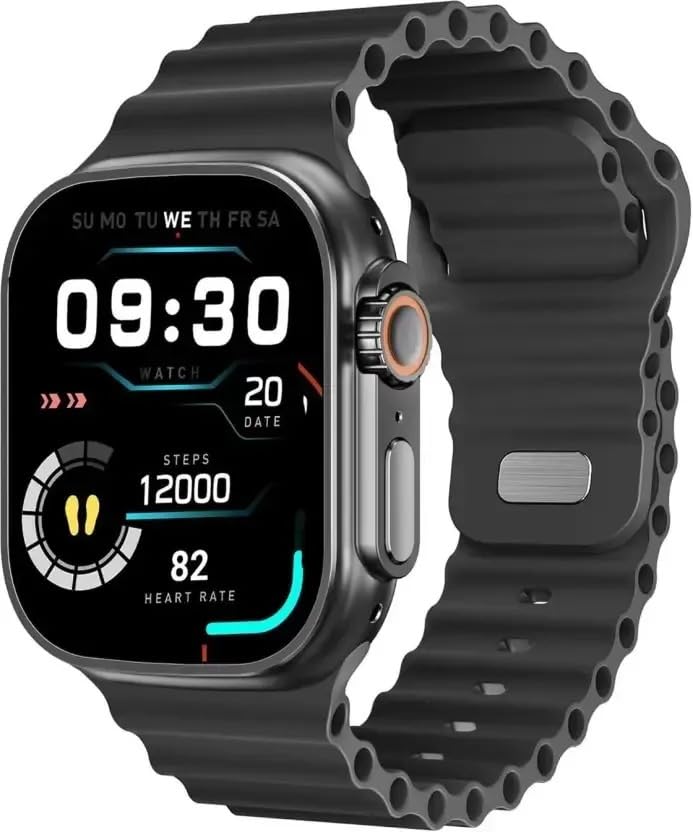
Figure 1: LAXASFIT T900 Ultra2 Smartwatch with main display showing time, steps, and heart rate.
2. Информации за безбедност
- Не обидувајте се да го расклопите или модифицирате паметниот часовник.
- Чувајте го уредот подалеку од екстремни температури и директна сончева светлина.
- Избегнувајте изложување на паметниот часовник на силни удари или падови.
- Консултирајте се со лекар пред да започнете со каков било нов режим на вежбање, особено ако имате претходни здравствени проблеми.
- This device is not a medical instrument and should not be used for diagnostic purposes.
- Ensure the charging cable is used correctly to prevent damage to the device or charger.
3. Што има во кутијата
Upon opening your LAXASFIT T900 Ultra2 Smartwatch package, you should find the following items:
- LAXASFIT T900 Ultra2 Smartwatch
- Кабел за полнење
- Упатство за употреба (овој документ)
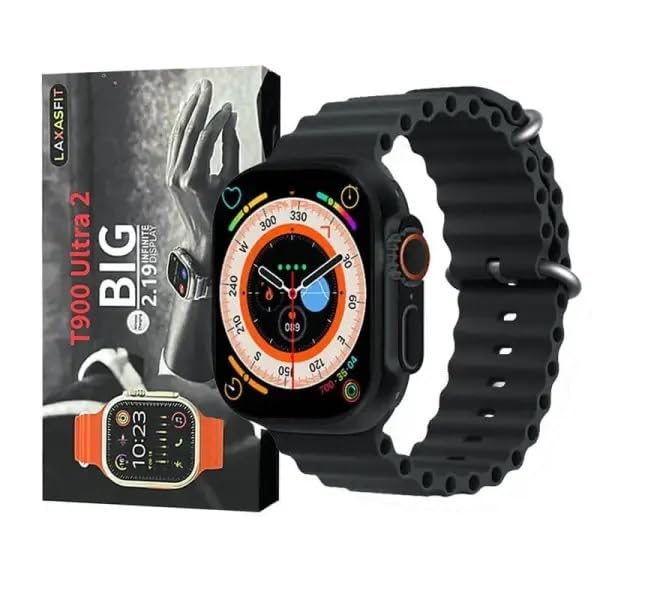
Figure 2: Contents of the LAXASFIT T900 Ultra2 Smartwatch package, including the smartwatch and its box.
4. Поставување
4.1 Полнење на паметниот часовник
- Connect the charging cable to a compatible USB power adapter (not included).
- Attach the magnetic end of the charging cable to the charging contacts on the back of the smartwatch. Ensure a secure connection.
- The smartwatch display will indicate charging status. A full charge typically takes approximately 2 hours.
4.2 Вклучување/исклучување
- За вклучување: Press and hold the side button until the LAXASFIT logo appears on the screen.
- За исклучување: Притиснете го и задржете го страничното копче, а потоа изберете ја опцијата „Исклучи“ на екранот.
4.3 Pairing with Your Mobile Device
To unlock the full functionality of your T900 Ultra2 Smartwatch, pair it with your smartphone via Bluetooth.
- Проверете дали вашиот паметен часовник е наполнет и вклучен.
- Овозможете Bluetooth на вашиот мобилен телефон.
- Download and install the companion application (refer to the smartwatch display or packaging for app name, typically found by scanning a QR code).
- Open the companion app and follow the on-screen instructions to search for and connect to your LAXASFIT T900 Ultra2.
- Потврдете го барањето за спарување и на телефонот и на паметниот часовник.
5. Упатства за работа
5.1 Навигација низ интерфејсот
- Екран на допир: Повлечете налево, надесно, нагоре или надолу за да се движите низ менијата и екраните. Допрете за да изберете ставки.
- Странично копче: Press to return to the home screen or wake the device. Press and hold for power options.
- Дигитална круна: Rotate to scroll through lists or zoom in/out (functionality may vary by app). Press to access the app menu.
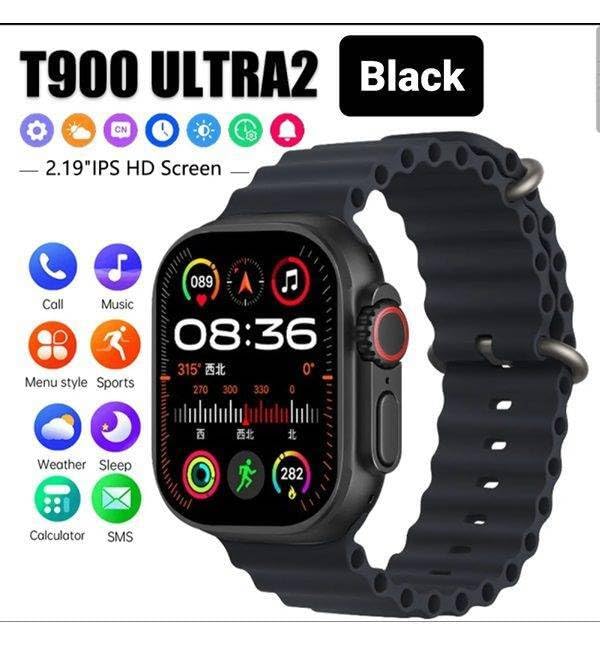
Figure 3: Smartwatch display illustrating various functions such as call, music, sports, weather, sleep, and calculator.
5.2 Клучни карактеристики
The LAXASFIT T900 Ultra2 Smartwatch offers a range of features to enhance your daily life and fitness routine:
- Монитор за отчукувањата на срцето: Continuously tracks your heart rate. Access historical data through the companion app.
- Следење на активност: Records steps, distance, and calories burned. Supports various sports modes (e.g., running, cycling, swimming).
- Следење на спиење: Ги следи моделите на спиење и квалитетот.
- Контрола на музика: Контролирајте ја репродукцијата на музика на вашиот поврзан паметен телефон директно од вашиот паметен часовник.
- Приказ на времето: Provides current weather conditions and forecasts.
- Известувања: Receive call, SMS, and app notifications from your paired smartphone.
- Калкулатор: Basic arithmetic functions available on your wrist.
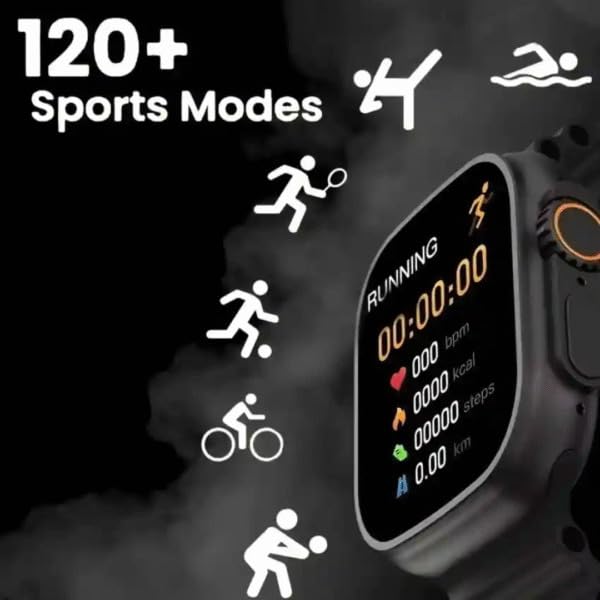
Figure 4: Smartwatch screen showing active sports tracking for running, including duration, heart rate, calories, steps, and distance.
6. Одржување
6.1 Чистење на вашиот паметен часовник
- Wipe the screen and body of the smartwatch with a soft, lint-free cloth.
- За тврдокорни траги, малку дampИзмијте ја крпата со вода. Избегнувајте употреба на груби хемикалии или абразивни материјали.
- Пред полнење, проверете дали контактите за полнење се чисти и суви.
6.2 Грижа за лентата
- Clean the sport band regularly with a damp крпа за отстранување на пот и нечистотија.
- Allow the band to air dry completely before wearing.
7 Смена на проблеми
| Проблем | Можно решение |
|---|---|
| Паметниот часовник не се вклучува. | Ensure the device is fully charged. Press and hold the side button for at least 10 seconds. |
| Не може да се спари со телефон. |
|
| Мерењата на отчукувањата на срцето се неточни. | Ensure the smartwatch is worn snugly on your wrist, not too tight or too loose. Clean the sensor on the back of the device. |
| Известувањата не се примаат. |
|
8. Спецификации
| Карактеристика | Детал |
|---|---|
| Модел | T900 Ultra2 |
| Приказ | 2.19 Inches IPS HD |
| Оперативен систем | Сопствен оперативен систем |
| Капацитет за складирање на меморија | 256 MB |
| Поврзување | Bluetooth, GPS |
| Капацитет на батеријата | 1200 милиониamp Часови |
| Време на полнење | Приближно 2 часа |
| Просечен век на траење на батеријата | Up to 8 Hours (usage dependent) |
| Посебни карактеристики | Activity Tracker, Heart Rate Monitor, Music Player, Sleep Tracking, Weather Display |
| Компатибилни уреди | Mobile Phones, Smartphones |
| Материјал | Метал, силикон |
| Тежина на ставката | 100 гр |
| Земја на потекло | Кина |
9. Гаранција и поддршка
For warranty information and customer support, please refer to the documentation provided with your purchase or contact the retailer. Keep your proof of purchase for warranty claims.
Manufacturer: Retailix Solution
Importer: Retailix Solution Basti Uttar Pradesh 272170