1. Вовед
The SANSUI W12 AI Translation Earbuds are designed to facilitate real-time language translation, high-definition calls, and immersive audio experiences. Featuring advanced Bluetooth 6.0 technology and an open-ear design, these earbuds offer comfort and functionality for various daily activities, including travel, business, and learning.

Image: SANSUI W12 AI Translation Earbuds and their compact charging case.
Video: A detailed physical display of the SANSUI W12 AI Translation Earbuds, showcasinнивниот дизајн и карактеристики.
2. Што има во кутијата
Upon unboxing your SANSUI W12 AI Translation Earbuds, you should find the following items:
- Слушалки со вештачка интелигенција SANSUI W12 (лева и десна)
- Случај за полнење
- USB-C кабел за полнење
- Упатство за употреба W12
- SANSUI AI Smart App User Guide

Слика: Сите артикли се вклучени во пакувањето на производот SANSUI W12.
3. Поставување
3.1. Преземање и инсталација на апликацијата
The SANSUI AI Smart App is essential for utilizing the full translation capabilities of your earbuds. You can download it via QR code or by searching in your device's app store.
- Скенирајте QR -код: Locate the QR code on the product packaging or in the included user guide. Use your phone's built-in QR code scanner to scan it. This will direct you to a download page.
- Select Your System: On the download page, select your operating system (Android or iOS).
- Преземи од App Store: You will be redirected to the Google Play Store (for Android) or the Apple App Store (for iOS). Download and install the "SANSUI" app.
- Direct Search: Alternatively, open your device's app store (Google Play Store or Apple App Store) and search for "SANSUI" to find and install the app directly.
Video: Instructions for downloading and connecting the SANSUI App on Android devices.
Video: Tutorial for downloading the SANSUI AI Smart App on iOS devices.
3.2. Bluetooth спарување
Follow these steps to pair your SANSUI W12 earbuds with your smartphone:
- Проверете дали Bluetooth е овозможен на вашиот паметен телефон.
- Отворете ја кутијата за полнење и извадете ги обете слушалки. Тие автоматски ќе влезат во режим на спарување.
- On your phone, go to Bluetooth settings and search for available devices.
- Select "SANSUI W12" from the list of available devices to connect.
- Once connected, open the SANSUI AI Smart App. In the app, click the "+" sign to search for and connect to your earbuds within the application.

Image: The SANSUI AI Smart App interface, displaying EQ settings and device connection status.
4. Упатства за работа
4.1. Превод во реално време
The SANSUI W12 earbuds support over 100 languages for real-time translation through the AI Smart App.
- Open the SANSUI AI Smart App and navigate to the AI function window.
- Select your desired translation mode (e.g., Voice Translation, Text Translation, Simultaneous Interpretation, Conversation Translation).
- Изберете ги изворните и целните јазици за превод.
- Press the record button or follow the on-screen prompts to begin the translation conversation.

Image: Demonstrates various scenarios where the earbuds facilitate communication, such as learning, travel, and business meetings.
Видео: Оверview of the SANSUI W12 AI Translation Earbuds model experience, highlighting its features in use.
4.2. Репродукција на аудио и повици
The earbuds provide immersive 8D surround sound and clear communication with dual microphones and advanced noise cancellation.
- Репродукција на музика: Enjoy high-fidelity audio for music. The AI Smart App allows for customizable sound effects and EQ settings.
- Повици со висока дефиниција: The dual microphones and noise cancellation ensure clear voice transmission during calls.
- Паметно снимање на состаноци: Utilize the smart meeting recording feature for transcribing conversations.

Image: A user wearing the earbuds, with icons representing key functionalities: Music, Audio control, Calls, Smart meeting transcription, AI models, and Translation.
4.3. Ергономски дизајн и удобност
The SANSUI W12 features an open-ear design with TPEE ear hooks for comfort and stability.
- Дизајн со отворено уво: Allows for ambient sound awareness, enhancing safety during activities like cycling or jogging.
- Безбедно приспособување: TPEE elastic ear hooks prevent the earbuds from falling out during physical activity.
- Погодно за очила: The slim ear hooks are designed to be comfortable for users who wear glasses.

Image: A visual comparison of open-ear versus in-ear earbud designs, emphasizing the comfortable and secure fit of the SANSUI W12.

Image: A person wearing the SANSUI W12 earbuds comfortably with eyeglasses, showcasing the ergonomic design for glasses wearers.
5. Одржување
За да обезбедите долготрајност и оптимални перформанси на вашите слушалки SANSUI W12 AI Translation, следете ги овие упатства за одржување:
- Чистење: Gently wipe the earbuds and charging case with a soft, dry cloth. Avoid using abrasive materials or harsh chemicals.
- Отпорност на вода: The earbuds feature a nano-coating for water resistance, protecting against sweat and light rain. However, they are not designed for submersion in water. Avoid prolonged exposure to moisture.
- Полнење: Use the provided USB-C cable for charging. Ensure the charging ports are clean and dry before connecting.
- Складирање: Чувајте ги слушалките во нивната кутија за полнење кога не се во употреба за да ги заштитите и да ги одржувате наполнети. Чувајте на ладно и суво место, подалеку од екстремни температури.
6 Смена на проблеми
If you encounter issues with your SANSUI W12 earbuds, refer to the following common solutions:
- Earbuds Not Connecting to Phone:
- Проверете дали Bluetooth е овозможен на вашиот телефон.
- Проверете дали слушалките се наполнети и извадени од кутијата за полнење.
- Заборавете го уредот во поставките за Bluetooth на вашиот телефон и обидете се повторно да го спарите.
- Restart your phone and the earbuds.
- Проблеми со преземањето на апликацијата:
- Потврдете ја вашата интернет конекција.
- Осигурајте се дека оперативниот систем на вашиот уред е ажуриран.
- Clear the cache of your app store (Google Play Store or Apple App Store).
- If scanning the QR code doesn't work, try searching for "SANSUI" directly in the app store.
- Translation Inaccuracies or Lag:
- Ensure a stable internet connection for optimal real-time translation.
- Зборувајте јасно и со умерено темпо.
- Check the selected languages in the app to ensure they are correct.
- Update the SANSUI AI Smart App to the latest version.
- Лош квалитет на звукот:
- Ensure the earbuds are properly positioned on your ears.
- Adjust the EQ settings within the SANSUI AI Smart App.
- Исчистете ги сите остатоци од звучниците на слушалките.
7. Спецификации
| Карактеристика | Детал |
|---|---|
| Име на моделот | W12 |
| Бренд | САНСУИ |
| Технологија за поврзување | Безжичен (Bluetooth 6.0) |
| Опсег на Bluetooth | 15 метри |
| Траење на батеријата (слушалки) | До 8 часа по полнење |
| Вкупен век на траење на батеријата (со футрола) | 42 часа |
| Време на полнење | 1.5 Hours (Type-C) |
| Големина на драјвер за аудио | 14.2 милиметри |
| Контрола на бучава | Активно поништување на шум |
| Ниво на отпорност на вода | Water Resistant (Nano-coating) |
| Тежина на предметот (слушалки) | 8.3 g по слушалка |
| Тип на контрола | App Control / Touch Control / Volume Control |
| Компатибилни уреди | Cellphones, Gaming Consoles, Laptops, Tablets, Telephones |
| Посебни карактеристики | Integrated Equalizer, Noise Cancellation, Surround Sound, Touch Control, Volume Control, AI Translation, Smart Meeting Recording |

Image: Technical diagram highlighting the Bluetooth 6.0 technology and 14.2mm dynamic driver for superior audio performance.
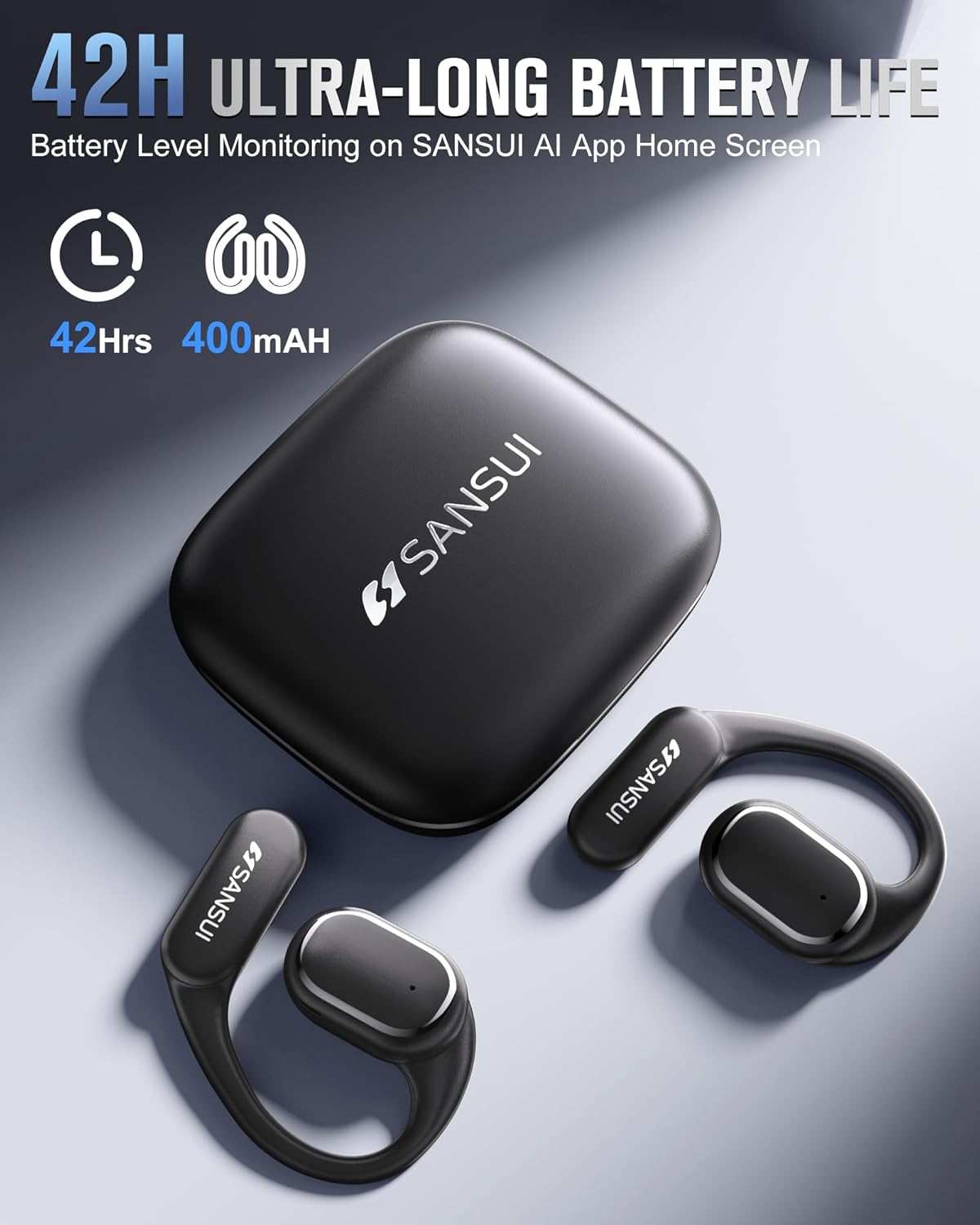
Image: The SANSUI W12 earbuds and charging case, illustrating the 42-hour ultra-long battery life.
8. Гаранција и поддршка
SANSUI is committed to providing quality products and customer satisfaction. For any inquiries or support needs, please refer to the following:
- Гаранција: The product comes with a standard manufacturer's warranty. Please refer to the warranty card included in your packaging for specific terms and conditions.
- Поддршка за корисници: For technical assistance, troubleshooting, or general inquiries, please visit the official SANSUI website or contact their customer service. Contact information can be found in the user manual or on the SANSUI AI Smart App.
- Планови за заштита: Extended protection plans are available for purchase separately to cover your device beyond the standard warranty period.


