
Вовед
The Zooz ZEN58 800LR is a compact Z-Wave Long Range Low Voltage XS Relay designed to integrate low-voltage devices into your Z-Wave smart home system. It enables ON/OFF control for loads up to 3 Amps and supports 0-240 Volts, making it suitable for applications such as garage doors, entry gates, or controlling humidifiers. This manual provides detailed instructions for safe installation, operation, and maintenance of your ZEN58 800LR relay.
Информации за безбедност
Please read all safety precautions before installation and operation. Failure to follow these instructions may result in electric shock, fire, or property damage.
- Овој уред е наменет само за внатрешна употреба.
- Пред инсталација или сервисирање, осигурајте се дека напојувањето е исклучено на прекинувачот.
- Installation should be performed by a qualified electrician or trained professional.
- Не го надминувајте максималното оптоварување од 3 Amps на 240V.
- The device is powered by 9-40 V AC/DC only.
- Use dry contact input (NO Voltage) for connected switches or sensors.
- Maximum wire size for terminals is 14 AWG.
- Do not use with dimmers or electronic switches; only simple toggle and momentary switches are supported for analog input.
Производот завршиview
Што има во кутијата
- Zooz ZEN58 800LR Smart Relay
- Упатство за употреба
Клучни карактеристики
- Контрола на Z-бранот: Adds Z-Wave ON/OFF functionality to low-voltage loads up to 3 Amps, 0-240 Volts.
- Аналоген влез: Connects to a wall switch (toggle or momentary) or binary sensors (e.g., open/close, water/no water) with no voltage on input wires.
- Компактен дизајн: Extra small size (1.2" tall, 1.0" wide, 0.6" deep) for installation in crowded or shallow electrical boxes.
- Напредна безбедност: Features S2 authenticated security protocol and SmartStart for secure and easy pairing.
- Голем дострел: Z-Wave Long Range enabled for extended communication.
- Широка компатибилност: Works with various Z-Wave hubs including Z-Box Hub, Hubitat, Home Assistant (Z-Wave JS), and SmartThings (for basic on/off).
Поставување и инсталација
Инструкции за ожичување
Before proceeding, ensure power is OFF at the circuit breaker. The ZEN58 800LR requires a 9-40V AC/DC power source and uses dry contact inputs. Do not apply voltage to the input (IN) terminals.
- Поврзување за напојување: Connect your 9-40V AC/DC power supply to the DC+ and DC- terminals on the relay. Observe polarity if using DC.
- Вчитај врска: Connect the load you wish to control (e.g., garage door opener, solenoid valve) to the OUT terminals. This is a dry contact output, meaning it acts as a switch to complete or break a circuit for your load.
- Analog Input (Optional): If connecting a wall switch or binary sensor, connect it to the IN and S terminals. Ensure the switch provides a dry contact closure (no voltage). This input supports simple toggle or momentary switches.
- Безбедно жици: Ensure all wire connections are secure and within the maximum 14 AWG wire size.
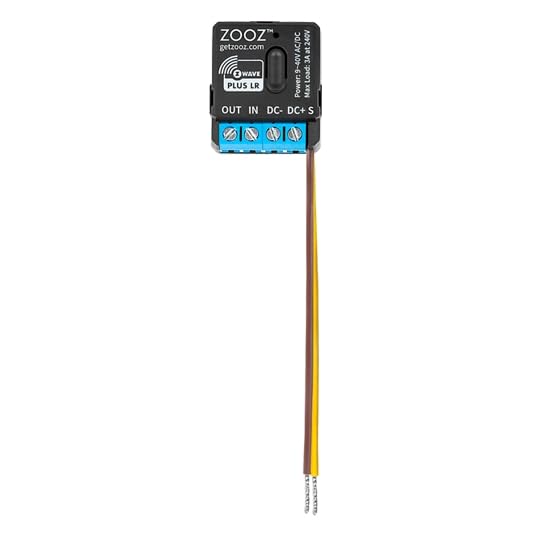
Предна страна view of the ZEN58 800LR relay, illustrating the terminal block for power input (DC+, DC-), dry contact output (OUT), and dry contact analog input (IN, S).
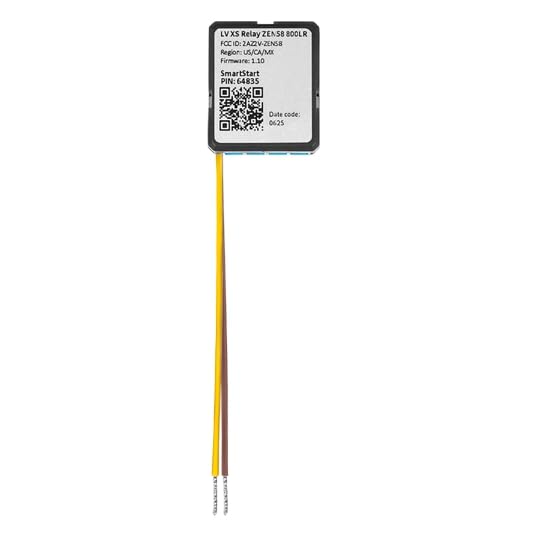
Назад view of the ZEN58 800LR relay, displaying regulatory information, Z-Wave region, firmware version, and the SmartStart DSK (Device Specific Key) for secure pairing.
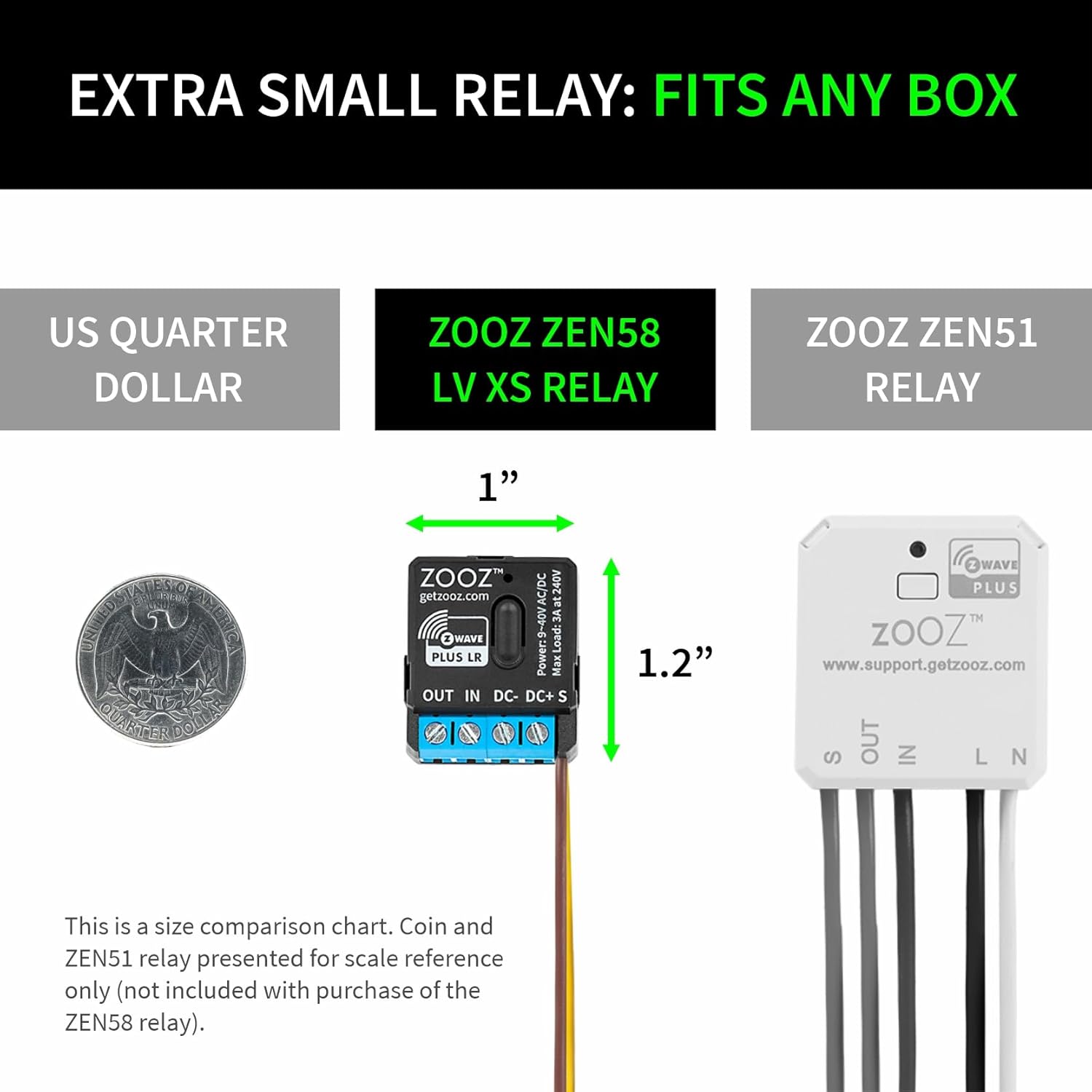
Size comparison of the ZEN58 800LR relay, highlighting its compact dimensions (1.0" wide, 1.2" tall) relative to a US quarter and another Zooz relay model, demonstrating its suitability for tight spaces.
Спарување со Z-бран
The ZEN58 800LR supports S2 authenticated security and SmartStart for easy and secure inclusion into your Z-Wave network. A compatible Z-Wave hub is required (sold separately).
- Вклучување: After wiring, restore power to the circuit. The relay will power on.
- Вклучување SmartStart: If your Z-Wave hub supports SmartStart, scan the QR code on the back of the relay (or on the packaging) using your hub's app. The device will automatically include into your network.
- Рачно вклучување: If your hub does not support SmartStart, initiate "Add Device" or "Z-Wave Inclusion" mode on your Z-Wave hub. Then, quickly press the Z-Wave button on the ZEN58 800LR three times. The LED indicator will confirm successful pairing.
- S2 безбедност: During inclusion, your hub may prompt you to enter the 5-digit Device Specific Key (DSK) found on the QR code label for S2 authenticated security.
Compatible Z-Wave Hubs:
- Z-Box Hub (fully compatible)
- Хубитат
- Home Assistant (Z-Wave JS)
- HomeSerer
- SmartThings (for basic on/off functionality)
Упатства за работа
Once successfully paired with your Z-Wave hub, the ZEN58 800LR can be controlled remotely via your Z-Wave network or locally via the connected analog input.
- Контрола на Z-бранот: Use your Z-Wave hub's interface or associated smart home app to turn the connected load ON or OFF. The relay will respond to commands sent over the Z-Wave network.
- Analog Input Control: If a physical switch is connected to the IN and S terminals, operating this switch will toggle the state of the relay. For example, pressing a momentary switch connected to a garage door opener will activate the opener.
- Индикација за статус: The LED indicator on the relay provides visual feedback on its status (e.g., pairing mode, ON/OFF state). Refer to your hub's documentation for specific LED behavior during pairing.
Одржување
The Zooz ZEN58 800LR is designed for reliable, long-term operation with minimal maintenance.
- Keep the device free from dust and moisture.
- Не обидувајте се сами да го отворите или поправите уредот. За какви било потреби за сервис, обратете се кај квалификуван персонал.
- Periodically check wire connections to ensure they remain secure.
Решавање проблеми
Заеднички прашања и решенија
- Уредот не се спарува:
- Ensure the device is powered correctly (9-40V AC/DC).
- Потврдете дека вашиот Z-Wave хаб е во режим на вклучување.
- Try pressing the Z-Wave button on the relay 3 times quickly.
- Move the relay closer to the hub during the pairing process.
- Perform a Z-Wave exclusion first (see your hub's manual) and then try inclusion again.
- Relay not responding to commands:
- Check the power supply to the relay.
- Verify the Z-Wave network connection and signal strength.
- Ensure the connected load is within the 3 Amp граница.
- Check the wiring to the load.
- Analog input switch not working:
- Confirm the switch is a dry contact type (no voltage излез).
- Ensure the switch is properly connected to the IN and S terminals.
- Verify the switch type is toggle or momentary, not a dimmer or electronic switch.
- Poor Z-Wave Long Range performance:
- Ensure your Z-Wave hub supports Z-Wave Long Range.
- Minimize physical obstructions (concrete walls, large metal objects) between the relay and the hub.
- Consider adding Z-Wave repeaters if range is consistently an issue.
Спецификации
| Број на модел | ZEN58 800LR |
| Z-брановен регион | US/CA/MX |
| Моќ | 9-40 V AC/DC |
| Максимално оптоварување | 3 Amps на 240V |
| Максимална големина на жица | 14 AWG |
| Опсег на бранови Z | Up to 300 feet line of sight (1300 feet with Z-Wave Long Range enabled) |
| Димензии (Д x Ш x В) | 1.2" x 1.0" x 0.6" (30.5 x 25.4 x 15.2 мм) |
| Работна температура | 32-104° F (0-40° C) |
| Инсталација и употреба | Само во затворен простор |
| Протокол за поврзување | Z-бран |
| Безбедност | S2 автентициран |
| Сертификација | FCC |
| GTIN / UPC | 853478006582 |
Гаранција и поддршка
The Zooz ZEN58 800LR comes with a standard warranty. You can extend this to a 5 година гаранција by registering your device within 30 days of purchase. Zooz also provides lifetime tech support за своите производи.
For warranty registration, technical assistance, or further inquiries, please visit the official Zooz webсајт или контактирајте со нивната поддршка за корисници.