1. Вовед
This manual provides essential information for the installation, operation, and maintenance of your TMF13 4PIN Display Dashboard, designed for KUGOO Kukirin G2 Max and G2 Pro electric scooters. Please read these instructions carefully before proceeding with installation or use to ensure proper function and safety.

Image 1.1: The TMF13 4PIN Display Dashboard for KUGOO Kukirin G2 Max/Pro scooters.
2. Производот завршиview
The TMF13 4PIN Display Dashboard is a digital instrument meter designed to provide real-time information about your electric scooter's performance. It features a clear digital display for easy readability and is constructed from high-grade, durable materials.
Клучни карактеристики:
- Дигитален екран: Provides clear readability of speed, battery life, riding mode, and other essential metrics.
- Квалитетен материјал: Crafted from high-grade acrylic, ensuring longevity and reliability under various conditions.
- Компатибилност: Specifically designed for KUGOO Kukirin G2 Max and G2 Pro electric scooters.
- Леснотија на инсталација: Equipped with a 4PIN TMF13 connector for a seamless and direct replacement.
- Отпорност на високи температури: Withstands temperatures up to 105℃, enhancing durability in extreme conditions.
3. Поставување и инсталација
Before beginning installation, ensure your scooter is powered off and disconnected from any charging source. It is recommended to wear appropriate safety gear, such as gloves, during the installation process.
Чекори за инсталација:
- Remove Old Dashboard: Carefully disconnect the existing dashboard from your scooter's handlebar. Note the routing of the cables and the type of connector used.
- Исклучете ги жиците: Gently unplug the 4PIN connector from the old dashboard. Avoid pulling on the wires directly.
- Mount New Dashboard: Position the new TMF13 dashboard on the handlebar. Secure it using the integrated mounting clamps. Ensure it is firmly attached and does not obstruct steering or other controls.
- Поврзете жици: Connect the scooter's 4PIN cable to the corresponding 4PIN TMF13 connector on the new dashboard. Ensure the connection is secure and fully seated.
- Управување со кабли: Route the cables neatly and securely to prevent them from getting snagged or damaged during operation.
- Тест функционалност: Power on your scooter and verify that the new dashboard illuminates and displays information correctly. Check all functions, including speed, battery level, and mode selection.
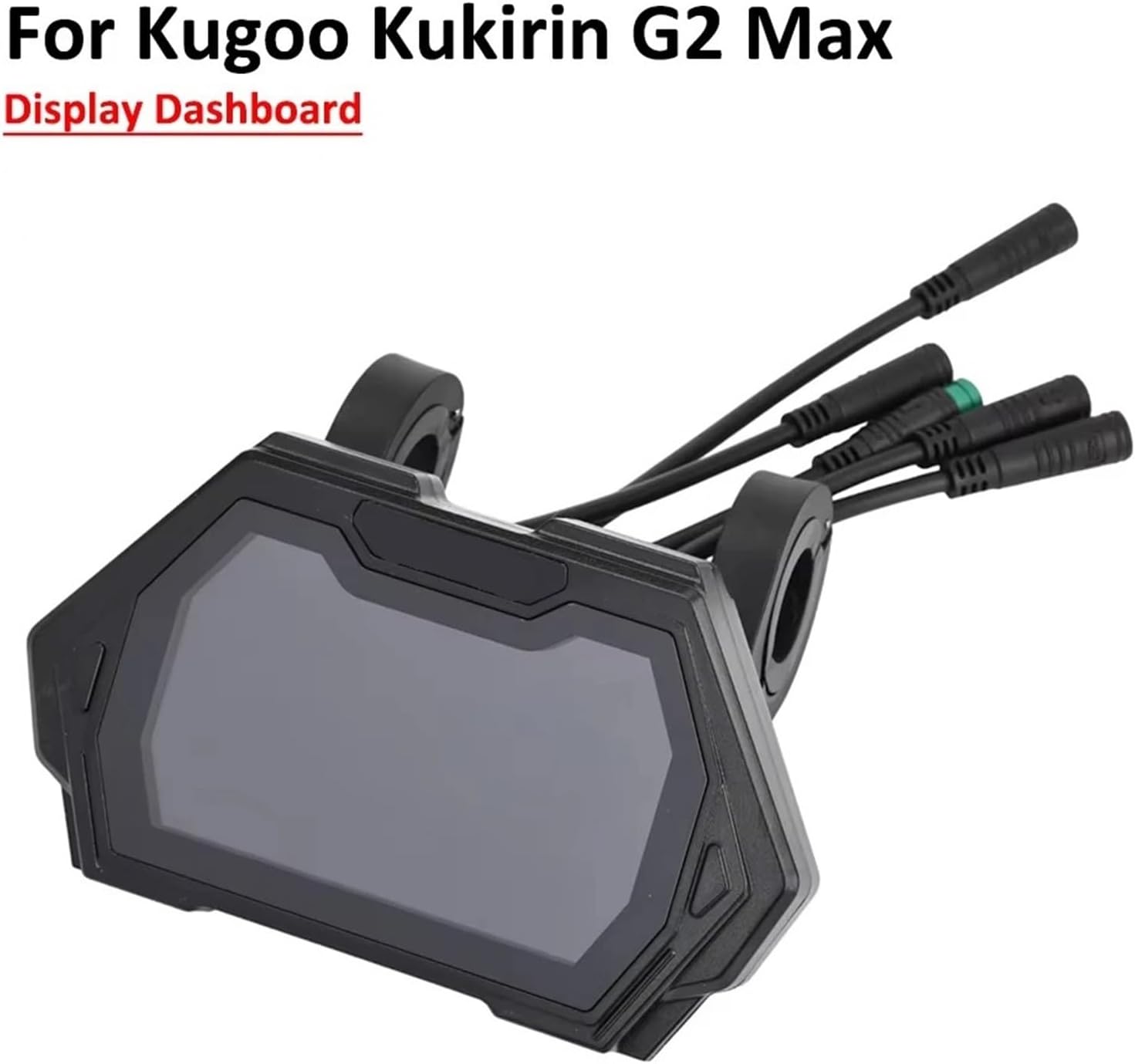
Image 3.1: The TMF13 dashboard correctly installed on a scooter handlebar.
Слика 3.2: Крупен план view of the 4PIN connector, crucial for proper installation.
4. Упатства за работа
The TMF13 display dashboard provides essential information at a glance. Familiarize yourself with the display layout and controls for optimal use.
Прикажи информации:
- Индикатор за брзина: Ја покажува моменталната брзина на возење.
- Ниво на батерија: Го прикажува преостанатото полнење на батеријата.
- Режим на возење: Indicates the selected power or speed mode (e.g., Eco, Standard, Sport).
- Километража/Милометар: Shows total distance traveled or current trip distance.
- Индикатор на фаровите: Confirms if headlights are active.

Image 4.1: The TMF13 dashboard displaying various operational data during use.
Контроли:
Specific button functions for changing modes, turning on lights, or accessing settings will typically be located on the scooter's handlebar controls, which interface with the dashboard. Refer to your scooter's main user manual for detailed instructions on these controls.
5. Одржување
Proper maintenance ensures the longevity and optimal performance of your display dashboard.
Општа нега:
- Чистење: Користете мека, гamp cloth to wipe the display screen. Avoid abrasive cleaners or solvents that could damage the acrylic surface.
- Заштита: While the dashboard is temperature resistant, avoid prolonged exposure to direct sunlight or extreme weather conditions when not in use.
- Проверка на врската: Periodically inspect the 4PIN connector and cables for any signs of wear, corrosion, or loose connections. Ensure all connections remain secure.
- Физичко оштетување: Protect the dashboard from impacts or drops, which can cause internal or external damage.
6 Смена на проблеми
If you encounter issues with your TMF13 display dashboard, refer to the following common problems and solutions:
| Проблем | Можна причина | Решение |
|---|---|---|
| Dashboard does not power on. | Loose or disconnected 4PIN cable. Scooter battery is dead. | Check the 4PIN connection. Ensure the scooter battery is charged. |
| Incorrect speed or battery reading. | Sensor malfunction. Loose connection. | Verify all connections are secure. If the problem persists, consult a professional. |
| Екранот е затемнет или трепка. | Low power supply. Internal fault. | Ensure scooter battery is adequately charged. If issue continues, professional inspection may be required. |
Доколку чекорите за решавање проблеми не го решат проблемот, контактирајте со корисничка поддршка или квалификуван техничар.
7. Спецификации
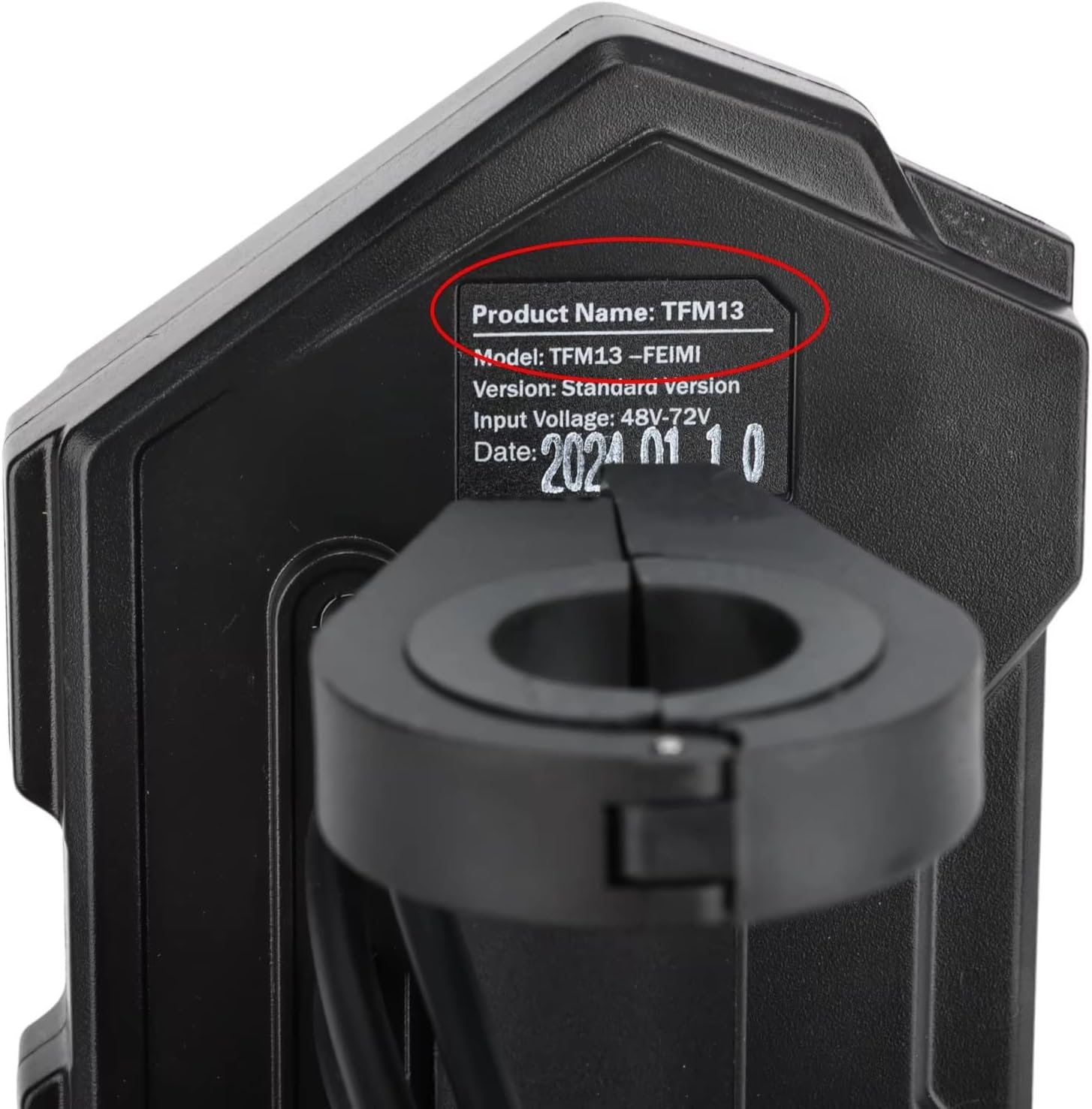
- Име на производ: TMF13 Display Dashboard
- Модел: TMF13
- Тип на конектор: 4PIN
- Компатибилност: KUGOO Kukirin G2 Max, KUGOO Kukirin G2 Pro Electric Scooters
- Материјал: Акрилик
- Отпорност на температура: До 105℃
- Димензии: Approximately 7.87 x 7.87 x 3.94 inches (Item Package Dimensions)
- Тежина: Approximately 1000 Grams (Package Weight)

Image 7.1: Identification label showing the TMF13 model and input voltagд опсег.
8. Гаранција и поддршка
This product is covered by a standard manufacturer's warranty against defects in materials and workmanship. For specific warranty terms and conditions, please refer to the documentation provided with your purchase or contact the seller directly.
For technical support, installation assistance, or warranty claims, please contact the retailer or manufacturer through their official support channels. Provide your purchase details and a clear description of the issue to facilitate a quicker resolution.


