
Вовед
This manual provides comprehensive instructions for the TCL Note A1 NXTPAPER Paper Tablet. It covers initial setup, operational guidance, maintenance procedures, troubleshooting tips, and detailed product specifications. Please read this manual thoroughly to ensure optimal use and longevity of your device.
1. Почетно поставување
Before using your TCL Note A1 NXTPAPER Paper Tablet, follow these steps for initial setup:
- System and Stylus Update: Upon receiving your tablet, manually update the system to v8.0.1WAX and update the T-Pen Pro stylus. This ensures access to the latest features and optimal performance.
- Полнење на уредот: Connect the tablet to a power source using the provided charging cable and adapter. The 8000mAh battery supports 33W fast charging.
- Вклучување: Press and hold the power button until the TCL logo appears on the screen.
- Почетна конфигурација: Follow the on-screen prompts to select your language, connect to a Wi-Fi network, and set up your user account.
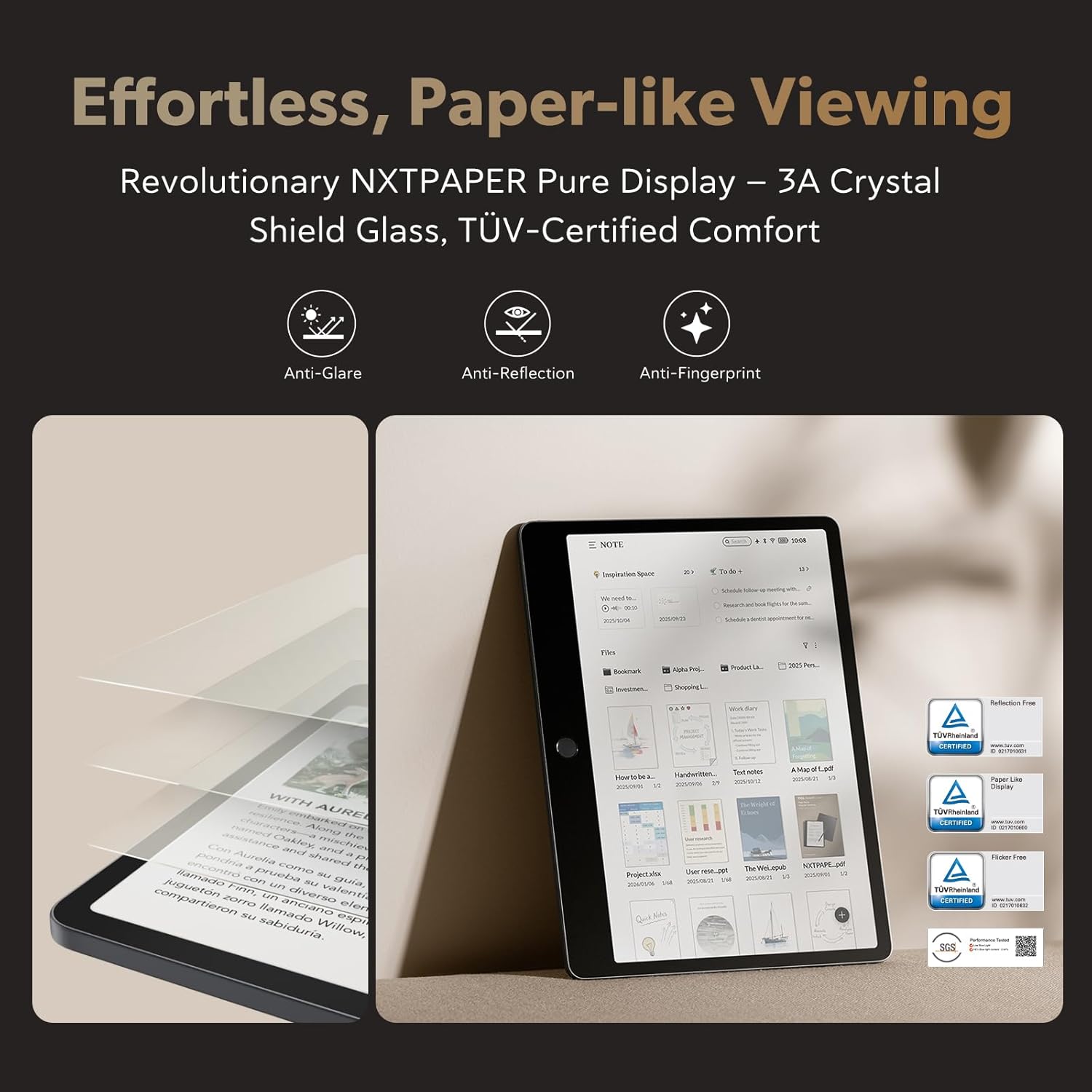
Image: The TCL Note A1 NXTPAPER tablet shown with its accompanying T-Pen Pro stylus and flip case, ready for use.
2. Operating Your TCL Note A1 NXTPAPER
2.1 Карактеристики на екранот
The TCL Note A1 NXTPAPER features an 11.5-inch 2.2K display with NXTPAPER PURE technology, designed to mimic the look and feel of real paper. Key display characteristics include:
- Paper-Like ViewИНГ: NXTPAPER PURE technology provides a comfortable reading experience, reducing eye strain.
- Заштита на очите: TÜV-certified eye protection and 3A Crystal Shield Glass reduce glare, enhance clarity, and resist fingerprints.
- Висока стапка на освежување: A 120Hz refresh rate ensures smooth scrolling, page turns, and fluid handwriting.
- Живописна боја: Unlike monochrome devices, this tablet supports 16.7 million colors with 83% sRGB coverage, suitable for viewing textbooks, charts, and creative content.

Слика: Приказ на екранот на таблетотasing its paper-like display with features like anti-glare, anti-reflection, and anti-fingerprint properties for enhanced viewудобност

Image: A user interacting with the tablet, illustrating the fluid performance and responsiveness of its large display.

Image: The tablet displaying content in full color, highlighting its capability to render 16.7 million colors for a richer visual experience compared to monochrome devices.
2.2 T-Pen Pro Stylus
The included T-Pen Pro stylus is designed for a natural writing experience:
- Чувствителност на притисок: Features 8192 levels of pressure sensitivity for precise control.
- Ниска латентност: Ultra-low latency of less than 5ms ensures a responsive writing and drawing experience.
- Natural Friction: The stylus provides natural friction against the screen, mimicking writing on paper.
- Dual-Tip Design: Allows for versatile writing, sketching, and erasing.
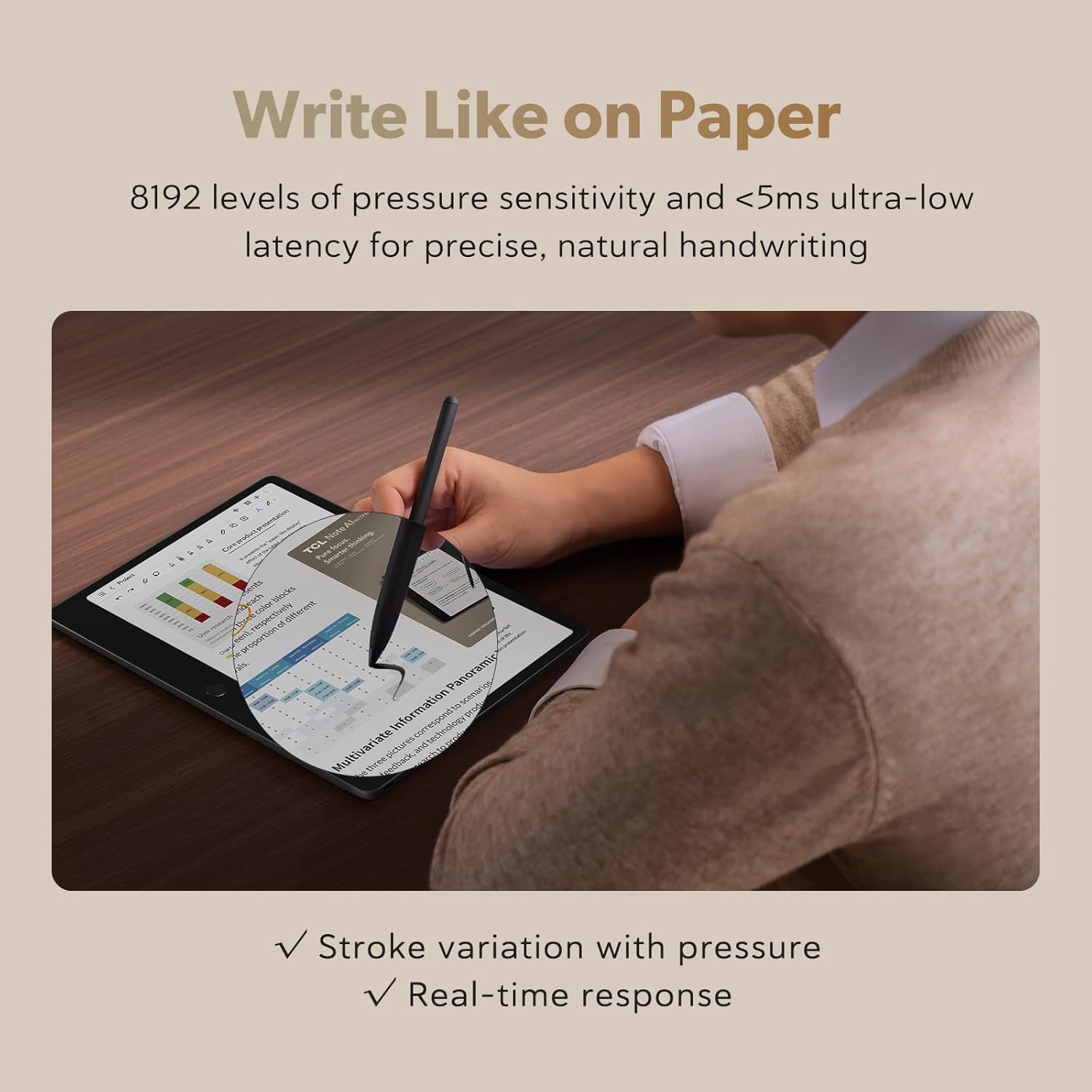
Image: A hand using the T-Pen Pro stylus to write on the TCL Note A1 NXTPAPER tablet, demonstrating the natural writing feel.
2.3 AI Tools and Productivity
The tablet integrates AI tools to enhance productivity:
- Handwritten Note Conversion: Convert handwritten notes into editable text.
- Audio Recording and Transcription: The 8-microphone array captures 360° audio with noise reduction, transcribing recordings into text.
- Instant Summaries and Rewrites: AI can generate summaries and rewrite text from notes and recordings.
- Превод: Translate text for multilingual use.
- Inspiration Space: A dedicated feature to capture and organize ideas efficiently.

Image: Individuals in a professional setting utilizing the tablet's 8-microphone array for 360-degree voice capture and AI meeting summary features.
2.4 Поврзување и складирање
- Складирање: The tablet comes with 256GB of internal storage.
- Синхронизација во облак: Easily sync and share files across devices using major cloud platforms.
- Wi-Fi трансфер: Трансфер files over the same Wi-Fi network.

Image: A visual representation highlighting the tablet's 256GB storage capacity and 8000mAh battery, emphasizing extended use and ampслободен простор за содржина.

Image: The tablet displaying its file transfer interface, demonstrating seamless synchronization and sharing capabilities with other devices like laptops and smartphones.
3. Одржување
To ensure the longevity and optimal performance of your TCL Note A1 NXTPAPER Paper Tablet, follow these maintenance guidelines:
- Чистење на екранот: Користете мека крпа без влакненца, специјално дизајнирана за електроника. Лесно исплакнетеampen the cloth with water or a screen cleaner solution if necessary. Avoid harsh chemicals, abrasive materials, or excessive moisture.
- Чистење на пенкалото: Wipe the T-Pen Pro stylus with a dry, soft cloth. Ensure the tips are free from debris.
- Складирање: Store the tablet in a cool, dry place away from direct sunlight and extreme temperatures. Use the provided flip case to protect the screen and body from scratches and impacts.
- Нега на батеријата: Avoid fully discharging the battery frequently. For long-term storage, charge the battery to approximately 50-60%.
- Ажурирања на софтверот: Regularly check for and install system updates to benefit from performance improvements and security enhancements.
4 Смена на проблеми
This section addresses common issues you might encounter with your TCL Note A1 NXTPAPER Paper Tablet.
| Проблем | Можна причина | Решение |
|---|---|---|
| Таблетот не се вклучува. | Слаба или празна батерија. | Connect the tablet to the charger and allow it to charge for at least 30 minutes before attempting to power it on again. |
| T-Pen Pro stylus not responding or inconsistent. | Stylus not updated, low stylus battery, or physical damage. | Ensure the stylus firmware is updated (refer to Section 1). Check stylus battery level. If issues persist, contact support. |
| Screen glare or reflections are noticeable. | Услови за осветлување на околината. | Прилагодете го вашиот viewing angle or move to an area with less direct light. The 3A Crystal Shield Glass is designed to minimize reflections, but extreme conditions can still cause some. |
| Handwriting-to-text conversion errors. | Unclear handwriting or software not optimized. | Practice clear handwriting. Ensure the tablet system is updated to the latest version (v8.0.1WAX or newer) for optimal AI performance. |
| Не може да се поврзе на Wi-Fi. | Неточна лозинка, надвор од опсег или проблем со рутерот. | Verify Wi-Fi password. Move closer to the router. Restart your Wi-Fi router and the tablet. |
| Applications are not installing or running correctly. | App compatibility issues or insufficient storage. | Ensure the app is compatible with Android 15. Check available storage space. Some Google-native apps may require alternative installation methods (e.g., via Aurora Store APKs) as noted by users. |
5. Спецификации
Detailed technical specifications for the TCL Note A1 NXTPAPER Paper Tablet:
| Карактеристика | Детал |
|---|---|
| Бренд | TCL |
| Број на модел | TCL Note A1 NXTPAPER |
| Капацитет за складирање на меморија | 256 GB |
| Големина на екранот | 11.5 инчи |
| Мајчин резолуција | 2200 x 1440 пиксели |
| Сооднос на аспект | 3:2 |
| Генерација | 1-ва генерација |
| Живот на батеријата (просечно) | 8 часа |
| Капацитет на батеријата | 8000 милиониamp Часови |
| Lithium-Battery Energy Content | 30.5 вати часови |
| Специфична употреба на производот | Work, Study, Creativity |
| UPC | 889063534451 |
| Производител | TCL Communication Ltd. |
| Безжична компатибилност | 802.11ac |
| Брзина на процесорот | 2 GHz |
| Опис на процесорот | MediaTek (model not specified) |
| Влез со човечки интерфејс | Екран на допир со поддршка за пенкало |
| Компатибилни уреди | Пенкало со игла |
| Вид на гаранција | Ограничени |
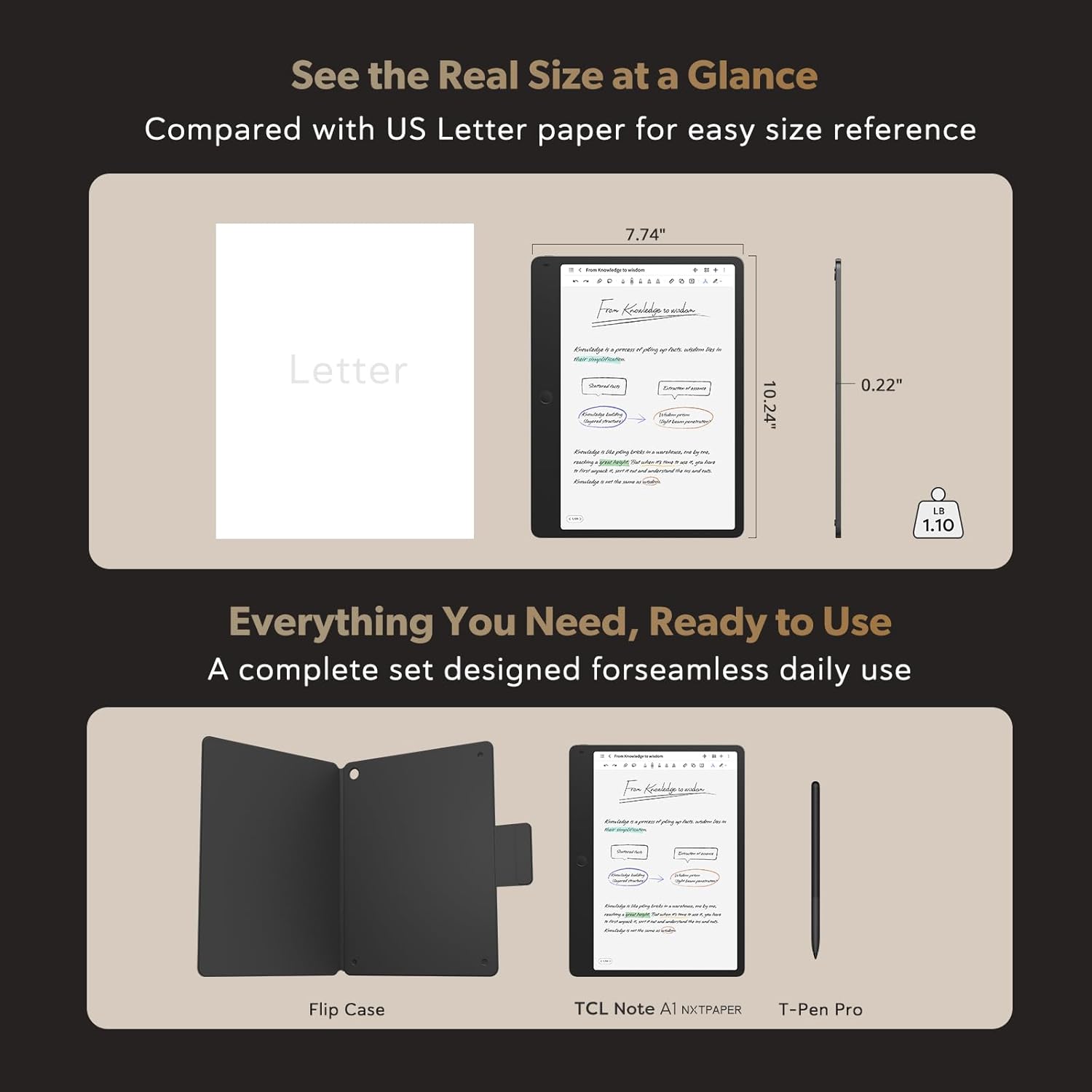
Image: A visual representation of the tablet's dimensions (7.74" x 10.24" x 0.22") and weight (1.10 lbs), alongside its flip case and T-Pen Pro stylus.
6. Информации за гаранцијата
The TCL Note A1 NXTPAPER Paper Tablet comes with a Ограничена гаранција. For specific terms, conditions, and duration of your warranty, please refer to the warranty card included in your product packaging or visit the official TCL support webстраница. Зачувајте го доказот за купување за гаранциски побарувања.
7. Поддршка и информации за контакт
За дополнителна помош, техничка поддршка или за пристап до дополнителни ресурси, ве молиме користете ги следниве:
- Поддршка преку Интернет: Посетете ја официјалната поддршка на TCL website for FAQs, software downloads, and user guides.
- Контактирајте со службата за корисници: Refer to your product packaging or the TCL webстраница за контакт информации за корисничка поддршка.
- TCL Brand Store: Explore other TCL products and accessories at the TCL Amazon Brand Store.