
1. Вовед
This manual provides detailed instructions for the installation, operation, and maintenance of your CARabc Wireless CarPlay & Android Auto Retrofit Kit Decoder. This device integrates advanced smartphone connectivity into your Ford vehicle's existing Sync2 system, enhancing your driving experience with features like wireless CarPlay, Android Auto, Mirrorlink, navigation, and voice control.
Please read this manual thoroughly before installation and use to ensure proper functionality and to avoid any damage to the product or your vehicle.
2. Компатибилност
This CarPlay Retrofit Kit Decoder is specifically designed for Ford vehicles manufactured between 2013 and 2015 that are equipped with the Sync2 System and a factory 8-inch LCD screen. Compatible models include, but are not limited to, C-max, Edge, Escape, Expedition, Explorer, F-150, Fiesta, Flex, and Focus.
Важна забелешка:
Пред купувањеasing or installing, it is crucial to verify that your car's system is Sync2 and features an 8-inch LCD screen. This device is not compatible with Sync3 or other Ford systems. Please refer to the images below to confirm your vehicle's system type.
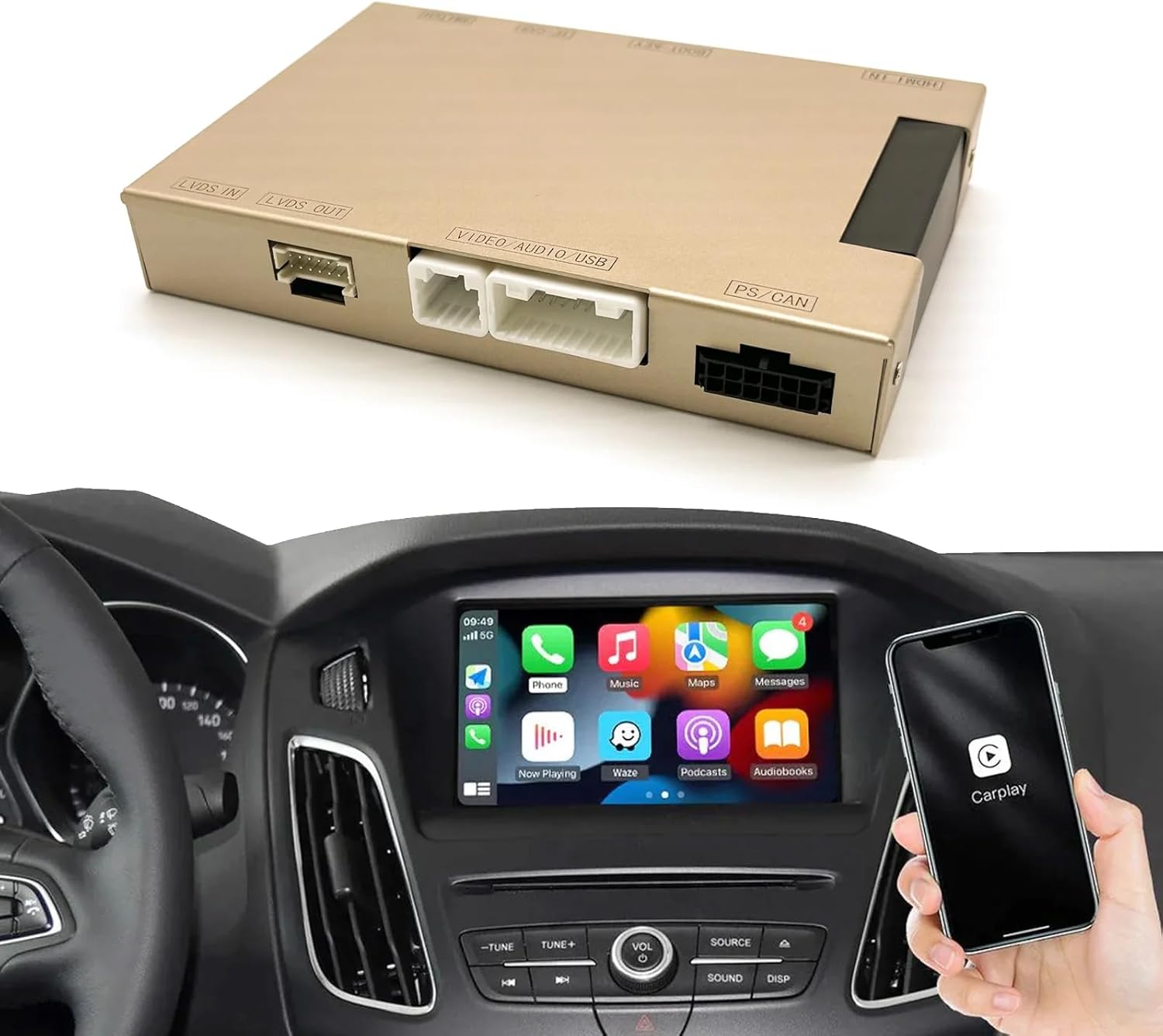
Image: Visual guide for identifying compatible Ford Sync2 8-inch LCD screens versus incompatible Sync3 or smaller screens.
3. Производот завршиview и што има во кутијата
The CARabc Retrofit Kit Decoder is an interface box designed to add CarPlay and other functions to your original car system without replacing the factory screen. It integrates seamlessly, allowing your car to retain its original system while gaining new capabilities.
Содржина на пакетот:
- CarPlay Interface Box
- Кабел за напојување
- CAN кабел
- ПХБ плоча
- LVDS кабел
- Надворешен микрофон
- Reverse Camera Cable
- Предна страна View Кабел за камера
- 360 Кабел за камера
- Car Knob Control Cable
- Other necessary installation cables and adapters
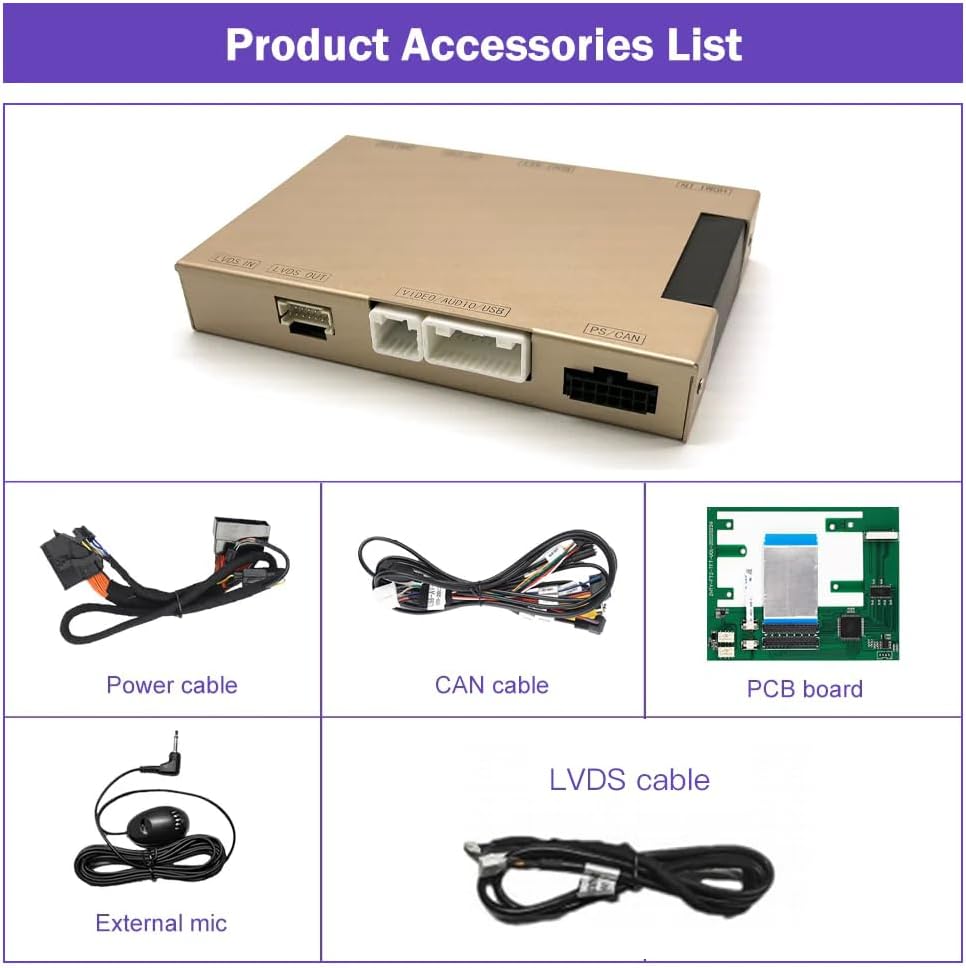
Image: Contents of the CARabc Retrofit Kit package, including the main unit and connecting cables.
4. Клучни карактеристики
- Безжичен/жичен CarPlay и Android Auto: Seamless integration for navigation, music, calls, and more.
- Mirrorlink Functionality: Display your smartphone screen directly on the car's display.
- Гласовна контрола: Поддржува Siri и Google Assistant за работа без раце.
- Мултимедијална репродукција: Enjoy YouTube, TV news, photos, and other media.
- Поддршка на камерата: Compatible with factory original reverse cameras, parking radar, aftermarket reverse cameras, 360 cameras, and front view camera DVR (CVBS input).
- Original Car Control Retention: Maintains functionality of original car knob controls and steering wheel buttons for voice control and telephone functions.

Image: Demonstration of various features including CarPlay, Android Auto, Mirrorlink, and reverse camera display.

Слика: Детална view of Apple CarPlay, Android Auto, and Mirror Link functionalities.
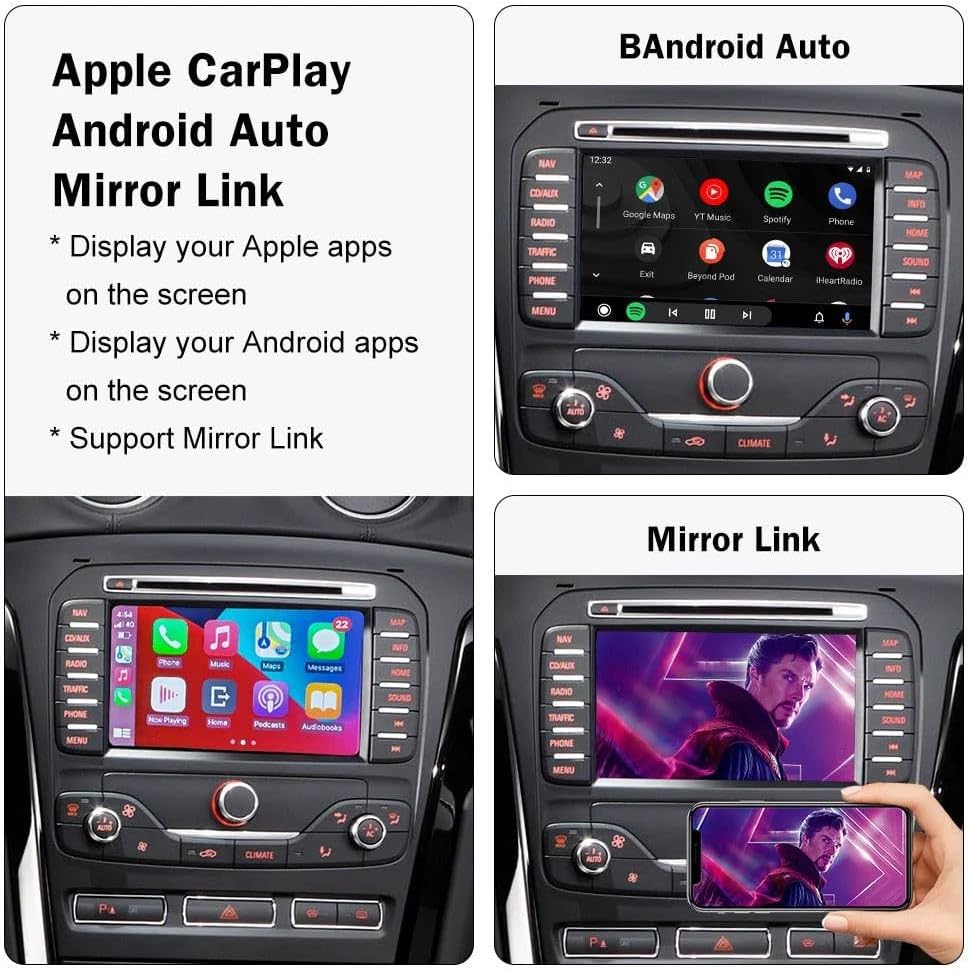
Image: Voice assistant capabilities for navigation and music control.
5. Упатства за поставување и инсталација
Installation of the CARabc Retrofit Kit Decoder requires removal of the vehicle's dashboard to access the original car CD player and connect the provided cables. This process involves working with vehicle electronics and interior components. It is highly recommended that installation be performed by a qualified professional to ensure correct wiring and prevent damage to your vehicle or the product.
After installation, ensure all functions are working correctly before reassembling the dashboard. Incorrect cable connections or improper settings are common causes of issues, which can often be resolved by re-checking the installation steps.
Општи чекори за инсталација (препорачана професионална инсталација):
- Carefully remove the vehicle's dashboard trim and access the original car CD player/head unit.
- Disconnect necessary factory cables from the head unit.
- Connect the CARabc interface box using the provided power, CAN, LVDS, and other specific cables, ensuring secure connections.
- Integrate any optional camera inputs (reverse, front, 360) as required.
- Test all functionalities (CarPlay, Android Auto, Mirrorlink, audio, steering wheel controls, cameras) before fully reassembling the dashboard.
- Securely reassemble the dashboard components.
6. Упатства за работа
6.1. Connecting Wireless CarPlay / Android Auto
To connect your smartphone wirelessly, ensure Bluetooth and Wi-Fi are enabled on your phone. Pair your phone with the CARabc device via Bluetooth. Once paired, the system will automatically initiate the CarPlay or Android Auto connection. Follow any on-screen prompts on your phone or the car's display.
Video: Demonstration of connecting a smartphone to the CARabc system for wireless CarPlay functionality, including music playback and navigation.
6.2. Using Mirrorlink
The Mirrorlink function allows you to display your smartphone's screen directly onto the car's 8-inch LCD. To activate, select the Mirrorlink option from the CARabc interface. Ensure your phone is connected to the device's Wi-Fi network. Follow your phone's instructions for screen mirroring (e.g., AirPlay for iOS, Smart View for Android).
6.3. Voice Control (Siri / Google Assistant)
Utilize your car's original steering wheel voice control button to activate Siri or Google Assistant. This allows for hands-free commands for navigation, making calls, sending messages, and controlling music playback, enhancing safety while driving.
6.4. Original Car Knob and Steering Wheel Controls
The CarPlay interface decoder box supports the voice control button and telephone (Tel) button on your steering wheel. Other steering wheel buttons may not be fully supported for CarPlay/Android Auto functions but will retain their original functionality within the Sync2 system.
7. Camera Support
The CARabc Retrofit Kit Decoder offers extensive camera compatibility:
- Factory Original Reverse Camera: Seamlessly integrates with your vehicle's existing reverse camera and parking radar system.
- Aftermarket Cameras: Supports the addition of aftermarket reverse cameras and 360-degree camera systems.
- Предна страна View DVR на камерата: Provides support for front view camera Digital Video Recorders (DVRs) with CVBS input.
Ensure all camera connections are made correctly during installation for optimal performance.
8 Смена на проблеми
If you encounter issues with your CARabc Retrofit Kit Decoder, please review следниве вообичаени чекори за решавање проблеми:
- Нема екран / Црн екран:
- Verify all power and LVDS cables are securely connected.
- Ensure the correct input source is selected on your car's Sync2 system.
- Confirm vehicle compatibility (Sync2 with 8-inch screen).
- CarPlay/Android Auto не се поврзува:
- Check that Bluetooth and Wi-Fi are active on your smartphone.
- Ensure your phone is paired correctly with the CARabc device via Bluetooth.
- Рестартирајте го и телефонот и инфозабавниот систем на автомобилот.
- За жични врски, обидете се со друг USB кабел.
- Аудио проблеми:
- Confirm the car's audio input is set to AUX or the appropriate source for the CarPlay/Android Auto audio.
- Check volume levels on both the car system and your smartphone.
- Контролите на воланот не реагираат:
- Only voice control and telephone buttons are supported. Ensure these are connected correctly.
- Other buttons retain original Sync2 functionality.
- Општи дефекти:
- Many problems stem from incorrect cable connections or improper settings during installation. Re-check all connections.
- If issues persist, contact CARabc customer support for assistance.
9. Спецификации
| Карактеристика | Опис |
|---|---|
| Бренд | CARabc |
| Име на моделот | CARabc |
| Тип на услуга на возило | Автомобил |
| Компатибилност со големината на екранот | 8 Inches (Ford Sync2) |
| Специјална карактеристика | CarPlay и Android Auto |
| Технологија за поврзување | Bluetooth, USB |
| Тип на карта | Низ целиот свет (преку поврзан паметен телефон) |
| Тип на монтирање | Dashboard Mount (internal) |
| Тип на екран на допир | Capacitive (utilizes original car screen) |
| Влез со човечки интерфејс | Buttons, Touch Screen (original), Voice |
| Supported Navigation System | GPS (via connected smartphone) |
10. Одржување
To ensure the longevity and optimal performance of your CARabc Retrofit Kit Decoder, follow these maintenance guidelines:
- Чистење: Use a soft, dry cloth to clean the car's display and surrounding areas. Avoid harsh chemicals or abrasive materials.
- Ажурирања на софтверот: Периодично проверувајте ги упатствата на производителот website or contact support for any available firmware updates to ensure compatibility and access to new features.
- Кабелски врски: If you experience intermittent issues, gently check the visible cable connections to ensure they are secure. Avoid pulling on cables forcefully.
- Еколошки услови: Operate the device within standard automotive temperature ranges. Extreme temperatures can affect electronic components.
11. Гаранција и поддршка
CARabc products are designed for reliability and performance. For specific warranty information, please refer to the warranty card included with your product or visit the official CARabc webстраница. Зачувајте го доказот за купување за гаранциски побарувања.
For technical support, installation guidance, or troubleshooting assistance, please contact CARabc customer service through the contact information provided on their official webна лице место или преку вашиот продавач.


