
1. Вовед
Welcome to the user manual for your VBESTLIFE 4G Mini Phone. This compact and lightweight device is designed for essential communication, offering 4G network support, quick dialing, and emergency SOS features. It also includes multimedia functions such as an MP3 player and FM radio, making it a versatile companion for various situations.

Image 1.1: The VBESTLIFE 4G Mini Phone, highlighting its compact size and key features like 4G connectivity, MP3 player, and silent/ringtone modes.
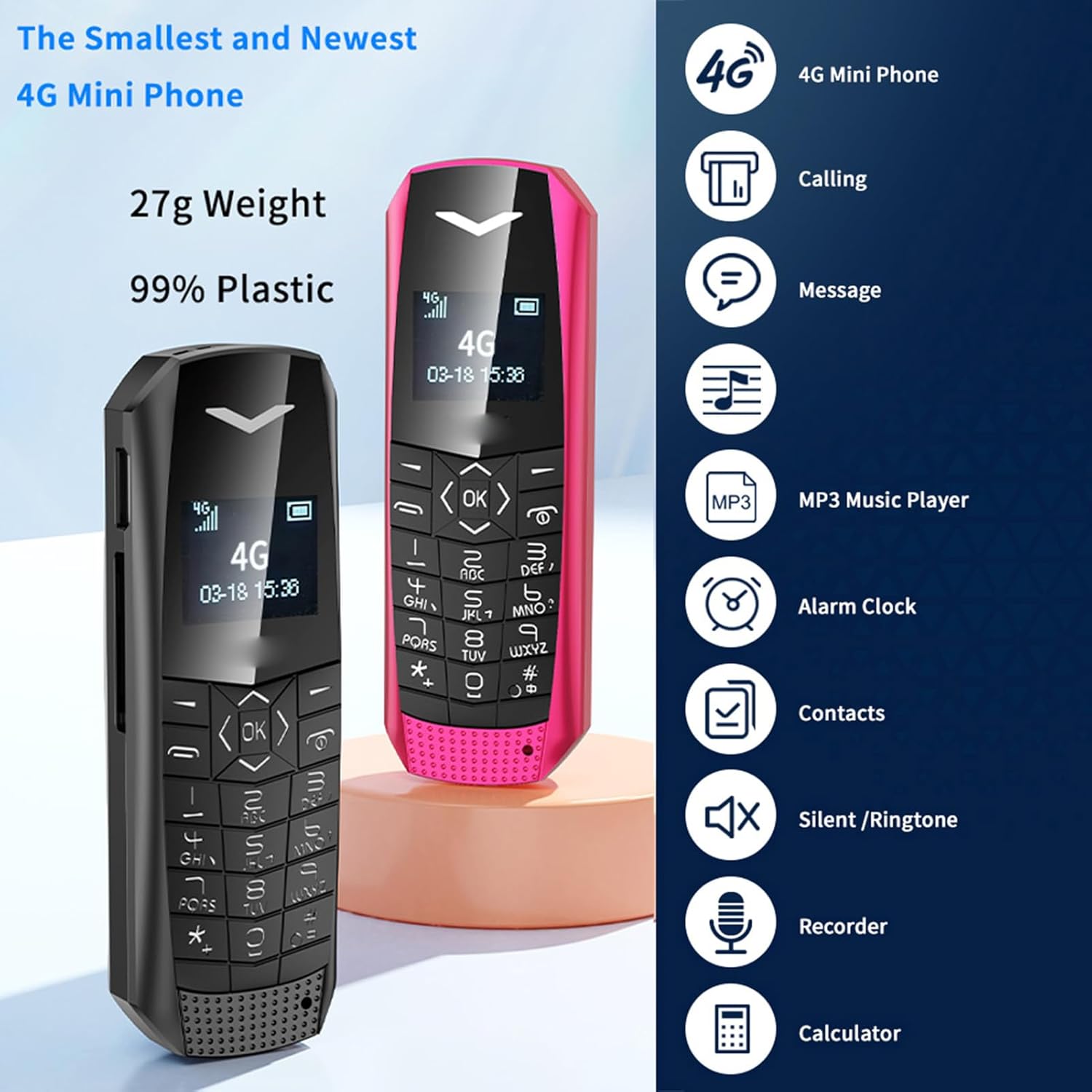
Image 1.2: Two VBESTLIFE 4G Mini Phones (black and pink) demonstrating their small form factor, alongside icons representing features such as calling, messaging, MP3 player, alarm clock, contacts, silent/ringtone, recorder, and calculator.
2. Содржина на пакетот
Ве молиме означете го полето за следните ставки:
- 1 x VBESTLIFE 4G Mini Phone
- 1 x SIM Card Tray
- 1 x SIM Ejection Tool
- 1 x Charging Cable (USB 2.0)
- 1 x Упатство за употреба
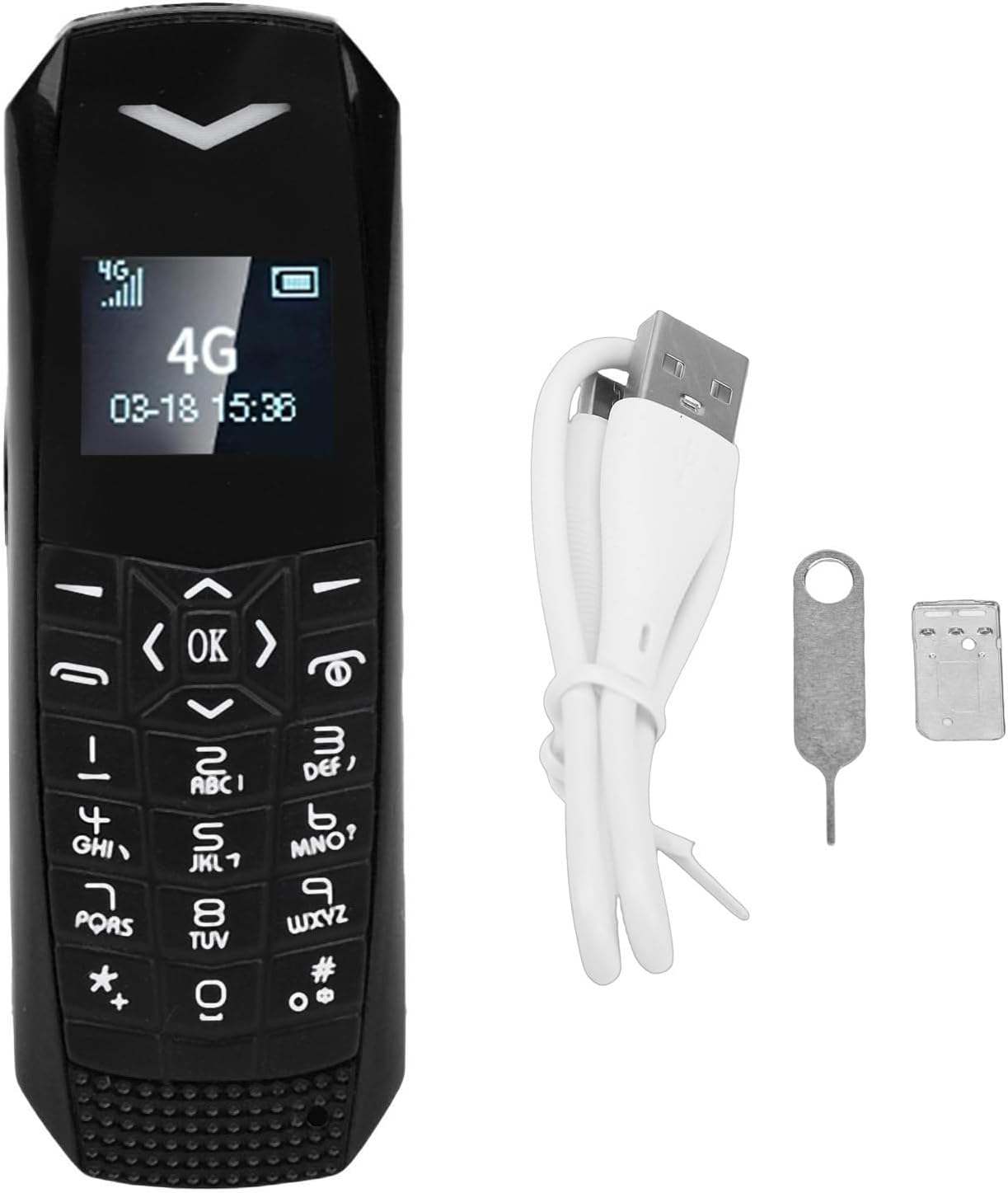
Image 2.1: The VBESTLIFE 4G Mini Phone displayed with its included accessories: a SIM card tray, a SIM ejection tool, and a USB charging cable.
3. Почетно поставување
3.1. Инсталација на SIM картичка
- Пронајдете го држачот за SIM-картичка од страната на телефонот.
- Insert the SIM ejection tool into the small hole next to the tray to eject it.
- Place your Nano SIM card into the tray, ensuring it is correctly oriented.
- Carefully reinsert the SIM card tray into the phone until it clicks into place.
Note: The SIM card is not included and must be purchased separately.
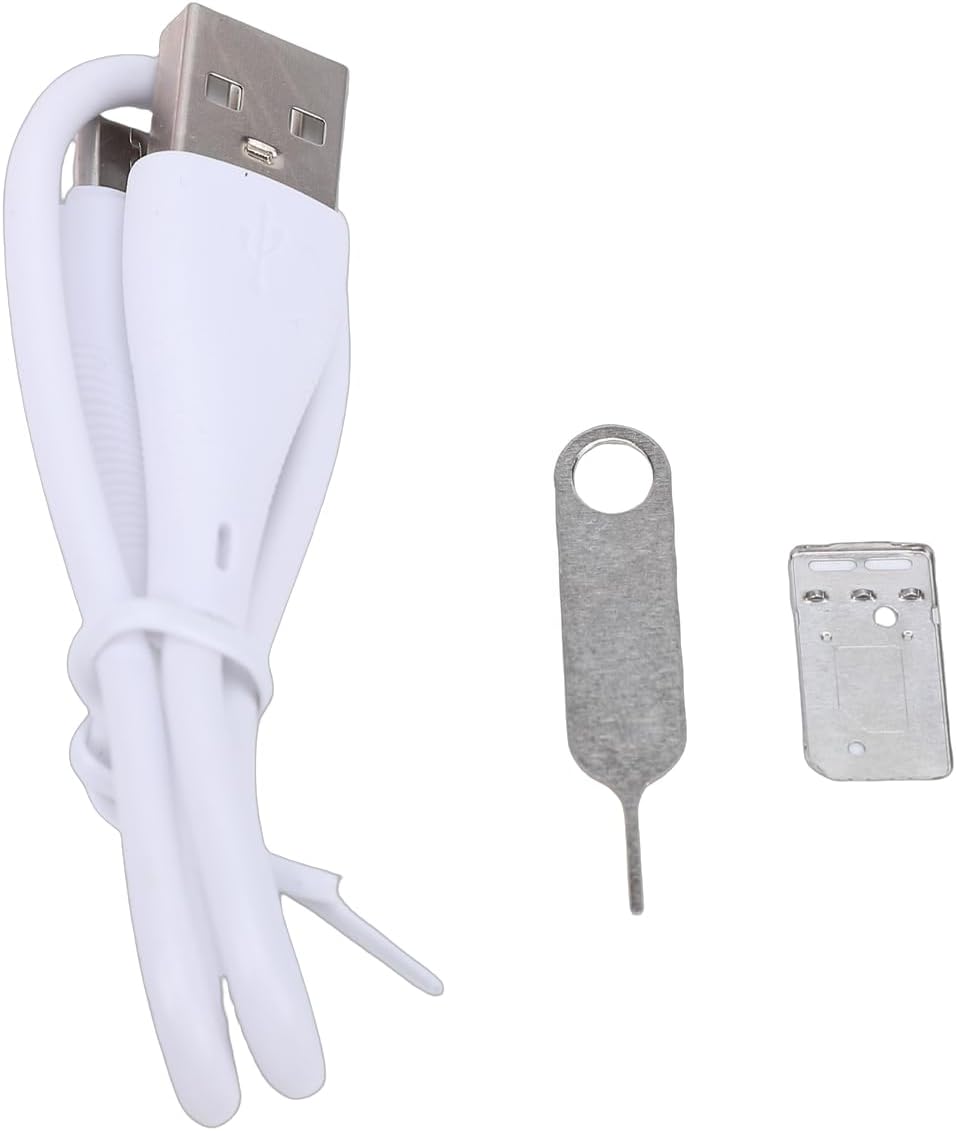
Слика 3.1: Крупен план view of the SIM ejection tool and the SIM card tray, used for installing the Nano SIM card.
3.2. Полнење на телефонот
Пред првата употреба, целосно наполнете ја батеријата на телефонот.
- Connect the small end of the provided USB charging cable to the phone's charging port.
- Поврзете го поголемиот крај од USB кабелот со компатибилен USB адаптер за напојување (не е вклучен) или USB порт на компјутерот.
- The phone will indicate that it is charging. A full charge typically takes approximately 1 hour.
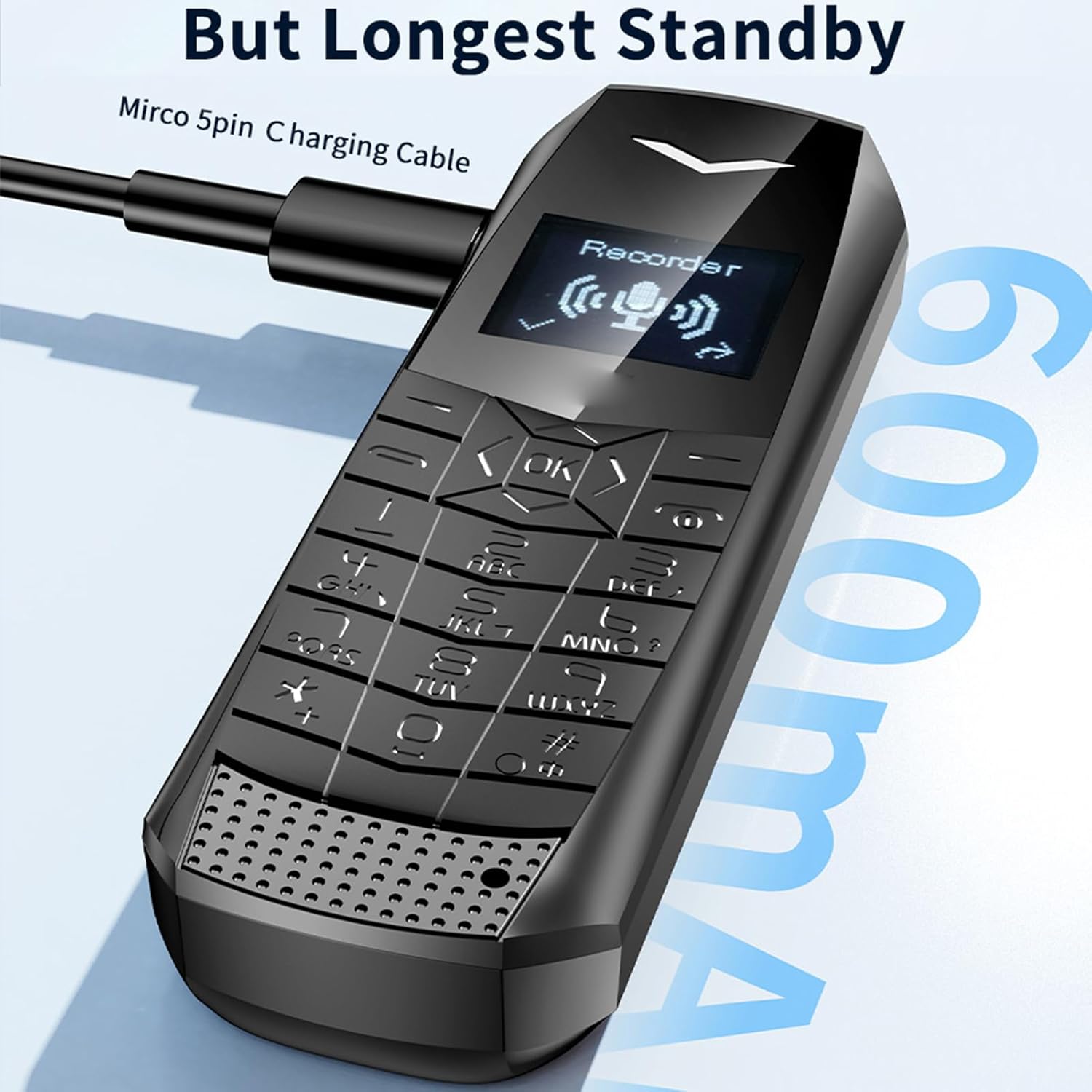
Image 3.2: The VBESTLIFE 4G Mini Phone being charged via its Micro USB port, with the charging cable connected.
4. Упатства за работа
4.1. Вклучување/исклучување
- За вклучување: Притиснете го и задржете го копчето за вклучување/завршување на повик додека не светне екранот.
- To power off: Press and hold the Power/End Call button until the power-off options appear, then select 'Power Off'.
4.2. Остварување и примање повици
- To make a call: Enter the phone number using the keypad and press the Call button (green icon).
- To answer a call: Press the Call button when the phone rings.
- To end a call: Press the Power/End Call button (red icon).
4.3. Испраќање и примање пораки
- Одете во менито „Пораки“.
- Select 'New Message' to compose a text message.
- Внесете го бројот на примателот и вашата порака.
- Притиснете „Испрати“.
4.4. SOS Emergency Dialing
SOS функцијата ви овозможува брзо да контактирате со претходно поставени броеви за итни случаи.
- Поставување на SOS контакти: Access the SOS settings in the phone's menu. Add up to 5 emergency contacts.
- Using SOS: In an emergency, press and hold the dedicated SOS button (if available) or a pre-assigned key. The phone will automatically dial the emergency contacts in sequence until one answers.

Image 4.1: The VBESTLIFE 4G Mini Phone displaying its SOS calling feature, showing how to set up and activate emergency contacts.
4.5. MP3 плеер
The phone supports MP3 playback. Transfer MP3 files to the phone's memory (if expandable) or internal storage. Access the MP3 player from the main menu to play your music.
4.6. Блутут
Enable Bluetooth in the phone's settings to connect to compatible devices such as headsets or other phones for file трансфер.
4.7. FM радио
To use the FM radio, ensure headphones are connected as they act as the antenna. Access the FM radio application from the menu and scan for available stations.
5. Одржување и грижа
- Одржување на суво: Заштитете го вашиот телефон од влага и течности.
- Чистете нежно: Use a soft, dry cloth to clean the phone. Avoid harsh chemicals.
- Избегнувајте екстремни температури: Do not expose the phone to very high or low temperatures.
- Ракувајте со внимание: Избегнувајте испуштање или изложување на телефонот на силни удари.
- Нега на батеријата: Do not attempt to replace the battery yourself. Dispose of batteries properly.
6 Смена на проблеми
Доколку наидете на проблеми со вашиот телефон, погледнете ги следниве вообичаени решенија:
| Проблем | Можно решение |
|---|---|
| Телефонот не се вклучува | Проверете дали батеријата е наполнета. Поврзете го полначот и обидете се повторно. |
| Не може да се остваруваат или примаат повици | Check if the SIM card is correctly inserted and activated. Verify network signal strength. |
| Нема мрежен сигнал | Move to an area with better network coverage. Restart the phone. |
| Лош аудио квалитет за време на повиците | Check the volume settings. Ensure there is no obstruction to the speaker or microphone. |
| Батеријата брзо се троши | Намалете ја осветленоста на екранот. Затворете ги неискористените апликации. Ограничете го користењето на податоци во позадина. |
7. Спецификации
| Карактеристика | Детал |
|---|---|
| Име на моделот | VBESTLIFE817oqtu920-11 |
| Мобилна технологија | 4G LTE (FDD LTE: B1 B2 B3 B5 B7 B8 B20, TDD LTE: B38 B40 B411), WCDMA: B1 B5, GSM: 900-1800 |
| Слот за SIM картичка | Nano SIM (не е вклучена) |
| RAM меморија | 1 GB |
| ROM | 64 MB |
| Екран за прикажување | 0.66" Organic LED HD screen |
| Големина на производот | Приближно 70 x 23 x 12 мм / 2.76 x 0.91 x 0.47 инчи |
| Батерија | Литиум-јонска батерија од 600 mAh |
| Време на мирување | 2-3 дена |
| Bluetooth | 5.0 |
| Тип на конектор | USB 2.0 |
| Оперативен систем | Windows (Note: This likely refers to a basic OS, not Microsoft Windows) |
| Форма фактор | Со дланка |
| Боја | Црното |
8. Информации за гаранцијата
This VBESTLIFE 4G Mini Phone comes with a warranty period of 90 дена од датумот на купување. Ве молиме чувајте го вашиот доказ за купување за какви било барања за гаранција.
9. Поддршка за корисници
For further assistance, technical support, or warranty inquiries, please contact your retailer or the manufacturer directly. Refer to the contact information provided with your purchase documentation or visit the official VBESTLIFE webсајт.