
1. Важни безбедносни инструкции
Please read all instructions carefully before using this exercise bike. Keep this manual for future reference.
- Консултирајте се со вашиот лекар пред да започнете која било програма за вежбање.
- Чувајте ги децата и миленичињата подалеку од опремата за време на употребата.
- Поставете го велосипедот за вежбање на рамна, стабилна површина. Обезбедете доволно простор околу велосипедот.
- Regularly inspect the equipment for wear and tear. Tighten any loose bolts or nuts before each use.
- The maximum user weight capacity is 350 фунтиНе го надминувајте ова ограничување.
- Носете соодветна облека и обувки за вежбање.
- Use the emergency stop knob to immediately halt the flywheel if needed.
2. Содржина на пакетот
Проверете дали сите компоненти се присутни пред склопување:
- Main Frame with Flywheel and Belt Drive
- Front Stabilizer Bar with Transport Wheels
- Задна лента за стабилизатор
- Седиште и седиште
- Кормило и кормила
- Left and Right Pedals with Straps
- LCD монитор
- Држач за шишиња со вода
- Assembly Tool Kit (wrenches, Allen key, bolts, washers)
- Упатство за употреба
3. Инструкции за склопување
The Wenoker Exercise Bike is designed for quick and easy assembly, with most major components pre-assembled. Follow these steps:
Step 1: Attach Stabilizer Bars
- Прикачете го rear stabilizer bar to the main frame using the provided bolts and washers. Tighten securely with the wrench.
- Прикачете го front stabilizer bar (with transport wheels) to the main frame using the provided bolts and washers. Ensure the wheels face forward. Tighten securely.
Чекор 2: Инсталирајте педали
- Идентификувајте го Лево (L) и Десно (R) pedals. The right pedal screws in clockwise, and the left pedal screws in counter-clockwise.
- Carefully thread each pedal into its corresponding crank arm. Tighten firmly with the wrench.
- Attach the foot straps to the pedals, ensuring they are secure.
Step 3: Assemble Seat and Handlebars
- Вметнете го седиште пост into the main frame. Secure it at your desired height using the adjustment knob.
- Прикачете го седиште to the seat post. Adjust its forward/backward position and angle for comfort, then tighten the bolts.
- Вметнете го столб на кормилото into the main frame. Secure it at your desired height using the adjustment knob.
- Прикачете го рачки to the handlebar post using the provided bolts. Tighten securely.
Step 4: Install LCD Monitor and Water Bottle Holder
- Connect the sensor wire from the main frame to the back of the LCD монитор.
- Mount the LCD monitor onto the handlebar post.
- Install 2 AAA batteries (not included) into the LCD monitor.
- Прикачете го држач за шишиња со вода to the designated area on the frame using the provided screws.
Видео собрание
Official video guide: How to Assemble Wenoker Exercise Bike. This video provides visual instructions for a smooth assembly process.
4. Прилагодувања
Подесување на седиштата
- Висина: Loosen the adjustment knob on the vertical seat post, raise or lower the seat to your desired height, and then tighten the knob securely.
- Напред/наназад: Loosen the adjustment knob located under the seat. Slide the seat forward or backward to achieve a comfortable pedaling position, then tighten the knob.
Прилагодување на рачката
- Loosen the adjustment knob on the handlebar post. Raise or lower the handlebars to a comfortable height that supports your riding posture, then tighten the knob.
Прилагодување на отпорот
- The red knob on the main frame controls the resistance. Turn it clockwise to increase resistance for a more challenging workout.
- Turn it counter-clockwise to decrease resistance for an easier ride.
- Press the red knob down firmly to activate the итен прекин function, which will quickly halt the flywheel.

Image: The red knob for infinite resistance adjustment and emergency stop.
5. Упатства за работа
Функции на LCD мониторот
The multi-function LCD monitor tracks your workout data:
- СКЕНИРАЊЕ: Automatically cycles through all display modes every few seconds.
- ВРЕМЕ: Го прикажува времетраењето на вашиот тренинг.
- БРЗИНА: Ја покажува вашата моментална брзина на возење велосипед.
- ДИСТИНА: Го следи поминатото растојание за време на тренингот.
- КАЛОРИИ: Estimates the calories burned.
- Километража (ОДО): Го евидентира вкупното акумулирано растојание.
- PULSE (Heart Rate): Displays your heart rate when holding the pulse sensors (if available).
Користете го РЕЖИМ button to select a specific display function or activate SCAN mode. Press and hold РЕСЕТИРАЈ to clear all workout data.
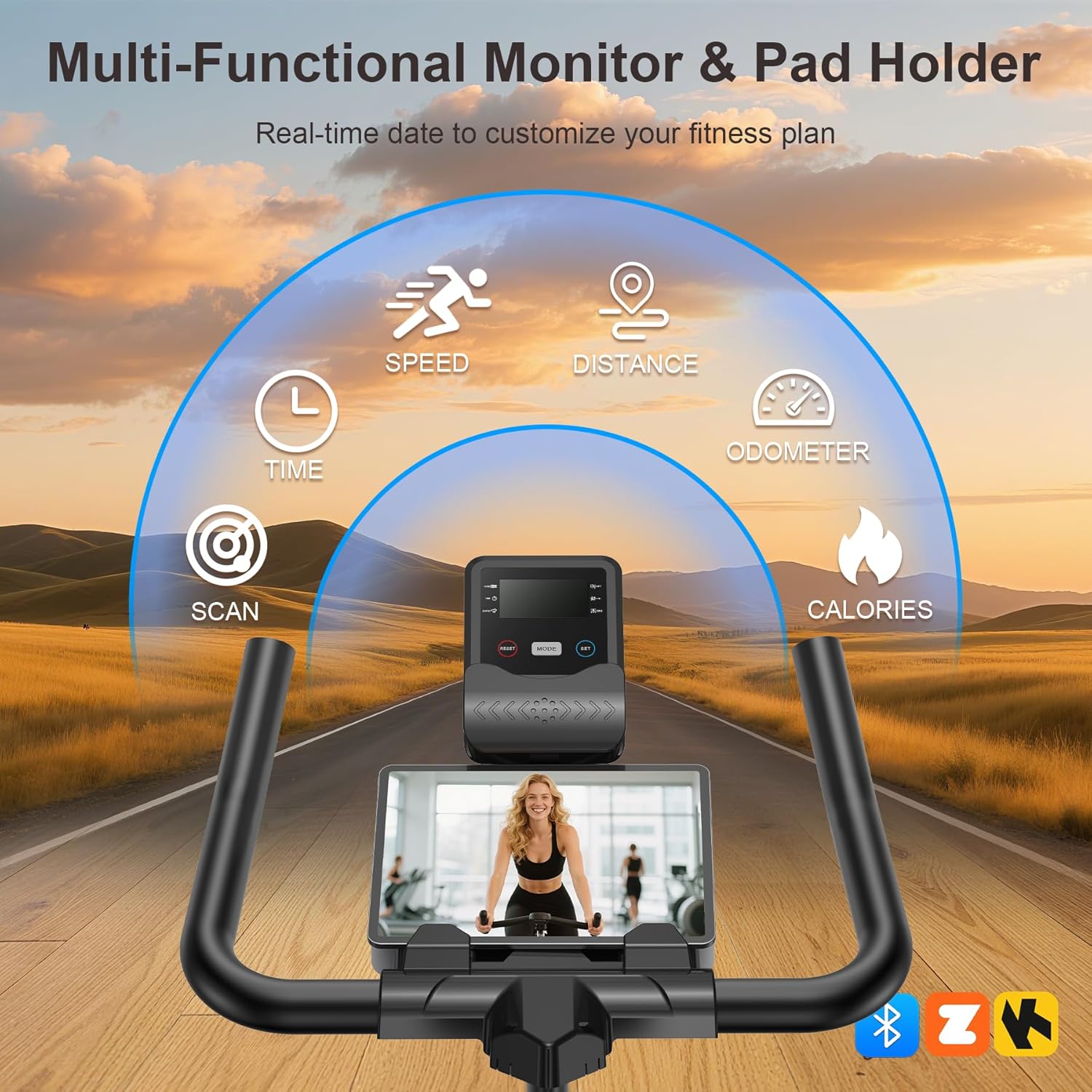
Image: The multi-functional LCD monitor provides real-time workout data.
App Sync & Bluetooth Tracking
Connect your Wenoker Exercise Bike to compatible fitness apps via Bluetooth for enhanced workout experiences:
- Download a compatible fitness app (e.g., Zwift, Kinomap) on your smartphone or tablet.
- Овозможете Bluetooth на вашиот уред.
- Open the fitness app and follow the in-app instructions to pair with your Wenoker bike.
- Enjoy virtual rides, coaching programs, and real-time data tracking directly on your device.
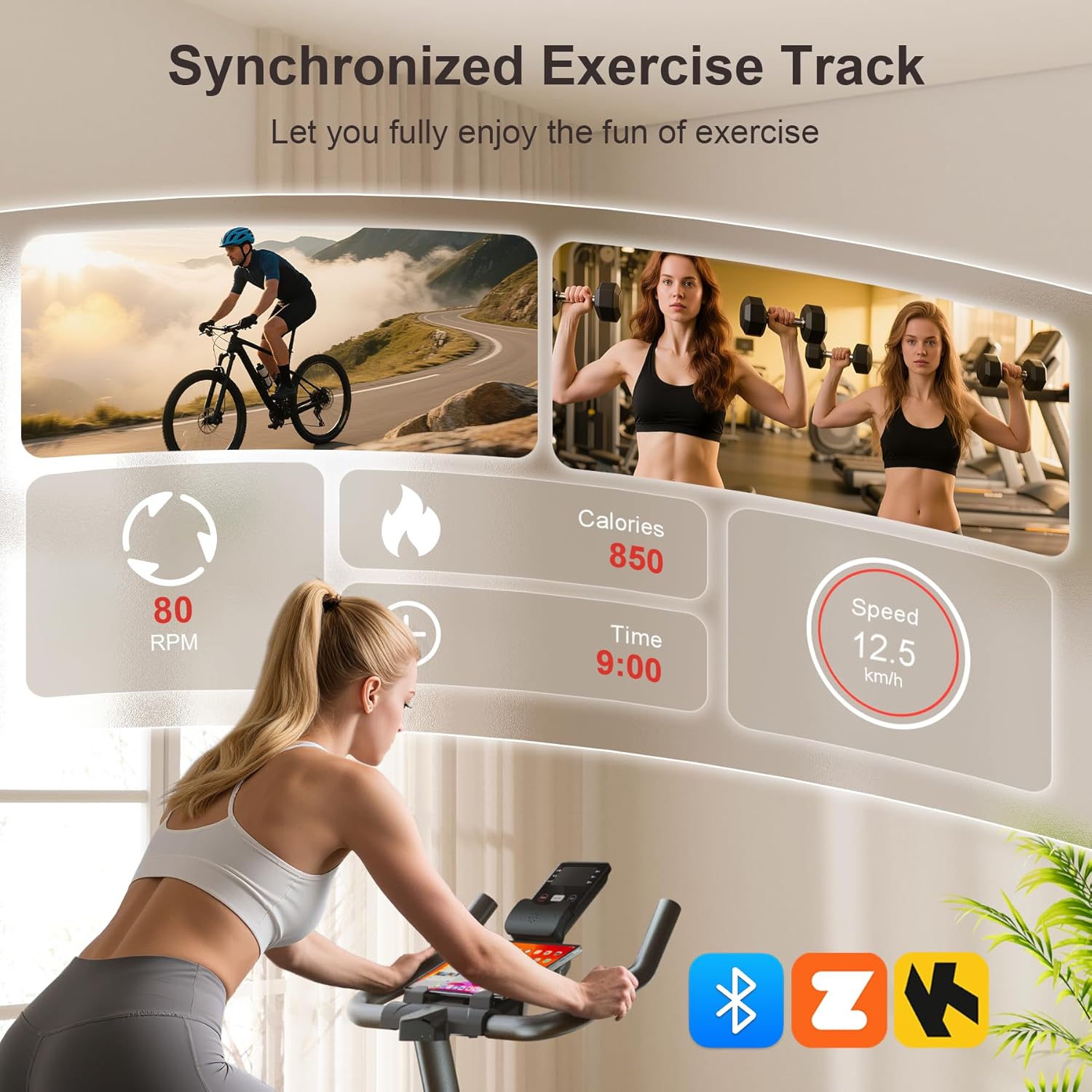
Image: Smart APP and Bluetooth connectivity for tracking workouts and engaging with fitness programs.
6. Одржување
Редовното одржување обезбедува долготрајност и безбедно работење на вашиот велосипед за вежбање:
- Чистење: Избришете го велосипедот со рекламаamp крпа по секоја употреба за отстранување на пот и прашина. Избегнувајте абразивни средства за чистење.
- Инспекција: Periodically check all bolts, nuts, and moving parts for tightness. Re-tighten as necessary.
- Подмачкување: The belt drive system is designed for low maintenance. Do not lubricate the belt or flywheel unless specifically instructed by customer support.
- Складирање: Store the bike in a dry, cool place away from direct sunlight and moisture. Use the transport wheels to move it easily.

Image: The built-in transport wheels allow for easy movement and storage of the exercise bike.
7 Смена на проблеми
- Бучава за време на работата: Check all bolts and nuts for tightness. Ensure the bike is on a level surface. If the noise persists, contact customer support.
- Нестабилно возење: Adjust the leveling knobs on the stabilizer bars to ensure the bike is stable on uneven floors.
- LCD monitor not working: Check if the batteries are correctly installed and have sufficient charge. Ensure the sensor wire is securely connected.
- Отпорот не се менува: Verify the resistance knob is functioning correctly and not stuck.
8. Спецификации
| Карактеристика | Спецификација |
|---|---|
| Бренд | Венокер |
| Име на моделот | WF-WSWG-1G4V |
| Материјал | Легуриран челик |
| Отпорен механизам | Триење |
| Погонски систем | Појас |
| Димензии на производот | 37.4" Д x 7.48" Ш x 29.92" В |
| Препорака за максимална тежина | 350 фунти |
| Ниво на бучава | Под 25 dB |
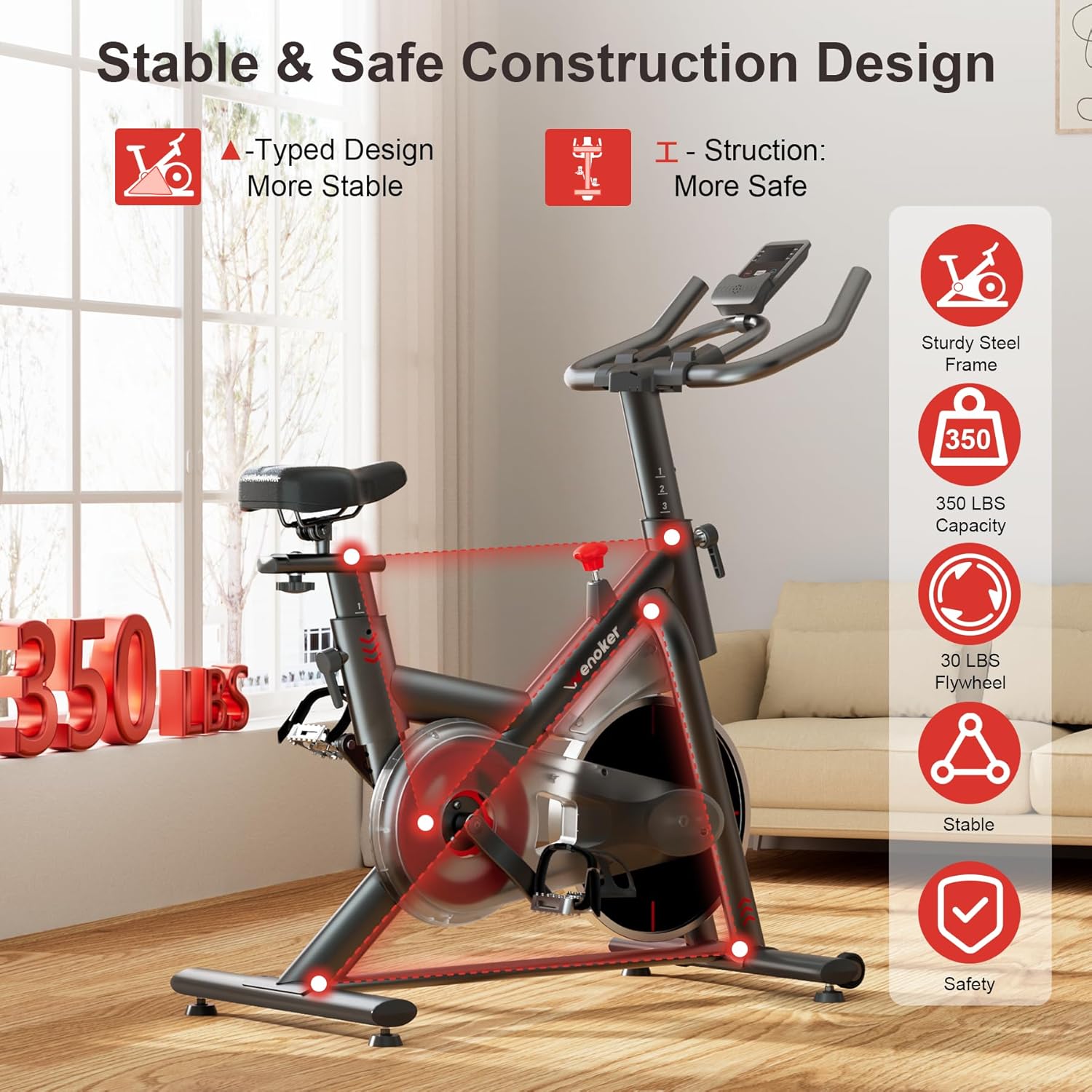
Image: Heavy-duty steel frame and reinforced triangle structure ensure stability and durability.
9. Гаранција и поддршка
For any questions, concerns, or warranty claims, please contact Wenoker customer support.
- Е-пошта: wenokerdirect@outlook.com
- Работно време: Monday-Friday, 9:00 AM - 5:00 PM PST/PDT
Ве молиме зачувајте ја вашата сметка за купување како доказ за купување за целите на гаранцијата.