
Вовед
The UGREEN CM889 7-in-1 USB-C Hub is designed to expand the connectivity options of your USB-C enabled devices. This compact and versatile hub transforms a single USB-C port into seven essential connections, including HDMI, USB 3.0, USB 2.0, SD/TF card readers, Gigabit Ethernet, and a Power Delivery (PD) charging port. It provides a comprehensive solution for connecting multiple peripherals, external displays, and charging your device simultaneously, enhancing productivity and convenience for various applications.
Карактеристики на производот
- 7-во-1 поврзување: Expands a single USB-C port into HDMI, USB 3.0 (x2), USB 2.0 (x1), SD card reader, TF card reader, Gigabit Ethernet, and USB-C PD charging port.
- 4K HDMI излез: Supports video output up to 4K resolution at 30Hz, enabling connection to external monitors, TVs, or projectors.
- Пренос на податоци со голема брзина: Two USB 3.0 ports offer data transfer speeds up to 5Gbps for quick file трансфери.
- Power Delivery (PD) Support: USB-C PD charging port supports up to 100W power pass-through to keep your laptop charged.
- Гигабитен етернет: Обезбедува стабилна и брза жична мрежна конекција до 1000 Mbps.
- Читачи на SD/TF картички: Integrated slots for simultaneous reading of SD and TF (MicroSD) cards.
- Plug and Play: Requires no additional drivers or software installation for immediate use.
- Издржлив дизајн: Constructed with aluminium alloy for enhanced durability and efficient heat dissipation.
- LED индикатор: Visual feedback on connection status.
- Безбедносни карактеристики: Вклучува прекумерна струја, преголем волуменtage, и заштита од краток спој.
Водич за поставување
Follow these steps to set up your UGREEN CM889 7-in-1 USB-C Hub:
- Поврзете се со домаќинскиот уред: Plug the USB-C connector cable of the UGREEN CM889 hub into an available USB-C port on your laptop, tablet, or smartphone. Ensure the USB-C port on your device supports data transfer, video output (DisplayPort Alternate Mode), and Power Delivery for full functionality.
- Приклучок за напојување (опционално): If your host device requires charging or if you are connecting power-intensive peripherals, connect your original USB-C power adapter to the USB-C PD port on the hub. The hub supports up to 100W power pass-through.
- Поврзете периферни уреди:
- HDMI дисплеј: Connect an HDMI cable from your external monitor or TV to the HDMI port on the hub. Your device should automatically detect the external display.
- USB-уреди: Plug your USB-A peripherals (e.g., keyboard, mouse, USB flash drive, external hard drive) into the USB 3.0 or USB 2.0 ports.
- Мрежен кабел: For a wired internet connection, connect an Ethernet cable to the Gigabit RJ45 port on the hub.
- SD/TF картички: Insert your SD or TF (MicroSD) memory cards into the corresponding slots.
- Потврдете ја врската: The LED indicator on the hub will illuminate to show a successful connection to the host device.
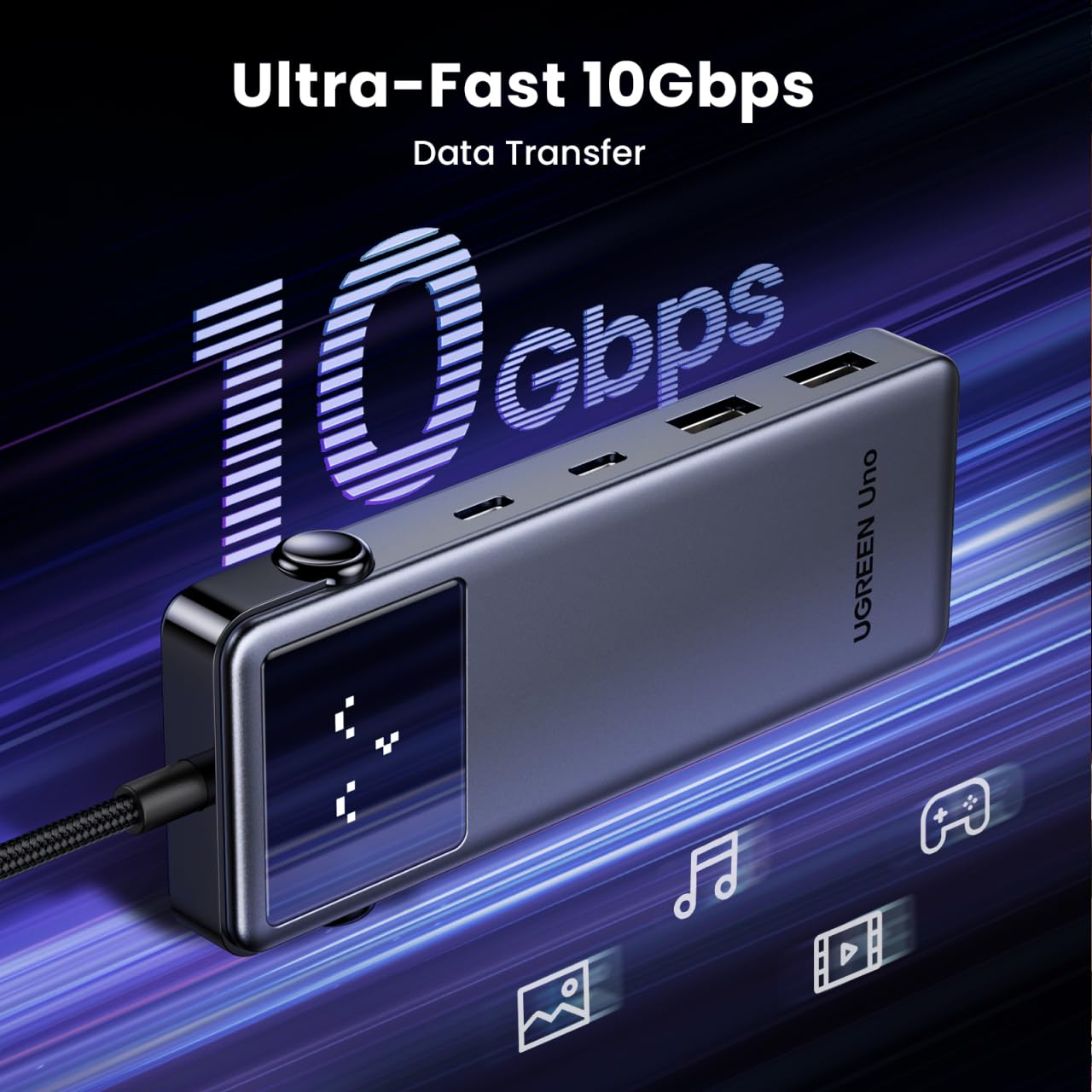
Image: UGREEN CM889 hub with its 7 ports labeled, including PD 100W, USB-C 3.0, USB-A 3.0 x 2, USB-A 2.0, HDMI 4K60Hz, and Gigabit RJ45.

Image: Visual representation of the LED display on the UGREEN CM889 hub, showing different icons for connecting to host, external display, PD charger, and external display + PD charging.
Упатства за работа
Once connected, the UGREEN CM889 hub operates automatically. Here's how to utilize its various functions:
- Пренос на податоци: Insert USB flash drives, external hard drives, or other USB storage devices into the USB 3.0 or USB 2.0 ports. Files can be dragged and dropped between your host device and the connected storage. The USB 3.0 ports support speeds up to 5Gbps.
- Видео излез: After connecting an HDMI display, your host device's operating system will typically extend or mirror your display automatically. You can adjust display settings (resolution, orientation, mirroring/extending) through your device's display settings. The hub supports resolutions up to 4K@30Hz.
- Полнење: When a power adapter is connected to the PD port, the hub will pass power through to charge your host device. Ensure your power adapter provides sufficient wattage for both the hub and your device.
- Пристап до мрежа: The Gigabit Ethernet port provides a stable and high-speed internet connection. Once an Ethernet cable is connected, your device should automatically establish a wired network connection.
- Читање картички: Insert SD or TF cards into their respective slots. They will appear as removable drives on your host device, allowing you to access and transfer files.

Image: The UGREEN CM889 hub with a visual representation of high-speed data transfer, indicating up to 10Gbps capability for the main USB-C connection.

Image: Diagram illustrating the universal compatibility of the UGREEN CM889 hub with various laptops (MacBook Air/Pro, HP Envy, Dell XPS, Surface Pro, ThinkPad, ASUS Vivobook), tablets/phones (iPad Pro/Air/Mini, Galaxy Tab, iPhone 15, Galaxy S24/S23), and game consoles (ROG Ally, Steam Deck).

Image: A user demonstrating the connection of multiple peripherals like a keyboard, mouse, and external storage to the UGREEN CM889 hub, which is connected to a laptop.
Одржување
To ensure the longevity and optimal performance of your UGREEN CM889 USB-C Hub, follow these maintenance guidelines:
- Чистење: Use a soft, dry, lint-free cloth to gently wipe the surface of the hub. Avoid using liquid cleaners, aerosols, or solvents, as they may damage the device.
- Складирање: Кога не е во употреба, чувајте го главчината на ладно и суво место, подалеку од директна сончева светлина и екстремни температури.
- Ракување: Избегнувајте испуштање на главчината или нејзино изложување на силни удари. Не го виткајте или влечете прекумерно интегрираниот USB-C кабел.
- Грижа за пристаниште: Keep the ports free from dust and debris. You can use compressed air to gently clear any obstructions.
Решавање проблеми
If you encounter issues with your UGREEN CM889 USB-C Hub, refer to the following common problems and solutions:
- Нема излез за прикажување преку HDMI:
- Осигурајте се дека USB-C-портата на вашиот домаќин уред поддржува алтернативен режим на DisplayPort (Alt Mode).
- Check the HDMI cable connection between the hub and the monitor. Try a different HDMI cable.
- Verify the monitor input source is set correctly to HDMI.
- Рестартирајте го вашиот домаќински уред.
- USB уредите не се препознаваат:
- Осигурајте се дека центарот е безбедно поврзан со вашиот домаќински уред.
- Обидете се да го поврзете USB-уредот директно со вашиот домаќин уред за да потврдите дека работи.
- Доколку поврзувате USB уред со голема моќност (на пр., надворешен тврд диск), осигурајте се дека центарот е поврзан со адаптер за напојување преку неговиот PD порт.
- Пробајте друг USB порт на хабот.
- Без полнење за испорака на енергија (PD):
- Ensure your USB-C power adapter is functional and connected to the hub's PD port.
- Потврдете дека USB-C-портата на вашиот домаќин уред поддржува испорака на енергија.
- Проверете дали адаптерот за напојување обезбедува доволно моќностtage за вашиот уред.
- Бавни брзини на пренос на податоци:
- Осигурајте се дека користите уреди и кабли компатибилни со USB 3.0 за USB 3.0 портите.
- Some older USB-C ports on host devices may not support full USB 3.0 speeds.
- Avoid connecting too many power-intensive devices simultaneously without external power.
- Проблеми со етернет конекцијата:
- Проверете ја врската на Ethernet кабелот и со центарот и со вашиот рутер/модем.
- Проверете ги мрежните поставки на вашиот домаќин уред.
- Проверете дали вашиот рутер/модем работи правилно.
Спецификации
| Бренд | ЗЕЛЕНА |
| Број на модел | CM889 |
| Хардверски интерфејс | USB тип C |
| Вкупно USB порти | 7 (2x USB 3.0, 1x USB 2.0, 1x USB-C PD, 1x HDMI, 1x Gigabit Ethernet, 1x SD, 1x TF) |
| HDMI излез | 4K@30Hz |
| USB 3.0 брзина на податоци | До 5 Gbps |
| Испорака на енергија | Up to 100W Pass-Through |
| Брзина на етернет | 10/100/1000Mbps (гигабит) |
| Материјал за куќиште | Aluminium Alloy, ABS Plastic, Copper |
| Димензии на ставката (Д x Ш x В) | 10L x 5W x 15H Сантиметри |
| Тежина на ставката | 85 грама |
| Земја на потекло | Кина |
Гаранција и поддршка
Гаранција: The UGREEN CM889 7-in-1 USB-C Hub comes with a 1-Year Manufacturer Warranty from the date of purchase.
Поддршка за корисници: For any technical assistance, warranty claims, or product inquiries, please contact our authorized distributor:
Никита ДистрибутериGreen Terrace Building, Lane Number 5
South Koregaon Park, Pune 411001, MH, India.
ИД на е-пошта: care@nikitadistributors.com
Телефонски број: 18002668571