1. Упатства за поставување
Follow these steps to begin playing Harvest Moon: Back To Nature on your PlayStation console.
- Вметнете диск за игра: Gently insert the Harvest Moon: Back To Nature game disc into your PlayStation console's disc tray. Ensure the disc is clean and free of scratches.
- Поврзете ја конзолата: Ensure your PlayStation console is properly connected to your television or display unit according to your console's instruction manual.
- Вклучување: Turn on your television and PlayStation console. Select the correct input source on your television.
- Поставување контролер: Connect your PlayStation controller. This game supports Аналогна контрола.
- Мемориска картичка: Insert a PlayStation Memory Card into slot 1. This game requires 4 блокови of memory for saving game progress.

2. Упатства за работа (Игра)
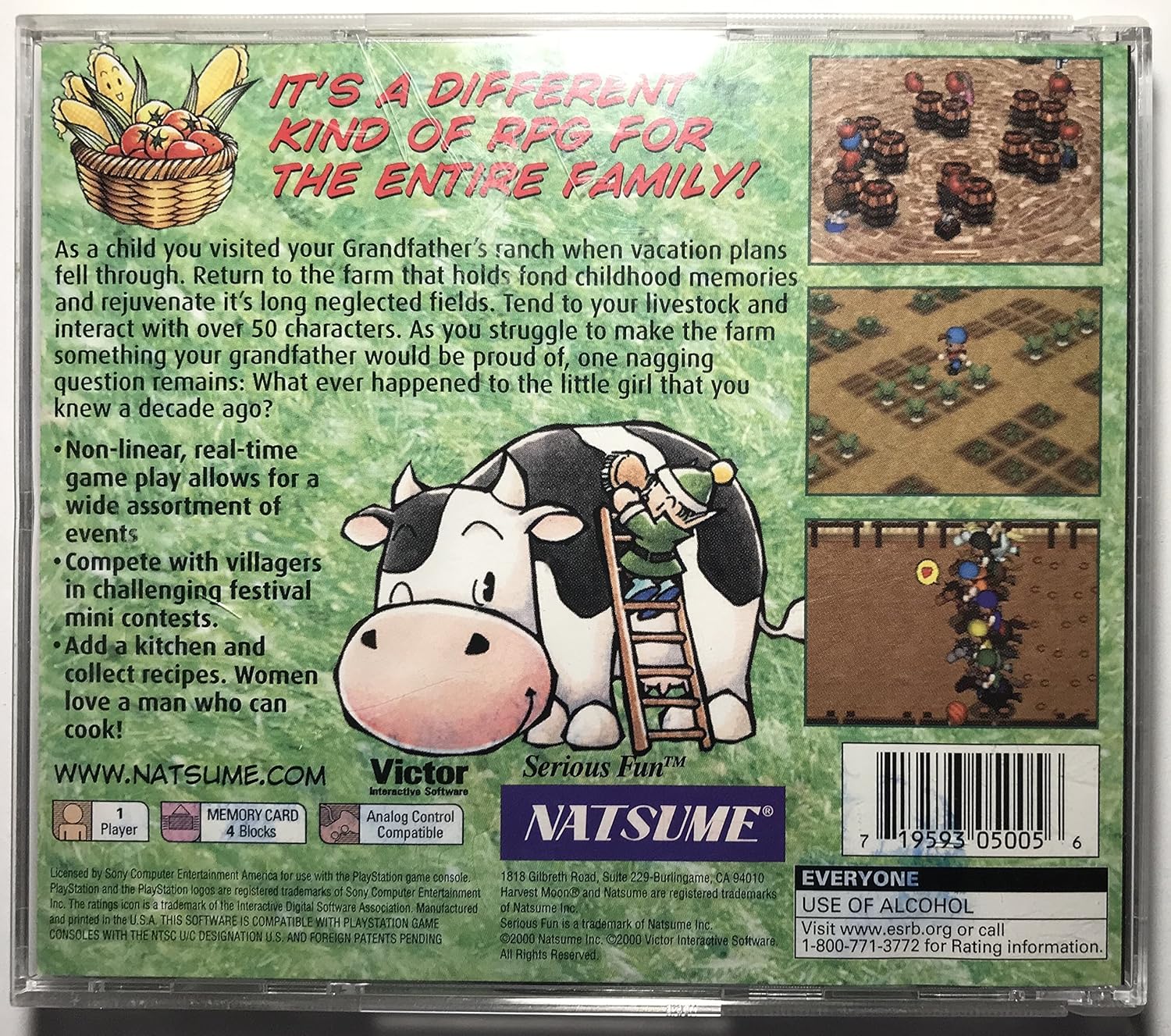
Harvest Moon: Back To Nature is a farming simulation role-playing game where you restore your grandfather's farm.
- Цел на играта: Return to your grandfather's neglected farm and rejuvenate its fields. Your goal is to make the farm successful within a three-year period.
- Core Activities: Tend to livestock, plant and harvest crops, and interact with over 50 unique characters in Mineral Town.
- Non-linear Gameplay: The game features non-linear, real-time gameplay, allowing for a wide variety of events and activities throughout the seasons.
- Festival Participation: Compete in challenging festival mini-contests such as Chicken Sumo, the annual Town Tomato Fight, swim races, dog races, and horse races. You can also participate in recipe tests.
- Систем за готвење: Collect and cook various recipes. You can also create your own dishes to impress other characters.
- Интеракција на карактери: Build relationships with villagers, including potential marriage candidates. Your interactions and choices can affect your relationships.
- Harvest Sprites: Befriend the Harvest Sprites to assist you with farm tasks.
- Television Programs: Utilize the in-game television for entertainment, information, and to learn new recipes or acquire kitchen utensils.
3. Одржување
Proper care of your game disc and console ensures optimal performance and longevity.
- Грижа за дискови: Keep the game disc clean and free from dust, fingerprints, and scratches. Hold the disc by its edges. Use a soft, dry cloth to wipe the disc from the center outwards if cleaning is necessary.
- Грижа за конзолата: Ensure your PlayStation console is placed in a well-ventilated area to prevent overheating. Refer to your console's manual for specific cleaning and maintenance instructions.
- Грижа за мемориска картичка: Always ensure your memory card is properly inserted before saving or loading game data. Avoid removing the memory card while the console is saving or accessing data to prevent corruption.

4 Смена на проблеми
If you encounter issues while playing, try the following solutions:
- Играта не се вчитува:
- Ensure the game disc is clean and correctly inserted into the console.
- Verify that your PlayStation console is properly connected to your television and powered on.
- Рестартирајте ја конзолата.
- Game Freezes or Glitches:
- Clean the game disc thoroughly.
- Рестартирајте ја вашата PlayStation конзола.
- Ensure the console has adequate ventilation.
- Save Data Issues:
- Check if the memory card is securely inserted into the correct slot.
- Ensure the memory card has sufficient free blocks (4 blocks required for this game).
- Avoid removing the memory card during saving or loading operations.
- Нема звук или слика:
- Check all audio/video cables connecting the console to the television.
- Ensure your television is on the correct input source.
5. Спецификации
| Карактеристика | Детал |
|---|---|
| ASIN | B00004WKHO |
| Број на модел на ставка | SLUS-01115 |
| Оценет | Everyone (ESRB) |
| Вид на ставка | Видео игра |
| Димензии на пакетот | 5.5 x 4.9 x 0.4 инчи |
| Тежина на ставката | 2.4 унци |
| Производител | Natsume Entertainment |
| Датум прв на располагање | 28 јули 2000 година |
| Играчи | 1 играч |
| Memory Card Required | 4 блокови |
| Аналогна контрола | Компатибилен |
6. Гаранција и поддршка
For specific warranty information regarding Harvest Moon: Back To Nature, please refer to the documentation included with your game purchase or contact the manufacturer directly.
Контакти за поддршка:
- Производител: Natsume Entertainment
- ESRB Rating Information:
- Webсајт: www.esrb.org
- Телефон: 1-800-771-3772
- PlayStation Console Support: For issues related to your PlayStation console, please consult your console's instruction manual or the official PlayStation support webсајт.


