1. Вовед
This manual provides detailed instructions for the installation, operation, and maintenance of your Lantronix KVM Serverswitch, model 300.000.9000. This device allows you to control multiple computers from a single PS/2 keyboard, PS/2 mouse, and VGA monitor console. Please read this manual thoroughly before using the product to ensure proper setup and optimal performance.
2. Информации за безбедност
To prevent damage to the product or injury to yourself, observe the following safety precautions:
- Осигурајте се дека уредот е поставен на стабилна, рамна површина.
- Не го изложувајте уредот на влага, екстремни температури или директна сончева светлина.
- Користете го само адаптерот за напојување испорачан со уредот.
- Не го отворајте уредот casing. Целото сервисирање обратете се на квалификуван персонал.
- Disconnect power before cleaning. Use a soft, dry cloth for cleaning.
3. Содржина на пакетот
Проверете дали сите артикли се присутни во вашиот пакет:
- Lantronix KVM Serverswitch (Model 300.000.9000)
- Адаптер за напојување
- Rack Mount Kit (optional, may be sold separately)
- Водич за брз почеток (овој документ служи како целосен прирачник)
4. Производот завршиview
The Lantronix KVM Serverswitch 300.000.9000 is an 8-port KVM switch designed for managing multiple PS/2-based servers or PCs. It features a robust design suitable for server room environments.
4.1 Преден панел
The front panel typically includes port selection buttons and LED indicators for active ports.
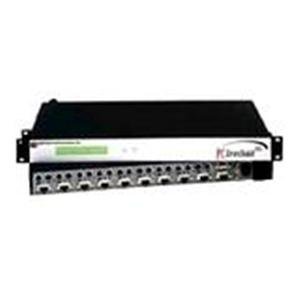
Слика: напред view of the Lantronix KVM Serverswitch. This image displays the device's front panel, featuring multiple buttons for selecting connected computers and corresponding LED indicators to show the active port.
4.2 Заден панел
The rear panel houses the console ports for your keyboard, mouse, and monitor, as well as the KVM ports for connecting to the servers/PCs and the power input.
Note: A specific image for the rear panel is not available. Please refer to the physical device for port identification.
5. Поставување
Follow these steps to set up your KVM Serverswitch:
- Исклучете ги сите уреди: Пред да направите какви било поврзувања, проверете дали сите компјутери и KVM прекинувачот се исклучени.
- Поврзете ги конзолните уреди:
- Connect your PS/2 keyboard to the keyboard port on the KVM switch's console section.
- Connect your PS/2 mouse to the mouse port on the KVM switch's console section.
- Connect your VGA monitor to the VGA port on the KVM switch's console section.
- Поврзување на компјутери: For each computer you wish to connect:
- Connect a KVM cable (VGA, PS/2 keyboard, PS/2 mouse) from the computer's respective ports to an available KVM port on the switch.
- Ensure a secure connection for all cables.
- Поврзете напојување: Plug the supplied power adapter into the KVM switch's power input, then plug the adapter into a power outlet.
- Вклучување: First, power on the KVM switch. Then, power on all connected computers.
6. Operating the KVM Serverswitch
The Lantronix KVM Serverswitch offers multiple methods for switching between connected computers.
6.1 Front Panel Push Buttons
Press the corresponding button on the front panel to switch to the desired computer. The LED indicator for the selected port will illuminate.
6.2 Префрлување на кратенки
Use keyboard hotkeys to switch between computers without needing to reach the switch. Common hotkey sequences include:
- [Scroll Lock] + [Scroll Lock] + [Port Number]: Switches directly to the specified port.
- [Scroll Lock] + [Scroll Lock] + [Up/Down Arrow]: Switches to the next/previous port.
- Refer to the specific hotkey combinations printed on the device or in a separate quick start guide if available, as they can vary.
6.3 Auto-Scan Mode
The KVM switch may feature an auto-scan mode that automatically cycles through all connected computers, displaying each for a set duration. This is useful for monitoring multiple systems. Consult the device's specific features for activating and configuring auto-scan.
7. Одржување
Regular maintenance ensures the longevity and optimal performance of your KVM switch.
- Чистење: Disconnect power before cleaning. Use a soft, dry, lint-free cloth to wipe the exterior of the device. Do not use liquid or aerosol cleaners.
- Вентилација: Уверете се дека отворите за вентилација не се блокирани. Соодветниот проток на воздух спречува прегревање.
- Управување со кабли: Keep cables organized and free from kinks or excessive tension to prevent damage to connectors and ensure reliable signal transmission.
8 Смена на проблеми
If you encounter issues with your KVM Serverswitch, refer to the following common problems and solutions:
| Проблем | Можна причина | Решение |
|---|---|---|
| Нема приказ на видео. | Loose VGA cable connection. Incorrect port selected. Monitor not powered on. | Check all VGA cable connections. Ensure the correct port is selected on the KVM switch. Verify monitor power. |
| Тастатурата или глувчето не реагираат. | Loose PS/2 cable connection. Incorrect port selected. Keyboard/mouse not compatible. | Check all PS/2 cable connections. Ensure the correct port is selected. Try a different keyboard/mouse if available. |
| KVM switch not powering on. | Адаптерот за напојување не е поврзан или е неисправен. Приклучокот за напојување не работи. | Verify power adapter connection to the switch and outlet. Test the outlet with another device. |
| Cannot switch between computers. | Hotkeys not recognized. Front panel buttons unresponsive. | Ensure hotkey sequence is correct. Try using front panel buttons. Power cycle the KVM switch and connected computers. |
9. Спецификации
Key technical specifications for the Lantronix KVM Serverswitch 300.000.9000:
- Број на модел: 300.000.9000
- ASIN: B00006B74R
- Бренд: Лантроникс
- Број на пристаништа: 8 (for PS/2 PCs/Servers)
- Console Connections: 1 x VGA, 1 x PS/2 Keyboard, 1 x PS/2 Mouse
- PC Connections: 8 x VGA, 8 x PS/2 Keyboard, 8 x PS/2 Mouse (via KVM cables)
- Switching Methods: Front Panel Push Buttons, Hotkeys
- Димензии на пакетот: 22.5 x 12.25 x 6.5 инчи
- Тежина на ставката: 11.18 фунти
- Производител: ЛАНТРОНИКС
- Прво достапен датум: 21 јуни 2002 година
- UPC: 783384222113
10. Гаранција и поддршка
For warranty information and technical support, please refer to the official Lantronix webлокација или контактирајте го нивниот оддел за корисничка поддршка. Чувајте ја сметката како доказ за купување за гаранциски побарувања.
Lantronix Official Webсајт: www.lantronix.com